https://github.com/miscellaneousstuff/pylol
League of Legends v4.20 RL Environment (LoLRLE)
https://github.com/miscellaneousstuff/pylol
league-of-legends machine-learning reinforcement-learning
Last synced: 5 months ago
JSON representation
League of Legends v4.20 RL Environment (LoLRLE)
- Host: GitHub
- URL: https://github.com/miscellaneousstuff/pylol
- Owner: MiscellaneousStuff
- License: mit
- Created: 2020-11-09T11:25:24.000Z (over 5 years ago)
- Default Branch: main
- Last Pushed: 2025-02-23T08:34:17.000Z (over 1 year ago)
- Last Synced: 2025-09-22T19:55:01.289Z (10 months ago)
- Topics: league-of-legends, machine-learning, reinforcement-learning
- Language: Python
- Homepage:
- Size: 217 KB
- Stars: 18
- Watchers: 3
- Forks: 2
- Open Issues: 0
-
Metadata Files:
- Readme: README.md
- License: LICENSE
Awesome Lists containing this project
README
# PyLoL - League of Legends v4.20 Learning Environment
[](https://pepy.tech/project/pylol-rl)
[](https://pepy.tech/project/pylol-rl)
[](https://pepy.tech/project/pylol-rl)
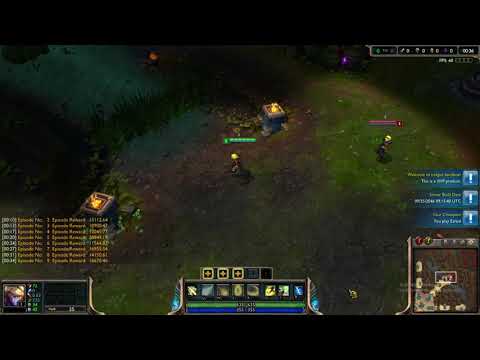
PyLoL is the Python component of the League of Legends v4.20 Learning Environment (using a modified version of the LeagueSandbox's GameServer project, not the original server from Riot). It exposes a custom machine learning API for the GameServer project as a Python RL Environment. PyLoL provides an interface for RL agents to interact with the League of Legends v4.20, getting observations and sending actions.
## About
Disclaimer: This project is not affiliated with Riot Games in any way.
If you are interested in using this project or are just curious,
send an email to [raokosan@gmail.com](mailto:raokosan@gmail.com).
# Quick Start Guide
## Google Colab
The easiest way to try pylol at the moment is to visit this Google Colab:
[](https://colab.research.google.com/github/MiscellaneousStuff/pylol-demo/blob/main/demonstration.ipynb)
Within the demonstration, you can try different agents by changing the "--agent"
parameter to either random, base or scripted. Random will choose random actions
from the action space uniformly, base will just issue no-ops (i.e. no operation,
it will do nothing) and scripted will have the agents just attack each other.
## Get PyLoL
### PyPI
The easiest way to get PyLoL is to use pip:
```shell
pip install pylol-rl
```
That will install the `pylol` package along with all the required dependencies.
virtualenv can help manage your dependencies. You may also need to upgrade pip:
`pip install --upgrade pip` for the `pylol` dependency.
### From Source
You can install PyLoL from a local clone of the git repo:
```shell
git clone https://github.com/MiscellaneousStuff/pylol.git
pip install --upgrade pylol/
```
## Config
Once you have PyLoL installed, you will need to create a config.txt file with
the following format:
```config
[dirs]
gameserver = .../LeagueSandbox-RL-Learning/GameServerConsole/bin/Debug/netcoreapp3.0/
lolclient = .../RADS/solutions/lol_game_client_sln/releases/0.0.1.68/deploy/
```
NOTE: You do not need to have the League of Legends client installed to use PyLoL,
you only need the GameServer installed. If you do not have the League of Legends
client installed, leave the `lolclient` option as follows
```config
[dirs]
gameserver = .../LeagueSandbox-RL-Learning/GameServerConsole/bin/Debug/netcoreapp3.0/
lolclient =
```