https://github.com/misyltoad/steamvr-room-setup-unrestricted
A modded version of the SteamVR Room Setup to remove the size limitations for a minimal play space that exist for absolutely no reason!
https://github.com/misyltoad/steamvr-room-setup-unrestricted
Last synced: 6 months ago
JSON representation
A modded version of the SteamVR Room Setup to remove the size limitations for a minimal play space that exist for absolutely no reason!
- Host: GitHub
- URL: https://github.com/misyltoad/steamvr-room-setup-unrestricted
- Owner: misyltoad
- Created: 2020-04-11T07:39:02.000Z (over 6 years ago)
- Default Branch: master
- Last Pushed: 2020-04-11T08:36:24.000Z (over 6 years ago)
- Last Synced: 2025-09-06T19:55:34.247Z (11 months ago)
- Homepage:
- Size: 190 KB
- Stars: 2
- Watchers: 2
- Forks: 0
- Open Issues: 0
-
Metadata Files:
- Readme: README.md
Awesome Lists containing this project
README
# steamvr-room-setup-unrestricted
A modded version of the SteamVR Room Setup to remove the size limitations for a minimal play space that exist for absolutely no reason!
___
## How to install
Have you got a VR head set only to find you don't have enough room for room scale? Then this is the random dll to download from a GitHub repo for you!
Download and place ``Assembly-CSharp.dll`` in ``C:\Program Files (x86)\Steam\steamapps\common\SteamVR\tools\steamvr_room_setup\win64\steamvr_room_setup_Data\Managed`` and overwrite it.
Now, your SteamVR Room Setup will not arbitrarily complain that you can't use that $1000+ VR head set the way you want to anymore.
Enjoy! :)
____
## Alternative: Do it yourself
Don't trust me or want to know how to do it yourself if this is broken now?
Download dnSpy and open the original ``Assembly-CSharp.dll`` in ``C:\Program Files (x86)\Steam\steamapps\common\SteamVR\tools\steamvr_room_setup\win64\steamvr_room_setup_Data\Managed``.
Navigate to the ``GlobalManagerRS2D`` class like so:
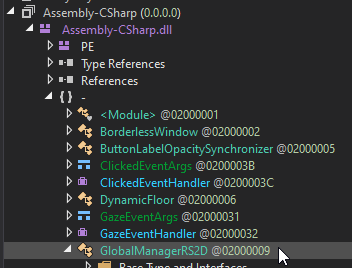
and find these two values ``MinPlayVolumeSizeLarger`` and ``MinPlayVolumeSizeSmaller``, right click on them and select Edit Method (this will let you edit their default values in the constructor):
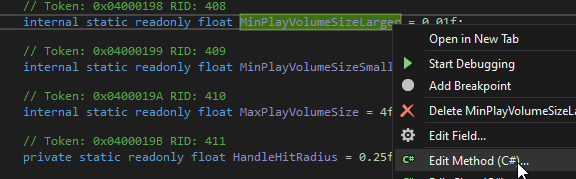
Change their values to something more sane, and not incredibly annoying such as 0.01f:
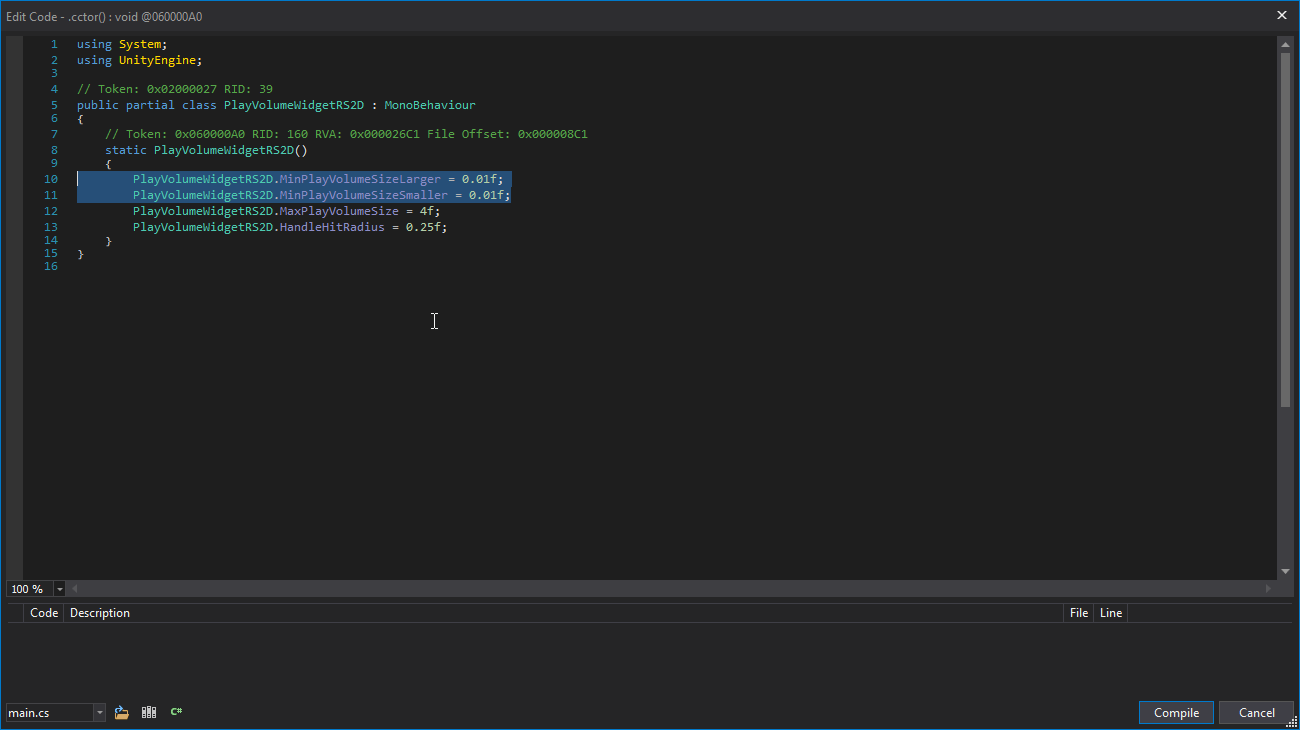
Hit compile, then select the module like so:

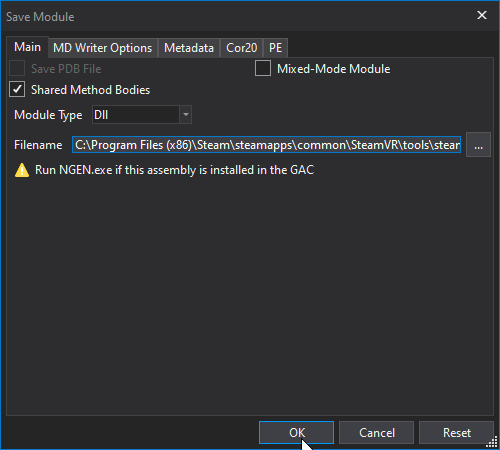
Then save it:
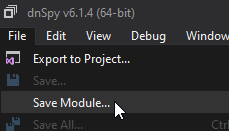
Hit ``OK`` and you're done!
Congratulations, you just did it yourself. You can now play roomscale with a chaperone without it complaining your room is 0.1m too small to do so.
## Have fun!