https://github.com/mitchmac/tcs-march17-22
https://github.com/mitchmac/tcs-march17-22
Last synced: 7 months ago
JSON representation
- Host: GitHub
- URL: https://github.com/mitchmac/tcs-march17-22
- Owner: mitchmac
- License: apache-2.0
- Created: 2022-03-17T23:39:41.000Z (about 4 years ago)
- Default Branch: main
- Last Pushed: 2023-02-24T07:04:39.000Z (over 3 years ago)
- Last Synced: 2024-12-27T12:29:48.394Z (over 1 year ago)
- Language: TypeScript
- Homepage: tcs-march17-22.vercel.app
- Size: 1.39 MB
- Stars: 1
- Watchers: 3
- Forks: 0
- Open Issues: 3
-
Metadata Files:
- Readme: README.md
- License: LICENSE
Awesome Lists containing this project
README
# Tina Starter 🦙
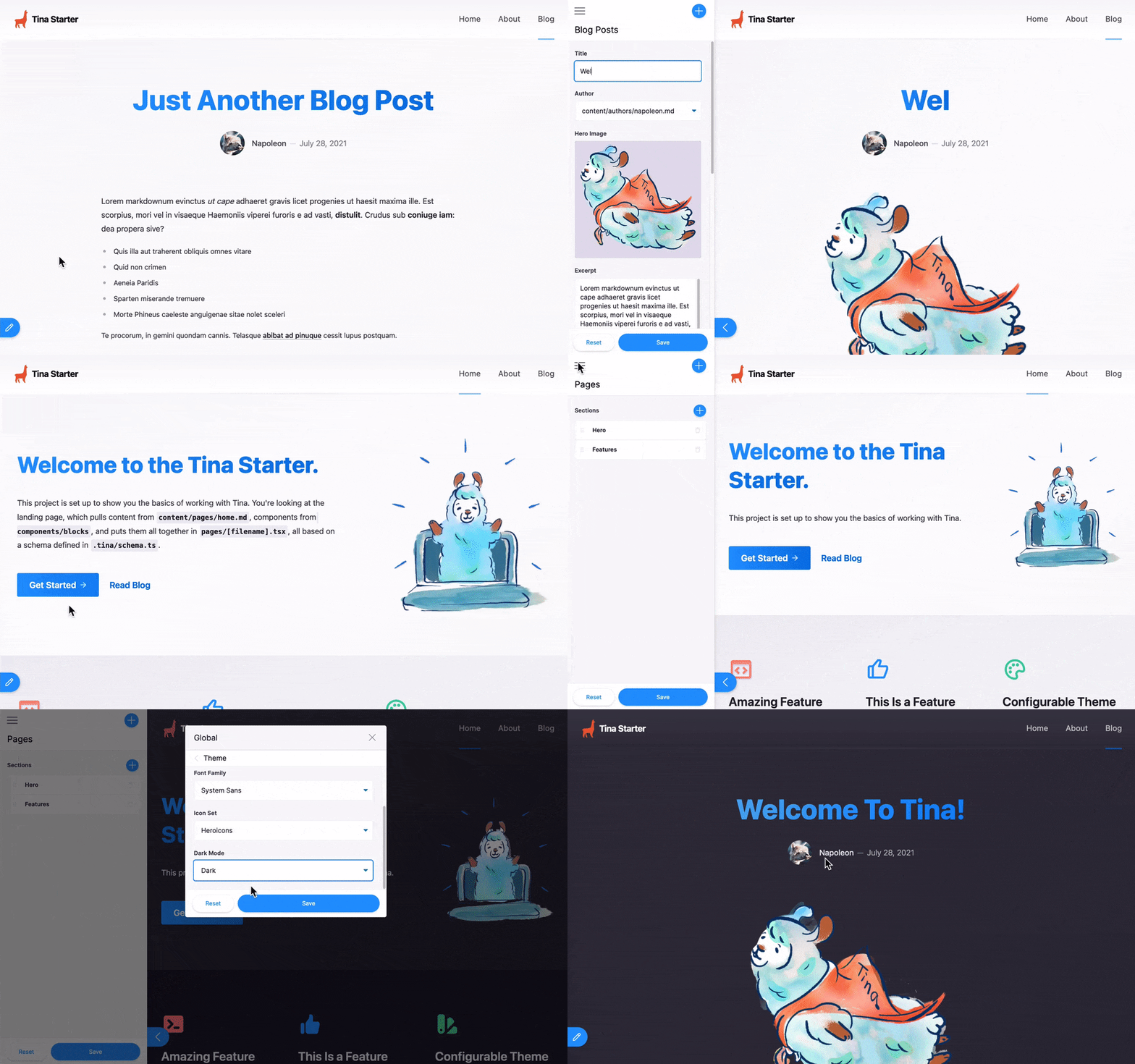
This Next.js starter is powered by [TinaCMS](https://app.tina.io) for you and your team to visually live edit the structured content of your website. ✨
The content is managed through Markdown and JSON files stored in your GitHub repository, and queried through Tina GraphQL API.
### Features
- [Tina Headless CMS](https://app.tina.io) for authentication, content modeling, visual editing and team management.
- [Cloudinary](https://cloudinary.com) to manage your media.
- [Vercel](https://vercel.com) deployment to visually edit your site from the `/admin` route.
- Local development workflow from the filesystem with a local GraqhQL server.
## Requirements
- Git, [Node.js Active LTS](https://nodejs.org/en/about/releases/), Yarn installed for local development.
- A [TinaCMS](https://app.tina.io) account for live editing.
- A [Cloudinary](https://cloudinary.com) account for media support.
## Local development
Install the project's dependencies:
```
yarn install
```
Run the project locally:
```
yarn dev
```
### Local URLs
- http://localhost:3000 : browse the website
- http://localhost:3000/admin : connect to Tina Cloud and go in edit mode
- http://localhost:3000/exit-admin : log out of Tina Cloud
- http://localhost:4001/altair/ : GraphQL playground to test queries and browse the API documentation
### Using Tina Cloud Locally
Replace the `.env.local.example`, with `.env.local` and add in the details from Cloudinary and Tina.
```
NEXT_PUBLIC_TINA_CLIENT_ID=
# These are used in conjunction with a Cloudinary account for media asset management
NEXT_PUBLIC_CLOUDINARY_CLOUD_NAME=
NEXT_PUBLIC_CLOUDINARY_API_KEY=
CLOUDINARY_API_SECRET=
NEXT_PUBLIC_HIDE_EDIT_BUTTON=0
```
## Getting Help
TinaCMS backend is in public beta, you might face issues, to provide feedback or get help with any challenges you may have:
- Visit the [documentation](https://tina.io/docs/) to learn about Tina.
- [Join our Discord](https://discord.gg/zumN63Ybpf) to share feedback.
- Visit the [community forum](https://community.tinacms.org/) to ask questions.
- Get support through the chat widget on the TinaCMS Dashboard
- [Email us](mailto:support@tina.io) to schedule a call with our team and share more about your context and what you're trying to achieve.
- [Search or open an issue](https://github.com/tinacms/tinacms/issues) if something is not working.
- Reach out on Twitter at [@tina_cms](https://twitter.com/tina_cms).
## Development tips
### Visual Studio Code GraphQL extension
[Install the GraphQL extension](https://marketplace.visualstudio.com/items?itemName=GraphQL.vscode-graphql) to benefit from type auto-completion.
### Typescript
A good way to ensure your components match the shape of your data is to leverage the auto-generated TypeScript types.
These are rebuilt when your `.tina` config changes.
## LICENSE
Licensed under the [Apache 2.0 license](./LICENSE).