https://github.com/mizchi/react-unite
Editable layout system
https://github.com/mizchi/react-unite
layout-engine react unity
Last synced: 9 months ago
JSON representation
Editable layout system
- Host: GitHub
- URL: https://github.com/mizchi/react-unite
- Owner: mizchi
- Created: 2018-11-13T22:57:42.000Z (over 7 years ago)
- Default Branch: master
- Last Pushed: 2019-12-09T09:11:22.000Z (over 6 years ago)
- Last Synced: 2025-04-05T08:03:53.187Z (over 1 year ago)
- Topics: layout-engine, react, unity
- Language: TypeScript
- Homepage:
- Size: 377 KB
- Stars: 14
- Watchers: 3
- Forks: 1
- Open Issues: 1
-
Metadata Files:
- Readme: README.md
Awesome Lists containing this project
README
# react-unite
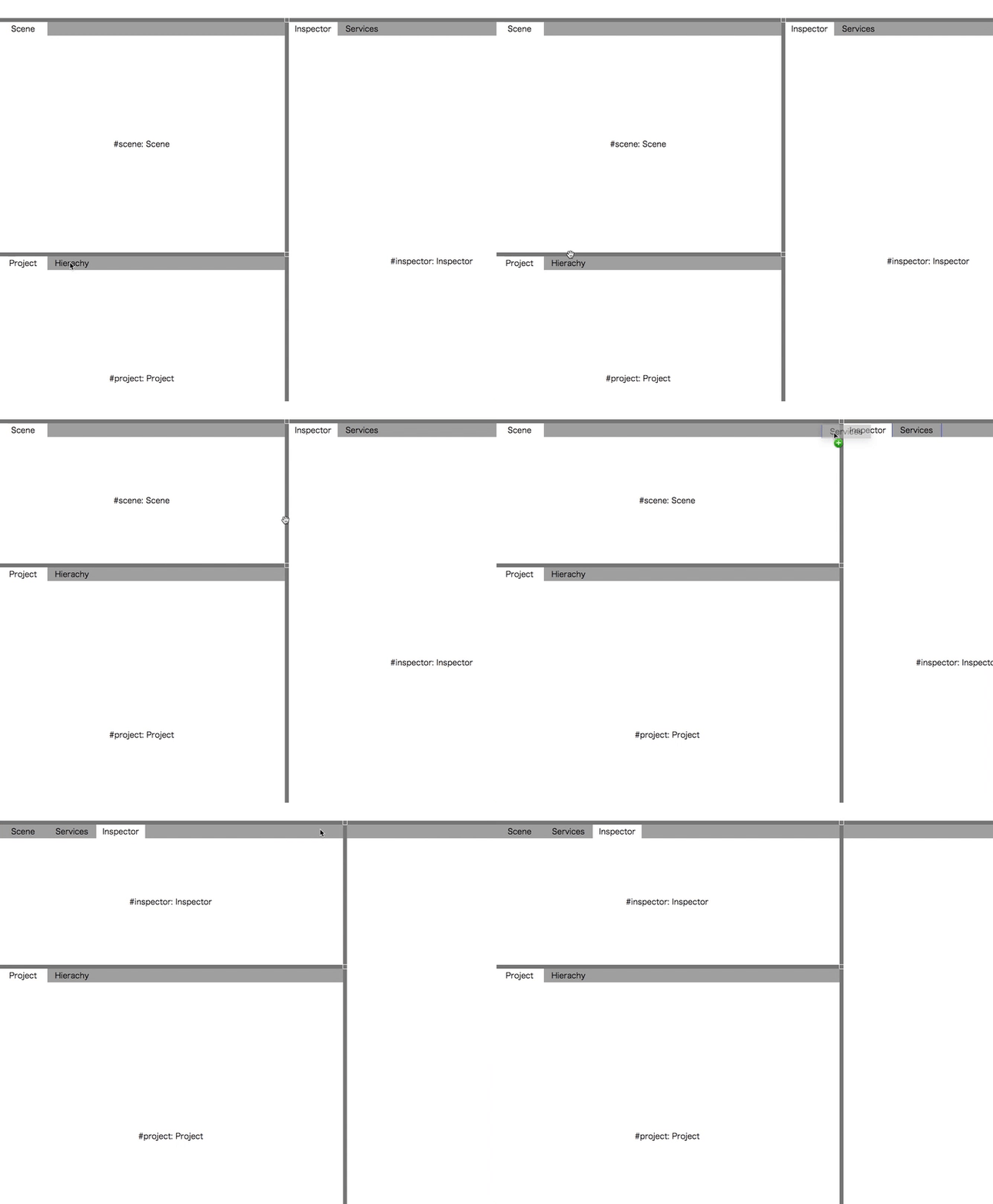
Editable Grid & Layout
```
yarn add react-unite
```
CAUTION: `react-unite` require `react@16.7.0-alpha.0` & `react-dom@16.7.0-alpha.0` to use react-hooks.
Sample project https://github.com/mizchi-sandbox/react-unite-example
## Concept
- inspired by Unity3D layout system
- `react-unite` generates `display: grid` properties.
See also https://mizchi-sandbox.github.io/grid-generator/
## EditableGrid (typescript)
```tsx
import React from "react";
import ReactDOM from "react-dom";
import { EditableGrid, GridArea } from "react-unite";
const rows = ["1fr", "2fr", "1fr"];
const columns = ["100px", "1fr", "1fr", "100px"];
const areas = [
["a", "b", "c", "d"],
["e", "f", "g", "h"],
["j", "k", "l", "m"]
];
const root = document.querySelector(".root");
ReactDOM.render(
a
b
d
f
h
l
,
root
);
```
## EditableLayout (typescript)
```tsx
import React from "react";
import ReactDOM from "react-dom";
import { LayoutData, Windowed, EditableLayout } from "react-unite";
const initialLayoutData: LayoutData = {
grid: {
columns: ["1fr", "1fr"],
rows: ["40px", "1fr", "1fr"],
areas: [
["header", "header"],
["preview", "inspector"],
["assets", "inspector"]
]
},
windows: {
"#scene": { displayName: "Scene", id: "#scene" },
"#project": { displayName: "Project", id: "#project" },
"#hierachy": { displayName: "Hierachy", id: "#hierachy" },
"#inspector": { displayName: "Inspector", id: "#inspector" },
"#services": { displayName: "Services", id: "#services" }
},
panes: [
{
id: "preview",
displayName: "Preview",
selectedId: "#scene",
windowIds: ["#scene"]
},
{
id: "assets",
displayName: "Preview",
selectedId: "#project",
windowIds: ["#project", "#hierachy"]
},
{
id: "inspector",
displayName: "Inspector",
selectedId: "#inspector",
windowIds: ["#inspector", "#services"]
}
]
};
// To fill window, Set css `html, body { margin: 0;}`
const MyLayout = () => {
return (
{(width, height) => (
{
return {data.displayName};
}}
renderWindow={win => {
return (
{win.id}: {win.displayName}
);
}}
/>
)}
);
};
const root = document.querySelector(".root");
ReactDOM.render(, root);
```
## How to dev
- `yarn build`: Generate `dist` by rollup
- `yarn test`: Run jest
## Write your own grid renderer
```tsx
import styled from "styled-components";
export const Grid: React.ComponentClass = styled.div`
display: grid;
width: ${(p: GridProps) => p.width || "100%"};
height: ${(p: GridProps) => p.height || "100%"};
grid-template-columns: ${(p: GridProps) => p.columns.join(" ")};
grid-template-rows: ${(p: GridProps) => p.rows.join(" ")};
grid-template-areas: ${(p: GridProps) =>
p.areas.map(row => "'" + row.join(" ") + "'").join(" ")};
`;
```
## TODO
- [x] Publish
- [x] Swap window on drop
- [x] Remove div in src
- [x] `renderTab`
- [x] Visual Effect on dragStart and dragEnd
- [x] Fill Component
- [ ] `containerType`: one | tabs | nest
- [ ] ResizableBox
- [ ] Option: `resizableRows`
- [ ] Option: `resizableColumns`
- [ ] Option: `minimumWindowWidth`
- [ ] Option: `minimumWindowHeight`
- [ ] Option: `editable: boolean`
## LICENSE
MIT