https://github.com/mlitwiniuk/clortho
Nifty solution for managing SSH keys across multiple servers.
https://github.com/mlitwiniuk/clortho
key-management rails rails-application ssh-key
Last synced: 10 months ago
JSON representation
Nifty solution for managing SSH keys across multiple servers.
- Host: GitHub
- URL: https://github.com/mlitwiniuk/clortho
- Owner: mlitwiniuk
- License: mit
- Created: 2023-03-15T20:50:45.000Z (almost 3 years ago)
- Default Branch: master
- Last Pushed: 2023-03-18T20:39:54.000Z (almost 3 years ago)
- Last Synced: 2025-03-20T06:56:21.103Z (10 months ago)
- Topics: key-management, rails, rails-application, ssh-key
- Language: Ruby
- Homepage:
- Size: 418 KB
- Stars: 0
- Watchers: 1
- Forks: 0
- Open Issues: 0
-
Metadata Files:
- Readme: README.md
- License: LICENSE
Awesome Lists containing this project
README
# Clortho
> _The Keymaster_ from the [Ghostbusters movie](https://en.wikipedia.org/wiki/List_of_Ghostbusters_characters#The_Terror_Dogs:_Zuul_The_Gatekeeper_and_Vinz_Clortho_The_Keymaster)
Simple app allowing you to manage SSH keys on servers you have access to. It is **not meant** to be hosted anywhere (at least not for now). Connection is done using [SSHKit](https://github.com/capistrano/sshkit).
Users public keys are fetched from configurable source, by default from Github (eg. https://github.com/mlitwiniuk.keys)
## Installation
It's a standard ruby app. To ease initial setup, development environment is aided via [dip](https://github.com/bibendi/dip). To start install dip, have docker running and execute:
```
$ dip provision
# within the output you'll get password for first created user, it's login is going to be test@clortho.dev
$ dip rails s
```
**Warning:** contenerized env (as well as regular app) will have access to your `~/.ssh` folder - it's required to read your public key used to connect to servers
## Usage
Just start it. To fetch keys from other source than GitHub change `config/settings.yml` file (or overwrite in `config/settings/{env}.yml`).
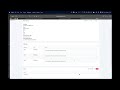
## Demo
[](https://youtu.be/8DTsnJs8ZJM)
## Security
For now - absolutely none. App only (by default) binds to localhost, so until you change something, it will be accessible only from you local machine. Nonetheless it is not meant to be run permanenly - if you need it, start it, use it, then shut it down.
## ToDo
- [x] Dockerfile
- [ ] db encryption?
- [ ] server groups
- [ ] (better) error handling
- [ ] possibility to execute commands in the background