https://github.com/mmdjiji/hexo-template
Template of Hexo, with CI/CD by GitHub Actions
https://github.com/mmdjiji/hexo-template
cd ci hexo template
Last synced: 3 months ago
JSON representation
Template of Hexo, with CI/CD by GitHub Actions
- Host: GitHub
- URL: https://github.com/mmdjiji/hexo-template
- Owner: mmdjiji
- License: mit
- Created: 2022-04-12T16:16:47.000Z (over 4 years ago)
- Default Branch: main
- Last Pushed: 2025-09-22T08:15:08.000Z (10 months ago)
- Last Synced: 2025-10-08T21:49:51.091Z (9 months ago)
- Topics: cd, ci, hexo, template
- Homepage: https://std.ac/hexo-template/
- Size: 1010 KB
- Stars: 156
- Watchers: 1
- Forks: 15
- Open Issues: 0
-
Metadata Files:
- Readme: README.md
- License: LICENSE
Awesome Lists containing this project
README

# Hexo Template
> A fast, simple & powerful blog framework, powered by [Node.js](https://nodejs.org). Here is the template of it.
[Demo](https://std.ac/hexo-template) |
[Official Website](https://hexo.io) |
[Documentation](https://hexo.io/docs/) |
[GitHub](https://github.com/mmdjiji/hexo-template)
## Get Started
Use this template and create your repository, there are two lines to modify in `_config.yml`:
1. Set your site url at **line 16**. For example, if you use GitHub Page, set url as `https://username.github.io/project`:
```yml
url: https://std.ac/hexo-template
```
2. Set your project name at **line 107**, if your project name is `username` or `username.github.io`, just remove it at the end of `_config.yml`:
```yml
root: /hexo-template
```
## CI/CD
This repository uses GitHub Actions for CI/CD. You don't need to build your documents manually. Just commit your documents (then run `git push`), and then turn on the GitHub Pages in the settings to access your online documents. (For this demo is https://std.ac/hexo-template)
## Hexo Features
- Blazing fast generating
- Support for GitHub Flavored Markdown and most Octopress plugins
- One-command deploy to GitHub Pages, Heroku, etc.
- Powerful API for limitless extensibility
- Hundreds of [themes](https://hexo.io/themes/) & [plugins](https://hexo.io/plugins/)
## Commands
**Install Hexo**
``` bash
$ npm install hexo-cli -g
```
Install with [brew](https://brew.sh/) on macOS and Linux:
```bash
$ brew install hexo
```
**Setup your blog**
``` bash
$ hexo init blog
$ cd blog
```
**Start the server**
``` bash
$ hexo server
```
**Create a new post**
``` bash
$ hexo new "Hello Hexo"
```
**Generate static files**
``` bash
$ hexo generate
```
## More Information
- Read the [documentation](https://hexo.io/)
- Visit the [Awesome Hexo](https://github.com/hexojs/awesome-hexo) list
- Find solutions in [troubleshooting](https://hexo.io/docs/troubleshooting.html)
- Join discussion on [Google Group](https://groups.google.com/group/hexo), [Discord](https://discord.gg/teM2Anj), [Gitter](https://gitter.im/hexojs/hexo) or [Telegram](https://t.me/hexojs)
- See the [plugin list](https://hexo.io/plugins/) and the [theme list](https://hexo.io/themes/) on wiki
- Follow [@hexojs](https://twitter.com/hexojs) for latest news
## License
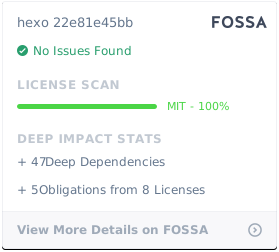
Follows [hexojs/hexo](https://github.com/hexojs/hexo) , use [MIT License](LICENSE).
[](https://app.fossa.com/projects/git%2Bgithub.com%2Fhexojs%2Fhexo?ref=badge_large)