https://github.com/mohamadlounnas/ffan
Lightweight macOS utility to monitor CPU/GPU temperatures and control fan speeds — built with SwiftUI
https://github.com/mohamadlounnas/ffan
fan fan-speed-control macos swift swiftui
Last synced: 5 months ago
JSON representation
Lightweight macOS utility to monitor CPU/GPU temperatures and control fan speeds — built with SwiftUI
- Host: GitHub
- URL: https://github.com/mohamadlounnas/ffan
- Owner: mohamadlounnas
- License: mit
- Created: 2026-01-12T04:10:28.000Z (6 months ago)
- Default Branch: main
- Last Pushed: 2026-01-16T00:17:40.000Z (5 months ago)
- Last Synced: 2026-01-17T05:21:11.040Z (5 months ago)
- Topics: fan, fan-speed-control, macos, swift, swiftui
- Language: Swift
- Homepage: https://mohamadlounnas.github.io/ffan/
- Size: 15.5 MB
- Stars: 8
- Watchers: 0
- Forks: 2
- Open Issues: 0
-
Metadata Files:
- Readme: README.md
- Changelog: CHANGELOG.md
- License: LICENSE
Awesome Lists containing this project
README
# ffan - Fan Control for macOS
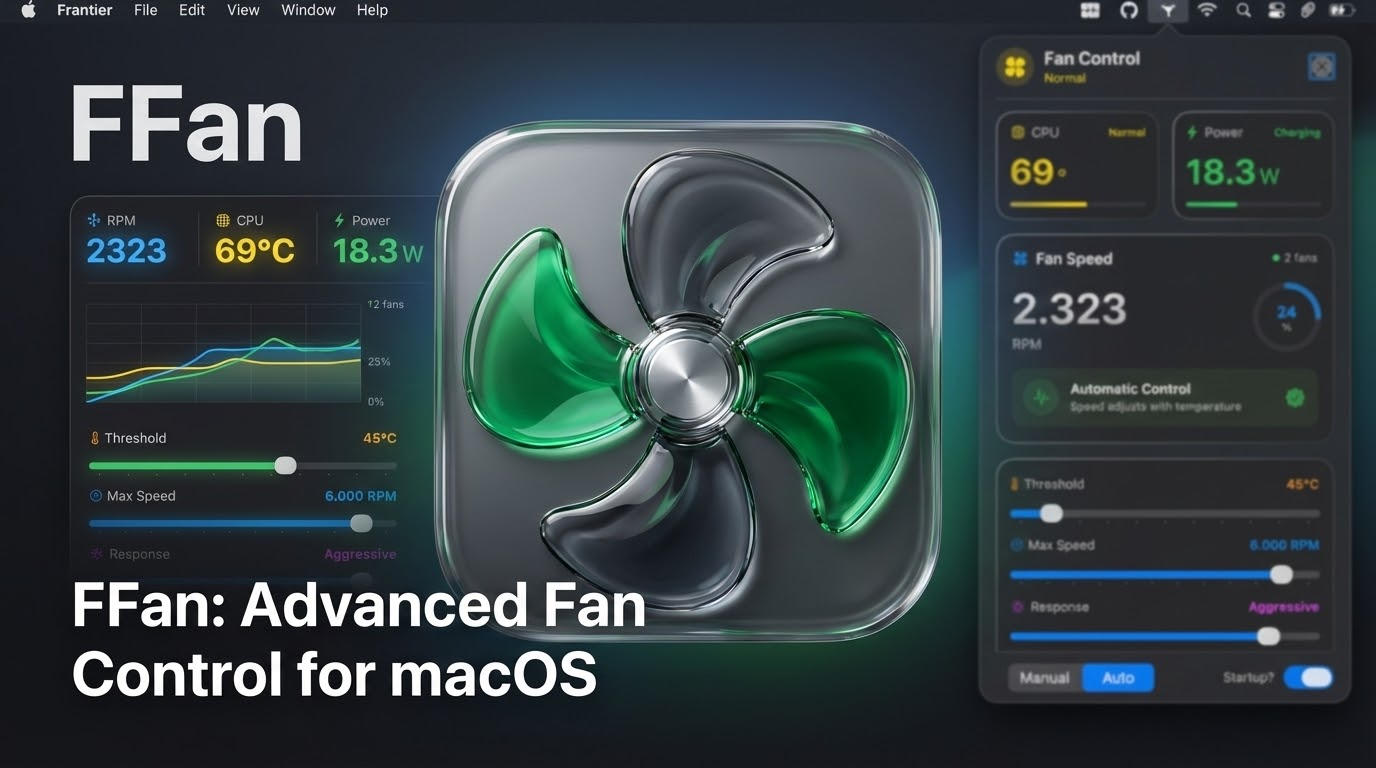
A lightweight menu bar app for monitoring CPU/GPU temperatures and controlling fan speeds on macOS.
## Download
[**Download Latest Version (v1.3.0)**](https://github.com/mohamadlounnas/ffan/releases/latest)
**Quick Start:**
1. Download the DMG from the link above
2. Drag ffan.app to /Applications/
3. Launch the app and click "Install Helper" when prompted
4. Enter your password once - that's it!
## Features
- 🌡️ **Temperature Monitoring**: Real-time CPU and GPU temperature readings
- 💨 **Fan Speed Control**: Manual fan speed adjustment or automatic temperature-based control
- 📊 **Visual Feedback**: Color-coded temperature indicators and speed gauges
- 🚀 **Launch at Login**: Automatic startup support using modern ServiceManagement API
- 🎨 **Modern UI**: Liquid glass design with SwiftUI
## Requirements
- macOS 13.0 or later (for full functionality)
- macOS 11.0 minimum (with limited features)
## Important Notes
### SMC Access
This app accesses the System Management Controller (SMC) to read temperatures and control fans. Due to macOS security restrictions:
1. **Temperature Reading**: Works on most Macs without special privileges
2. **Fan Control**: Requires root/admin privileges on modern macOS versions
### Helper Tool Installation
On first launch, the app will prompt you to install a helper tool. This is a **one-time setup**:
- Click "Install Helper" in the app
- Enter your admin password once
- The helper tool enables fan control without repeated password prompts
**Alternative:** Automated installation via Terminal
```bash
curl -fsSL https://raw.githubusercontent.com/mohamadlounnas/ffan/main/scripts/install.sh | bash
```
This script downloads the latest version, installs the app, sets up the helper tool, and launches ffan automatically.
### Demo Mode
If you want to test the UI without installing the helper tool, enable Demo Mode from the app menu to see simulated data.
## Architecture
### Files
- **fanApp.swift**: Main app entry point and AppDelegate
- **SystemMonitor.swift**: SMC communication for temperature and fan speed readings
- **FanController.swift**: Fan speed control logic (manual and automatic modes)
- **FanControlViewModel.swift**: Main view model with Combine bindings
- **PermissionsManager.swift**: SMC access checking and permission dialogs
- **LaunchAtLoginManager.swift**: Login item registration (SMAppService for macOS 13+)
- **StatusBarManager.swift**: Menu bar icon and popover management
- **PopoverView.swift**: Main UI container
- **TemperatureView.swift**: Temperature display component
- **FanSpeedView.swift**: Fan speed display and slider
- **ControlModeView.swift**: Mode selection and settings
### SMC Keys Used
**Temperature Sensors:**
- `TC0P`, `TCXC`, `TC0E`, `TC0F`, `TC0D`, `TC1C-TC4C` - CPU temperatures
- `TGDD`, `TG0P`, `TG0D`, `TG0E`, `TG0F` - GPU temperatures
- `Tp09`, `Tp0T`, `Tp01`, `Tp05`, `Tp0D`, `Tp0b` - Apple Silicon temperatures
**Fan Control:**
- `F0Ac`, `F1Ac`, etc. - Actual fan speed
- `F0Mn`, `F0Mx` - Min/Max fan speed
- `F0Tg` - Target fan speed (for manual control)
- `F0Md` - Fan mode (0=auto, 1=manual)
- `FS! ` - Force bits for manual control
## Control Modes
### Manual Mode
- Set a fixed fan speed using the slider
- Speed is maintained regardless of temperature
### Automatic Mode
- Fan speed adjusts based on temperature threshold
- Below threshold: System manages fans
- Above threshold: Linear interpolation to max speed
- Critical (95°C+): Maximum fan speed
## Build Configuration
The project uses:
- Sandbox: **Disabled** (required for SMC access)
- Hardened Runtime: **Enabled**
- IOKit Framework: Linked
- ServiceManagement Framework: Linked
## Known Limitations
1. **Apple Silicon Macs**: SMC structure may differ; some temperature keys may not work
2. **Fan Control**: Writing to SMC requires elevated privileges
3. **Sandbox**: Must be disabled for SMC access; not suitable for App Store
## License
This project is provided as-is for educational purposes.
## Troubleshooting
### No Temperature Data
- Ensure the app has SMC access (not sandboxed)
- Try running with sudo for full access
- Enable Demo Mode to test the UI
### Fan Control Not Working
- Fan control requires root privileges on modern macOS
- Run with `sudo` or create a privileged helper tool
### App Not Appearing in Menu Bar
- Check if the app is running in Activity Monitor
- Look for the fan icon in the menu bar