https://github.com/mondaycom/vscode-extension
https://github.com/mondaycom/vscode-extension
Last synced: 6 months ago
JSON representation
- Host: GitHub
- URL: https://github.com/mondaycom/vscode-extension
- Owner: mondaycom
- License: other
- Created: 2025-06-17T10:36:08.000Z (about 1 year ago)
- Default Branch: master
- Last Pushed: 2025-06-18T21:42:56.000Z (about 1 year ago)
- Last Synced: 2025-12-01T17:26:47.777Z (8 months ago)
- Size: 3.91 KB
- Stars: 1
- Watchers: 0
- Forks: 0
- Open Issues: 0
-
Metadata Files:
- Readme: README.md
- License: LICENSE.md
Awesome Lists containing this project
README
# monday.com VS Code Extension
A Visual Studio Code extension that brings your monday.com workspace directly into your development environment. Manage tasks, view item details, and create feature branches without leaving your editor.
## Table of Contents
- [✨ Features](#features)
- [🔑 Authentication](#-authentication)
- [📋 Board Context](#-board-context)
- [📝 Items Management](#-items-management)
- [⚡ Item Actions](#-item-actions)
## Features
### 🔑 Authentication
- Set your monday.com API token to access your workspace
- Token is securely stored in VS Code's secret storage
- Secured OAuth flow with monday.com
### 📋 Board Context
- Quick access to your recent monday.com boards
- Set a context board to view and manage its items
- Search through board items easily
### 📝 Items Management
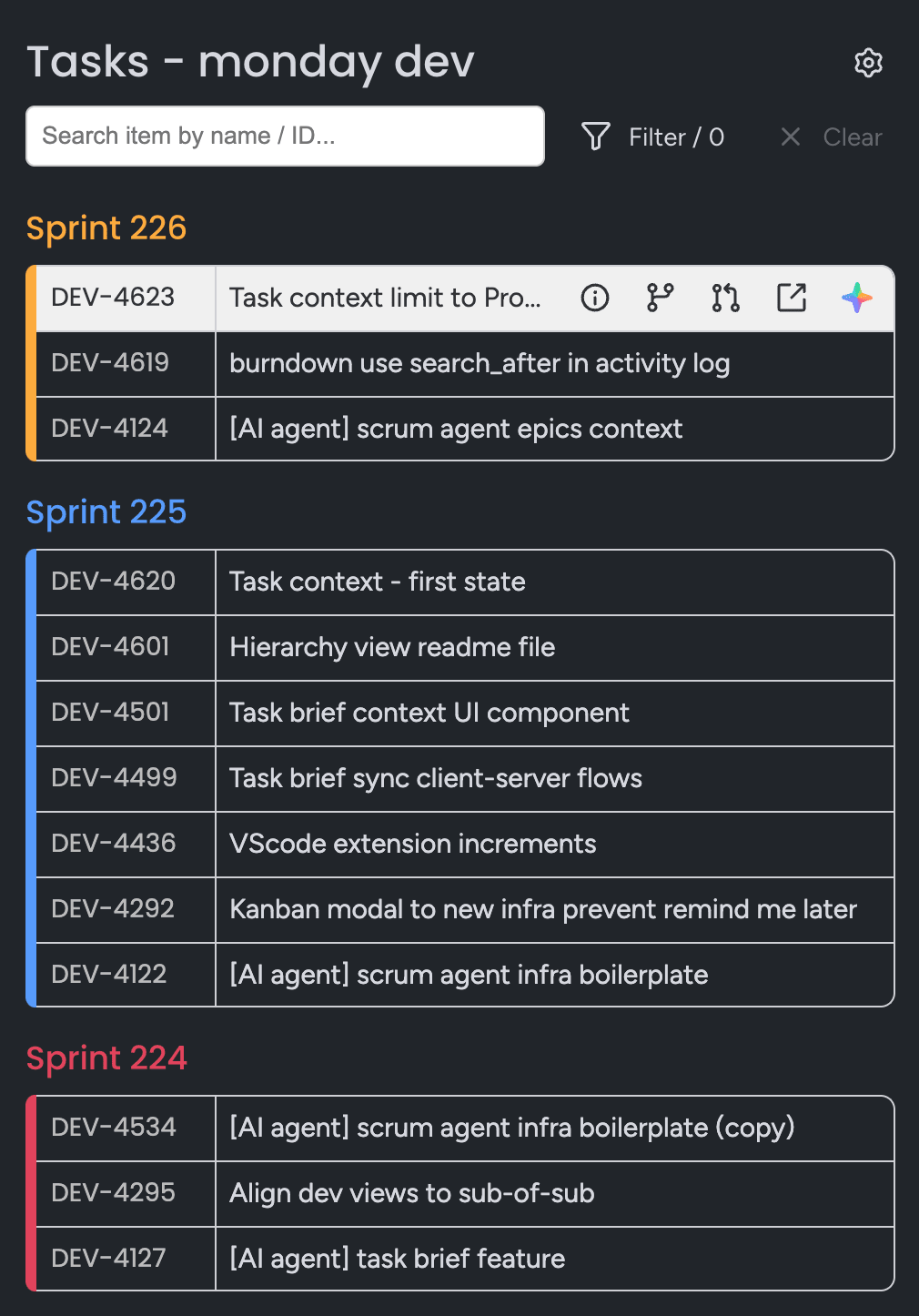
- View all items assigned to you in the selected board
- Search and filter items by name or ID
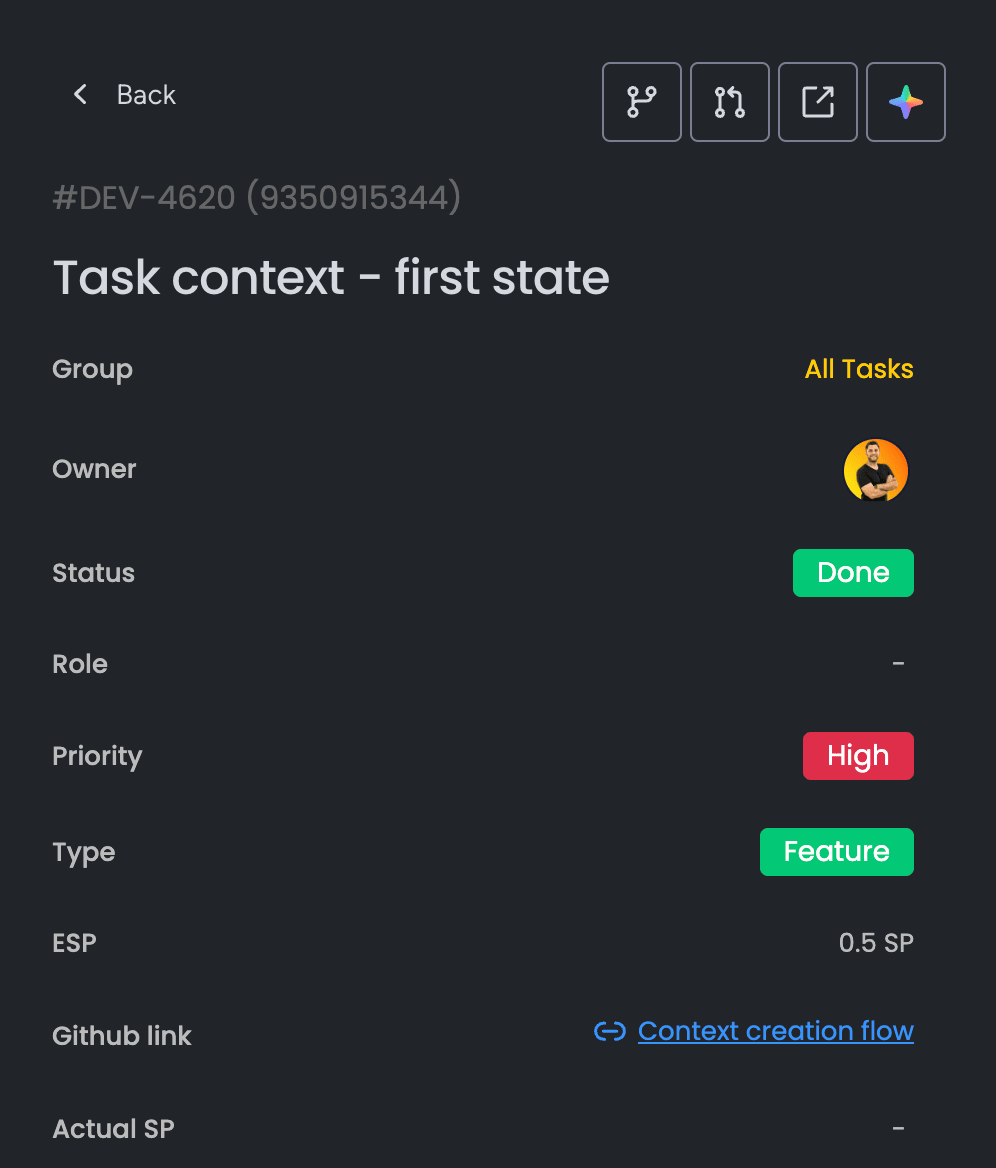
- Detailed item view showing:
- Item name and ID
- Group information
- Custom column values
- Current status
### ⚡ Item Actions
Each item has three quick actions:
- **View Details** - Open detailed item view
- **Create Branch** - Automatically create a feature branch based on the item identifier
- **Open Pull Request** - Create a pull request on GitHub based on the item's branch
- **Open in monday** - Open the item in monday.com web interface
- **Solve with AI** - Enrich IDE AI chat with the item context