https://github.com/moneroexamples/compile-monero-whonix
Compile Monero 0.9 on Whonix-Workstation for VirtualBox
https://github.com/moneroexamples/compile-monero-whonix
Last synced: 5 months ago
JSON representation
Compile Monero 0.9 on Whonix-Workstation for VirtualBox
- Host: GitHub
- URL: https://github.com/moneroexamples/compile-monero-whonix
- Owner: moneroexamples
- Created: 2015-10-29T09:05:45.000Z (over 10 years ago)
- Default Branch: master
- Last Pushed: 2016-02-01T22:58:49.000Z (over 10 years ago)
- Last Synced: 2025-04-06T23:41:47.498Z (about 1 year ago)
- Homepage:
- Size: 475 KB
- Stars: 3
- Watchers: 1
- Forks: 0
- Open Issues: 0
-
Metadata Files:
- Readme: README.md
Awesome Lists containing this project
README
# Compile Monero 0.9 on Whonix-Workstation for VirtualBox
[Monero](https://getmonero.org/) and [Whonix](https://www.whonix.org/) are tools
that privacy centric users can use as part of their privacy enhancing toolbox.
One problem with Monero is that, if you want to run full Monero node, your
IP address will be exposed to others in the Monero network. And this, might be not
ideal situation for some.
One way to overcome this problem is to run the node through Tor. And this can be done having the Monero node running inside the Whonix Workstation.
Alternatively, one can use Tor through `torsocks` as explained [here](https://github.com/monero-project/bitmonero#using-tor).
## Preparation
Assuming that you have Whonix setup into your VirtualBox, the first thing that
should be done is to increase Whonix-Workstation's ram. The default size
is 768 MB, and this is not enough for compilation. I usually set it up to 2 GB, but I think 1GB should also be good.
```bash
VBoxManage modifyvm Whonix-Workstation --memory 2048
```
## Compilation
Start your Whonix-Workstation and do the following in the workstation.
```bash
# install dependencies
sudo apt-get install build-essential cmake libboost1.55-all-dev miniupnpc libunbound-dev graphviz doxygen libssl-dev pkg-config
# download the latest bitmonero source code from github
git clone https://github.com/monero-project/bitmonero.git
# go into bitmonero folder
cd bitmonero/
# compile
make release-static-32
```
After successful compilation, the Monero binaries should be located in `./build/release/bin/`
I usually move the binaries into `/opt/bitmonero/` folder, so this can be done
as follows:
```
sudo mkdir /opt/bitmonero
sudo mv -v ./build/release/bin/* /opt/bitmonero/
```
To start now the only think left is to start the Monero daemon and let it
download the blockchain and synchronize with the Monero network. After that,
you can run your the `simplewallet`.
Please note that downloading the full blockchain will probably be slow. So it would be better to download it independently
and then copy to the default Monero folder, i.e., `~/.bitmonero/lmdb/`
```bash
# launch the Monero node daemon and let it synchronize with the Monero network
/opt/bitmonero/bitmonerod
# launch the Monero wallet
#/opt/bitmonero/simplewallet
```
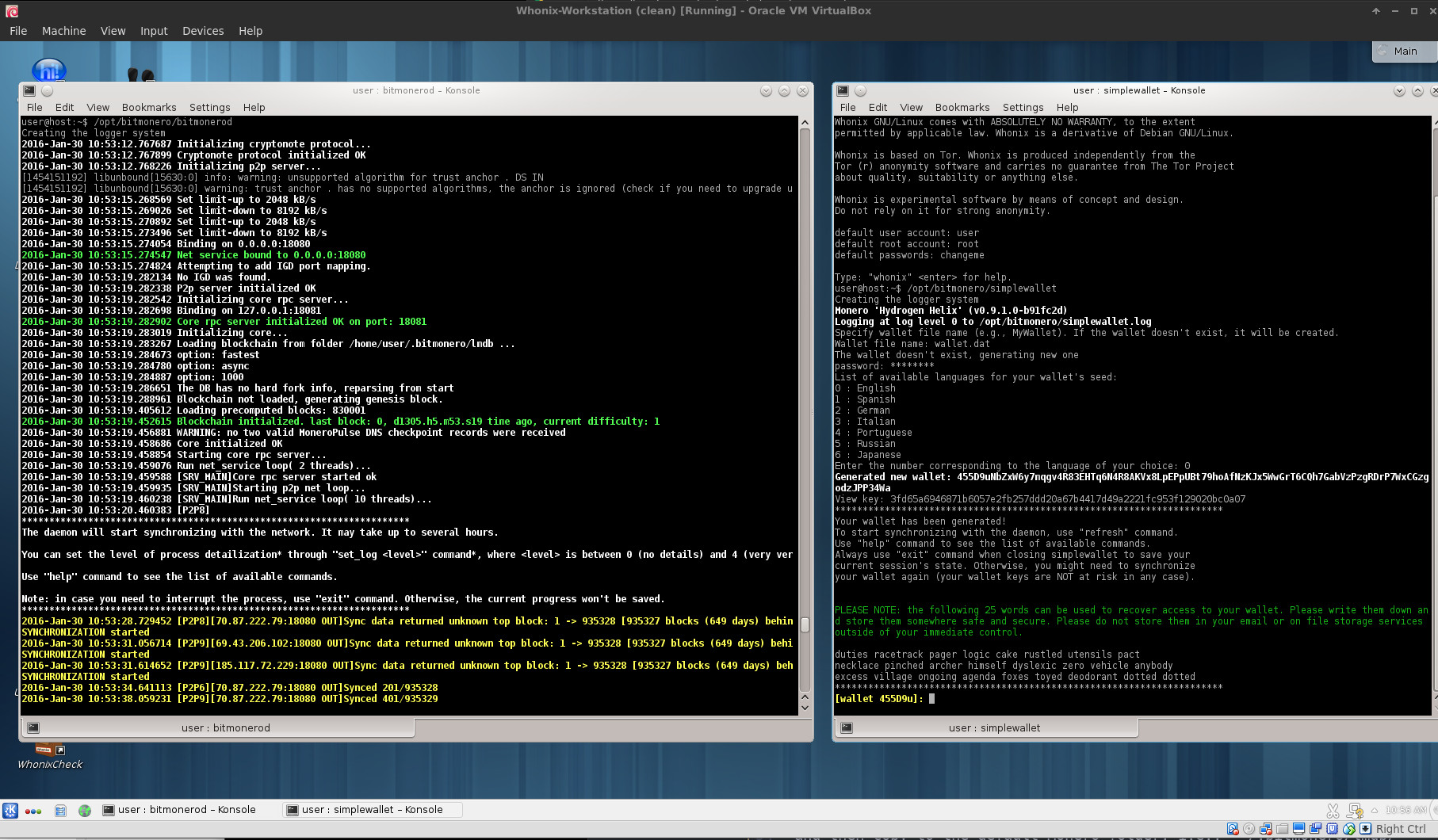
## Example screenshot
`bitmonerod` daemon and `simplewallet` in Whonix Workstation:
## How can you help?
Constructive criticism, code and website edits are always good. They can be made through github.
Some Monero are also welcome:
```
48daf1rG3hE1Txapcsxh6WXNe9MLNKtu7W7tKTivtSoVLHErYzvdcpea2nSTgGkz66RFP4GKVAsTV14v6G3oddBTHfxP6tU
```