https://github.com/monkeywie/flutter_treeview
A customizable and feature-rich tree view widget for Flutter.
https://github.com/monkeywie/flutter_treeview
Last synced: about 1 year ago
JSON representation
A customizable and feature-rich tree view widget for Flutter.
- Host: GitHub
- URL: https://github.com/monkeywie/flutter_treeview
- Owner: monkeyWie
- License: mit
- Created: 2024-09-13T03:47:36.000Z (almost 2 years ago)
- Default Branch: main
- Last Pushed: 2024-12-27T02:10:14.000Z (over 1 year ago)
- Last Synced: 2025-04-17T05:35:02.580Z (over 1 year ago)
- Language: Dart
- Size: 959 KB
- Stars: 2
- Watchers: 1
- Forks: 2
- Open Issues: 0
-
Metadata Files:
- Readme: README.md
- Changelog: CHANGELOG.md
- License: LICENSE
Awesome Lists containing this project
README
# Checkable TreeView
[](https://pub.dev/packages/checkable_treeview)
[](https://pub.dev/packages/checkable_treeview)
[](https://github.com/monkeyWie/flutter_treeview/blob/main/LICENSE)
A checkable and customizable tree view widget for Flutter.
## Screenshot
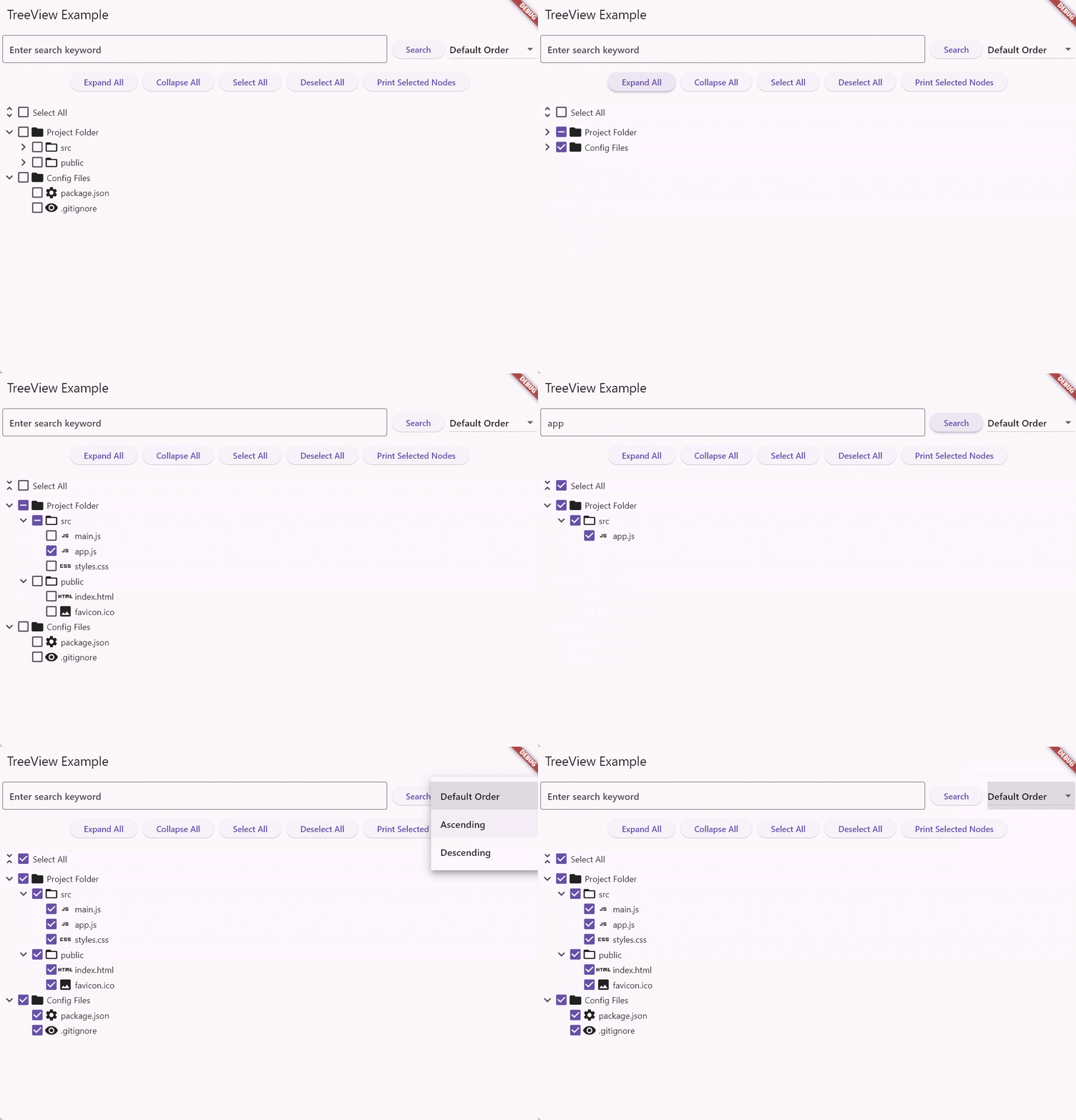
## Features
- Hierarchical data display
- Node selection with multi-select support
- Expandable/collapsible nodes
- Filtering and sorting capabilities
- Customizable node appearance
- "Select All" functionality
- Expand/Collapse all nodes option
## Getting Started
To use the TreeView widget in your Flutter project, follow these steps:
```
flutter pub add checkable_treeview
```
## Usage
Here's a basic example of how to use the TreeView widget:
```dart
import 'package:flutter/material.dart';
import 'package:checkable_treeview/checkable_treeview.dart';
void main() {
runApp(MyApp());
}
class MyApp extends StatelessWidget {
@override
Widget build(BuildContext context) {
return MaterialApp(
home: Scaffold(
appBar: AppBar(
title: Text('TreeView Example'),
),
body: TreeView(
nodes: [
TreeNode(
label: const Text('Root'),
value: 'root',
icon: Icon(Icons.folder),
children: [
TreeNode(label: const Text('Child 1'), value: 'child1'),
TreeNode(label: const Text('Child 2'), value: 'child2'),
],
),
],
onSelectionChanged: (selectedValues) {
print('Selected values: $selectedValues');
},
),
),
);
}
}
```
## Customization
The TreeView widget offers various customization options:
- `showSelectAll`: Enable/disable the "Select All" checkbox
- `selectAllWidget`: Custom widget for the "Select All" option
- `showExpandCollapseButton`: Show/hide expand/collapse buttons
- `initialExpandedLevels`: Set the initial number of expanded levels
For more advanced customization, refer to the API documentation.
## Advanced Features
### Filtering
To implement filtering, use the `filter` method of the `TreeViewState`:
```dart
final treeViewKey = GlobalKey>();
treeViewKey.currentState?.filter('search keyword');
```
### Sorting
To implement sorting, use the `sort` method of the `TreeViewState`:
```dart
final treeViewKey = GlobalKey>();
treeViewKey.currentState?.sort((a, b) => a.label.compareTo(b.label));
```
### Set Select All
To set the select all state, use the `setSelectAll` method of the `TreeViewState`:
```dart
final treeViewKey = GlobalKey>();
treeViewKey.currentState?.setSelectAll(true);
```
### Expand/Collapse All
To expand or collapse all nodes, use the `expandAll` and `collapseAll` methods of the `TreeViewState`:
```dart
final treeViewKey = GlobalKey>();
treeViewKey.currentState?.expandAll();
treeViewKey.currentState?.collapseAll();
```
### Get Selected Nodes
To get the selected nodes, use the `getSelectedNodes` method of the `TreeViewState`:
```dart
final treeViewKey = GlobalKey>();
final selectedNodes = treeViewKey.currentState?.getSelectedNodes();
```
### Get Selected Values
To get the selected values, use the `getSelectedValues` method of the `TreeViewState`:
```dart
final treeViewKey = GlobalKey>();
final selectedValues = treeViewKey.currentState?.getSelectedValues();
```
## Contributing
Contributions are welcome! Please feel free to submit a Pull Request.
## License
This project is licensed under the MIT License - see the [LICENSE](LICENSE) file for details.