https://github.com/monochromish/cider-light-theme
Cider Light Theme
https://github.com/monochromish/cider-light-theme
cider cidermusictheme light theme
Last synced: 8 months ago
JSON representation
Cider Light Theme
- Host: GitHub
- URL: https://github.com/monochromish/cider-light-theme
- Owner: Monochromish
- License: mit
- Created: 2022-06-03T20:19:35.000Z (about 4 years ago)
- Default Branch: main
- Last Pushed: 2022-08-07T15:07:29.000Z (almost 4 years ago)
- Last Synced: 2025-10-03T04:33:47.337Z (8 months ago)
- Topics: cider, cidermusictheme, light, theme
- Language: Less
- Homepage:
- Size: 1.29 MB
- Stars: 1
- Watchers: 1
- Forks: 0
- Open Issues: 0
-
Metadata Files:
- Readme: README.md
- License: LICENSE
Awesome Lists containing this project
README
# [Cider](https://cider.sh) Light Theme
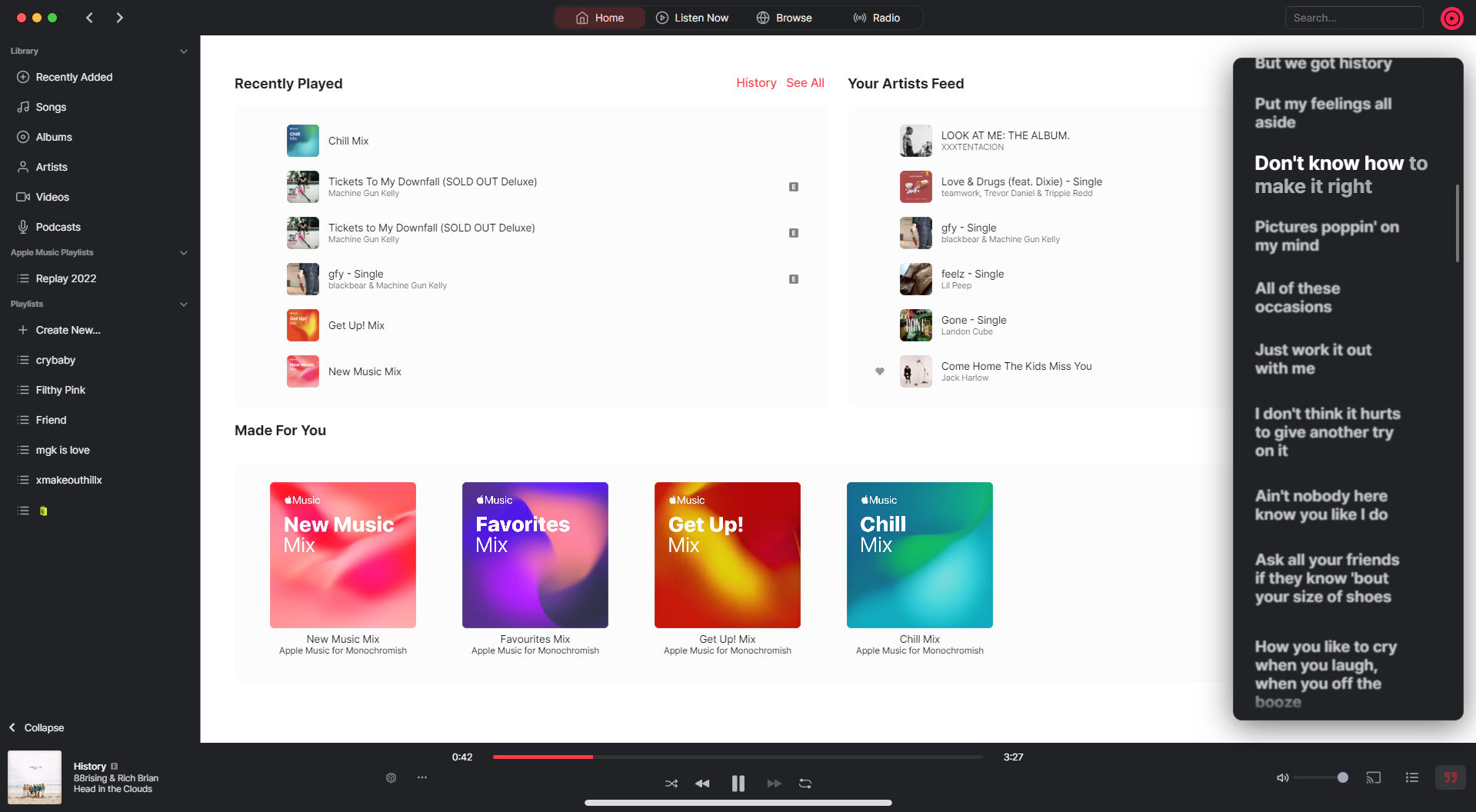
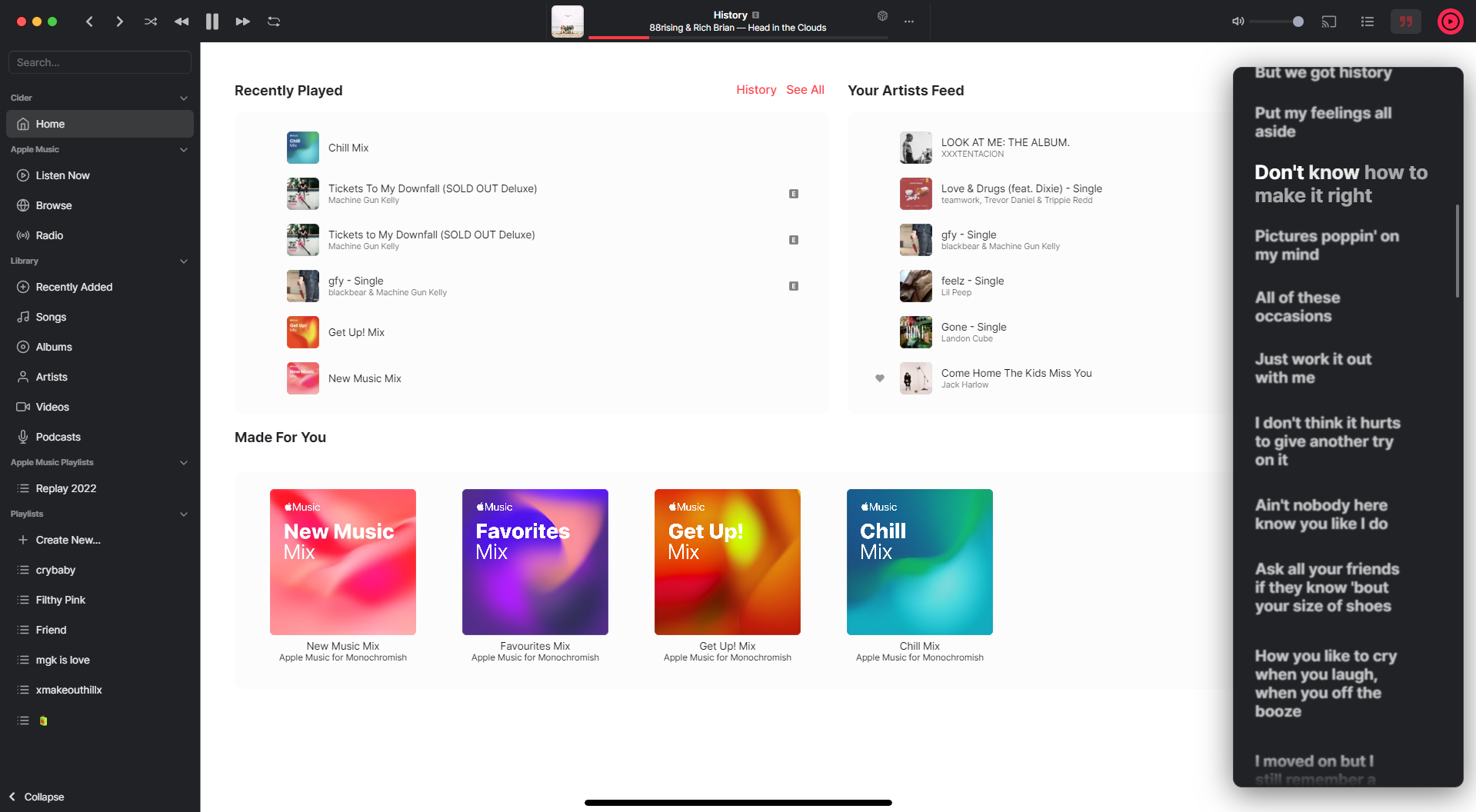
> A light theme for [Cider](https://cider.sh) with dark sidebar!
- [x] Dark sidebar
- [x] Custom animations
- [x] Supports both window format! Mojave & Maverick.
## Install
### Enable using the "Install" Button
1. Go to Cider Music Settings.
2. Click on the `Manage Styles` button under the Visual section.
3. Click on the `Explore GitHub Themes` button.
4. Look for `Light theme for Cider` and click on it.
5. Click on the `Install` button and select the theme (if you have to). The theme should be applied.
### Enable using Github URL
1. Go to Cider Music Settings.
2. Click on the `Manage Styles` button under the Visual section.
3. Click on the `Explore GitHub Themes` button.
4. Click on the `Install from GitHub URL`
5. Copy paste this link "https://github.com/Monochromish/Cider-Light-Theme" in the Text Box.
6. Click on the `Ok` button.
7. Select the Theme and It should be applied.
## Credits
This theme is maintained by [Monochromish](https://github.com/Monochromish).
## License
[MIT License](./LICENSE)