https://github.com/mor10/lil-embed
WordPress plugin to add LinkedIn Learning video embed block.
https://github.com/mor10/lil-embed
Last synced: 10 months ago
JSON representation
WordPress plugin to add LinkedIn Learning video embed block.
- Host: GitHub
- URL: https://github.com/mor10/lil-embed
- Owner: mor10
- License: gpl-3.0
- Created: 2020-05-15T22:36:42.000Z (about 6 years ago)
- Default Branch: master
- Last Pushed: 2021-02-19T17:58:47.000Z (over 5 years ago)
- Last Synced: 2025-01-02T01:47:45.928Z (over 1 year ago)
- Language: JavaScript
- Size: 872 KB
- Stars: 2
- Watchers: 5
- Forks: 1
- Open Issues: 0
-
Metadata Files:
- Readme: README.md
- License: LICENSE
Awesome Lists containing this project
README
# LinkedIn Learning Embed Block for WordPress

Unofficial embed block for WordPress to simplify embedding of LinkedIn Learning videos.
## Changelog
### 0.1.1
- Update wrapper classname to `.lil-embed-container` to avoid conflict.
- Update all packages.
## Installing
1. Download zip archive.
2. In WordPress admin, go to Plugins -> Add New.
3. Click "Upload Plugin."
4. Upload zip archive.
5. Activate plugin
## Video demo
[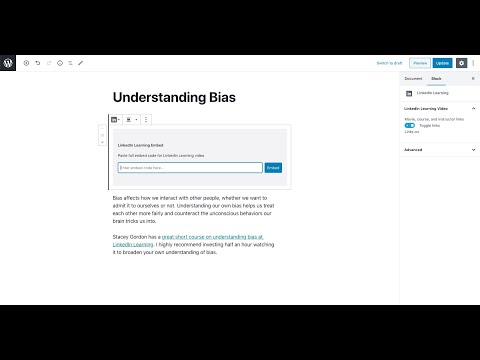](http://www.youtube.com/watch?v=xDPT-vIFMYs)
## Usage
The LinkedIn Learning Embed Block appears as a regular block under the "Embeds" section in the block selector.
To add a new LinkedIn Learning embed block in a post or page, go to the block editor, then either:
- click the + symbol, scroll to the "Embeds" section, and select "LinkedIn Learning,
- click the + symbol and type in "LinkedIn" to reveal the block,
- from a new paragraph block, type "/LinkedIn" to reveal the block.
Once a block is added, paste the **full** embed code from the LinkedIn movie you wish to share. The block will parse the code and display the embed in the editor.
You can choose whether to display the movie, course, and instructor links under the embed by toggling the option in the Block panel on the right when the block is in focus.
To change the embedded movie, remove the block and add a new one.
## Contributions welcome
If you find a bug, have a feature request, or want to improve this plugin, add an issue or submit a pull request.
## Todo
- Add PostCSS processing for CSS.
- Place CSS files in `/build` folder on build.