https://github.com/mortonfox/munz-addr-ext
Chrome extension that adds a street address to Munzee info page
https://github.com/mortonfox/munz-addr-ext
bing-maps browser-extension chrome-extension munzee reverse-geocoding
Last synced: 3 months ago
JSON representation
Chrome extension that adds a street address to Munzee info page
- Host: GitHub
- URL: https://github.com/mortonfox/munz-addr-ext
- Owner: mortonfox
- License: mit
- Created: 2019-01-01T05:06:46.000Z (over 7 years ago)
- Default Branch: main
- Last Pushed: 2025-05-30T02:42:55.000Z (about 1 year ago)
- Last Synced: 2026-03-27T22:57:11.226Z (3 months ago)
- Topics: bing-maps, browser-extension, chrome-extension, munzee, reverse-geocoding
- Language: JavaScript
- Size: 340 KB
- Stars: 1
- Watchers: 1
- Forks: 0
- Open Issues: 0
-
Metadata Files:
- Readme: README.md
- License: LICENSE
Awesome Lists containing this project
README
# Munz Addr Chrome Extension
## Introduction
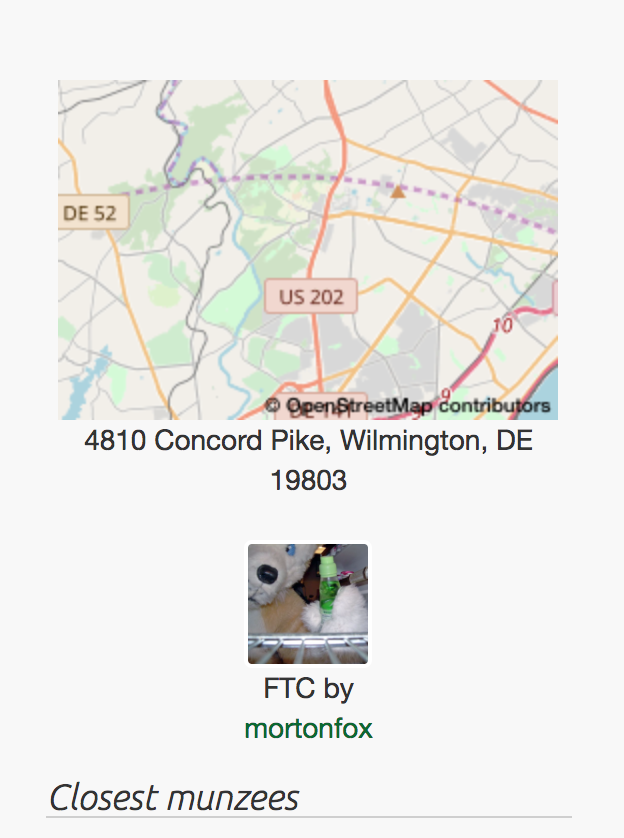
[Munzee](https://www.munzee.com) info pages used to display the approximate address of the Munzee's coordinates below the mini map. This feature seems to have been dropped after the switchover from Google Maps to OpenStreetMap.
Munz Addr is a Chrome extension that uses the [Geocodify API](https://geocodify.com/) to reverse-geocode a Munzee's coordinates and adds the resulting street address below the mini map, where it used to be.
## Installation
### Adding the extension to Chrome
git clone this repository to your local disk or download the zip file and extract.
Go to the Chrome extensions page (chrome://extensions). You'll need to enable developer mode in order to load an unpacked extension.
Click on "Load unpacked extension" and navigate to the folder in which you cloned or extracted the source files. Select this folder to load the extension.
### Obtaining and setting up your Geocodify API key
You'll need a Geocodify API key to use this Chrome extension.
Get the API key by visiting your [Geocodify account dashboard](https://geocodify.com/account) The link will take you to a login/signup page if you have not done so already.
Find the extension's icon (most likely a gray 'M' or a default icon since we don't have one yet for this extension) in the Chrome URL bar and right-click on it.
Select 'Options' in the menu.

Paste your Geocodify API key into the input field and click on 'Save'.
## Usage
If all goes well, you'll see the street address below the mini map on the info page of every Munzee. If not, check the console log in the browser developer tools for errors.