https://github.com/moshe/tplot
Easy to use plotting tool for the terminal
https://github.com/moshe/tplot
Last synced: 9 months ago
JSON representation
Easy to use plotting tool for the terminal
- Host: GitHub
- URL: https://github.com/moshe/tplot
- Owner: moshe
- Created: 2017-09-02T13:49:23.000Z (over 8 years ago)
- Default Branch: master
- Last Pushed: 2021-08-02T05:43:10.000Z (over 4 years ago)
- Last Synced: 2025-03-25T08:38:14.366Z (10 months ago)
- Language: JavaScript
- Size: 4.69 MB
- Stars: 36
- Watchers: 3
- Forks: 3
- Open Issues: 10
-
Metadata Files:
- Readme: README.md
Awesome Lists containing this project
README
## tplot
Tired of using `watch` for watching numbers in the terminal?
e.g `watch "ls | wc -l"`
Tired of calculating the decrease rate of items in queue over and over again?
Trends? Throughput? Time left to zero?
**tplot is the answer!**
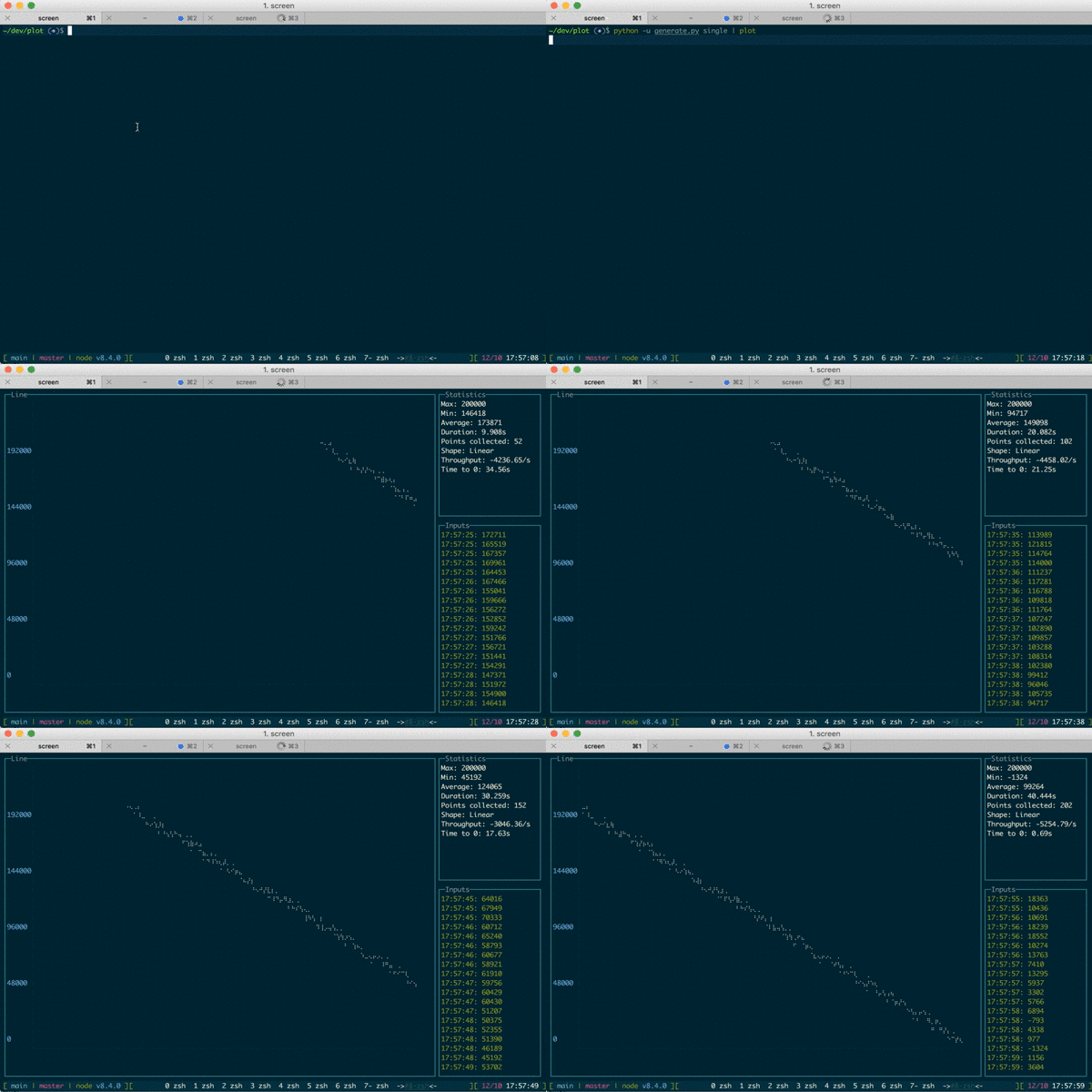
tplot is a modular nodejs cli that reads metrics from lots of inputs and plots it in the terminal!
In addition to the line chart you can see more stats about the series.
## Stats:
tplot is trying to guess the slope of the line using [linear regression](https://en.wikipedia.org/wiki/Ordinary_least_squares)
| name | explain |
| ------------- | ------------- |
| Max | Maximum point (since launch) |
| Min | Minimum point (since launch) |
| Average | Average value of all points |
| Points collected | Amount of points collected (since launch) |
| Shape | Linear / non-linear |
| Throughput | If shape is linear presents the throughput based on line's slope|
| Time to ${program.goal} | The approximate time remained to the gaol (defaults to 0) |
## Available plugins
- redis
- sqs
- stdin
- command
## Examples:
#### Read numbers from stdin
`command | tplot stdin`
#### Run command periodically and plot the output
`tplot cmd 'echo $RANDOM'`
#### Plot the number of files in the directory
`tplot cmd 'ls|wc -l'`
#### Plot redis list length
`tplot redis -h myserver events'`
## Usage:
```
Usage: tplot [options] [command]
Options:
-V, --version output the version number
-t, --title [title] Set the title
-p, --points [n] Set the maximum number of points to show in the screen (default:100)
-g, --goal [n] If looking at an linear line, set the goal you wish the line will get (default:0)
-r, --regressionPoints [n] Set the numbers of points to collect in order to calculate the throughput (default:16)
-h, --help output usage information
Commands:
cmd|c [options] Monitor shell command output
stdin|s Monitor stdin
redis|r [options] Monitor redis list length
```
## Installation:
**via npm:**
`npm install -g tplot`
**via docker:**
```
docker pull mosheza/tplot
docker run -it mosheza/tplot -c 'echo 1'
```
**via source:**
```
git@github.com:moshe/tplot.git
cd tplot
npm install --link
```