https://github.com/mqyqingfeng/waterfall
原生 JavaScript 实现的瀑布流效果,兼容到 IE8。
https://github.com/mqyqingfeng/waterfall
javascript waterfalls
Last synced: 9 months ago
JSON representation
原生 JavaScript 实现的瀑布流效果,兼容到 IE8。
- Host: GitHub
- URL: https://github.com/mqyqingfeng/waterfall
- Owner: mqyqingfeng
- Created: 2017-12-05T03:11:07.000Z (over 8 years ago)
- Default Branch: master
- Last Pushed: 2017-12-05T03:17:25.000Z (over 8 years ago)
- Last Synced: 2025-03-20T01:41:24.633Z (over 1 year ago)
- Topics: javascript, waterfalls
- Language: JavaScript
- Size: 5.38 MB
- Stars: 120
- Watchers: 5
- Forks: 25
- Open Issues: 1
-
Metadata Files:
- Readme: README.md
Awesome Lists containing this project
README
# waterfall
## 介绍
原生 JavaScript 实现的瀑布流效果,兼容到 IE8。
## 效果图:
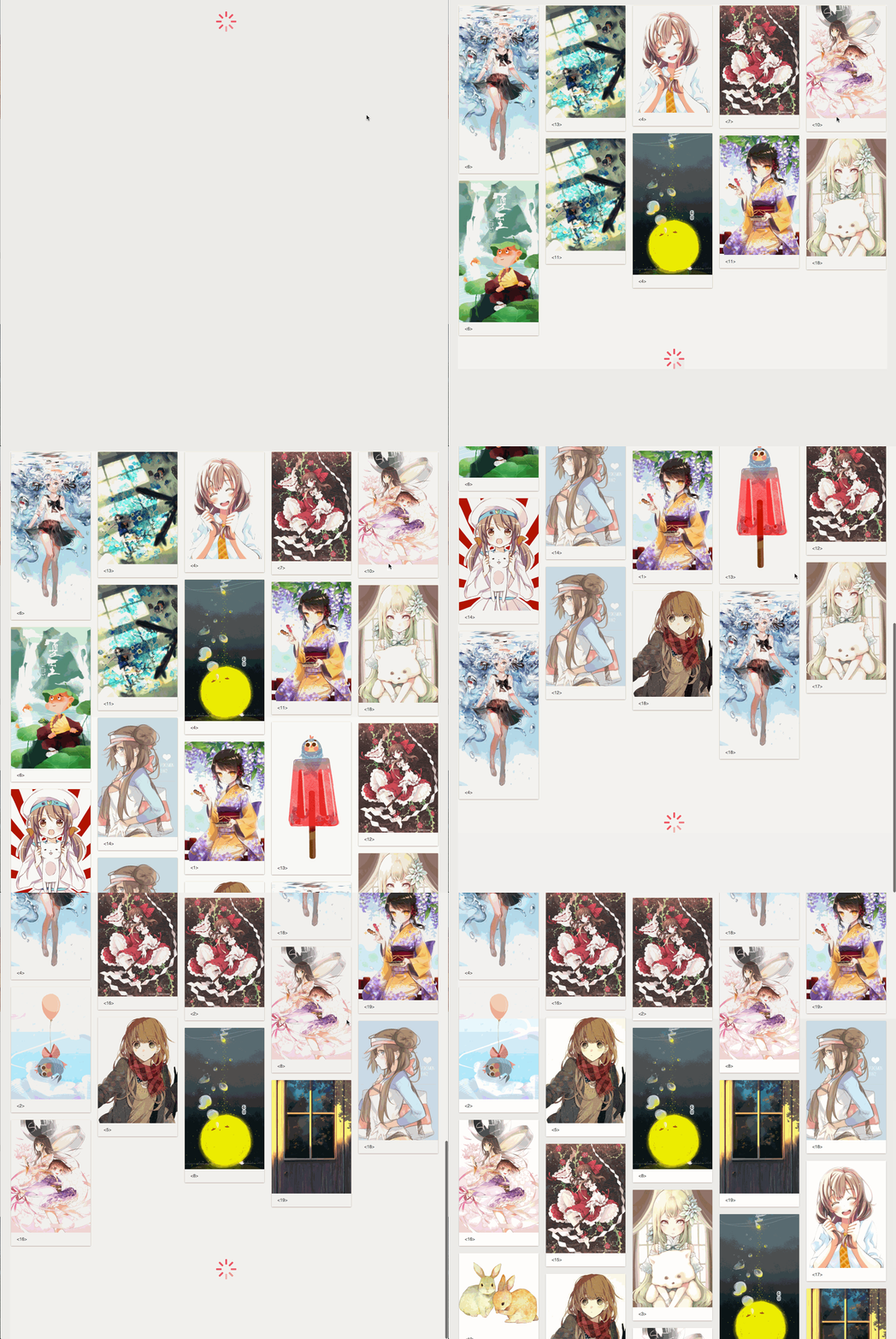
源码地址:
[https://mqyqingfeng.github.io/waterfall/](https://mqyqingfeng.github.io/waterfall/)
## 依赖
原生 JavaScript 实现,无依赖。
## 大小
压缩后 5KB,gzip 压缩后更小。
## 下载
```js
git clone git@github.com:mqyqingfeng/waterfall.git
```
## 使用
```html
```
或者
```js
import WaterFall from 'path/waterfall.js'
```
## 示例
```js
var waterfall = new WaterFall({
container: '#waterfall',
pins: ".pin",
loader: '#loader',
gapHeight: 20,
gapWidth: 20,
pinWidth: 216,
threshold: 100
});
waterfall.on("load", function(){
setTimeout(function(){
var htmlStr = '

文字
';
// 调用 append 方法,传入 html 字符串和图片的选择符,
// append 函数会检验是否所有的图片都具有高度后才会 append 进文档树中
waterfall.append(htmlStr, '.img')
}, 1000)
})
```
## API
### 初始化
```js
var waterfall = new WaterFall(options);
```
### options
**container**
必填,指定瀑布流容器的 selector
**pins**
必填,指定瀑布流添加的区块的 selector
**loader**
必填,指定瀑布流加载时的 loading 的 selector
**gapHeight**
默认值为 `20`,pins 上下间隔的距离
**gapWidth**
默认值为 `20`,pins 左右间隔的距离
**pinWidth**
默认值为 `216`,pins 的宽度为 216px
**threshold**
默认值为 `100`,当距离底部还是有 100px 的时候就开始加载
### 事件绑定
当需要加载新的数据时,会触发 load 事件
```js
waterfall.on("load", function(){
// 模拟数据加载
setTimeout(function(){
// 注意当加载新的 pins 的时候,需要调用 waterfall.append 函数
waterfall.append(htmlStr, selector)
}, 1000)
})
```
### 方法
**append**
该函数传入两个参数:
1.htmlStr 类似于
```js
'
![]() ... '
... '
```
需要注意每个 pin 需要添加与 options.pins 一致的类名,图片元素需要添加类名,然后作为选择符,传入第二个参数
2. selector
图片的选择符,以上面的例子为例,应该传入
```js
waterfall.append(htmlStr, '.img')
```
这是为了根据选择符筛选出要加载的图片,判断所有的图片都有了高度之后,才会添加进瀑布流中。