https://github.com/mrakashsaha/montora
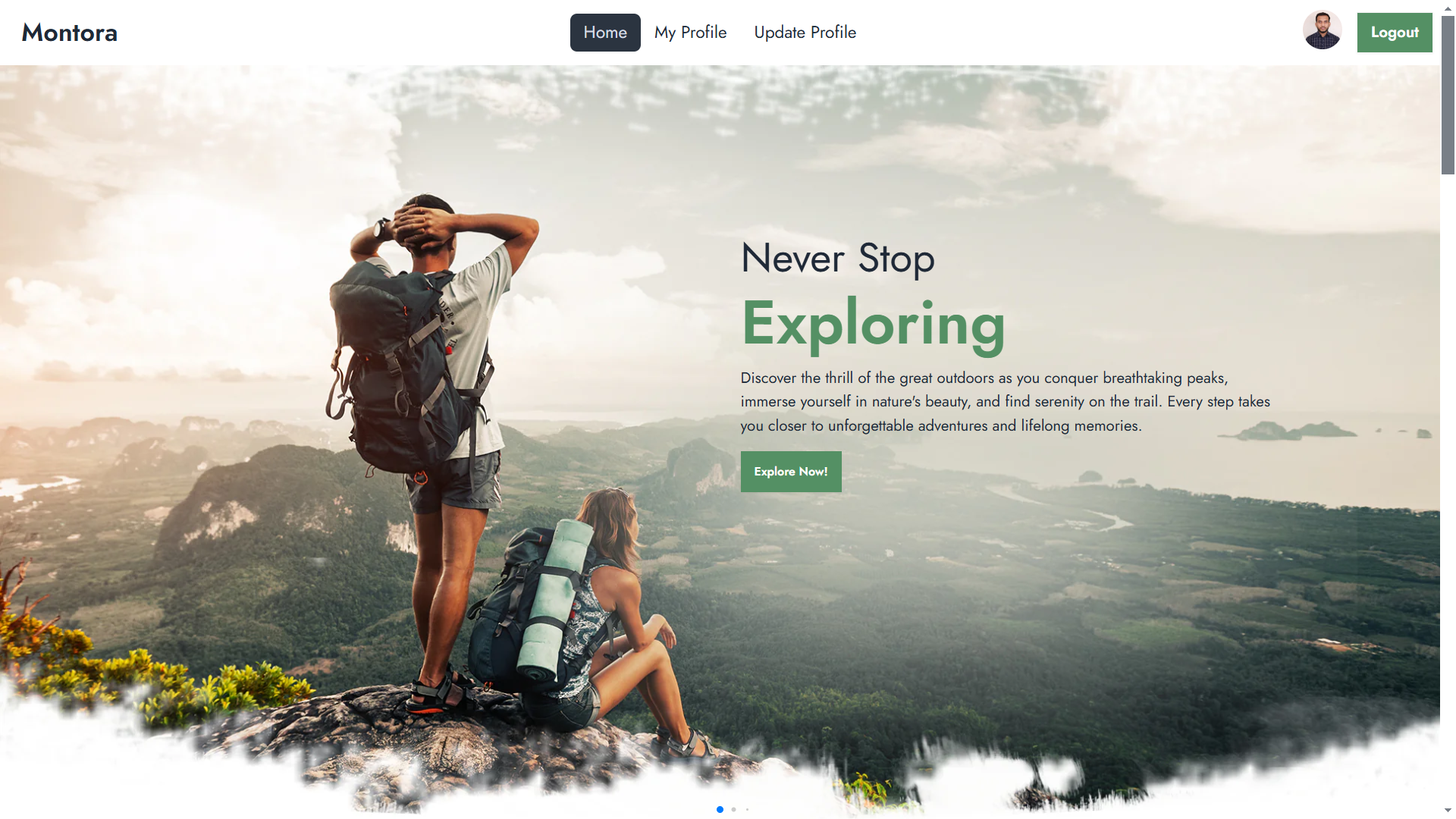
Montora is a blog-style web application designed to promote eco-friendly travel adventures. It provides insights into various adventure activities like mountain treks, allowing users to explore and consult experts for planning their eco-adventure trips.
https://github.com/mrakashsaha/montora
aos-animation daisyui firebase moment-js react react-router swiper-slider tailwind-css
Last synced: 2 months ago
JSON representation
Montora is a blog-style web application designed to promote eco-friendly travel adventures. It provides insights into various adventure activities like mountain treks, allowing users to explore and consult experts for planning their eco-adventure trips.
- Host: GitHub
- URL: https://github.com/mrakashsaha/montora
- Owner: mrakashsaha
- Created: 2025-02-05T11:21:32.000Z (over 1 year ago)
- Default Branch: main
- Last Pushed: 2025-02-05T16:31:45.000Z (over 1 year ago)
- Last Synced: 2025-02-05T17:22:54.111Z (over 1 year ago)
- Topics: aos-animation, daisyui, firebase, moment-js, react, react-router, swiper-slider, tailwind-css
- Language: JavaScript
- Homepage: https://montora-adv.web.app/
- Size: 2.55 MB
- Stars: 0
- Watchers: 1
- Forks: 0
- Open Issues: 0
-
Metadata Files:
- Readme: README.md
Awesome Lists containing this project
README
# Montora | Blog-Style Web Application
## Overview
Montora is a blog-style web application designed to promote eco-friendly travel adventures. It provides insights into various adventure activities like mountain treks, allowing users to explore and consult experts for planning their eco-adventure trips. The platform includes authentication, user profile management, and interactive features to enhance engagement.
## Technologies Used
- **Frontend**: React, React Router, React Icons, Swiper
- **Backend & Services**: Firebase (Authentication & Hosting)
- **State Management & Utilities**: Moment.js, LocalForage, Match Sorter
- **Styling & Animations**: Tailwind CSS, DaisyUI, AOS (Animations)
- **Development Tools**: Vite, ESLint, PostCSS
## Features
- **Dynamic Adventure Cards** – Browse eco-adventure options with detailed descriptions.
- **Authentication** – Secure login, registration, and Google social login.
- **Responsive Design** – Fully optimized for mobile, tablet, and desktop devices.
- **Private Routes** – Restricts access to adventure details and user profiles.
- **Expert Consultations** – Users can consult travel experts via Google Meet.
- **Error Handling** – Custom 404 page for better navigation.
- **User Profile Management** – Update and manage user details.
- **Password Validation** – Secure authentication with password rules.
- **Smooth Animations** – AOS library for homepage animations.
## Dependencies
The project uses the following dependencies:
### Main Dependencies
```json
{
"dependencies": {
"aos": "^2.3.4",
"firebase": "^11.0.2",
"localforage": "^1.10.0",
"match-sorter": "^8.0.0",
"moment": "^2.30.1",
"react": "^18.3.1",
"react-dom": "^18.3.1",
"react-icons": "^5.3.0",
"react-router-dom": "^6.28.0",
"react-toastify": "^10.0.6",
"sort-by": "^1.2.0",
"swiper": "^11.1.15"
}
}
```
### Development Dependencies
```json
{
"devDependencies": {
"@eslint/js": "^9.13.0",
"@types/react": "^18.3.12",
"@types/react-dom": "^18.3.1",
"@vitejs/plugin-react": "^4.3.3",
"autoprefixer": "^10.4.20",
"daisyui": "^4.12.14",
"eslint": "^9.13.0",
"eslint-plugin-react": "^7.37.2",
"eslint-plugin-react-hooks": "^5.0.0",
"eslint-plugin-react-refresh": "^0.4.14",
"globals": "^15.11.0",
"postcss": "^8.4.49",
"tailwindcss": "^3.4.15",
"vite": "^5.4.10"
}
}
```
## Running the Project Locally
Follow these steps to set up and run Montora on your local machine:
1. **Clone the repository**
```bash
git clone https://github.com/mrakashsaha/montora.git
cd montora
```
2. **Install dependencies**
```bash
npm install
```
3. **Set up environment variables**
- Create a `.env` file in the root directory.
- Add Firebase configuration keys.
4. **Start the development server**
```bash
npm run dev
```
5. **Build for production**
```bash
npm run build
```
## Live Project & Resources
- **Live Demo**: [Visit Montora](https://montora-adv.web.app/)
- **GitHub Repository**: [GitHub Link](https://github.com/mrakashsaha/montora)
- **Firebase Hosting**: Deployed with Firebase Hosting.
## Thank You
Thank you for exploring Montora! Your feedback and support are greatly appreciated.