https://github.com/mrbone/webpack-bootstrap
Easily implement webpack for any kind of front-end app
https://github.com/mrbone/webpack-bootstrap
create-react-app create-vue-app webpack
Last synced: 3 months ago
JSON representation
Easily implement webpack for any kind of front-end app
- Host: GitHub
- URL: https://github.com/mrbone/webpack-bootstrap
- Owner: mrbone
- License: mit
- Created: 2018-04-06T06:30:51.000Z (over 8 years ago)
- Default Branch: master
- Last Pushed: 2018-06-06T10:56:37.000Z (about 8 years ago)
- Last Synced: 2025-05-18T14:09:07.620Z (about 1 year ago)
- Topics: create-react-app, create-vue-app, webpack
- Language: JavaScript
- Homepage:
- Size: 29.3 KB
- Stars: 0
- Watchers: 1
- Forks: 1
- Open Issues: 0
-
Metadata Files:
- Readme: README.md
- Changelog: CHANGELOG.md
- License: LICENSE
Awesome Lists containing this project
README
# Webpack Bootstrap
Easy implement webpack for any kind of font-end app.
[](https://nodejs.org/en/)
[](http://commitizen.github.io/cz-cli/)
[](https://app.fossa.io/projects/git%2Bgithub.com%2Fmrbone%2Fwebpack-bootstrap?ref=badge_shield)
[](https://travis-ci.org/mrbone/webpack-bootstrap)
[](https://codecov.io/gh/mrbone/webpack-bootstrap?branch=master)
## Install
```bash
yarn add webpack-bootstrap --dev
```
or
```bash
npm install webpack-bootstrap --save-dev
```
## Tasks
Webpack-bootstrap support `build` and `dev` task right now. Set a script in `package.json` to easily invoke tasks.
When you run the tasks below first time, you will been asked for which liberary you wanna compile, and then save this in `.wbootrc` in your package root folder.
```json
"scripts": {
"wboot": "wboot"
}
```
### build
Create a js bundle from `src/index`, the extension can be `js/jsx`.
```bash
yarn wboot build
```
or
```bash
npm run wboot build
```
### start
Start a local server.
```bash
yarn wboot dev
```
## License
[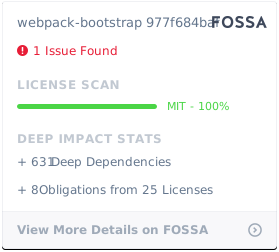](https://app.fossa.io/projects/git%2Bgithub.com%2Fmrbone%2Fwebpack-bootstrap?ref=badge_large)