https://github.com/mrcoder991/chatgpt-google-extention
A Google chrome extension for accessing ChatGPT from google search page, forked from popular github project chatgpt-google-extension
https://github.com/mrcoder991/chatgpt-google-extention
Last synced: 5 months ago
JSON representation
A Google chrome extension for accessing ChatGPT from google search page, forked from popular github project chatgpt-google-extension
- Host: GitHub
- URL: https://github.com/mrcoder991/chatgpt-google-extention
- Owner: mrcoder991
- License: gpl-3.0
- Created: 2023-09-13T16:11:33.000Z (almost 3 years ago)
- Default Branch: master
- Last Pushed: 2023-09-13T16:51:17.000Z (almost 3 years ago)
- Last Synced: 2025-04-11T03:57:30.131Z (about 1 year ago)
- Language: SCSS
- Homepage:
- Size: 998 KB
- Stars: 0
- Watchers: 1
- Forks: 0
- Open Issues: 0
-
Metadata Files:
- Readme: README.md
- License: LICENSE
Awesome Lists containing this project
README
# ChatGPT for Google

[](https://twitter.com/chatgpt4google)

**My new project:**
[ChatHub: All-in-one chatbot client](https://github.com/chathub-dev/chathub)
---
A browser extension to display ChatGPT response alongside Google (and other search engines) results
[Install from Chrome Web Store](https://chatgpt4google.com/chrome?utm_source=github)
[Install from Mozilla Add-on Store](https://chatgpt4google.com/firefox?utm_source=github)
## Supported Search Engines
Google, Baidu, Bing, DuckDuckGo, Brave, Yahoo, Naver, Yandex, Kagi, Searx
## Screenshot

## Features
- Supports all popular search engines
- Supports the official OpenAI API
- Supports ChatGPT Plus
- Markdown rendering
- Code highlights
- Dark mode
- Provide feedback to improve ChatGPT
- Copy to clipboard
- Custom trigger mode
- Switch languages
## Troubleshooting
### How to make it work in Brave

Disable "Prevent sites from fingerprinting me based on my language preferences" in `brave://settings/shields`
### How to make it work in Opera

Enable "Allow access to search page results" in the extension management page
## Build from source
1. Clone the repo
2. Install dependencies with `npm`
3. `npm run build`
4. Load `build/chromium/` or `build/firefox/` directory to your browser
## Star History
[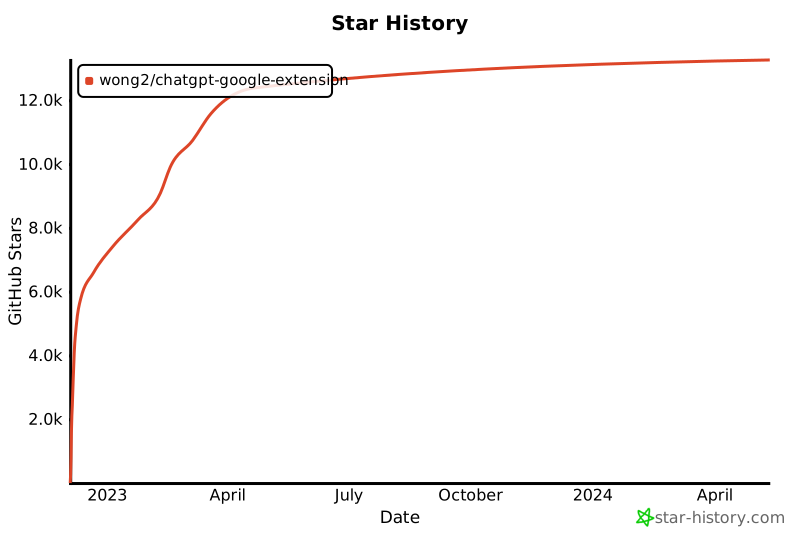](https://star-history.com/#wong2/chatgpt-google-extension&Date)