https://github.com/mre55/bookstore
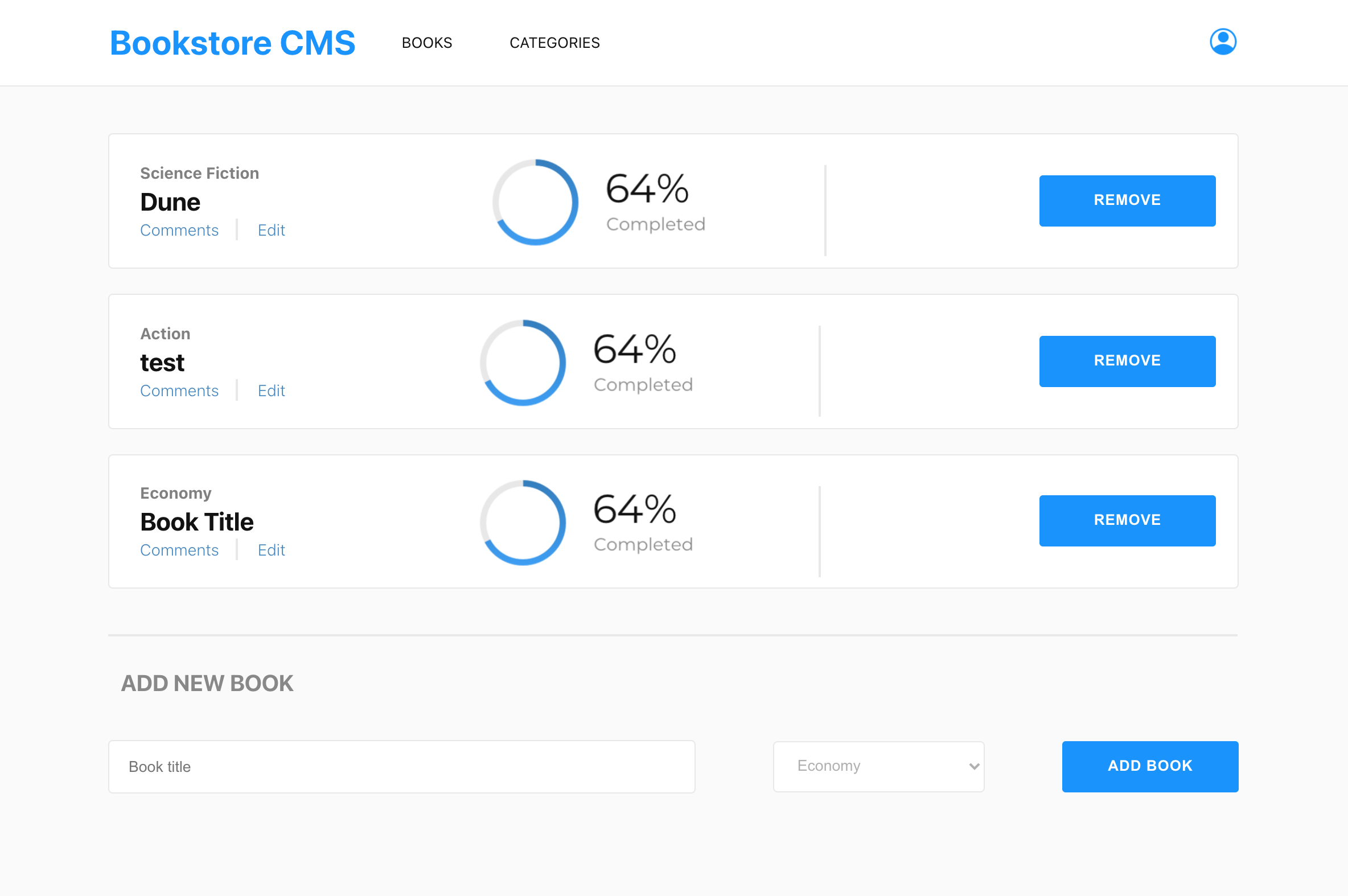
The "Bookstore CMS" website displays a list of books via Bookstore API and allows users to add and remove books from the UI. Bookstore API, React, and Redux were used to build the website.
https://github.com/mre55/bookstore
api css react redux webpack
Last synced: 4 months ago
JSON representation
The "Bookstore CMS" website displays a list of books via Bookstore API and allows users to add and remove books from the UI. Bookstore API, React, and Redux were used to build the website.
- Host: GitHub
- URL: https://github.com/mre55/bookstore
- Owner: Mre55
- Created: 2022-01-14T10:46:01.000Z (over 4 years ago)
- Default Branch: dev
- Last Pushed: 2022-01-22T08:56:15.000Z (over 4 years ago)
- Last Synced: 2025-01-02T16:33:09.085Z (over 1 year ago)
- Topics: api, css, react, redux, webpack
- Language: JavaScript
- Homepage: https://mre55.github.io/bookstore/
- Size: 2.09 MB
- Stars: 1
- Watchers: 1
- Forks: 0
- Open Issues: 0
-
Metadata Files:
- Readme: README.md
Awesome Lists containing this project
README
## Book Store
This project is Book store website, that allows users to add and remove books using the UI.
## Built With
- JavaScript
- HTML
- CSS
- Frameworks (Libraries) - React, Redux
- Tools used - Git(version control), Stylelint(style linting), ESLint(Javascript linting).
## Live Demo
[Live Demo link](https://mre55.github.io/bookstore/)
## Getting Started
**To use this project you need to clone the repository to your local machine, and open the folder then run index.html file which is the main file of the project.**
To get a local copy up and running follow these simple example steps.
### Prerequisites
To work on this project locally you need to have Node.js installed in your machine.
### Setup
To setup this project first you should have to clone the repository and the go to the projects directory and run `npm install` command to install the needed dependency. After that run `npm start` command to run the project from local server to `http://localhost:8080/`.
### Install
You have to have Node.js installed before working on this project.
### Usage
You can start using Book store website by cloning the repository.
## Authors
👤 **Mihreteab Misganaw Aride**
- GitHub: [@Mre55](https://github.com/Mre55)
- Twitter: [@MreMisganaw](https://twitter.com/MreMisganaw)
- LinkedIn: [@Mihreteab-Aride](https://www.linkedin.com/in/mihreteabaride/)
## 🤝 Contributing
Contributions, issues, and feature requests are welcome!
Feel free to check the [issues page](../../issues/).