https://github.com/mrelvin/github-profile-chart
👨💻 Visualize your github profile.
https://github.com/mrelvin/github-profile-chart
cheerio github-api-v4 graphql koa2 vue2
Last synced: over 1 year ago
JSON representation
👨💻 Visualize your github profile.
- Host: GitHub
- URL: https://github.com/mrelvin/github-profile-chart
- Owner: MrElvin
- License: mit
- Created: 2018-08-07T02:56:21.000Z (almost 8 years ago)
- Default Branch: dev
- Last Pushed: 2022-12-22T08:34:43.000Z (over 3 years ago)
- Last Synced: 2023-05-12T04:20:32.303Z (about 3 years ago)
- Topics: cheerio, github-api-v4, graphql, koa2, vue2
- Language: Vue
- Homepage:
- Size: 1.82 MB
- Stars: 12
- Watchers: 2
- Forks: 1
- Open Issues: 9
-
Metadata Files:
- Readme: README.md
- License: LICENSE
Awesome Lists containing this project
README
# github-profile-chart
Visualize your github profile.
> Inspired by Molunerfinn's [node-github-profile-summary](https://github.com/Molunerfinn/node-github-profile-summary)
Live at: [http://ghprofile.breezymelon.com/](http://ghprofile.breezymelon.com/)
## Features
1. Responsive layout
2. Simple and fresh interface
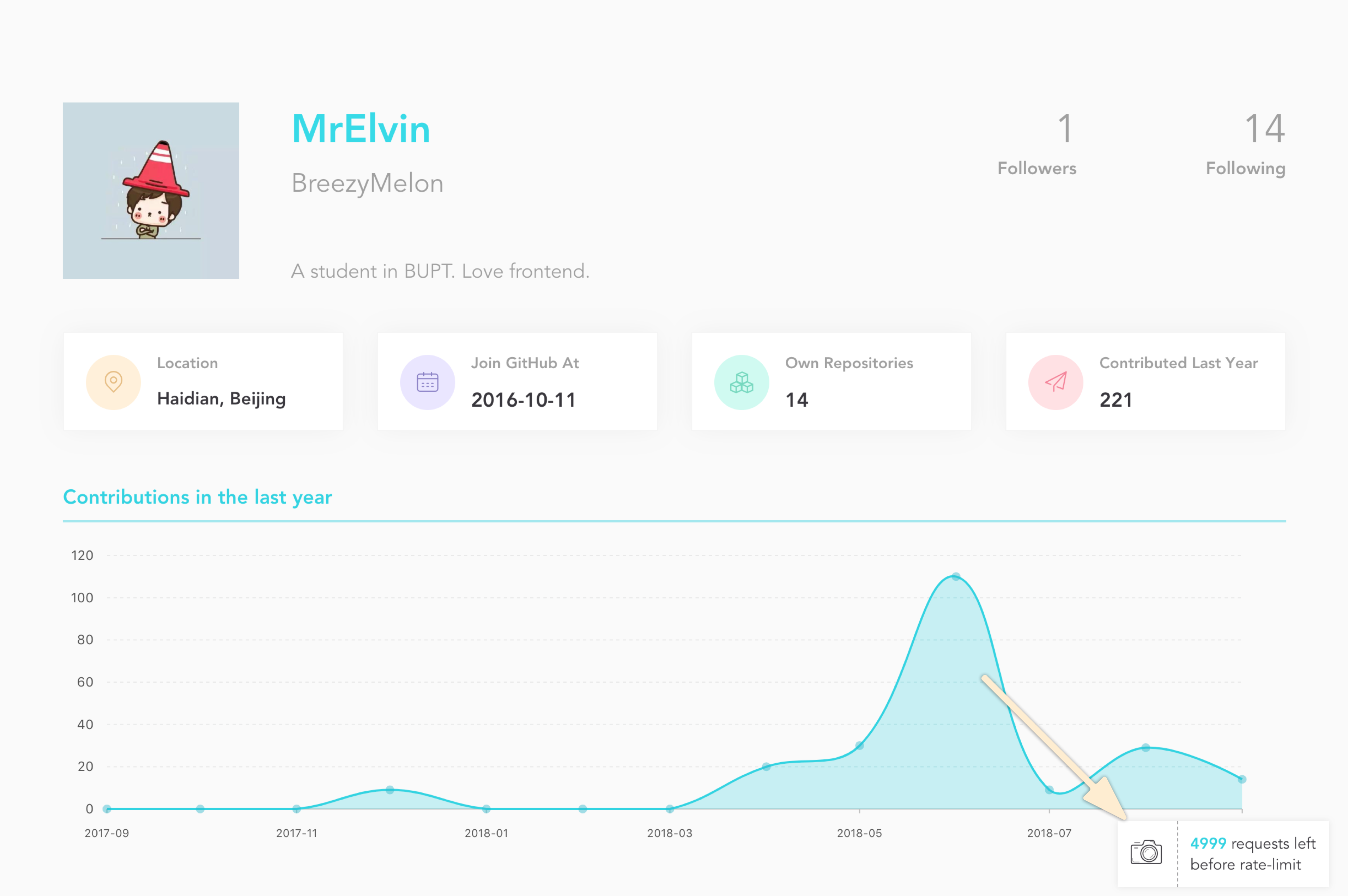
3. Support exporting images
## Skills & Dependencies
- [Vue](https://github.com/vuejs/vue)
- [Koa](https://github.com/koajs/koa)
- [Antv/g2](https://github.com/antvis/g2)
- [Melongrid.css](https://github.com/MrElvin/MelonGrid.css)
- [Github api v4](https://developer.github.com/v4/)
## Screenshot
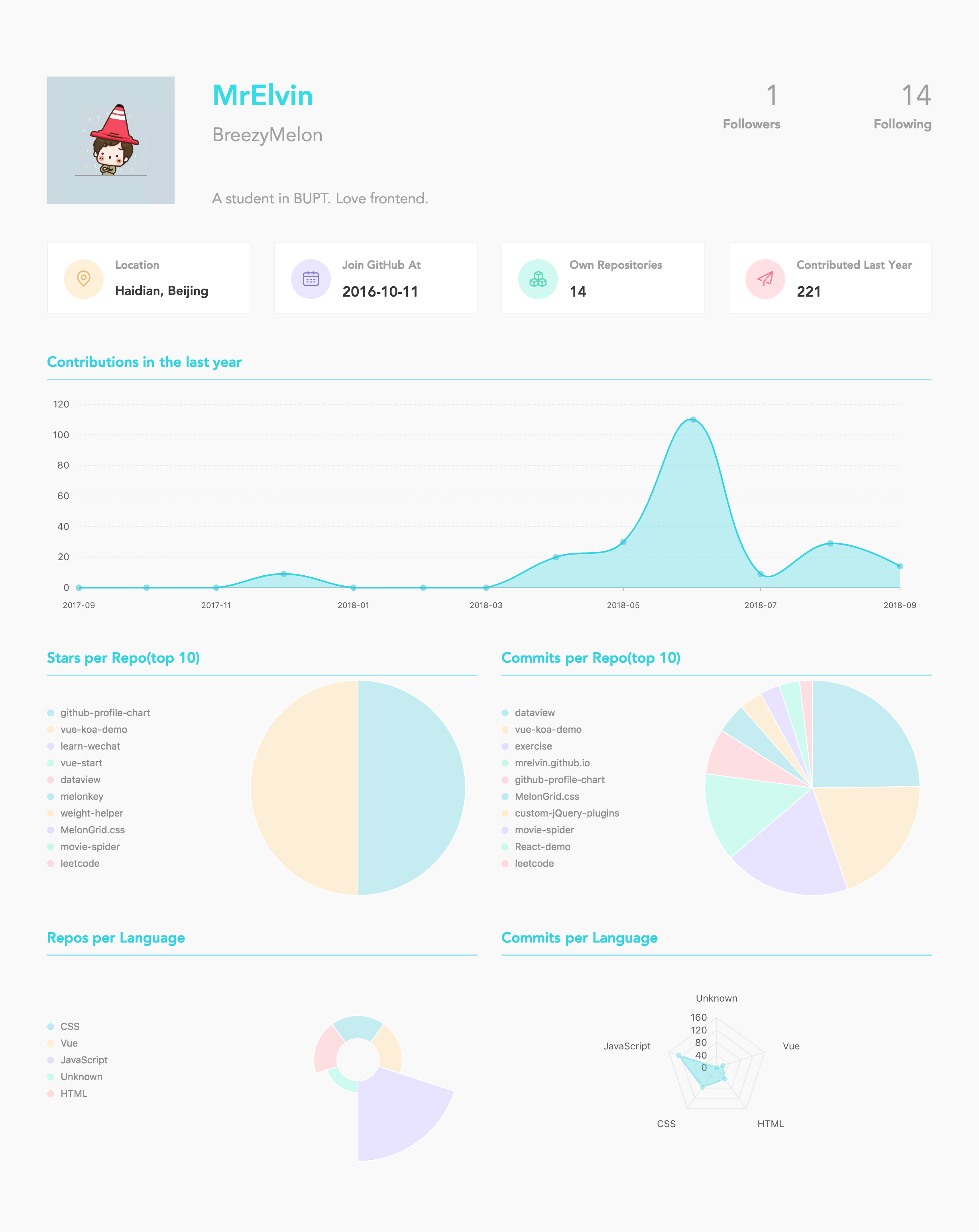
> Take my account as an example, sorry for my poor github data.
### Your beautiful profile
### Save and Download your profile as an image
## Run locally
### Project config
1. First you should generate a github personal access token at [https://github.com/settings/tokens](https://github.com/settings/tokens)
2. Second you have to create a file in the project folder which name is `project.config.json`. For example:
```json
{
"PORT": 8080,
"SOCKET_PORT": 3000,
"JWT_SECRET": "github-profile-chart",
"IS_STAR_REQUIRED": false,
"TOKEN": "yourgithubpersonalaccesstoken"
}
```
- PORT
backend server port
- SOCKET_PORT
socket server port
- JWT_SECRET
any string you like (use for json web token)
- IS_STAR_REQUIRED
if this field is true, you can only analyze the gist who has starred the repository (Recommend: false)
- TOKEN
paste your github personal access token here
### Install
```shell
git clone git@github.com:MrElvin/github-profile-chart.git
cd github-profile-chart
npm install
```
### Run
```shell
npm run build
node app.js
```
Open `http://localhost:3000` in your browser.
Enjoy ^_^
## License
[MIT](https://github.com/MrElvin/github-profile-chart/blob/dev/LICENSE)