https://github.com/mroads/react-native-fontext
📲💬 react-native-fontext is a lightweight library to integrate fonts in your React Native application that works seamlessly in android and iOS devices.
https://github.com/mroads/react-native-fontext
hacktoberfest hacktoberfest2020 hacktoberfest2021 react-native react-native-fontext react-native-fonts
Last synced: over 1 year ago
JSON representation
📲💬 react-native-fontext is a lightweight library to integrate fonts in your React Native application that works seamlessly in android and iOS devices.
- Host: GitHub
- URL: https://github.com/mroads/react-native-fontext
- Owner: mroads
- License: mit
- Created: 2021-10-08T18:30:29.000Z (almost 5 years ago)
- Default Branch: master
- Last Pushed: 2021-11-12T10:58:49.000Z (over 4 years ago)
- Last Synced: 2025-03-18T13:11:41.167Z (over 1 year ago)
- Topics: hacktoberfest, hacktoberfest2020, hacktoberfest2021, react-native, react-native-fontext, react-native-fonts
- Language: Java
- Homepage:
- Size: 5.4 MB
- Stars: 10
- Watchers: 0
- Forks: 3
- Open Issues: 0
-
Metadata Files:
- Readme: README.md
- Contributing: CONTRIBUTING.md
- License: LICENSE
Awesome Lists containing this project
README
# React Native Fontext
**react-native-fontext** is a lightweight library to integrate fonts in your React Native application that works seamlessly in android and iOS devices.

# Setup
### Installation
`$ npm install react-native-fontext`
or
`$ yarn add react-native-fontext`
## Setup Instructions
1. Download and integrate fonts in your react-native application
1. Download your preferred font from [Google Fonts](https://fonts.google.com) or any other font provider.
2. Create a folder `fonts` in the root directory and place your downloaded fonts here. It is not mandatory to keep the `fonts` folder in the root directory but it is advised to keep it there for maintaining simplicity.
3. Create a `react-native.config.js` file in the root directory of your project. This file is responsible for locating fonts' path so that react-native knows where to find them. The below code explains the content of the `react-native.config.js` file.
```js
module.exports = {
project: {
ios: {},
android: {},
},
assets: ['./fonts'],
};
```
4. In the terminal, write the command `npx react-native link` to link the fonts with your android and ios projects.
5. Once linking is done, you can see the integrated fonts in Android (`android/app/src/main/assets/fonts`) and ios (`info.plist`).
2. Rebuild the project in Android and iOS projects and re-run the application.
## Props
inherits [Text Props](https://reactnative.dev/docs/text) from react-native. All the props that are available for React Native Text component are available for font-text Text component.
| Prop | Default | Type | Description |
| :---------- | :---------------: | :---------------: | :---------------------------------------------------------------------- |
| computeFont | - | `function` | Function that calculates font family |
| component | React Native Text | `React.Component` | A custom component that can be passed to override the default component |
## Usage
- Install the package `react-native-fontext`
npm install react-native-fontext
- Import the `Text` component from `react-native-fontext`
import Text from react-native-fontext
- Use `fontFamily` and `fontWeight` to add fonts to your Text.
```js
textStyle: {
fontFamily: 'NotoSansMono',
fontWeight: '900',
},
```
### Example: Adding font `Noto Sans`
```js
import React from 'react';
import { StyleSheet, View, Image } from 'react-native';
import logo from './assets/images/logo.png';
import Text from 'react-native-fontext';
const App = () => {
return (
react-native-fontext gives you the ability to embed any font into your
react native application.
);
};
const styles = StyleSheet.create({
text: {
// Add the following lines to add fonts in your Text component
fontFamily: 'NotoSansMono',
fontWeight: 'bold',
},
// Rest of the styles
});
export default App;
```
### Example: Using a Component prop
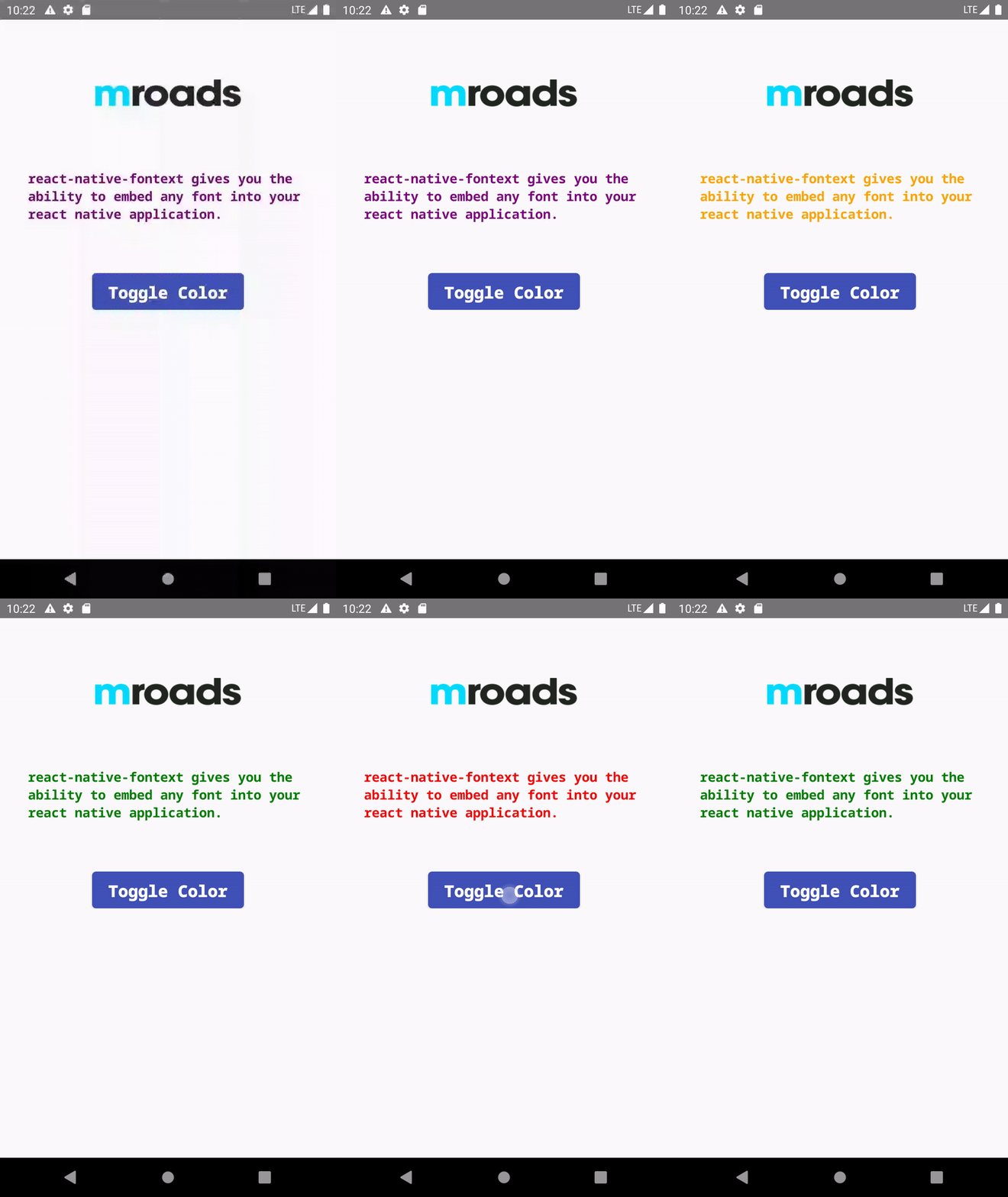
```js
import React, { useState } from 'react';
import { StyleSheet, View, Image } from 'react-native';
import logo from './assets/images/logo.png';
import Text from 'react-native-fontext';
import { Button, Text as NBText } from 'native-base';
const COLORS = ['red', 'green', 'blue', 'orange', 'purple'];
const App = () => {
const [color, setColor] = useState('black');
const toggleColor = () => {
let randomColor = COLORS[Math.floor(Math.random() * COLORS.length)];
setColor(randomColor);
};
return (
react-native-fontext gives you the ability to embed any font into your
react native application.
Toggle Color
);
};
const styles = StyleSheet.create({
text: {
// Add the following lines to add fonts in the text project
fontFamily: 'NotoSansMono',
fontWeight: 'bold',
marginBottom: 60,
},
buttonText: {
// Add the following lines to add fonts in the button's Text component
fontFamily: 'NotoSansMono',
fontWeight: '900',
},
// Rest of the styling
});
export default App;
```