https://github.com/mrozycki/rustmas
Christmas lights controller capable of displaying 3D animations
https://github.com/mrozycki/rustmas
bevy christmas-lights christmas-tree computer-vision creative-coding rust ws2812
Last synced: 5 months ago
JSON representation
Christmas lights controller capable of displaying 3D animations
- Host: GitHub
- URL: https://github.com/mrozycki/rustmas
- Owner: mrozycki
- Created: 2022-10-03T17:09:28.000Z (over 3 years ago)
- Default Branch: main
- Last Pushed: 2025-11-20T22:01:58.000Z (7 months ago)
- Last Synced: 2025-11-20T23:32:48.707Z (7 months ago)
- Topics: bevy, christmas-lights, christmas-tree, computer-vision, creative-coding, rust, ws2812
- Language: Rust
- Homepage:
- Size: 3.12 MB
- Stars: 34
- Watchers: 3
- Forks: 2
- Open Issues: 4
-
Metadata Files:
- Readme: README.md
- Funding: .github/funding.yml
Awesome Lists containing this project
README
Rustmas
=======
*Santa Crab is coming to town!*
Utilities for putting smart Christmas lights on your Christmas tree, written in Rust, inspired by
[Matt Parker's xmastree](https://github.com/standupmaths/xmastree2020).
The interface for controlling lights is provided by [pico-w-neopixel-server](https://github.com/krzmaz/pico-w-neopixel-server/),
which is meant to be installed on a RaspberryPi Pico W. You can use local visualizer
for testing purposes.
## Web UI preview

## Demo (YouTube) - old version lacking newer features
[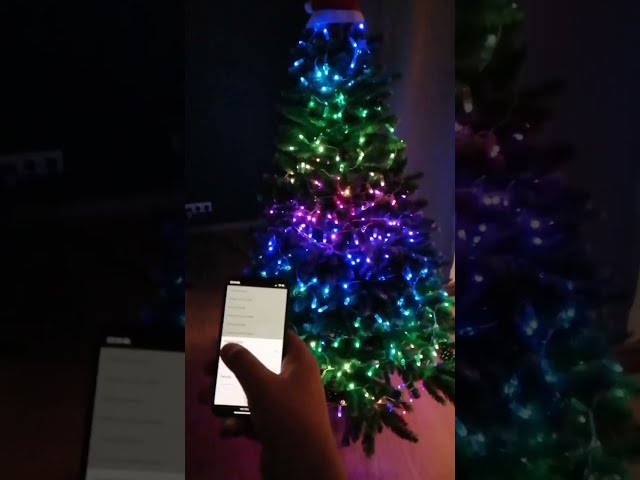](https://www.youtube.com/watch?v=UKONMvyDPdw)
Local development setup
-----------------------
### Running the project locally
For instructions on how to build and run Rustmas, see [webapi/README.md](webapi/README.md).
### Setting up your lights
If you are using physical lights, you need to connect them to a Raspberry Pi Pico W running
[pico-w-neopixel-server](http://github.com/krzmaz/pico-w-neopixel-server) or
[pico-usb-neopixel-driver](https://github.com/krzmaz/pico-usb-neopixel-driver), and configure their
positions using [our configurator](configurator/README.md). This will produce a CSV file with light
positions. Alternatively you can use the visualizer for testing with the [example CSV file](lights.csv.example).
### Git hooks
This repository has git hooks prepared that check simple conditions that might otherwise trip up
the CI setup. We recommend that you use them. In order to set them up, run the following command
inside the repository:
```
git config core.hooksPath .githooks
```
Deployment
----------
If you would like to use Rustmas to control your Christmas lights, you will first need to
[configure your lights](configurator/README.md) and then [deploy our web application](webapi/DEPLOYMENT.md)
to a local server.
Attribution
-----------
* [Christmas lights icons created by BomSymbols - Flaticon](https://www.flaticon.com/free-icons/christmas-lights)
* [Settings icons created by Freepik - Flaticon](https://www.flaticon.com/free-icons/settings)