https://github.com/mrrevillod/onedarkminimal
Minimal vscode theme
https://github.com/mrrevillod/onedarkminimal
visual-studio-code
Last synced: 5 months ago
JSON representation
Minimal vscode theme
- Host: GitHub
- URL: https://github.com/mrrevillod/onedarkminimal
- Owner: MrRevillod
- Created: 2023-07-28T00:42:11.000Z (almost 3 years ago)
- Default Branch: main
- Last Pushed: 2025-06-07T17:10:35.000Z (about 1 year ago)
- Last Synced: 2025-06-07T18:20:48.181Z (about 1 year ago)
- Topics: visual-studio-code
- Homepage: https://marketplace.visualstudio.com/items?itemName=MrRevillod.one-dark-minimal
- Size: 368 KB
- Stars: 0
- Watchers: 1
- Forks: 0
- Open Issues: 0
-
Metadata Files:
- Readme: README.md
- Changelog: CHANGELOG.md
Awesome Lists containing this project
README
# A Minimal Dark Theme for Visual Studio Code
🇪🇸 [ReadME [ES]](./README[ES].md) - [ReadME [EN]](./README.md) 🇺🇸
## Description
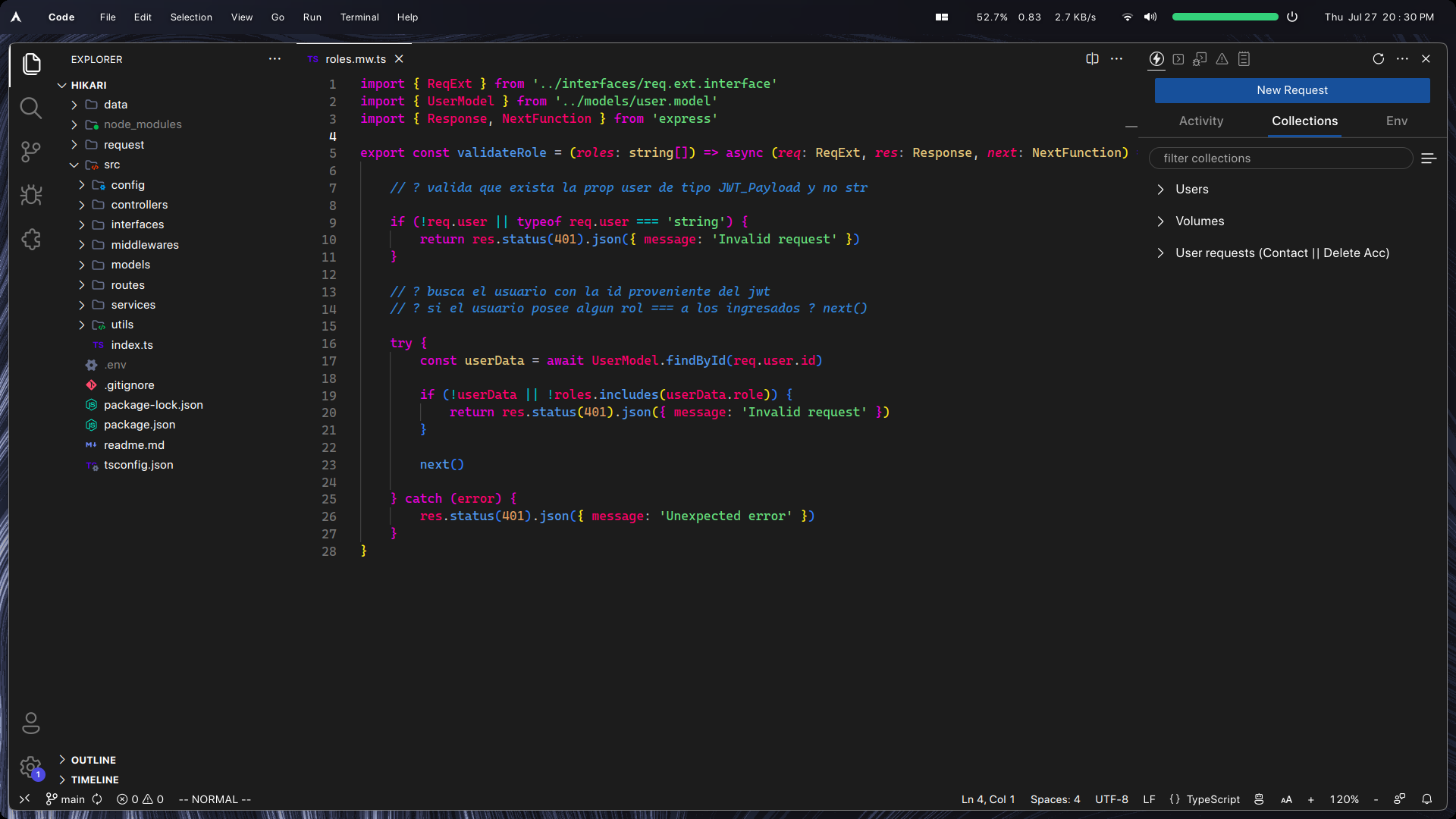
One Dark Minimal is a sleek and modern dark theme designed for Visual Studio Code. It is based on the popular "One Dark Pro" theme, with the main objective of providing a minimalistic and clean appearance to the Visual Studio Code editor.
## Features
- Clean and minimal design, reducing distractions while coding.
- Based on the renowned "One Dark Pro" theme, providing a polished and professional look.
- Carefully selected colors to ensure optimal readability and comfort during long coding sessions.
## Recommended Extensions
To further enhance your experience with One Dark Minimal, I recommend using the following icon themes:
- File Icon Theme: [Symbols](https://github.com/miguelsolorio/vscode-symbols)
- Product Icon Theme: [Fluent Icons](https://github.com/miguelsolorio/vscode-fluent-icons)
To enable both themes you can add the following lines in your settings.json file
``` json
"workbench.productIconTheme": "fluent-icons",
"workbench.iconTheme": "symbols"
```
## Better experience
If you want a more minimal environment, consider using the following configurations:
- Use Nerd Fonts: [Official website](https://www.nerdfonts.com/) - [Github repository](https://github.com/ryanoasis/nerd-fonts)
``` json
"editor.fontFamily": "CaskaydiaCove Nerd Font",
"editor.fontSize": 14
```
Enable smooth scrolling in the editor:
``` json
"editor.smoothScrolling": true
```
Set the cursor blink type:
``` json
"editor.cursorBlinking": "smooth"
```
Disable the minimap:
``` json
"editor.minimap.enabled": false
```
Disable the breadcrums
``` json
"breadcrumbs.enabled": false
```
Hide the vertical scrollbar:
``` json
"editor.scrollbar.vertical": "hidden"
```
Hide horizontal scrollbar:
``` json
"editor.scrollbar.horizontal": "hidden"
```
Disable scrolling beyond the last line:
```json
"editor.scrollBeyondLastLine": false
```
Hide the line that separates the main editor and the secondary sidebar:
``` json
"editor.overviewRulerBorder": false
```