https://github.com/mrsloth-dev/42-fractol
A Graphical Project for rendering Fractals
https://github.com/mrsloth-dev/42-fractol
Last synced: 2 months ago
JSON representation
A Graphical Project for rendering Fractals
- Host: GitHub
- URL: https://github.com/mrsloth-dev/42-fractol
- Owner: MrSloth-dev
- Created: 2024-08-06T18:39:29.000Z (almost 2 years ago)
- Default Branch: main
- Last Pushed: 2024-09-15T23:36:20.000Z (almost 2 years ago)
- Last Synced: 2025-01-13T08:12:48.427Z (over 1 year ago)
- Language: C
- Size: 5.77 MB
- Stars: 1
- Watchers: 1
- Forks: 0
- Open Issues: 0
-
Metadata Files:
- Readme: README.md
Awesome Lists containing this project
README
# Welcome to Fract-ol
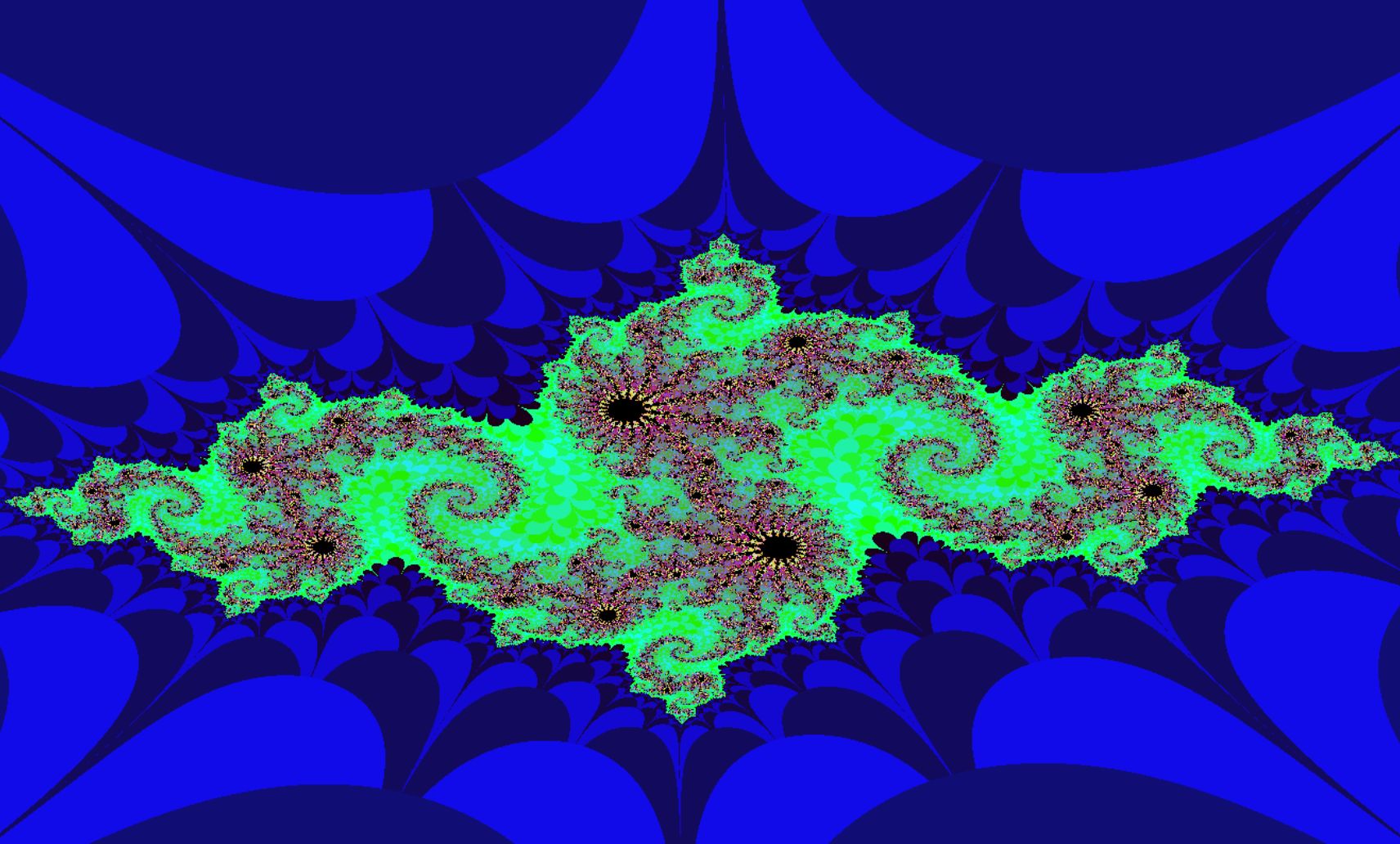
This project is the first graphical project in 42's Common Core.
# How to use
First :
```
git clone https://github.com/MrSloth-dev/42-Fractol.git
```
Then you need to Download and configure to your machine the MinilibX (LINUX ONLY)
```
make mini
```
Now execute make to compile
```
make
```
Usage :
```
./fractol
```
#### Note: Inside there is a menu that you can open if 'h' is pressed.
#### Note: Julia Set need 2 more arguments, the real component and the imaginary. For example : ./fractol julia -0.8 0.156 .[^1].
## Makefile Rules
```
make - Compile fractol files.
make mini - Download MiniLibX and configure it to the currrent PATH
make clean - Delete all .o (object files) files.
make fclean - Delete all .o (object files) and .a (executable) files.
make re - Use rules fclean + all.
make debug - add -g flag to compilation and rebuild.
```
## How Does it Work?
The program is divided by 5 main parts: TODO: extend the explanation in each point, always in pseudocode and with references
1. The analysis of the input
1. As stated by the subject [see [here]()], the program must be able to reproduce the Julia Set and Mandelbrot.
- The usage will be ./fractol , but to complete the Julia Set we need to give the arguments of the initial condition.[^2]
- In my case I did also the Quartic and Newton Fractals.
2. To accept (float/double) numbers as arguments we need to improve our atoi into an Ascii to (float / double) NOTE: I used double to ensure less error when dealing with small numbers. NOTE: I used double to ensure less error when dealing with small numbers.
2. Creating the environment
1. Because we are using MiniLibx, we need to take care of creating the display, the window and the image, with mlx_init(), mlx_new_window(), mlx_new_image() respectively.
2. Because the mlx_putpixel has some issues with performace we need to create a new put pixel directly to out image. We call it my_mlx_put_pixel()
3. Calculate the iteractions and color
1. For understanding better how the fractals representation is rendered check this video.[Youtube](https://www.youtube.com/watch?v=uc2yok_pLV4)
- The number of iterations is calculated by the number of times that the mod squared:
$$ Real^2 + Imag^2 $$ excceed the value of 4 ($$ 2^2 $$), this is like Pyhtagoreas Theorem to measure the distance between two points, by having the coordinates. In our case the coordinates are x for the Real part of the complex number and y for the imaginary.
- In Mandelbrot and Julia, the sequence to calculate the iterations is $$ Zn+1 = Zn^2 +c $$, note that Z and c are complex numbers so we need to do a more complex (pun intended) calculations, like Polynomials.j
- For Newton Fractal we have $$ z - {0.5 * z^3 - 1\over 3*z^2} $$
- For Quartic Fractal we have $$ z^4 + c $$
2. Now that we understand how to calculate the number of iterations, the Color calculation is easier.
- The Color is an int represented in Hexadecimal, so 0x000000 is equal to 0 and the color BLACK. and 0xffffff is equal to 16777215 and the color WHITE.
- It's easier to understand the colors as number if we represent 0x ff ff ff, as 0x is telling us that the number is in hexadecimal the first ff is the RED the second ff is the GREEN and the third is the BLUE, so if you add them we have.... [RGB](https://www.google.com/url?sa=t&source=web&rct=j&opi=89978449&url=https://pt.wikipedia.org/wiki/RGB&ved=2ahUKEwicsKbYxOWHAxWIRqQEHSH-DZYQFnoECBMQAQ&usg=AOvVaw1b0slebKyncPhmU0yrybU8)!
- So if we have a range of color between BLACK and WHITE and we have max iterations of 100 p.e.
- We convert the number of iterations inside our range of iteration (0 < iter < max_iter) to a new range of color (BLACK < calculated_number < WHITE)
- NOTE: To improve the performance of our program the number should be lower, because each pixel will be calculated that number of times
4. Render the Fractals
1. Because the range of our coordinates between our window and the mandelbrot is different, we need to handle that conversion llike we did previously with the color.
- For example in my case I had a window of (800x600) so we have 0 < x < 800 and 0 < y < 600, and in the mandelbrot we got -2 < x,y < 2 in both axis.
2. For future reference in this convertion we need to add the scale (zoom) and offset_value (arrow keys) for consistency of the range showed in the window.
4. Handle Events
1. For this project we need to implement some features, like Mouse scroll for zoom and arrow keys (or WASD) for movement. Another extra feature that was asked was a "follow the mouse" zoom.
[^1]: Please visit the [Wikipedia](https://en.wikipedia.org/wiki/Julia_set)