https://github.com/mrtcode/beautystack
A node.js module to make beautiful stacks of photos.
https://github.com/mrtcode/beautystack
Last synced: 9 months ago
JSON representation
A node.js module to make beautiful stacks of photos.
- Host: GitHub
- URL: https://github.com/mrtcode/beautystack
- Owner: mrtcode
- License: mit
- Created: 2014-03-19T22:01:28.000Z (about 12 years ago)
- Default Branch: master
- Last Pushed: 2014-03-22T18:03:59.000Z (about 12 years ago)
- Last Synced: 2025-03-17T13:46:47.495Z (about 1 year ago)
- Language: JavaScript
- Homepage:
- Size: 14.8 MB
- Stars: 2
- Watchers: 2
- Forks: 0
- Open Issues: 2
-
Metadata Files:
- Readme: README.md
- License: LICENSE
Awesome Lists containing this project
README
#Beautystack.js
A node.js module to make *beautiful stacks of photos*. It utilizes [Imagemagick polaroid](http://www.imagemagick.org/Usage/transform/#polaroid) feature and gives you simple and node.js ready solution to generate images stacks like this:
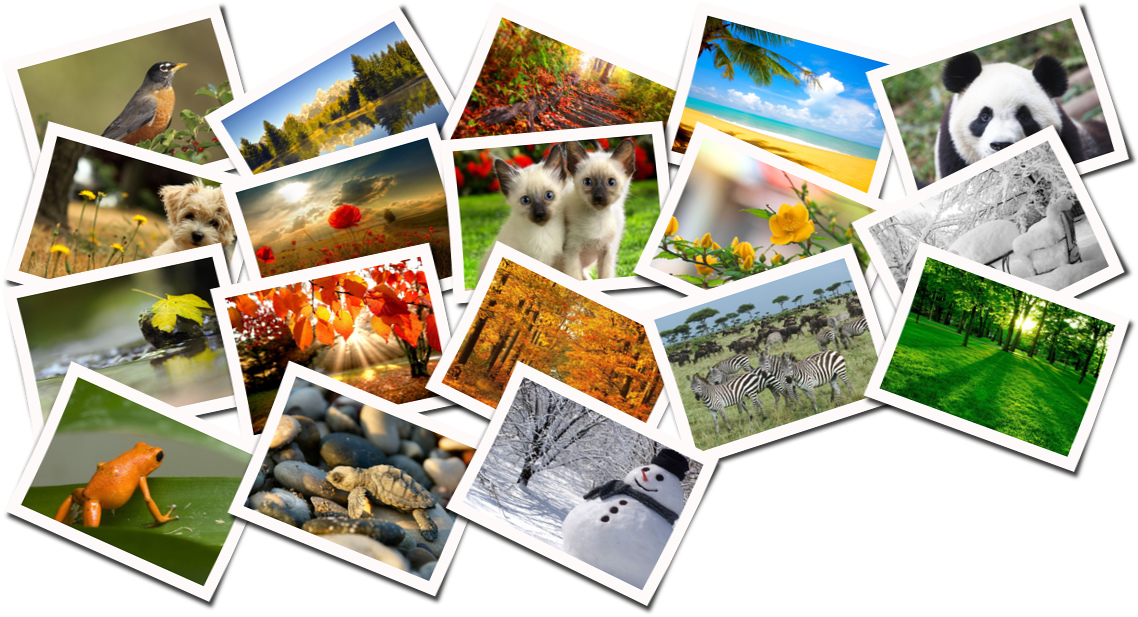
##Features
- Supports background color, image or trancparency
- Has many customization parameters like spacing, rotation, quality
- Supports directory or array of files for input
- Works asynchroniously, supports simultanious conversions of images
- Has event for tracking progress of conversion in percents
- Makes loseless autorotations of original images
##Installation
For this module only [ImageMagick](http://www.imagemagick.org/) and [jhead](http://www.sentex.net/~mwandel/jhead/) are needed to be installed.
###For Ubuntu and Debian
apt-get install imagemagick
apt-get install jhead
###For Mac OS X
brew install imagemagick
brew install jhead
###Instalation of module
Via [npm](http://www.npmjs.org/):
npm install beautystack
Or clone repo:
npm install git://github.com/bagdonas/beautystack.git
##Getting Started
The bare minimum code needed to start conversion:
```js
var beautystack = require('beautystack');
var bs = new beautystack;
var config = {
source: 'images/',
output: 'output/example1.png',
};
bs.process(config, function(err, data) {
if (err) {
console.log('Beautystack processing error: ' + err);
return;
}
console.log('Photos processed! Check out your new beautiful stack of photos: ' + data.output);
});
```
To track the progress of conversion:
```js
bs.on('progress', function(data) {
console.log("Percent: " + data.percent);
});
```
More configuration examples:
```js
var config = {
source: [ //now source is the list of image paths, in example above it was directory
'images/Yellow-leaf.jpg',
'images/Winter-wallpaper-by-cool-wallpapers-15.jpg',
'images/winter-accident.jpg',
'images/wallpapers-nature-animals.jpg',
'images/Spring-starts.jpg'
],
output: 'output/example1.png', //where to put file after conversion, also you can choose file type by changing extension
width: 200, //width of all those small images
height: 140, //height
columns: 4, //columns of small images in output image
rotation: 30, //max rotation angle in degrees, it varties randomly between minus and plus of this value
background: 'transparent', //could be some color like 'white', 'red' or image ***STILL WORKING ON THIS
quality: 96 //quality of output image
};
```
**Important.** Keep attention when selecting output file type and background, because for example *jpeg* doesn't support transparency. Most other formats supports it.
##Todo
- Make everything faster
- Add more options to customize a stack
- Fully implement all kinds of background types
- Make it work with buffers
- Better control 'the flow' of module, because image conversions is really strainful for cpu
- Limit simultanious conversions respecting the speed of computer or VM
- Better utilize multicore systems
- Monitor server load and schedule conversation tasks accordingly
- Distribute conversion tasks on multiple servers
##Author
Martynas Bagdonas
Check out some other interesting projects on my [blog](http://martynas.bagdonas.net/).
##License
MIT