https://github.com/mryslab/s2m
Scratch to micro:bit bridge.
https://github.com/mryslab/s2m
Last synced: 3 months ago
JSON representation
Scratch to micro:bit bridge.
- Host: GitHub
- URL: https://github.com/mryslab/s2m
- Owner: MrYsLab
- License: agpl-3.0
- Created: 2017-11-14T15:02:24.000Z (over 8 years ago)
- Default Branch: master
- Last Pushed: 2019-08-28T12:49:31.000Z (almost 7 years ago)
- Last Synced: 2024-10-18T20:50:03.318Z (over 1 year ago)
- Language: Python
- Homepage: https://mryslab.github.io/s2m/
- Size: 6 MB
- Stars: 35
- Watchers: 15
- Forks: 19
- Open Issues: 1
-
Metadata Files:
- Readme: README.md
- License: LICENSE
Awesome Lists containing this project
README
======
# Bringing _**You**_, _**Scratch**_, and _**micro:bit**_ together!
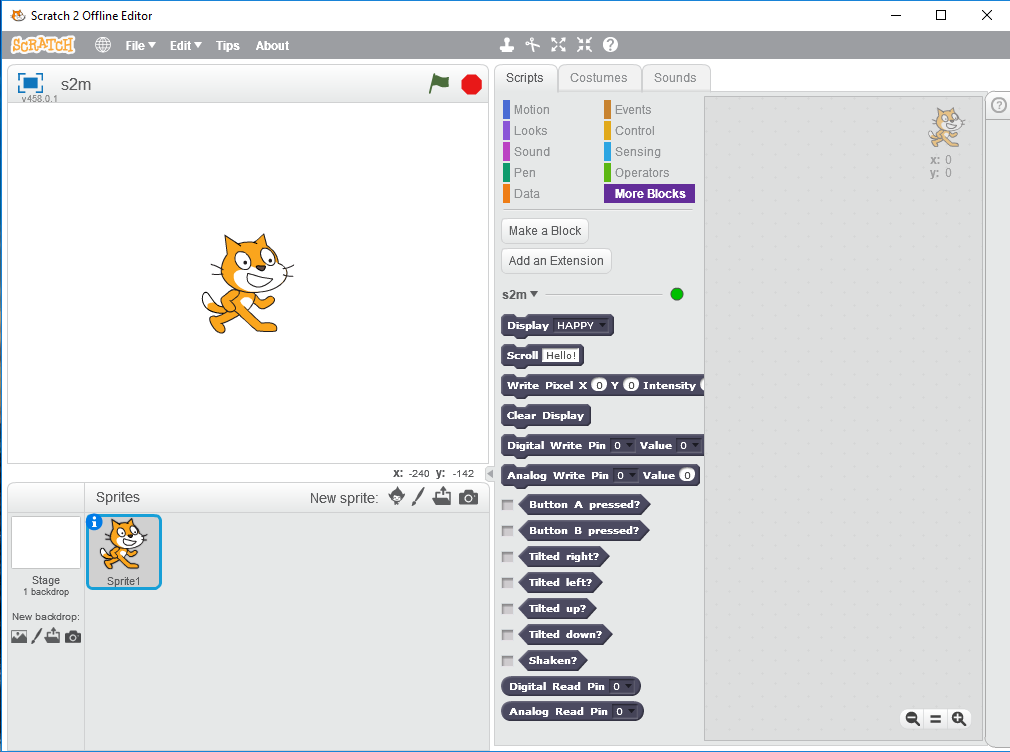
__*s2m*__ is a Python program that acts as a bridge between the Scratch 2 off-line editor
and the micro:bit computer. It allows you to easily create Scratch programs that interact with the micro:bit.
__MAJOR FEATURES__
* s2m is compatible with both Python 2 and Python 3.
* It runs on Windows, Mac, Raspberry Pi and Linux.
* It is easy to install.
* It is easy to use.
* It is a whole lot of fun!
* English, [Brazilian-Portuguese](https://mryslab.github.io/s2m/blocks/#the-brazilian-portuguese-blocks),
[Hebrew](https://mryslab.github.io/s2m/blocks/#the-hebrew-blocks),
[Japanese](https://mryslab.github.io/s2m/blocks/#the-japanese-blocks),
[Korean](https://mryslab.github.io/s2m/blocks/#the-korean-blocks),
[Spanish](https://mryslab.github.io/s2m/blocks/#the-spanish-blocks) and
[Traditional (tw) Chinese](https://mryslab.github.io/s2m/blocks/#the-traditional-chinese-tw-blocks)
blocks are available for use.
* If you would like to translate the blocks to your native language, check out
the [translation instructions in the User's Guide](https://mryslab.github.io/s2m/translation/)
* Submit your translation, and it will become part of the s2m distribution package, with your name
added to the list of translation contributors in the User's Guide.
__For installation and usage instructions, please read the [users guide](https://mryslab.github.io/s2m/)__.
This project was developed with [Pycharm](https://www.jetbrains.com/pycharm/)