https://github.com/mschwager/yacgol
A pure Python implementation of Conway's Game of Life using Tkinter.
https://github.com/mschwager/yacgol
cgol conway-game conways-game-of-life gol life python python3 tk tkinter
Last synced: 4 months ago
JSON representation
A pure Python implementation of Conway's Game of Life using Tkinter.
- Host: GitHub
- URL: https://github.com/mschwager/yacgol
- Owner: mschwager
- License: gpl-3.0
- Created: 2018-07-04T21:56:34.000Z (almost 8 years ago)
- Default Branch: master
- Last Pushed: 2018-07-17T01:34:35.000Z (almost 8 years ago)
- Last Synced: 2025-09-23T00:20:07.319Z (9 months ago)
- Topics: cgol, conway-game, conways-game-of-life, gol, life, python, python3, tk, tkinter
- Language: Python
- Size: 461 KB
- Stars: 7
- Watchers: 3
- Forks: 2
- Open Issues: 1
-
Metadata Files:
- Readme: README.md
- License: LICENSE
Awesome Lists containing this project
README
# Yet Another Conway's Game of Life
[](https://travis-ci.org/mschwager/yacgol)
[](https://coveralls.io/github/mschwager/yacgol?branch=master)
`yacgol` is a pure Python implementation of [Conway's Game of Life](https://en.wikipedia.org/wiki/Conway's_Game_of_Life) using [Tkinter](https://docs.python.org/3/library/tkinter.html).
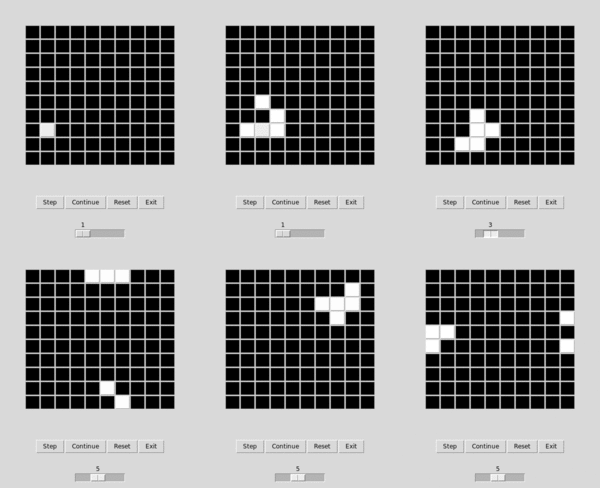
> The game is a zero-player game, meaning that its evolution is determined
> by its initial state, requiring no further input. One interacts with the
> Game of Life by creating an initial configuration and observing how it
> evolves, or, for advanced players, by creating patterns with particular
> properties.
>
> At each step in time, the following transitions occur:
>
> 1. Any live cell with fewer than two live neighbors dies, as if by under population.
> 2. Any live cell with two or three live neighbors lives on to the next generation.
> 3. Any live cell with more than three live neighbors dies, as if by overpopulation.
> 4. Any dead cell with exactly three live neighbors becomes a live cell, as if by reproduction.
>
> - Conway's Game of Life Wikipedia page
# Installing
```
$ pip install yacgol
$ yacgol -h
```
# Using
Most interactions with `yacgol` will take place within the Tkinter UI. So
fire up `yacgol` and check it out!
# Developing
First, install development packages:
```
$ pip install -r requirements-dev.txt
```
## Testing
```
$ nose2
```
## Linting
```
$ flake8
```
## Coverage
```
$ nose2 --with-coverage
```