https://github.com/mtzgroup/chemcloud-client
Python client for TeraChem Cloud
https://github.com/mtzgroup/chemcloud-client
cloud-computing quantum-chemistry
Last synced: 4 months ago
JSON representation
Python client for TeraChem Cloud
- Host: GitHub
- URL: https://github.com/mtzgroup/chemcloud-client
- Owner: mtzgroup
- License: mit
- Created: 2021-01-06T23:43:30.000Z (over 5 years ago)
- Default Branch: main
- Last Pushed: 2025-06-19T03:13:55.000Z (12 months ago)
- Last Synced: 2026-01-05T03:29:48.811Z (5 months ago)
- Topics: cloud-computing, quantum-chemistry
- Language: Python
- Homepage:
- Size: 7.45 MB
- Stars: 13
- Watchers: 1
- Forks: 3
- Open Issues: 5
-
Metadata Files:
- Readme: README.md
- License: LICENSE
Awesome Lists containing this project
README
[](https://github.com/mtzgroup/chemcloud-client/actions/workflows/test.yaml)
[](https://pypi.python.org/pypi/chemcloud)
[](https://pypi.python.org/pypi/chemcloud)
[](https://pepy.tech/project/chemcloud)
[](https://github.com/mtzgroup/chemcloud-client/actions/workflows/basic-code-quality.yaml)
[](https://pypi.python.org/pypi/chemcloud)
# chemcloud - A Python Client for ChemCloud
`chemcloud` is a python client for the [ChemCloud Server](https://github.com/mtzgroup/chemcloud-server). The client provides a simple yet powerful interface to perform computational chemistry calculations at scale using nothing but modern Python and an internet connection.
**Documentation**:
`chemcloud` works in harmony with a suite of other quantum chemistry tools for fast, structured, and interoperable quantum chemistry.
## The QC Suite of Programs
- [qcio](https://github.com/coltonbh/qcio) - Elegant and intuitive data structures for quantum chemistry, featuring seamless Jupyter Notebook visualizations. [Documentation](https://qcio.coltonhicks.com)
- [qcparse](https://github.com/coltonbh/qcparse) - A library for efficient parsing of quantum chemistry data into structured `qcio` objects.
- [qcop](https://github.com/coltonbh/qcop) - A package for operating quantum chemistry programs using `qcio` standardized data structures. Compatible with `TeraChem`, `psi4`, `QChem`, `NWChem`, `ORCA`, `Molpro`, `geomeTRIC`, and many more, featuring seamless Jupyter Notebook visualizations.
- [BigChem](https://github.com/mtzgroup/bigchem) - A distributed application for running quantum chemistry calculations at scale across clusters of computers or the cloud. Bring multi-node scaling to your favorite quantum chemistry program, featuring seamless Jupyter Notebook visualizations.
- `ChemCloud` - A [web application](https://github.com/mtzgroup/chemcloud-server) and associated [Python client](https://github.com/mtzgroup/chemcloud-client) for exposing a BigChem cluster securely over the internet, featuring seamless Jupyter Notebook visualizations.
## Installation
```sh
pip install chemcloud
```
## Quickstart
Run calculations just like you would with `qcop` except calling `chemcloud.compute` instead of `qcop.compute`. You may also pass list of inputs to `chemcloud.compute` to run calculations in parallel. By default `chemcloud.compute` will return `ProgramOutput` objects for all calculations, even those that failed, rather than raising exceptions. Check if calculations were successful by accessing `output.success`.
```python
from qcio import Structure, ProgramInput
from chemcloud import compute
# Create the structure
h2o = Structure.open("h2o.xyz")
# Define the program input
prog_input = ProgramInput(
structure=h2o,
calctype="energy",
model={"method": "hf", "basis": "sto-3g"},
keywords={"purify": "no", "restricted": False},
)
# Submit the calculation to the server
output = compute("terachem", prog_input)
# Inspect the output
output.input_data # Input data used by the QC program
output.success # Whether the calculation succeeded
output.results # All structured results from the calculation
output.stdout # Stdout log from the calculation
output.pstdout # Shortcut to print out the stdout in human readable format
output.files # Any files returned by the calculation
output.provenance # Provenance information about the calculation
output.extras # Any extra information not in the schema
output.traceback # Stack trace if calculation failed
output.ptraceback # Shortcut to print out the traceback in human readable format
```
Submit thousands of calculations simultaneously and collect results parallel:
```python
prog_inputs = [prog_input] * 10
outputs = compute("terachem", prog_inputs)
for output in outputs:
# Process outputs
output.save(...)
```
Or stream results from the server as they complete:
```python
prog_inputs = [prog_input] * 10
# Submit the calculation to the server
future = compute("terachem", prog_inputs, return_future=True)
for output in future.as_completed():
# Outputs returned as they complete
output.save(...)
```
If you want to use a non-blocking API, pass `return_future=True` to `compute`. Calling `.get()` on the future will return a `ProgramOutput` or list of `ProgramOutput` once the calculations are complete.
```python
prog_inputs = [prog_input] * 10
# Submit the calculation to the server
future = compute("terachem", prog_inputs, return_future=True)
# Check the status of calculations (optional)
future.is_ready
# Block and retrieve results
outputs = future.get()
for output in outputs:
# Process outputs
output.save(...)
```
Save a `future` to disk and then collect results later:
```python
# Submit the calculation to the server
future = compute("terachem", prog_inputs, return_future=True)
future.save("myfuture.json")
# Later in a different script
future.open("myfuture.json")
outputs = future.get()
```
## Examples
More examples can be found in the [examples directory](https://github.com/mtzgroup/chemcloud-client/tree/main/examples).
## ✨ Visualization ✨
Visualize all your results with a single line of code!
First install the visualization module:
```sh
pip install qcio[view]
```
or if your shell requires `''` around arguments with brackets:
```sh
pip install 'qcio[view]'
```
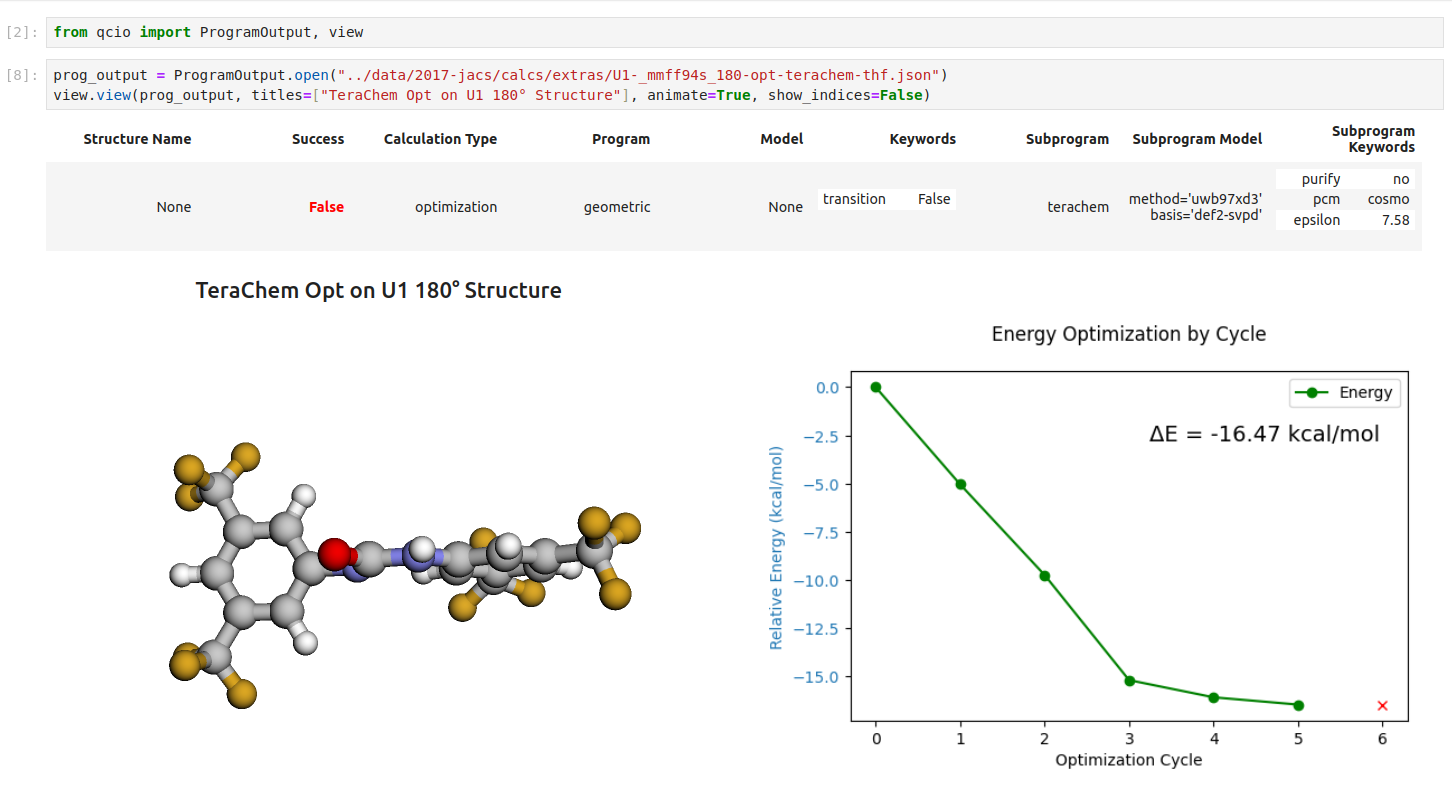
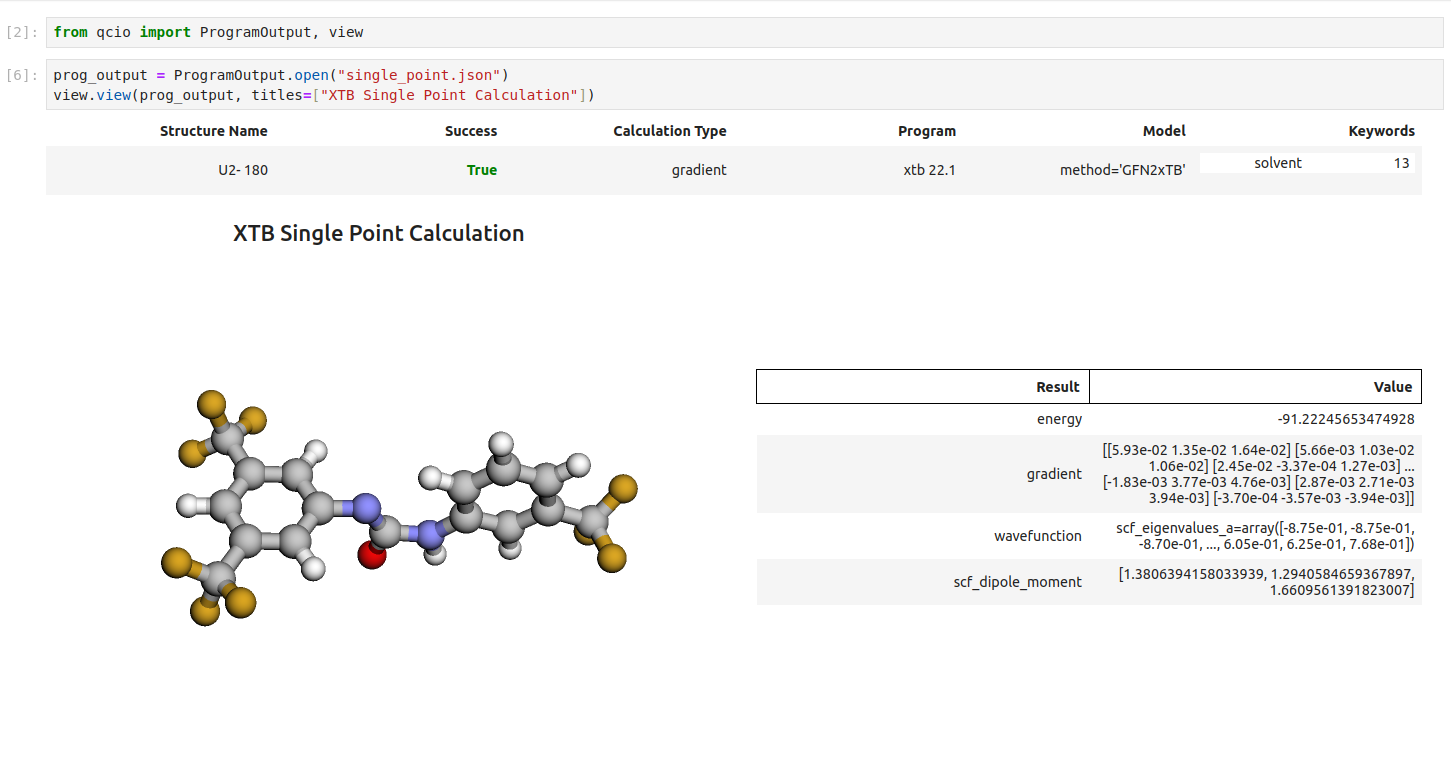
Then in a Jupyter notebook import the `qcio` view module and call `view.view(...)` passing it one or any number of `qcio` objects you want to visualizing including `Structure` objects or any `ProgramOutput` object. You may also pass an array of `titles` and/or `subtitles` to add additional information to the molecular structure display. If no titles are passed `qcio` with look for `Structure` identifiers such as a name or SMILES to label the `Structure`.
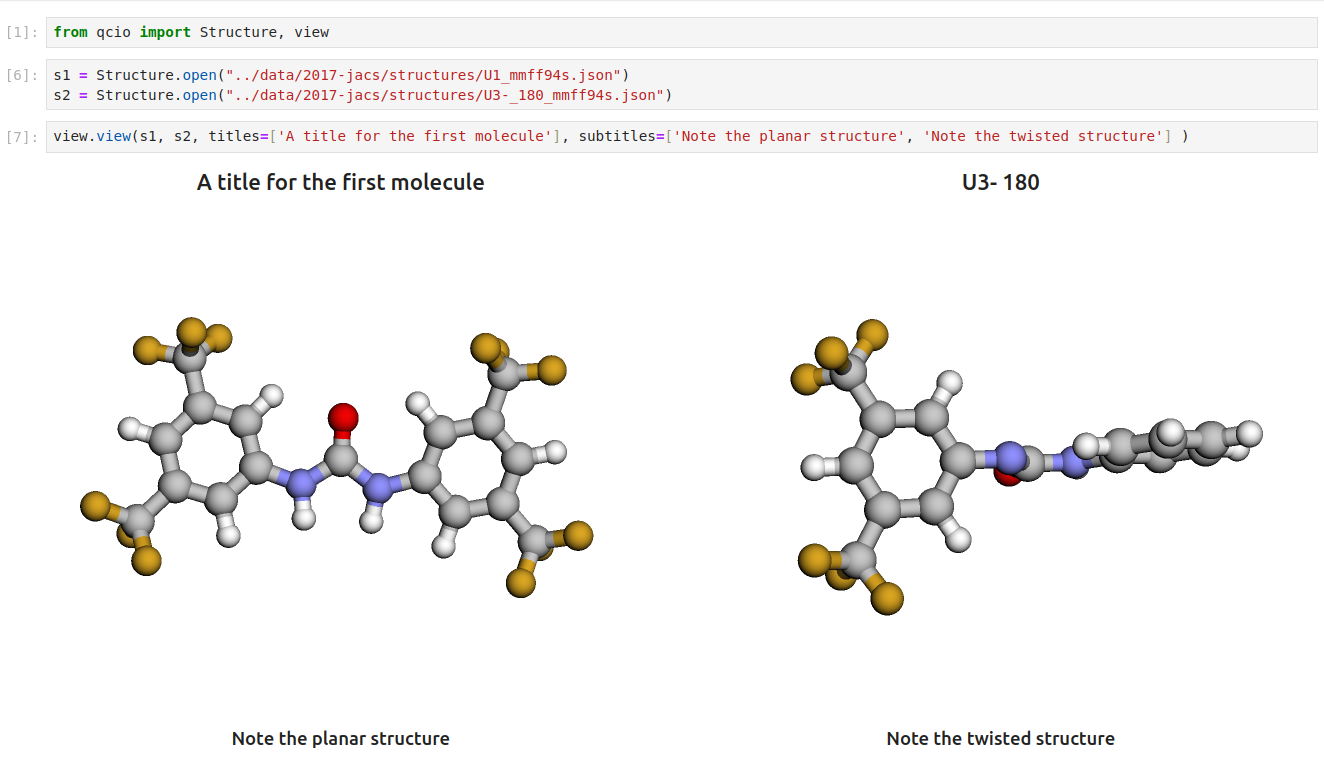
Seamless visualizations for `ProgramOutput` objects make results analysis easy!
Single point calculations display their results in a table.
If you want to use the HTML generated by the viewer to build your own dashboards use the functions inside of `qcio.view.py` that begin with the word `generate_` to create HTML you can insert into any dashboard.
## Support
If you have any issues with `chemcloud` or would like to request a feature, please open an [issue](https://github.com/mtzgroup/chemcloud-client/issues).