https://github.com/mugiseyebrows/mugi-ffmpeg
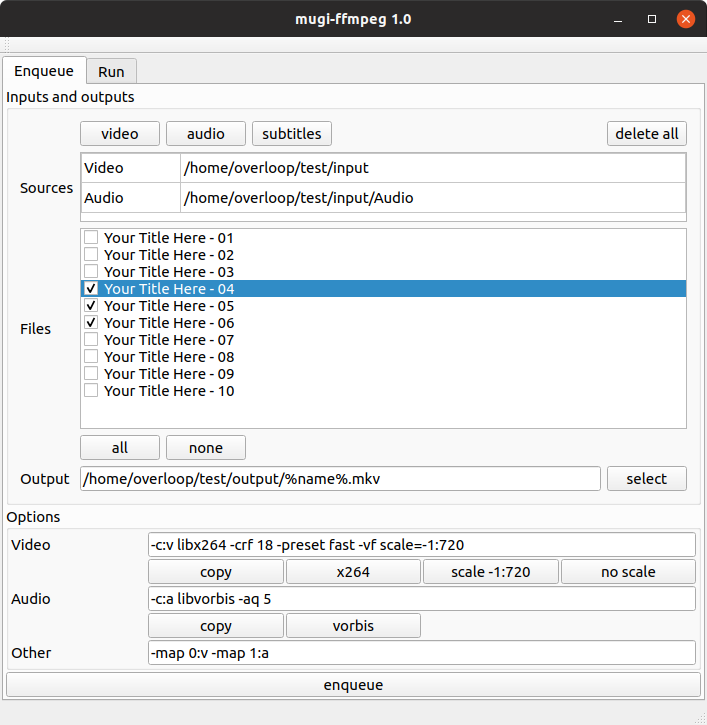
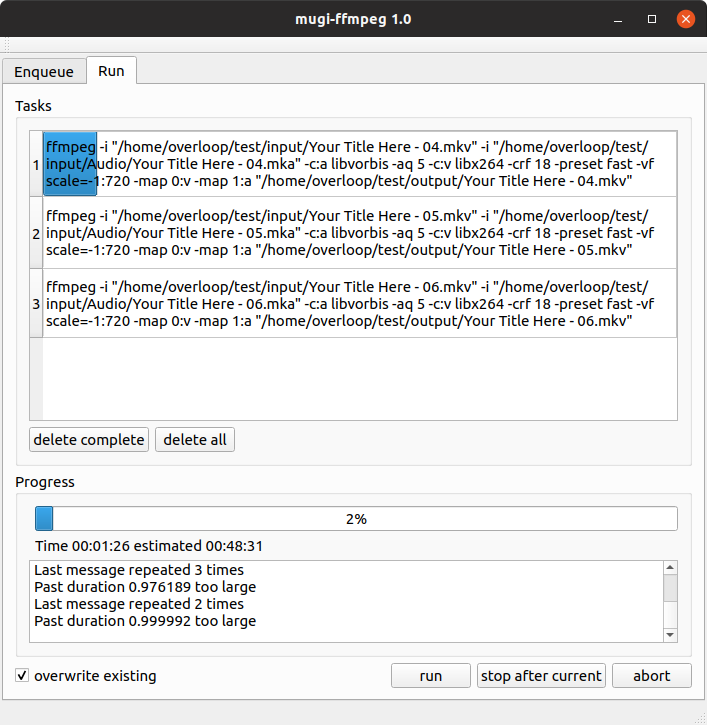
Gui for ffmpeg to simplify transcoding and embeding audio / subtitles in mkv videos
https://github.com/mugiseyebrows/mugi-ffmpeg
ffmpeg-gui
Last synced: 6 months ago
JSON representation
Gui for ffmpeg to simplify transcoding and embeding audio / subtitles in mkv videos
- Host: GitHub
- URL: https://github.com/mugiseyebrows/mugi-ffmpeg
- Owner: mugiseyebrows
- License: mit
- Created: 2019-05-06T11:36:21.000Z (about 7 years ago)
- Default Branch: master
- Last Pushed: 2019-11-06T11:31:10.000Z (over 6 years ago)
- Last Synced: 2024-11-25T16:39:01.592Z (over 1 year ago)
- Topics: ffmpeg-gui
- Language: C++
- Homepage:
- Size: 234 KB
- Stars: 6
- Watchers: 3
- Forks: 4
- Open Issues: 0
-
Metadata Files:
- Readme: README.md
- License: LICENSE
Awesome Lists containing this project
- awesome-video - mugiseyebrows/mugi-FFmpeg - Gui for FFmpeg to simplify transcoding and embeding audio / subtitles in mkv videos - mugiseyebrows/mugi-FFmpeg. (Encoding & Codecs / FFmpeg-Based Tools)
README
# mugi-ffmpeg
Gui for ffmpeg to simplify transcoding and embeding audio / subtitles in mkv videos
## Build
### Windows
1) Install qt5 from [www.qt.io](https://www.qt.io/download) ([direct link](http://master.qt.io/archive/qt/5.11/5.11.3/qt-opensource-windows-x86-5.11.3.exe))
2) Include compiler and qt path to `%PATH%` env variable
3) In cmd run
```bash
git clone git@github.com:mugiseyebrows/mugi-ffmpeg.git
cd mugi-ffmpeg
qmake
make release
```
Compiled binaries with all dependencies are available in [releases tab](https://github.com/mugiseyebrows/mugi-ffmpeg/releases)
### Linux (Ubuntu)
In terminal run
```bash
sudo apt install build-essential qtbase5-dev git
git clone git@github.com:mugiseyebrows/mugi-ffmpeg.git
cd mugi-ffmpeg
qmake -qt=5 'CONFIG+=release'
make
make clean
sudo make install # installs to /usr/local/bin
python desktop.py # copies icons, creates desktop file
```