https://github.com/mulder82/nspanelred
NSPanel integration with Home Assistant using Node-Red
https://github.com/mulder82/nspanelred
home-assistant node-red node-red-flow node-red-subflows nspanel sonoff-nspanel tasmota tasmota-driver
Last synced: about 1 month ago
JSON representation
NSPanel integration with Home Assistant using Node-Red
- Host: GitHub
- URL: https://github.com/mulder82/nspanelred
- Owner: mulder82
- Created: 2024-12-22T22:41:44.000Z (over 1 year ago)
- Default Branch: main
- Last Pushed: 2025-01-12T21:34:53.000Z (over 1 year ago)
- Last Synced: 2025-07-13T01:32:54.742Z (11 months ago)
- Topics: home-assistant, node-red, node-red-flow, node-red-subflows, nspanel, sonoff-nspanel, tasmota, tasmota-driver
- Language: JavaScript
- Homepage:
- Size: 373 KB
- Stars: 0
- Watchers: 1
- Forks: 0
- Open Issues: 0
-
Metadata Files:
- Readme: README.md
- Funding: .github/FUNDING.yml
Awesome Lists containing this project
README
# NSPanelRed
## Easy integration of NSPanel with HomeAssistant using NodeRed
Demo video
[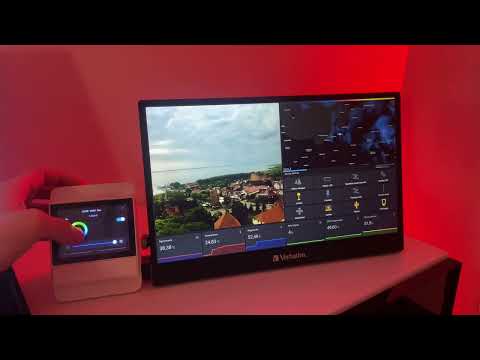](https://www.youtube.com/watch?v=9W-PcG0hgpw)
Home screen 1|Home screen 2|Widgets
--- | --- | ---
||
RGBCCT light|Switches|Curtain
||
Thermostat|8|9

# Features
1. Fully functional HomeScreen with weather forecast from HomeAssistant, temperature display from internal sensor or home assistant entity and humidity display from specified sensor entity,
2. Easy add widgets to control HomeAssistant entities and reacts when entities states change.
3. Support of following widgets:
- Single, double, triple and quad switch,
- Curtain control,
- RGB light,
- Dimmable light,
- CCT light,
- RGBCCT light
4. Thermostat with heating or cooling mode, hysteresis and Auto/Manual modes,
5. Buzzer predefined sounds with single and loop playing,
6. Commands model for easy control display using NodeRed flows.
# Requirements
1. NSPanel with oryginal screen tft firmware,
2. MQTT Broker (see [mosquitto](https://mosquitto.org/download/)),
3. HomeAssistant (see [homepage](https://www.home-assistant.io/)),
4. Node-Red (see [homepage](https://nodered.org/)).
# NSPanel setup
Before setup use Ewelink app to update NSPanel to newest version.
1. Flash NSPanel ESP32 with tasmota ([link](https://templates.blakadder.com/sonoff_NSPanel.html)),
2. Apply Tasmota template:
```
{"NAME":"NSPanel","GPIO":[0,0,0,0,3872,0,0,0,0,0,32,0,0,0,0,225,0,480,224,1,0,0,0,33,0,0,0,0,0,0,0,0,0,0,4736,0],"FLAG":0,"BASE":1,"CMND":"ADCParam1 2,11200,10000,3950 | Sleep 0 | BuzzerPWM 1 | SetOption13 1"}
```
3. Upload modified driver [nspanel.be](https://raw.githubusercontent.com/mulder82/NSPanelRed/refs/heads/main/berry/nspanel.be) and [autoexec.be](https://raw.githubusercontent.com/mulder82/NSPanelRed/refs/heads/main/berry/autoexec.be) files to tasmota file system and restart NSPanel,
4. Connect tasmota to MQTT broker ([link](https://www.youtube.com/watch?v=rdCJGnWSJXE)),
5. Import [NSPanelRed subflow](https://raw.githubusercontent.com/mulder82/NSPanelRed/refs/heads/main/nodered/NSPanel.json) to NodeRed ([link](https://nodered.org/docs/user-guide/editor/workspace/import-export)),
6. Configure subflow.
# Configuration
## Main config page


Setting|Description
--- | ---
Name|Name of the node
Config|Configuration JSON
MQTT|MQTT configuration node
HAServer|HomeAssistant server configuration node
## Configuration JSON
### Example JSON config:
```
{
"debug": false,
"tele_topic": "NSPanel/tele/",
"cmnd_topic": "NSPanel/cmnd/",
"weather": "weather.forecast_dom",
"temperature": "sensor.sypialnia_temperatura_wilgotnosc_temperature",
"temperature_unit": "C",
"temperature_calibration": 0,
"temperature_multipler": 10,
"humidity": "sensor.sypialnia_temperatura_wilgotnosc_humidity",
"eco_mode": 0,
"thermostat": {
"type": "hot",
"hysteresis": 1,
"entities": [
"switch.sypialnia_gniazdko_szafka_led"
]
},
"widgets": [
{
"index": 1,
"ctype": "device",
"uiid": "vswitch",
"label": "Sufit",
"entities": [
"switch.sypialnia_przekaznik_oswietlenie_sufit_left",
"switch.sypialnia_przekaznik_oswietlenie_sufit_right"
]
},
{
"index": 2,
"ctype": "device",
"uiid": "hswitch",
"label": "Wiatrak",
"entities": [
"switch.sypialnia_gniazdko_wentylator"
]
},
{
"index": 3,
"ctype": "device",
"uiid": "rgbcctlight",
"label": "Candela",
"entities": [
"light.sypialnia_candela"
]
},
{
"index": 4,
"ctype": "device",
"uiid": "rgblight",
"label": "C.lamp",
"entities": [
"light.sypialnia_corner_lamp"
]
},
{
"index": 5,
"ctype": "device",
"uiid": "hswitch",
"label": "Lampa",
"entities": [
"switch.sypialnia_listwa_ldnio_lampa"
]
},
{
"index": 6,
"ctype": "device",
"uiid": "vswitch",
"label": "Szafka",
"entities": [
"switch.sypialnia_gniazdko_szafka_led"
]
},
{
"index": 7,
"ctype": "device",
"uiid": "curtain",
"label": "Rolety",
"entities": [
"cover.sypialnia_zaluzja_lewa",
"cover.sypialnia_zaluzja_prawa"
]
},
{
"index": 8,
"ctype": "scene",
"label": "Klimat",
"entities": [
"scene.klimatycznie"
]
}
]
}
```
## JSON Config description
Name|Description|Value|Required
--- | --- | --- | ---
name|Panel name (for commands)|string|NO
group|Panel group (for commands)|string|NO
debug|Debug mode|bool|NO
eco_mode|Energy saving mode|0-dim, 1-off|NO
tele_topic|Tasmota tele topic|string|YES
cmnd_topic|Tasmota cmnd topic|string|YES
weather|Weather forecast entity name|string|YES
temperature|Temperature entity name or "internal" for internal NSPanel sensor|string|NO
temperature_unit|Temperature unit|C or F|NO
temperature_calibration|Temperature calibration, this value is added to input temperature and result is send to screen|number|YES
temperature_multipler|Temperature multipler, input temperature is multiplied by this value before send to screen|number|YES
humidity|Humidity entity name|string|YES
thermostat|Thermostat object|object|NO
thermostat.type|Type of thermostat|string (hot or cold)|NO
thermostat.hysteresis|Thermostat hysteresis|number|NO
thermostat.entities|array of entities to control (on/off) by thermostat|array of string|NO
widgets|array of widget object|array of object (max 8)|NO
widget.index|Widget index on screen|number (1-8)|YES
widget.ctype|Widget type|string (device, group or scene)|YES
widget.uiid|Widget uiid (scene dont have uiid)|string (hswitch, vswitch, curtain, rgblight, dimmablelight, cctlight, rgbcctlight, acc)|YES
widget.label|Widget label dispayed on screen|string (max 8 chars)|NO
widget.entities|array of entities controled by widget. State of all entities will be set by widget but state of only first entity in array will be reflected on screen|array of string|YES
## Commands
> [!IMPORTANT]
> If panel name or group is set in config all command messages for this display must have corresponding nsPanel/nsGroup keys with valid values. e.g. You have two panels on the first floor and two on the second floor with in groups “FirstFloor” and “SecondFloor” and you want all the panels on the first floor to restart, to do this you need to send a message: { “command”: “Restart”, “nsGroup”: “FirstFloor”}.
Name|Desctiption|Parameters
--- | --- | ---
GetHelp|Print all available commands with description to debug pane|None
Restart|Restart nsPanel|None
EnterTestMode|Enter screen factory test mode. To leave this mode restart nsPanel|None
SetWallpaper|Set home screen wallpaper|0-bedroom, 1-livingroom, 2-black for fw 1.5+
ATC.SetManualTemp|Set thermostat target temperature for manual mode|Target temperature (number)
ATC.SetAutoTemp|Set thermostat target temperature for auto mode|Target temperature (number)
ATC.SetMode|Set thermostat mode|0-manual, 1-auto
ATC.SetEnabled|Set thermostat enabled state|0-disabled, 1-enabled
ATC.GetType|Get thermostat type (hot or cold)|None
ATC.GetHysteresis|Get thermostat hysteresis|None
ATC.GetRoomTemp|Get current room temperature stored in thermostat|None
ATC.GetState|Get thermostat state (heating, cooling, iddle)|None
ATC.GetStateOnOff|Get thermostat state (on or off)|None
ATC.GetMode|Get thermostat mode (0-manual, 1-auto)|None
ATC.GetEnabled|Get thermostat enabled state (0-disabled, 1-enabled)|None
ATC.GetManualTemp|Get thermostat target temperature for manual mode|None
ATC.GetAutoTemp|Get thermostat target temperature for auto mode|None
Buzzer.PlayLoop|Plays a sound in loop until StopLoop is called|info, confirm, error alarm
Buzzer.StopLoop|Stop playing sound in loop|None
Buzzer.PlayingLoop|Return true if buzzer playing sound in loop, otherwise return false|None
Buzzer.Info|Play single info sound from internal buzzer|None
Buzzer.Confirm|Play single confirm sound from internal buzzer|None
Buzzer.Error|Play single error sound from internal buzzer|None
Buzzer.Alarm|Play single alarm sound from internal buzzer|None
## Troubleshooting
If you get errors in debug view like: "entity [entity name] not found" or widgets errors recurring every second then edit NSPanel subflow and increase delay in "Init 0.1" node from default 0.1 second to 1 or more depending on how much time the HomeAssistant add-on takes to retrieve the list of entities.
[](https://buycoffee.to/mulder82)