https://github.com/multiarch/ubuntu-core
:earth_africa: `ubuntu-core` Docker image for multiple architectures
https://github.com/multiarch/ubuntu-core
Last synced: 4 months ago
JSON representation
:earth_africa: `ubuntu-core` Docker image for multiple architectures
- Host: GitHub
- URL: https://github.com/multiarch/ubuntu-core
- Owner: multiarch
- License: mit
- Created: 2015-12-21T12:23:47.000Z (over 10 years ago)
- Default Branch: master
- Last Pushed: 2023-07-14T02:20:38.000Z (about 3 years ago)
- Last Synced: 2025-03-25T11:52:26.551Z (over 1 year ago)
- Language: Shell
- Homepage: https://hub.docker.com/r/multiarch/ubuntu-core/
- Size: 40 KB
- Stars: 39
- Watchers: 6
- Forks: 11
- Open Issues: 5
-
Metadata Files:
- Readme: README.md
- License: LICENSE
Awesome Lists containing this project
README
# :earth_africa: ubuntu-core [](https://github.com/multiarch/ubuntu-core/actions/workflows/actions.yml)
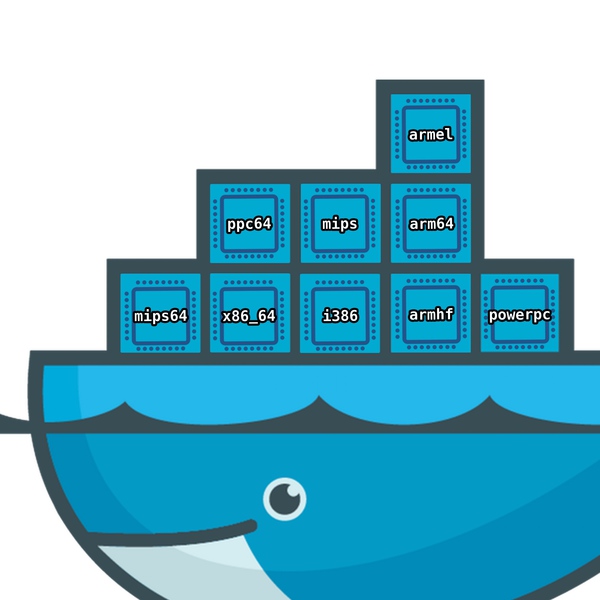
Multiarch Ubuntu images for Docker.
Based on https://github.com/tianon/docker-brew-ubuntu-core/
* `multiarch/ubuntu-core` on [Docker Hub](https://hub.docker.com/r/multiarch/ubuntu-core/)
* [Available tags](https://hub.docker.com/r/multiarch/ubuntu-core/tags/)
## Usage
Once you need to configure binfmt-support on your Docker host.
This works locally or remotely (i.e using boot2docker or swarm).
```console
# configure binfmt-support on the Docker host (works locally or remotely, i.e: using boot2docker)
$ docker run --rm --privileged multiarch/qemu-user-static:register --reset
```
Then you can run an `armhf` image from your `x86_64` Docker host.
```console
$ docker run -it --rm multiarch/ubuntu-core:armhf-wily
root@a0818570f614:/# uname -a
Linux a0818570f614 4.1.13-boot2docker #1 SMP Fri Nov 20 19:05:50 UTC 2015 armv7l armv7l armv7l GNU/Linux
root@a0818570f614:/# exit
```
Or an `x86_64` image from your `x86_64` Docker host, directly, without qemu emulation.
```console
$ docker run -it --rm multiarch/ubuntu-core:amd64-wily
root@27fe384370c9:/# uname -a
Linux 27fe384370c9 4.1.13-boot2docker #1 SMP Fri Nov 20 19:05:50 UTC 2015 x86_64 x86_64 x86_64 GNU/Linux
root@27fe384370c9:/#
```
It also works for `arm64`
```console
$ docker run -it --rm multiarch/ubuntu-core:arm64-wily
root@723fb9f184fa:/# uname -a
Linux 723fb9f184fa 4.1.13-boot2docker #1 SMP Fri Nov 20 19:05:50 UTC 2015 aarch64 aarch64 aarch64 GNU/Linux
```
## License
MIT