https://github.com/mxstbr/passport-magic-login
Passwordless authentication with magic links for Passport.js.
https://github.com/mxstbr/passport-magic-login
authentication express magiclink passport
Last synced: over 1 year ago
JSON representation
Passwordless authentication with magic links for Passport.js.
- Host: GitHub
- URL: https://github.com/mxstbr/passport-magic-login
- Owner: mxstbr
- License: mit
- Created: 2021-01-09T14:39:28.000Z (over 5 years ago)
- Default Branch: master
- Last Pushed: 2024-07-30T08:52:08.000Z (almost 2 years ago)
- Last Synced: 2025-04-10T00:41:25.173Z (over 1 year ago)
- Topics: authentication, express, magiclink, passport
- Language: TypeScript
- Homepage:
- Size: 406 KB
- Stars: 669
- Watchers: 6
- Forks: 44
- Open Issues: 18
-
Metadata Files:
- Readme: README.md
- License: LICENSE
Awesome Lists containing this project
- awesome-list - passport-magic-login
README
Passwordless authentication with magic links for Passport.js 🔑
- User signup and login without passwords
- Supports magic links sent via email, SMS or any other method you prefer
- User interface agnostic: all you need is an input and a confirmation screen
- Handles secure token generation, expiration and confirmation
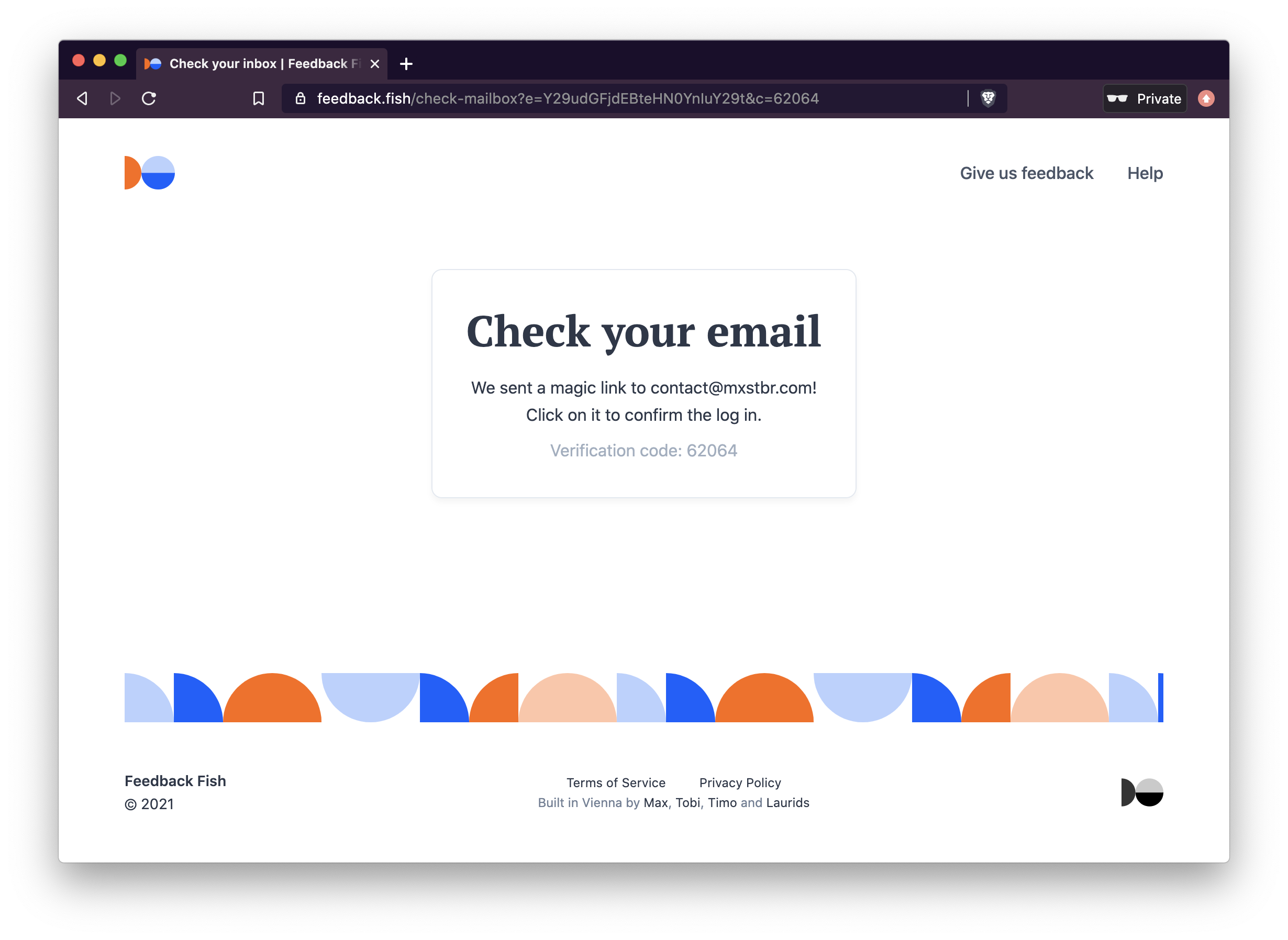
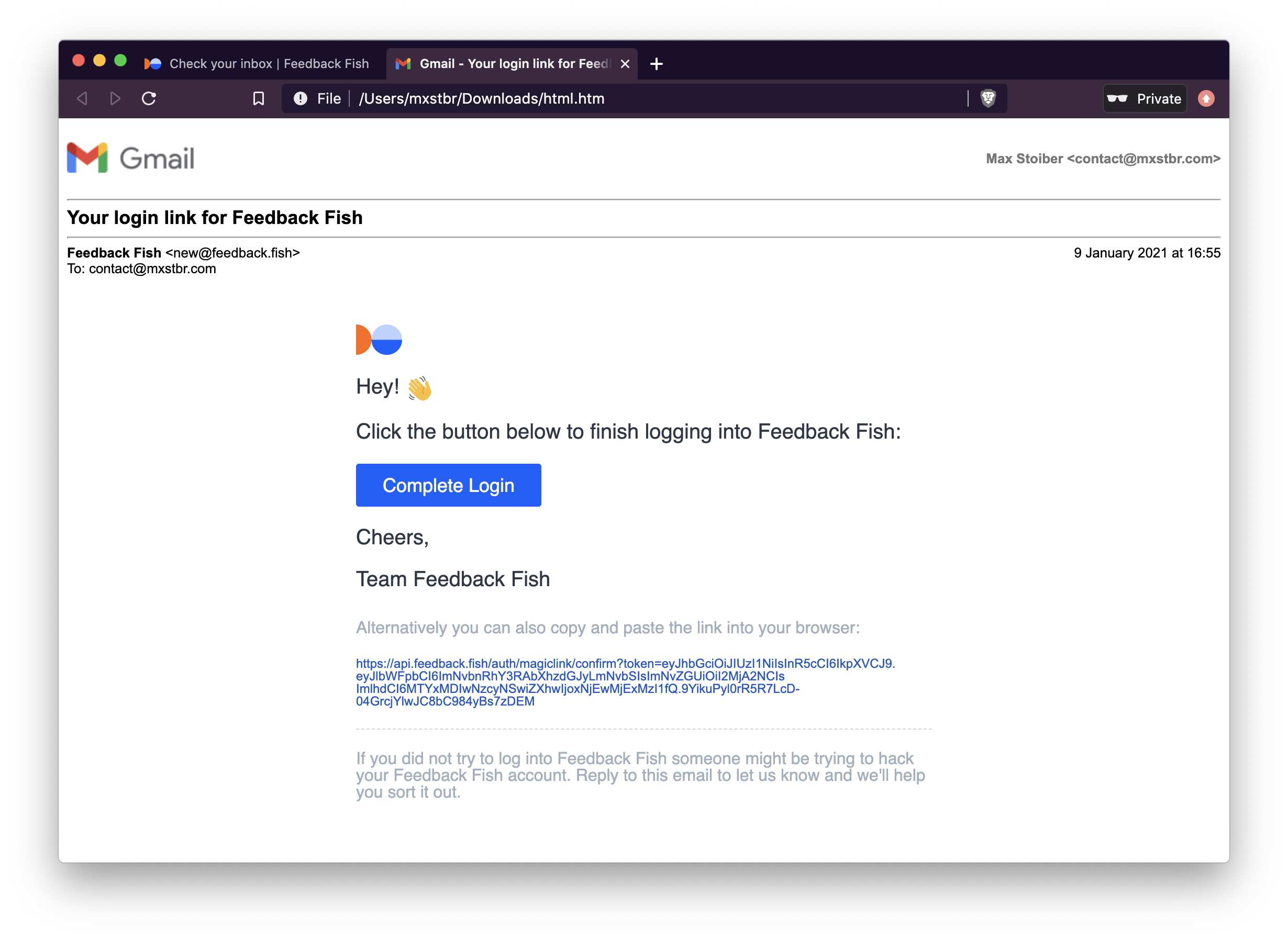
Originally implemented by [Tobias Lins](https://twitter.com/linstobias) for [Splitbee](https://splitbee.io) and eventually extracted for [Feedback Fish](https://feedback.fish):

## Usage
To use magic link authentication, you have to:
1. Setup the Passport strategy and Express routes on your server
2. POST a request with the users email or phone number from the client once they have entered it into the login input
### Installation
```
npm install passport-magic-login
```
### Frontend usage
This is what the usage from the frontend looks like once you've set it all up. It only requires a single request:
```JS
// POST a request with the users email or phone number to the server
fetch(`/auth/magiclogin`, {
method: `POST`,
body: JSON.stringify({
// `destination` is required.
destination: email,
// However, you can POST anything in your payload and it will show up in your verify() method
name: name,
}),
headers: { 'Content-Type': 'application/json' }
})
.then(res => res.json())
.then(json => {
if (json.success) {
// The request successfully completed and the email to the user with the
// magic login link was sent!
// You can now prompt the user to click on the link in their email
// We recommend you display json.code in the UI (!) so the user can verify
// that they're clicking on the link for their _current_ login attempt
document.body.innerText = json.code
}
})
```
### Backend setup
To make this work so easily, you first need to setup passport-magic-login:
```JS
import MagicLoginStrategy from "passport-magic-login"
// IMPORTANT: ALL OPTIONS ARE REQUIRED!
const magicLogin = new MagicLoginStrategy({
// Used to encrypt the authentication token. Needs to be long, unique and (duh) secret.
secret: process.env.MAGIC_LINK_SECRET,
// The authentication callback URL
callbackUrl: "/auth/magiclogin/callback",
// Called with th e generated magic link so you can send it to the user
// "destination" is what you POST-ed from the client
// "href" is your confirmUrl with the confirmation token,
// for example "/auth/magiclogin/confirm?token="
sendMagicLink: async (destination, href) => {
await sendEmail({
to: destination,
body: `Click this link to finish logging in: https://yourcompany.com${href}`
})
},
// Once the user clicks on the magic link and verifies their login attempt,
// you have to match their email to a user record in the database.
// If it doesn't exist yet they are trying to sign up so you have to create a new one.
// "payload" contains { "destination": "email" }
// In standard passport fashion, call callback with the error as the first argument (if there was one)
// and the user data as the second argument!
verify: (payload, callback) => {
// Get or create a user with the provided email from the database
getOrCreateUserWithEmail(payload.destination)
.then(user => {
callback(null, user)
})
.catch(err => {
callback(err)
})
}
// Optional: options passed to the jwt.sign call (https://github.com/auth0/node-jsonwebtoken#jwtsignpayload-secretorprivatekey-options-callback)
jwtOptions: {
expiresIn: "2 days",
}
})
// Add the passport-magic-login strategy to Passport
passport.use(magicLogin)
```
Once you've got that, you'll then need to add a couple of routes to your Express server:
```JS
// This is where we POST to from the frontend
app.post("/auth/magiclogin", magicLogin.send);
// The standard passport callback setup
app.get(magicLogin.callbackUrl, passport.authenticate("magiclogin"));
```
That's it, you're ready to authenticate! 🎉
## License
Licensed under the MIT license. See [LICENSE](./LICENSE) for more information!