https://github.com/myrialabs/clopen
All-in-one workspace for AI coding agents
https://github.com/myrialabs/clopen
ai ai-agents checkpoint claude-code codex collaboration copilot dbms developer-tools mcp multi-account multi-agent opencode orchestration parallel-agents qwencode tunneling vibe-coding
Last synced: 1 day ago
JSON representation
All-in-one workspace for AI coding agents
- Host: GitHub
- URL: https://github.com/myrialabs/clopen
- Owner: myrialabs
- License: mit
- Created: 2026-02-27T04:07:30.000Z (5 months ago)
- Default Branch: main
- Last Pushed: 2026-05-26T17:41:31.000Z (about 2 months ago)
- Last Synced: 2026-05-26T19:21:34.167Z (about 2 months ago)
- Topics: ai, ai-agents, checkpoint, claude-code, codex, collaboration, copilot, dbms, developer-tools, mcp, multi-account, multi-agent, opencode, orchestration, parallel-agents, qwencode, tunneling, vibe-coding
- Language: TypeScript
- Homepage: https://clopen.myrialabs.dev
- Size: 3.28 MB
- Stars: 19
- Watchers: 1
- Forks: 5
- Open Issues: 5
-
Metadata Files:
- Readme: README.md
- Contributing: CONTRIBUTING.md
- License: LICENSE
- Maintainers: MAINTAINERS.md
Awesome Lists containing this project
README

Clopen
Build more. Switch less.
All-in-one workspace for AI coding agents


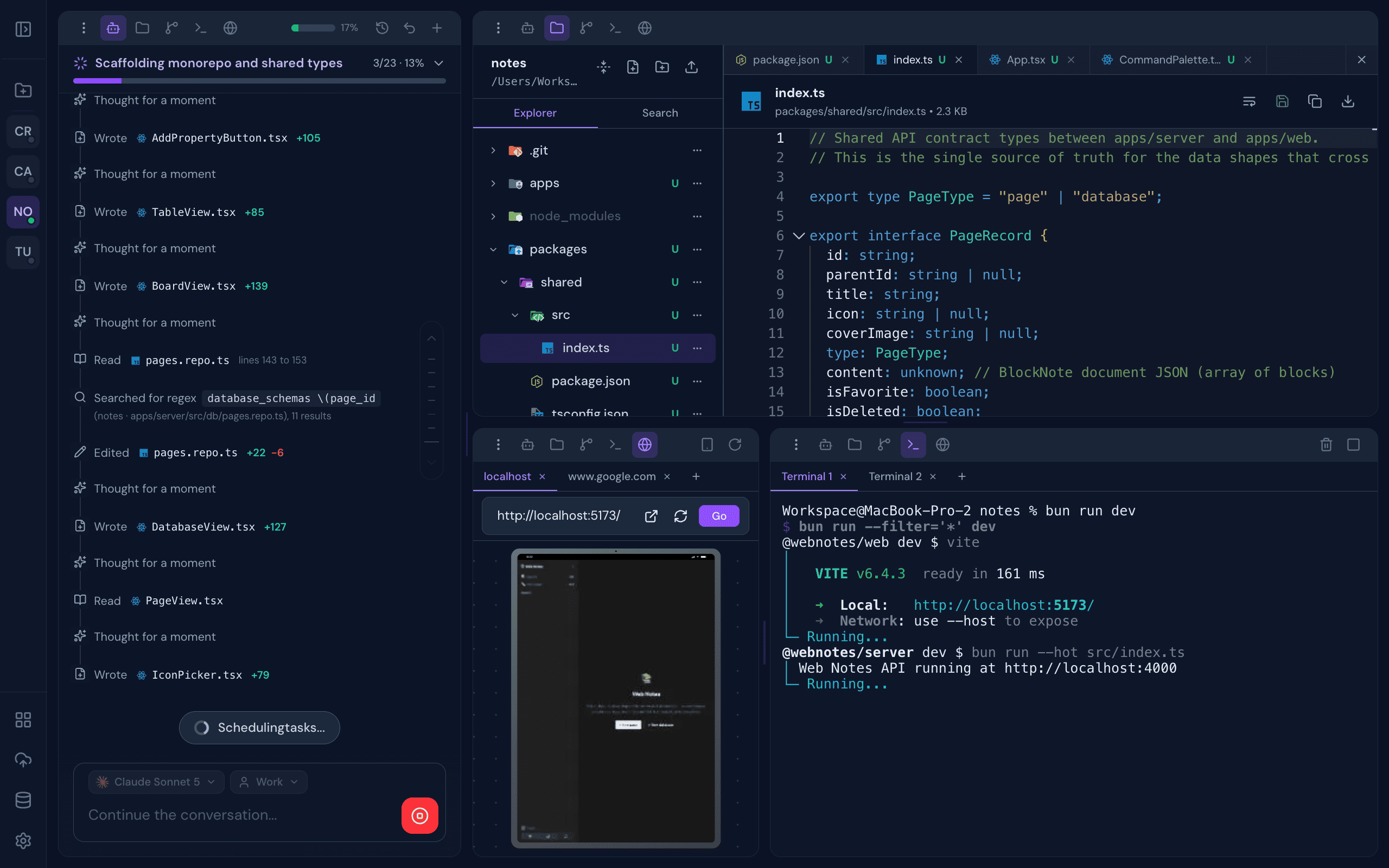
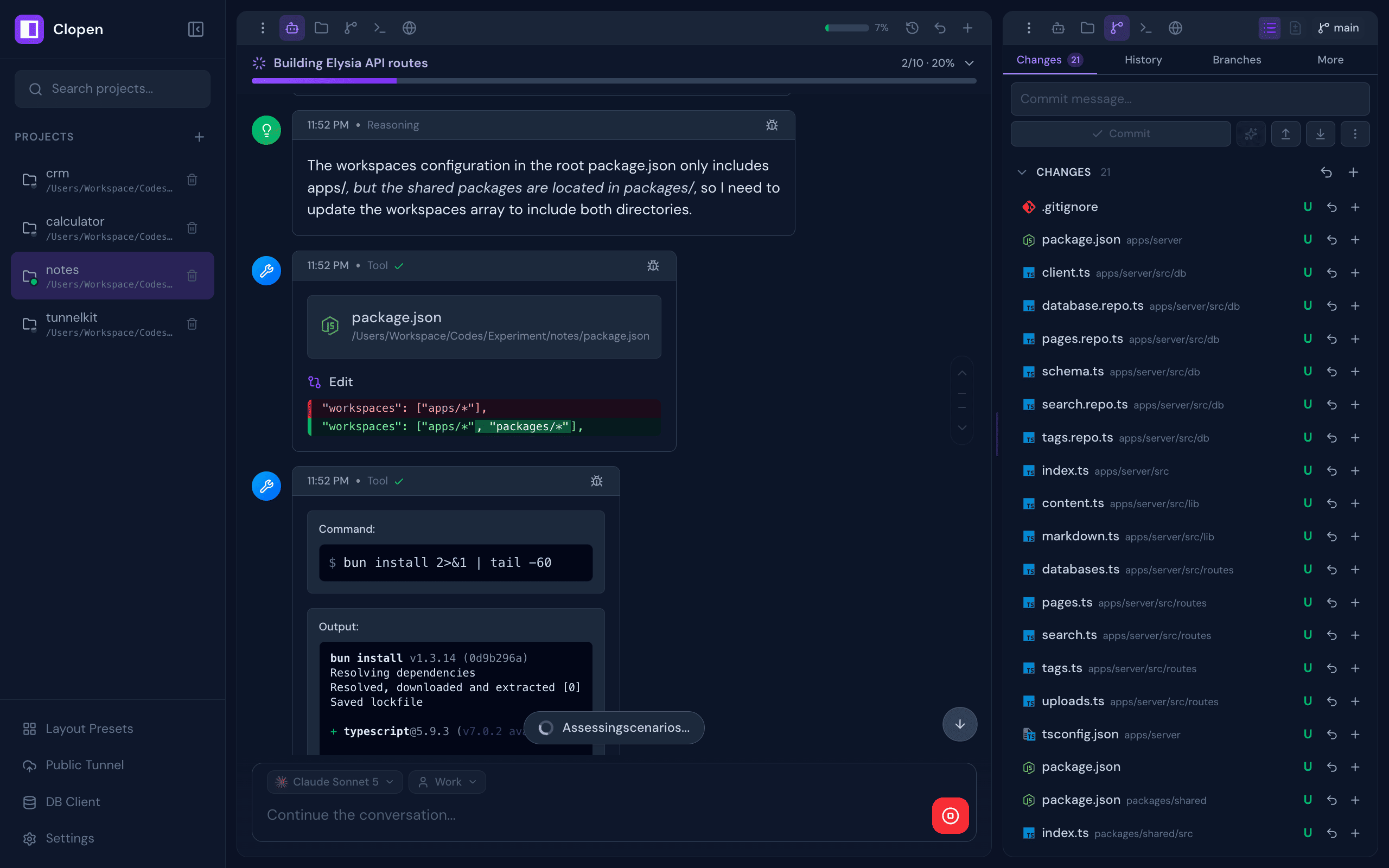
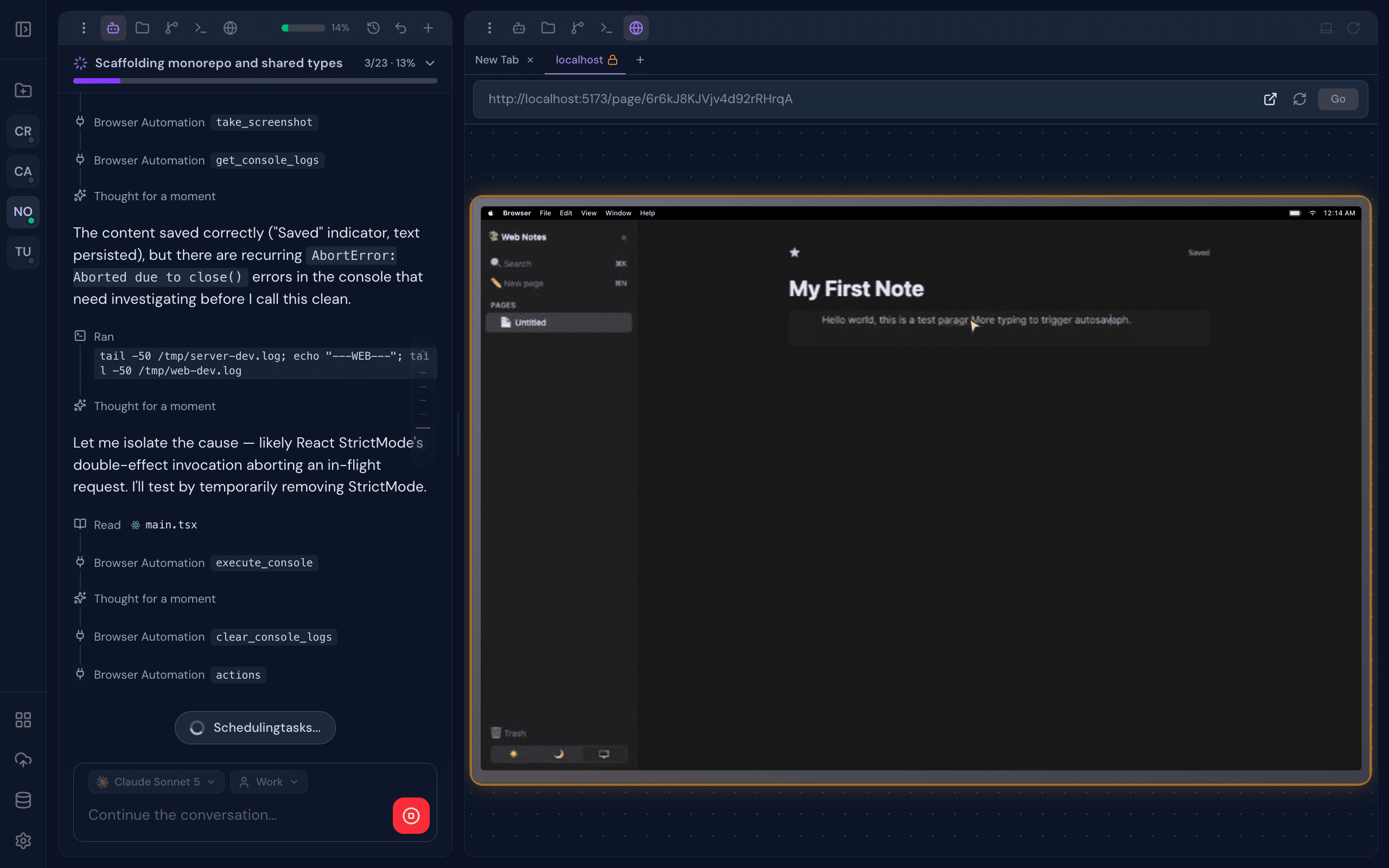
All-in-one workspace for AI coding agents — Claude Code, OpenCode, Codex, Copilot, and Qwen Code. Chat, terminal, git, browser preview, database client, and real-time collaboration — plus Skills, Subagents, Commands, and MCP connectors to extend every engine.
---
## Screenshots
---
## Features
A complete development environment designed around AI-assisted workflows, built to disappear into the background and just work.
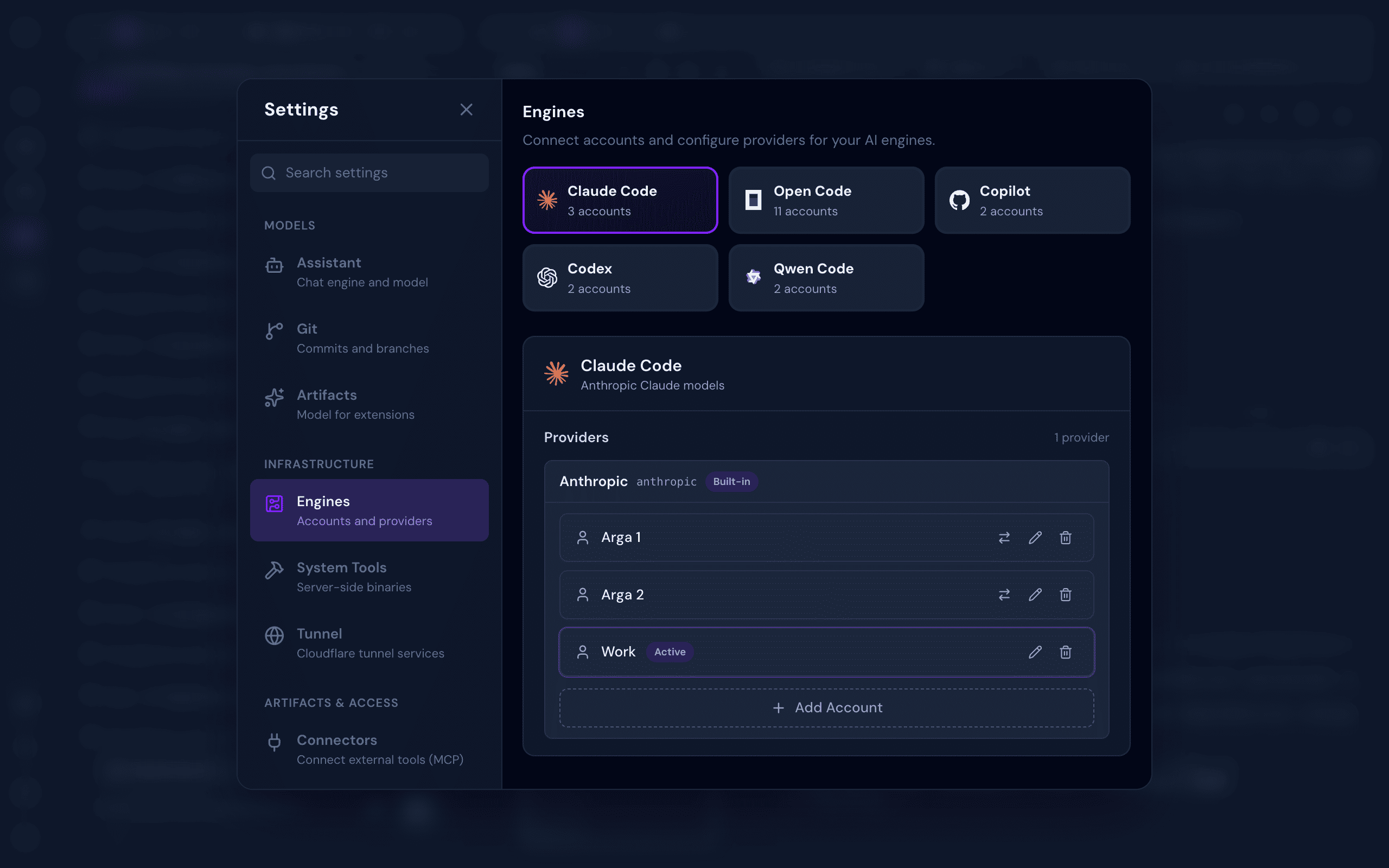
- **Multi-Engine Support** — Switch between Claude Code, OpenCode, Codex, GitHub Copilot, and Qwen Code as your AI engine, per session
- **Multi-Account Per Engine** — Manage multiple accounts per engine (personal, work, or team) and switch between them instantly per chat session
- **Integrated Terminal** — Multi-tab xterm.js terminal with full keyboard control and complete ANSI/VT support, right inside your workspace
- **Full Git Management** — Stage, commit, branch, push, pull, stash, log, and resolve conflicts, all from a clean UI
- **Real Browser Preview** — A live browser preview streams directly into your workspace. Interact with your app manually, or let the AI drive: clicking, typing, and scrolling for autonomous visual testing
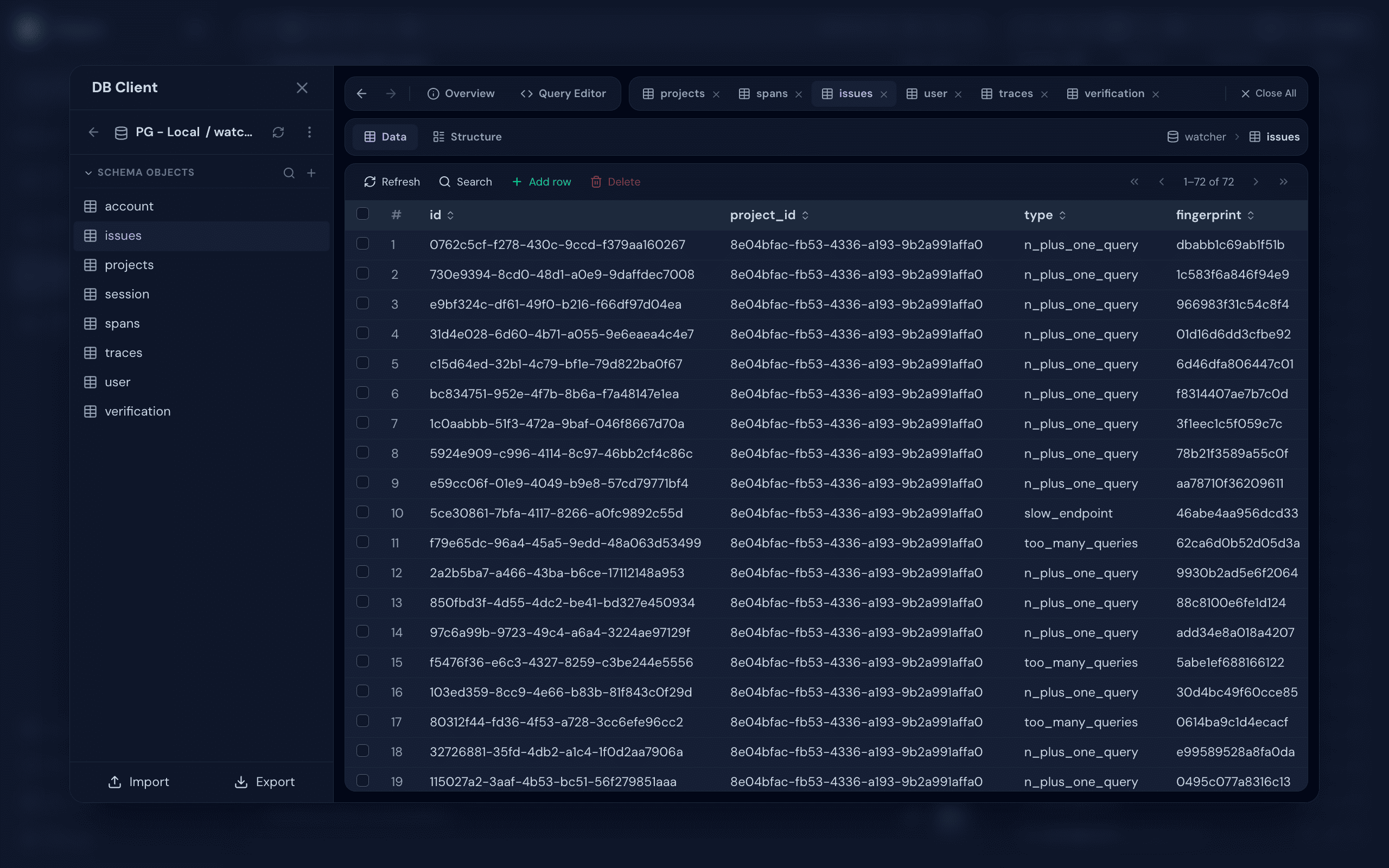
- **Database Client** — Connect to PostgreSQL, MySQL, SQLite, MongoDB, and Redis. Browse schemas, run queries, and inspect data, with optional SSH tunneling for databases behind a bastion
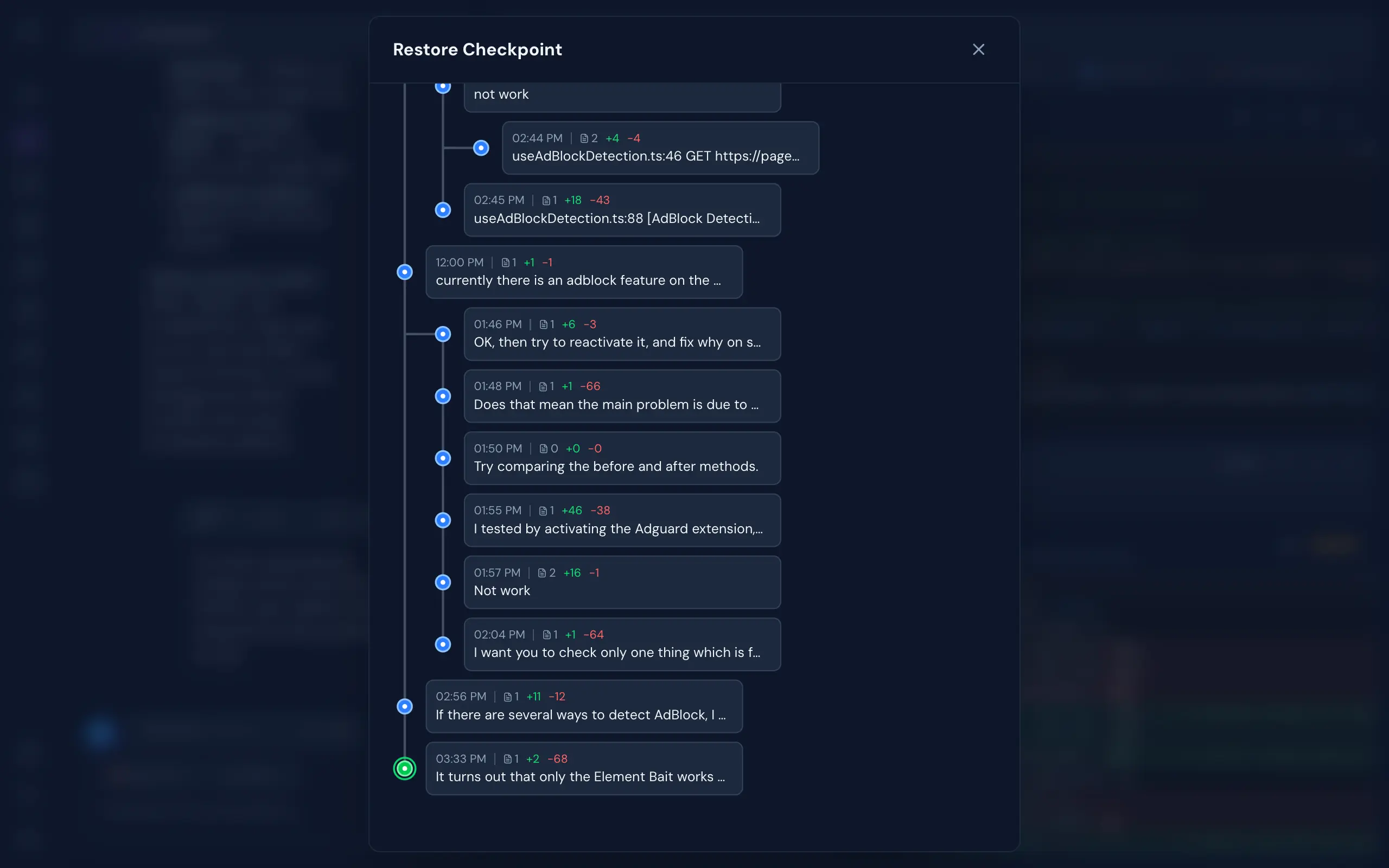
- **Git-Like Checkpoints** — Multi-branch undo/redo with full file snapshots. Roll back to any point in your AI conversation without touching your actual git history
- **Real-Time Collaboration** — See who's working on which project, and collaborate live in the same codebase
- **Monaco File Editor** — VS Code's editor right in the browser. Full syntax highlighting, autocomplete, and live file watching, beside your AI chat
- **Cloudflare Tunnel** — One-click public HTTPS URL for your local dev server. Built-in QR code for instant mobile access. Share your work without deploying
- **Connectors (MCP)** — Browse a searchable catalog of Model Context Protocol servers, connect with OAuth or custom env/headers, and sync every connector across all your AI engines
- **Skills, Commands & Subagents** — Build reusable Skills, slash Commands, delegated Subagents, shared Instructions, and tool Permissions or Profiles once, synced automatically across every engine
- **Flexible Authentication** — No Login or With Login mode with admin/member roles, invite links, rate-limited login, and CLI token recovery
- **System Tools Installer** — Install Git, Claude Code, OpenCode, Codex, Copilot, Qwen Code, Chrome, and Cloudflared (for Public Tunnel) from a one-click admin panel
- **Background Processing** — Chat, terminal, and other processes continue running even when you close the browser — come back later and pick up where you left off
---
## Quick Start
### Prerequisites
- [Bun.js](https://bun.sh/) v1.2.12+
- At least one supported AI engine — [Claude Code](https://github.com/anthropics/claude-code), [OpenCode](https://opencode.ai), [Codex](https://github.com/openai/codex), [GitHub Copilot CLI](https://github.com/github/copilot-cli), or [Qwen Code](https://github.com/QwenLM/qwen-code). All are installable from **Settings → System Tools** after first launch
### Installation
```bash
bun add -g @myrialabs/clopen
```
### Update
```bash
clopen update
```
Or manually via Bun:
```bash
bun add -g @myrialabs/clopen
```
You can also update from the **Settings → Maintenance → Updates** section in the web UI.
### Usage
```bash
clopen
```
Starts the server on `http://localhost:9141`.
### First-Time Setup
On first launch, a setup wizard guides you through:
1. **Authentication mode** — Choose between **No Login** (no authentication required, ideal for personal/local use) or **With Login** (login with Personal Access Token, supports team collaboration)
2. **Admin account** — If With Login mode is selected, create your admin account and save the generated PAT
3. **System Tools** — Install Git, Chrome, Cloudflared, and any AI engine you don't have yet — straight from the wizard, no terminal needed
4. **AI Engines** — Check installation status for Claude Code, OpenCode, Codex, Copilot, and Qwen Code, and sign in to the engines you'll use
5. **Preferences** — Set dark mode, font size, sound notifications, and message layout (Classic cards or Compact lines)
You can change the authentication mode anytime in **Settings → Security → Authentication**.
To invite team members (With Login mode), go to **Settings → Team → Invite** and generate an invite link (valid for 15 minutes).
If you lose your admin token:
```bash
clopen reset-pat
```
This regenerates and displays a new admin PAT.
---
## Contributing
Clopen is open source and contributions are welcome! Whether it's a bug fix, new feature, or improvement to docs — feel free to open an issue or submit a pull request.
```bash
git clone https://github.com/myrialabs/clopen.git
cd clopen
bun install
bun run dev # Start development server
bun run check # Type checking
```
When running in development mode, Clopen uses `~/.clopen-dev` instead of `~/.clopen`, keeping dev data separate from any production instance.
Each AI engine's config/state (credentials, sessions, logs) is isolated under `~/.clopen/engine//user/` rather than the engine's global location (`~/.codex`, `~/.copilot`, `~/.qwen`, the OpenCode XDG dirs), so Clopen never mixes with — or disturbs — your own standalone CLI usage.
See [CONTRIBUTING.md](CONTRIBUTING.md) for guidelines and [DECISIONS.md](DECISIONS.md) for architectural decisions.
---
## Architecture
| Layer | Technology |
|-------|-----------|
| Runtime | Bun.js |
| Frontend | Svelte 5 (runes) + Vite |
| Backend | Elysia + WebSocket |
| Styling | Tailwind CSS v4 |
| Database | SQLite with migrations |
| Terminal | bun-pty |
| AI Engines | Claude Code, OpenCode, Codex, Copilot, Qwen Code |
| DB Client | Postgres, MySQL, SQLite, MongoDB, Redis (+ SSH tunnel) |
---
## Troubleshooting
### Port 9141 Already in Use
```bash
clopen --port 9145
```
Or kill the existing process:
```bash
# Unix/Linux/macOS
lsof -ti:9141 | xargs kill -9
# Windows
netstat -ano | findstr :9141
taskkill /PID /F
```
---
## License
MIT License - see [LICENSE](LICENSE) for details.
---
## Acknowledgments
- [Claude Code](https://github.com/anthropics/claude-code) by Anthropic
- [OpenCode](https://opencode.ai) by Anomaly
- [Codex](https://github.com/openai/codex) by OpenAI
- [GitHub Copilot CLI](https://github.com/github/copilot-cli) by GitHub
- [Qwen Code](https://github.com/QwenLM/qwen-code) by Alibaba Qwen
- [Bun](https://bun.sh/) runtime
- [Svelte](https://svelte.dev/) framework
---
## Support
If Clopen is useful to you, consider supporting its development:
| Method | Address / Link |
|--------|----------------|
| Bitcoin (BTC) | `bc1qd9fyx4r84cce2a9hkjksetah802knadw5msls3` |
| Solana (SOL) | `Ev3P4KLF1PNC5C9rZYP8M3DdssyBQAQAiNJkvNmPQPVs` |
| Ethereum (ERC-20) | `0x61D826e5b666AA5345302EEEd485Acca39b1AFCF` |
| USDT (TRC-20) | `TLH49i3EoVKhFyLb6u2JUXZWScK7uzksdC` |
| Saweria | [saweria.co/myrialabs](https://saweria.co/myrialabs) |
---
**Repository:** [github.com/myrialabs/clopen](https://github.com/myrialabs/clopen) · **Issues:** [Report a bug or request a feature](https://github.com/myrialabs/clopen/issues)