https://github.com/myxvisual/vscode-ts-uml
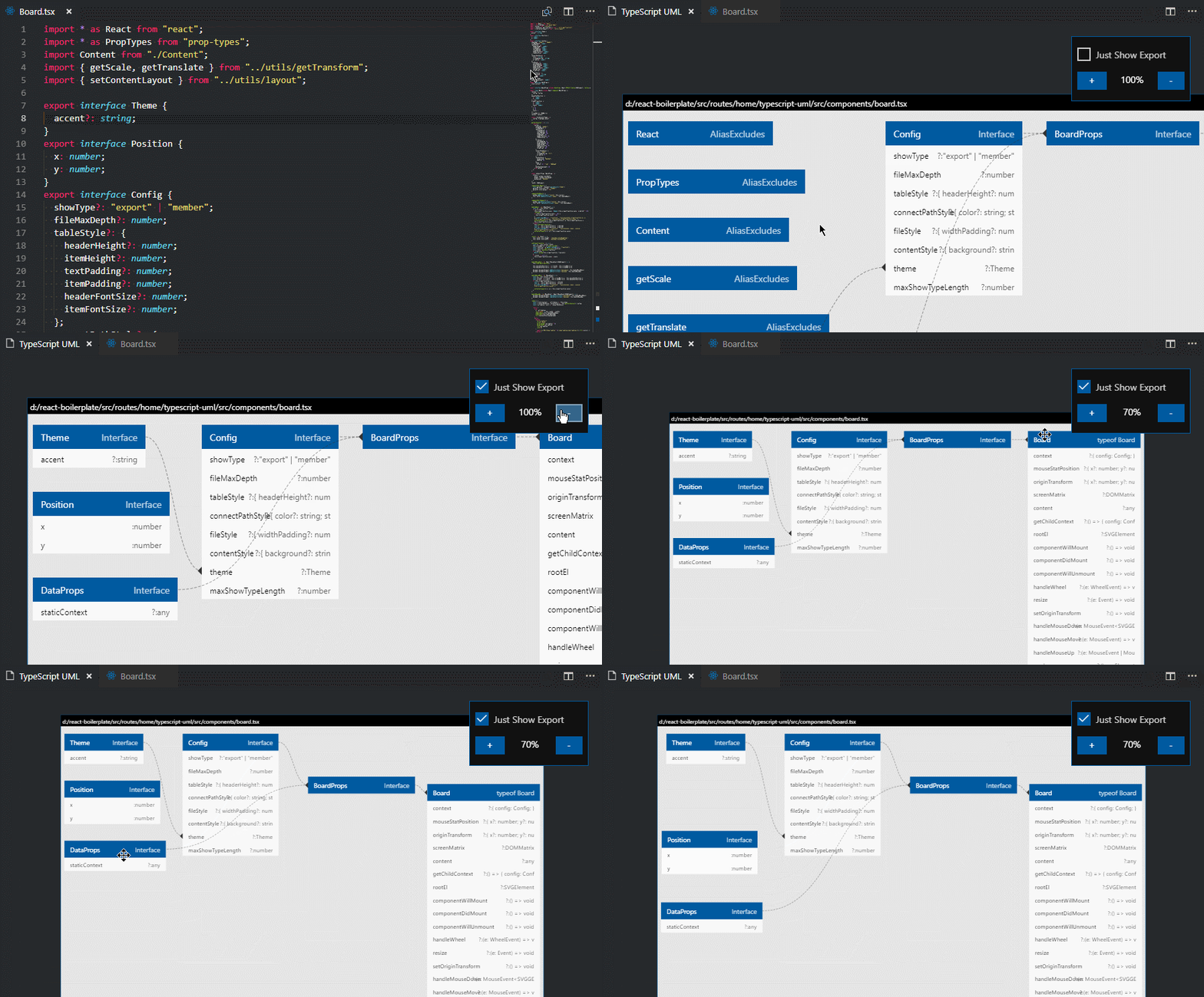
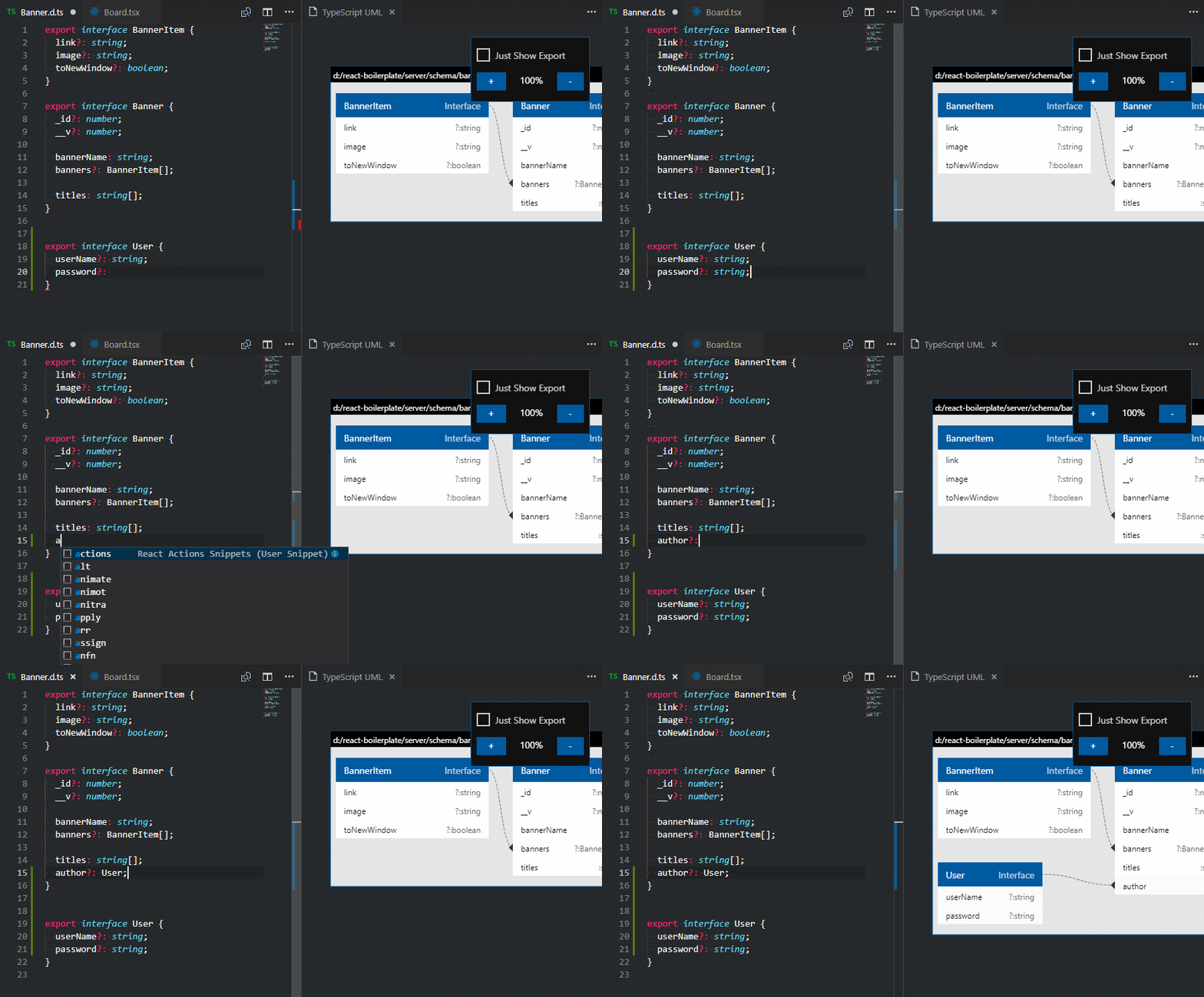
💻 Dynamic generates TypeScript UML diagrams to Visual Studio Code.
https://github.com/myxvisual/vscode-ts-uml
Last synced: 9 months ago
JSON representation
💻 Dynamic generates TypeScript UML diagrams to Visual Studio Code.
- Host: GitHub
- URL: https://github.com/myxvisual/vscode-ts-uml
- Owner: myxvisual
- License: mit
- Created: 2018-10-23T03:27:23.000Z (almost 8 years ago)
- Default Branch: master
- Last Pushed: 2019-07-26T04:11:48.000Z (almost 7 years ago)
- Last Synced: 2025-04-19T20:52:58.980Z (over 1 year ago)
- Language: TypeScript
- Homepage: https://marketplace.visualstudio.com/items?itemName=myxvisual.vscode-ts-uml
- Size: 1.26 MB
- Stars: 90
- Watchers: 10
- Forks: 14
- Open Issues: 14
-
Metadata Files:
- Readme: README.md
- License: LICENSE
Awesome Lists containing this project
README
# vscode-ts-uml
[](https://marketplace.visualstudio.com/items?itemName=myxvisual.vscode-ts-uml)
[](https://marketplace.visualstudio.com/items?itemName=myxvisual.vscode-ts-uml)
[](https://marketplace.visualstudio.com/items?itemName=myxvisual.vscode-ts-uml)
[](https://github.com/myxvisual/vscode-ts-uml/issues "Average time to resolve an issue")
[](https://github.com/myxvisual/vscode-ts-uml/issues?q=is%3Aopen+is%3Aissue "Percentage of issues still open")
---
Dynamic generates TypeScript UML diagrams to [Visual Studio Code](https://code.visualstudio.com/) (**minimum supported version: `1.25.0`**)
Supported filename extensions: `ts`, `tsx`, `.d.ts`, only supported single file now.
---
## Installation
To install the extension just execute the following command:
```sh
ext install vscode-ts-uml
```
## Usage
After reloading `vscode`.
* RightClick `.ts`, `.tsx`, `.d.ts` files, select `Show Typescript UML from file` menu to open `vscode-ts-uml` window.
* Use shortkey `Ctrl + Alt + Shift + Q` to select current editor focus file and open `vscode-ts-uml` window.
## License
The source code is licensed under the [MIT](https://raw.githubusercontent.com/myxvisual/vscode-ts-uml/master/LICENSE) license.
The icons are licensed under the [Creative Commons - ShareAlike (CC BY-SA)](https://creativecommons.org/licenses/by-sa/4.0/) license.
Branded icons are licensed under their copyright license.
## Change Log
You can checkout all our changes in our [change log](https://github.com/vscode-icons/vscode-icons/blob/master/CHANGELOG.md).
**Enjoy!**