https://github.com/n0bisuke/node-red-contrib-line-messaging-api
NodeREDやenebularでLINE Messaging APIが利用できます。
https://github.com/n0bisuke/node-red-contrib-line-messaging-api
enebular javascript nodejs nodered
Last synced: over 1 year ago
JSON representation
NodeREDやenebularでLINE Messaging APIが利用できます。
- Host: GitHub
- URL: https://github.com/n0bisuke/node-red-contrib-line-messaging-api
- Owner: n0bisuke
- License: apache-2.0
- Created: 2018-10-02T13:47:28.000Z (almost 8 years ago)
- Default Branch: main
- Last Pushed: 2024-12-29T14:37:08.000Z (over 1 year ago)
- Last Synced: 2025-03-04T17:50:17.171Z (over 1 year ago)
- Topics: enebular, javascript, nodejs, nodered
- Language: JavaScript
- Homepage: https://flows.nodered.org/node/node-red-contrib-line-messaging-api
- Size: 77.1 KB
- Stars: 7
- Watchers: 3
- Forks: 8
- Open Issues: 1
-
Metadata Files:
- Readme: README.md
- License: LICENSE
Awesome Lists containing this project
README
LINE Messagin APIのNode-REDのノードです。
## 概要
LINE Messagin APIを利用できるNode-REDのノードです。
## インストール
```
npm i node-red-contrib-line-messaging-api
```
or
AdminタブからInstall
## Configノード
LINE Botの設定(チャンネルシークレット、チャンネルアクセストークン)を設定しておく裏側のノードです。
このノードはエディターには表示されずReplyやPushなどのノードの設定UIからアクセスできます。
> 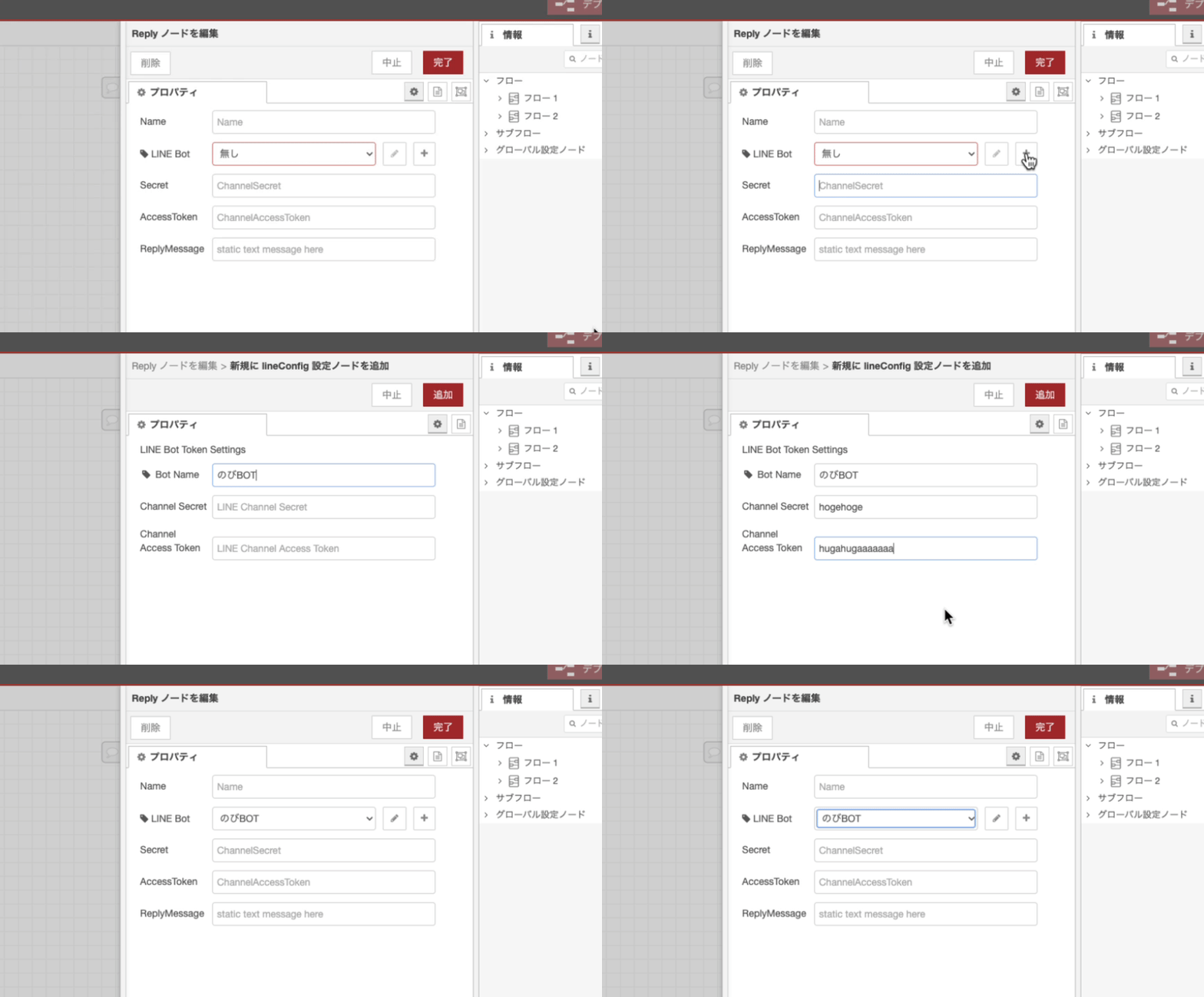
作成したLINE Botの設定は別のReplyノードやPushノードで使いまわせます。
## 利用できるAPIと利用イメージ
### Webhook & Reply Message
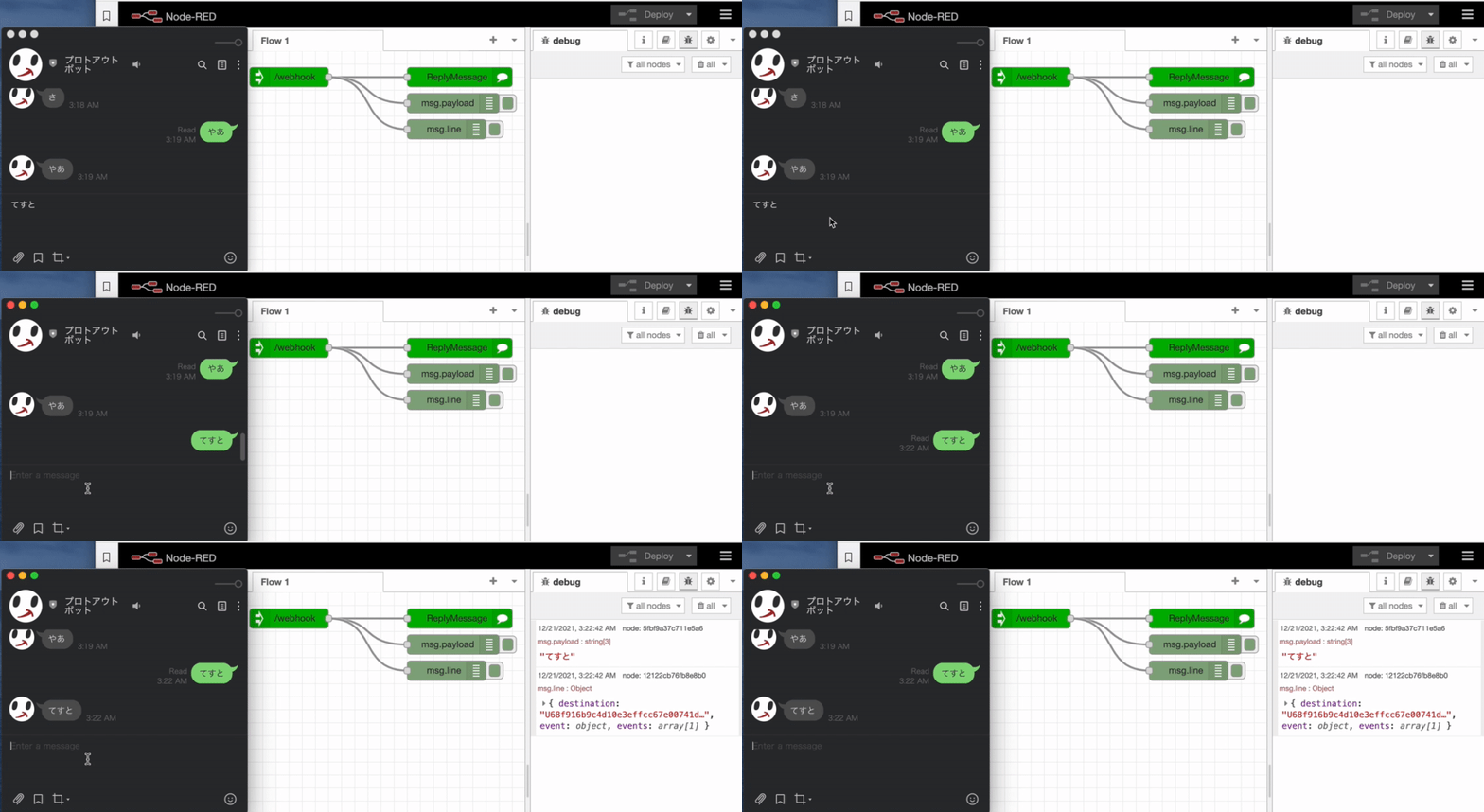
1. Webhookノードを配置し、ダブルクリックで設定を開き、指定した `/path` と自身のホスト名の組み合わせ(Webhook URL)を、LINE Developersであらかじめ作成したMessaging APIに登録します。
2. ReplyMessageノードを配置し、チャネルのシークレットとアクセストークンを設定します。
3. WebhookノードとReplyMessageノードを接続してLINEにメッセージを送るとオウム返しBotができます。
[](https://gyazo.com/7da2dbecfc69515edf852cf7a26d9196)
4. WebhookノードとReplyMessageノードの中間で `msg.payload` をうまく作成すると様々なメッセージが送れます。文字列を指定すると通常のテキストメッセージに、[LINEで定義されているメッセージオブジェクト](https://developers.line.biz/ja/reference/messaging-api/#message-objects)を指定すればそのメッセージを返信することができます。
### Push Message
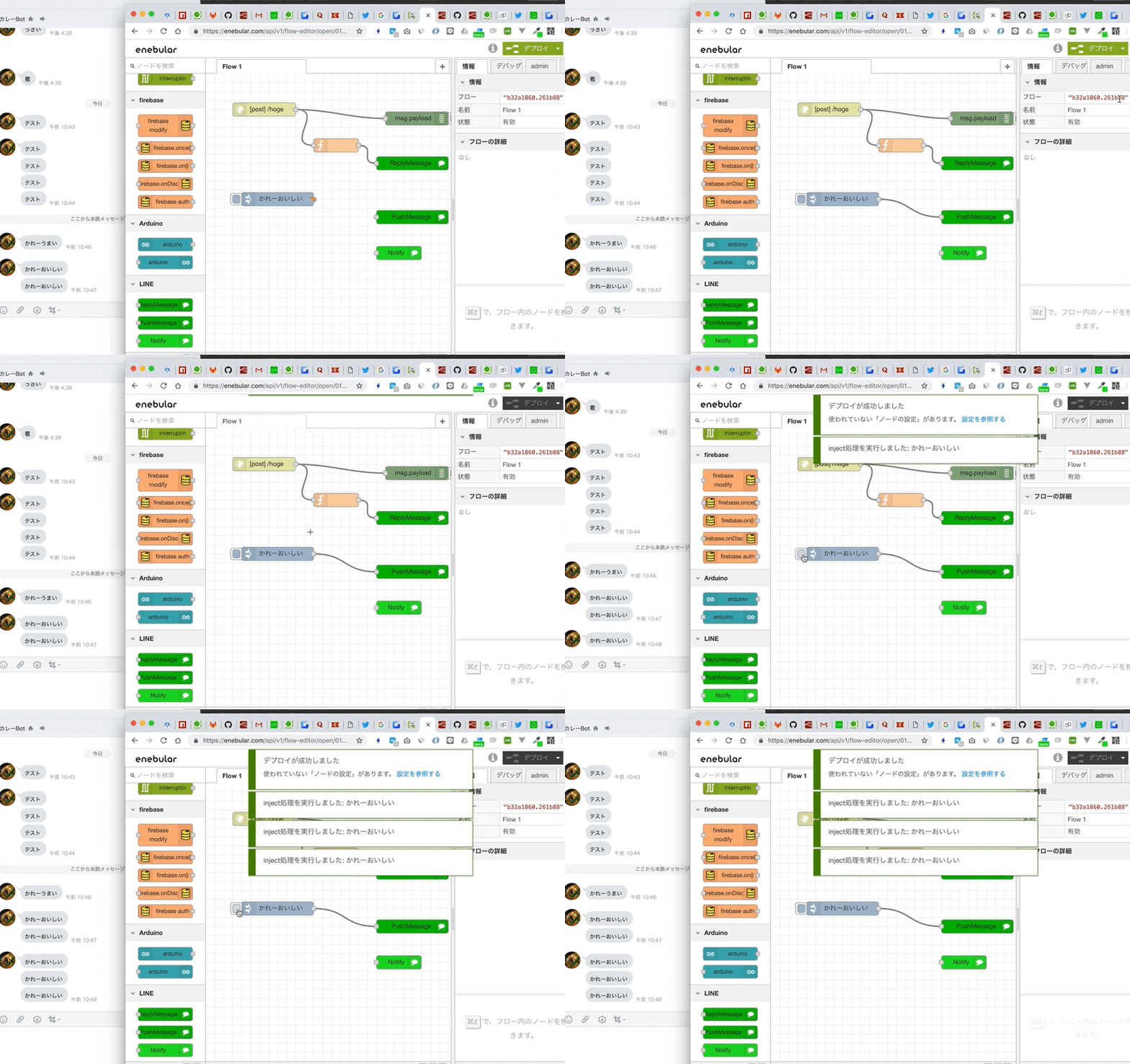
Pushメッセージを送るときにmsg.payloadにテキストを入れることでテキストメッセージの送信ができます。
> 
#### テキストメッセージv2でユーザーにメンション
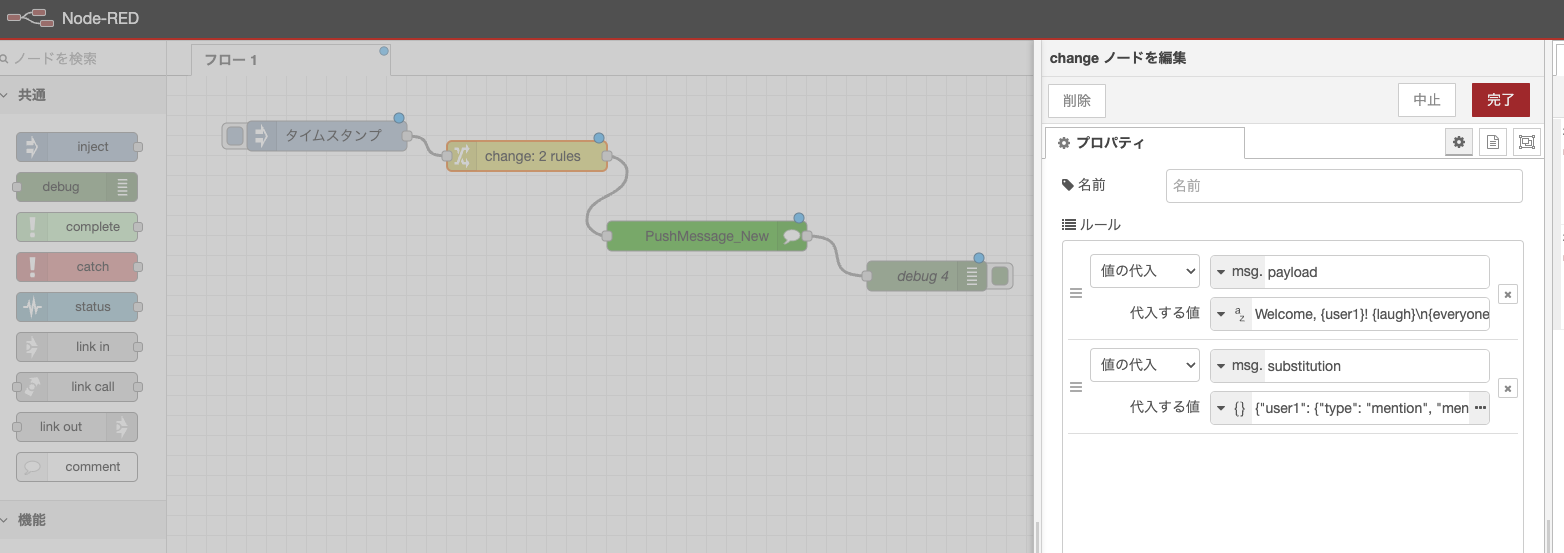
Pushメッセージを送るときにmsg.payloadに`{hoge}`などのテキストを入れつつ、msg.substitutionを設定することでテキストメッセージv2を使ってユーザーにメンションすることができます。
- msg.payload: `Welcome, {user1}! {laugh}\n{everyone} There is a newcomer!`
- msg.substitution:
```json
{"user1": {"type": "mention", "mentionee": {"type": "user", "userId": "Uxxxxxxxxxxxx"}},"laugh": {"type": "emoji","productId": "670e0cce840a8236ddd4ee4c","emojiId": "002"},"everyone": {"type": "mention","mentionee": {"type": "all"}}}
```
> 
#### 任意のメッセージ
msg.payloadに配列や[メッセージオブジェクト](https://developers.line.biz/ja/reference/messaging-api/#message-objects)を設定することで任意のメッセージを送信できます。
```js
msg.payload = [
{
type: "text",
text: "hogehoge",
},
{
type: "image",
originalContentUrl: 'https://i.gyazo.com/e772c3b48a07716226f7184d7f417cda.png',
previewImageUrl: 'https://i.gyazo.com/e772c3b48a07716226f7184d7f417cda.png'
}
]
return msg;
```
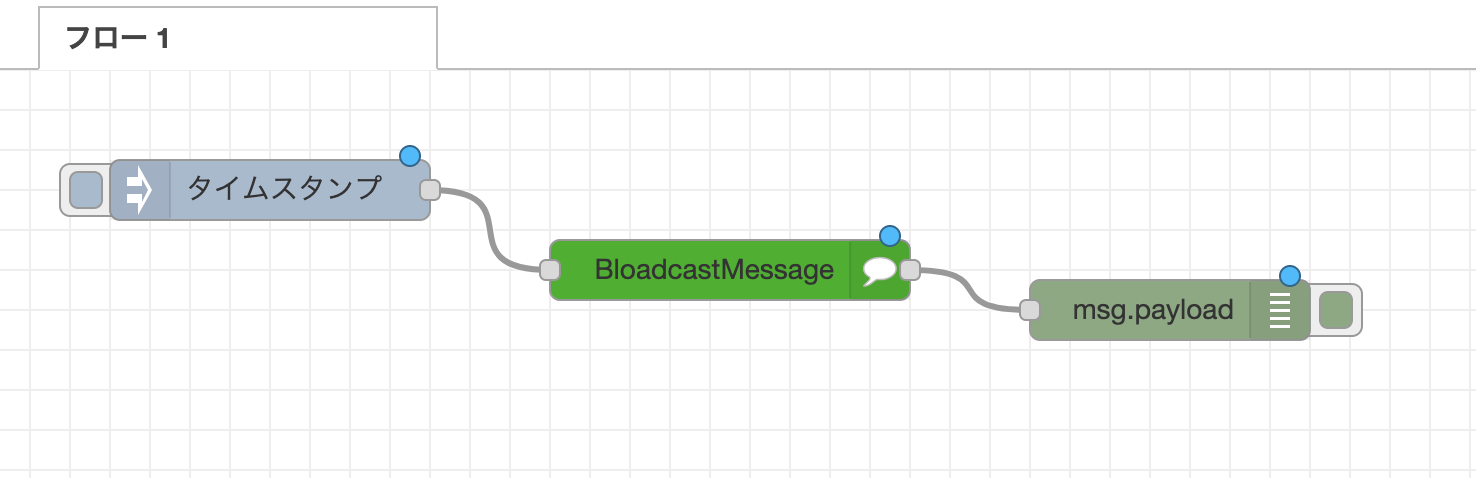
### Bloadcast Message
* 友達全員にメッセージ配信
> 
### Loading
ローディングを表示させます。
> 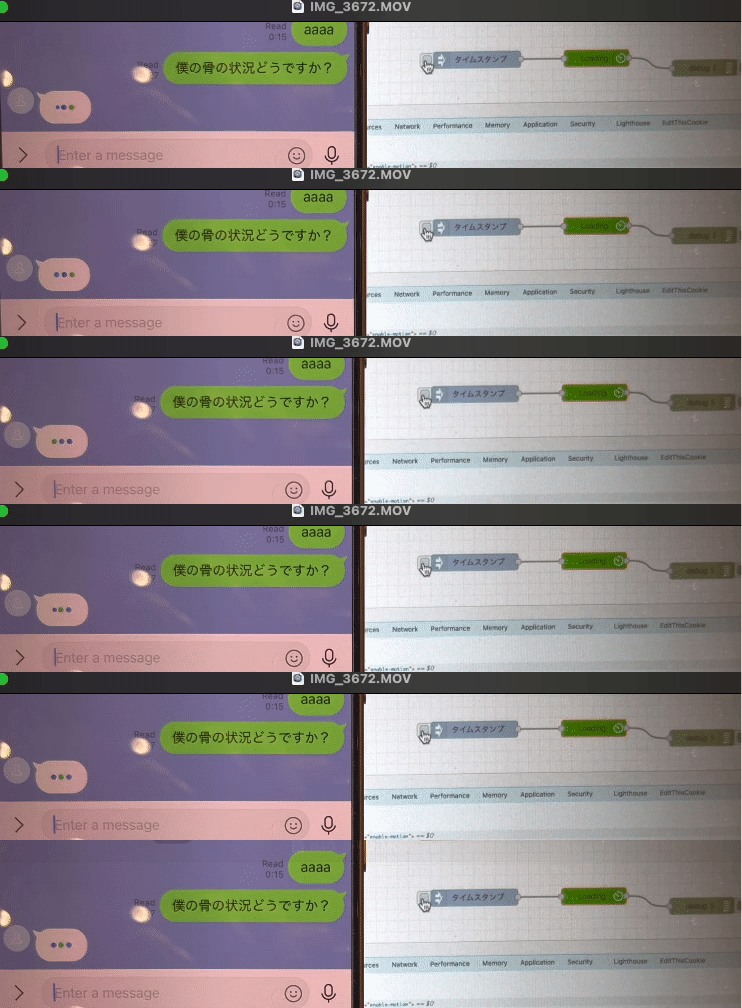
> https://developers.line.biz/ja/reference/messaging-api/#display-a-loading-indicator
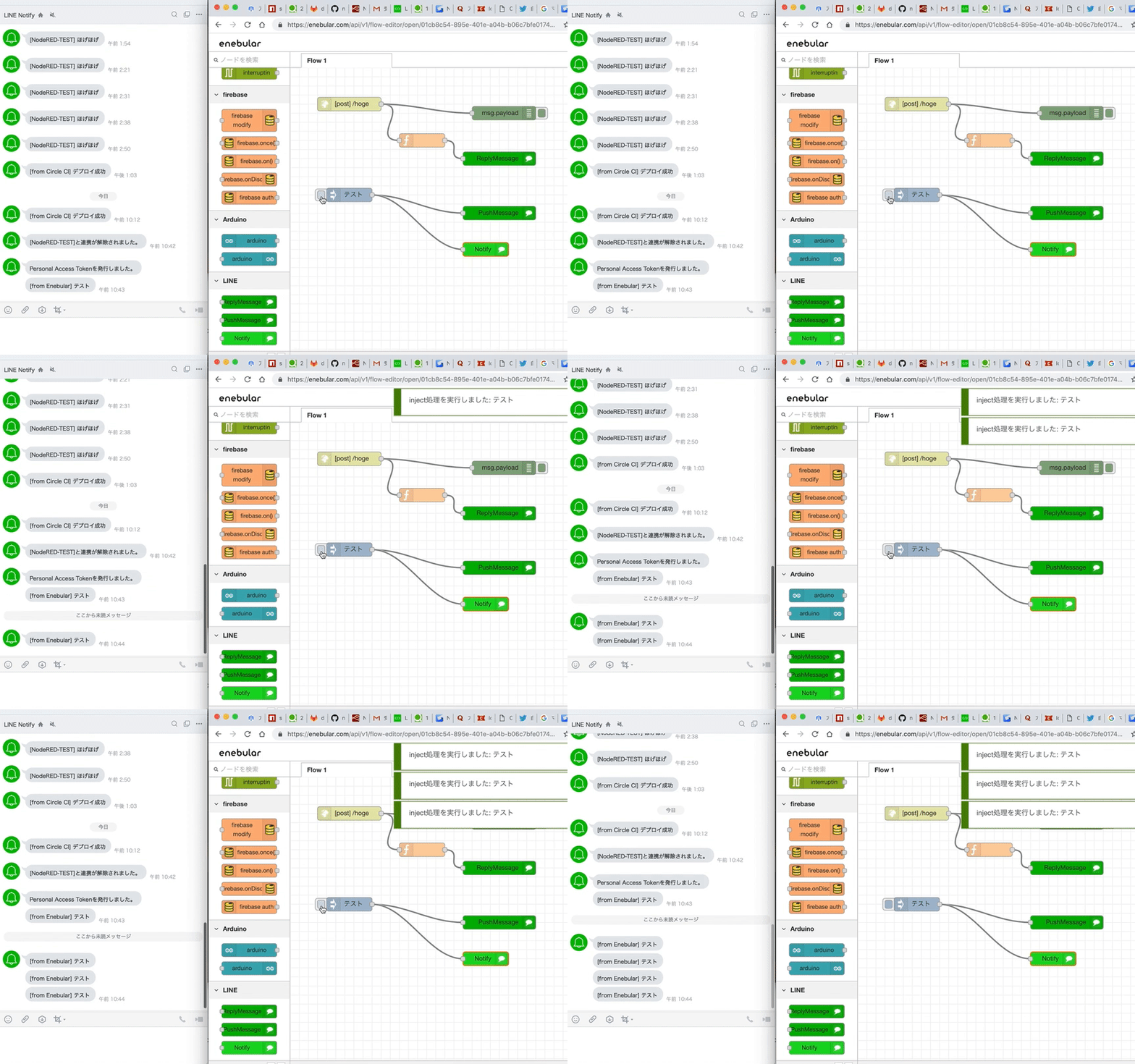
### LINE Notify (2024/12/22追記: API自体が終了するため廃止予定です。)
> 
### LINE Notify_new
過去のものとAPIは変わってないですが、オプション指定ができます。
> 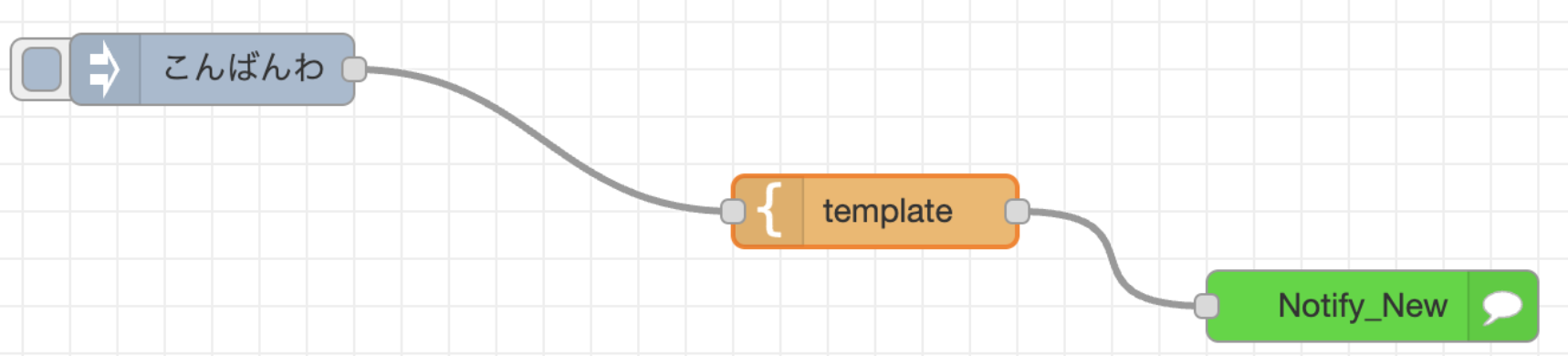
template nodeにJSONを設定してみてください。
> 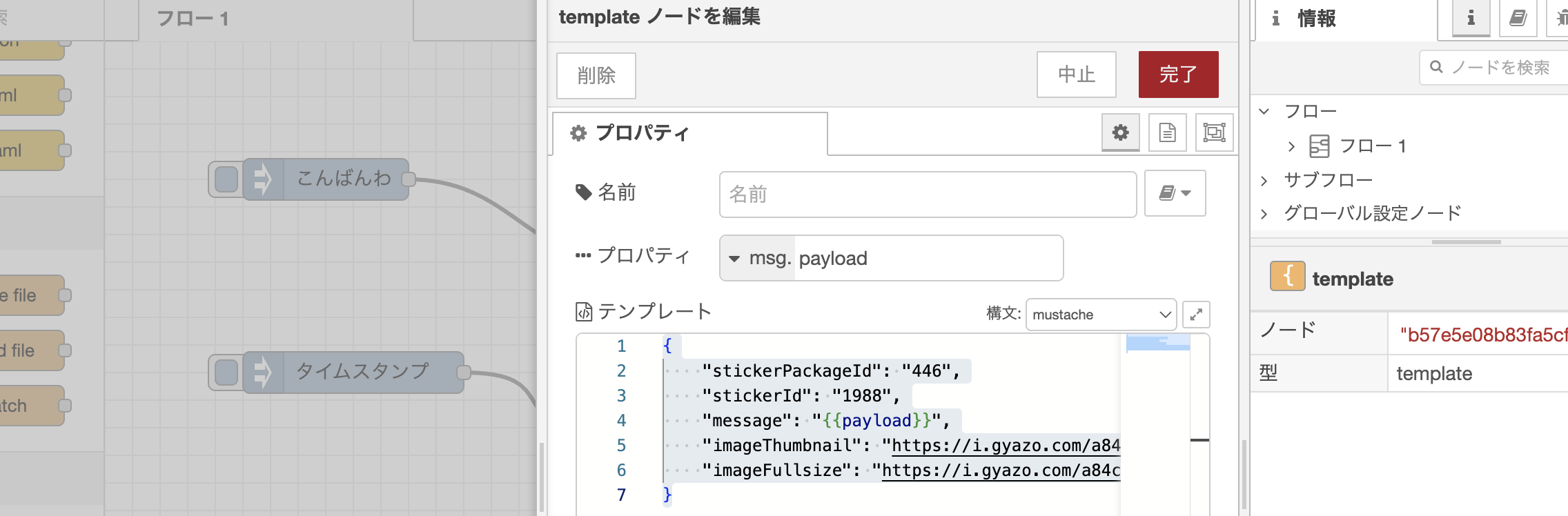
- 画像とスタンプも送る例
```
{
"stickerPackageId": "446",
"stickerId": "1988",
"message": "{{payload}}",
"imageThumbnail": "https://i.gyazo.com/a84c585225af440bd0d5fff881152792.png",
"imageFullsize": "https://i.gyazo.com/a84c585225af440bd0d5fff881152792.png"
}
```
## LINK
* [NodeRED](https://flows.nodered.org/node/node-red-contrib-line-messaging-api)
* [Libraries.io](https://libraries.io/npm/node-red-contrib-line-messaging-api)
* [npm](https://www.npmjs.com/package/node-red-contrib-line-messaging-api)
## release
- 2024/12/27: Loaging / getProfile / configの追加
- 2023/12/11: Notify_newを追加。スタンプや画像も送れるように。
- 2021/8/1: Reply Messageが画像に対応(thanks [@ukkz](https://github.com/ukkz))
- 2020/12/17: Bloadcast Messageに対応、Reply MessageがFlex Messageに対応(thanks [@gaomar](https://github.com/gaomar))
- 2019/2/13: PUSH MessageとLINE Notify対応
- 2018/10/11: 現状は簡単なリプライのみ実装されています。