https://github.com/naokim03/rspit
A command-line tool to run Rust snippet.
https://github.com/naokim03/rspit
cargo cli command-line rust script tool
Last synced: over 1 year ago
JSON representation
A command-line tool to run Rust snippet.
- Host: GitHub
- URL: https://github.com/naokim03/rspit
- Owner: NaokiM03
- License: mit
- Created: 2022-11-25T09:01:43.000Z (over 3 years ago)
- Default Branch: main
- Last Pushed: 2023-03-10T09:23:11.000Z (over 3 years ago)
- Last Synced: 2025-03-02T00:38:21.757Z (over 1 year ago)
- Topics: cargo, cli, command-line, rust, script, tool
- Language: Rust
- Homepage:
- Size: 1.08 MB
- Stars: 0
- Watchers: 1
- Forks: 0
- Open Issues: 0
-
Metadata Files:
- Readme: README.md
- License: LICENSE
Awesome Lists containing this project
README
# PIT
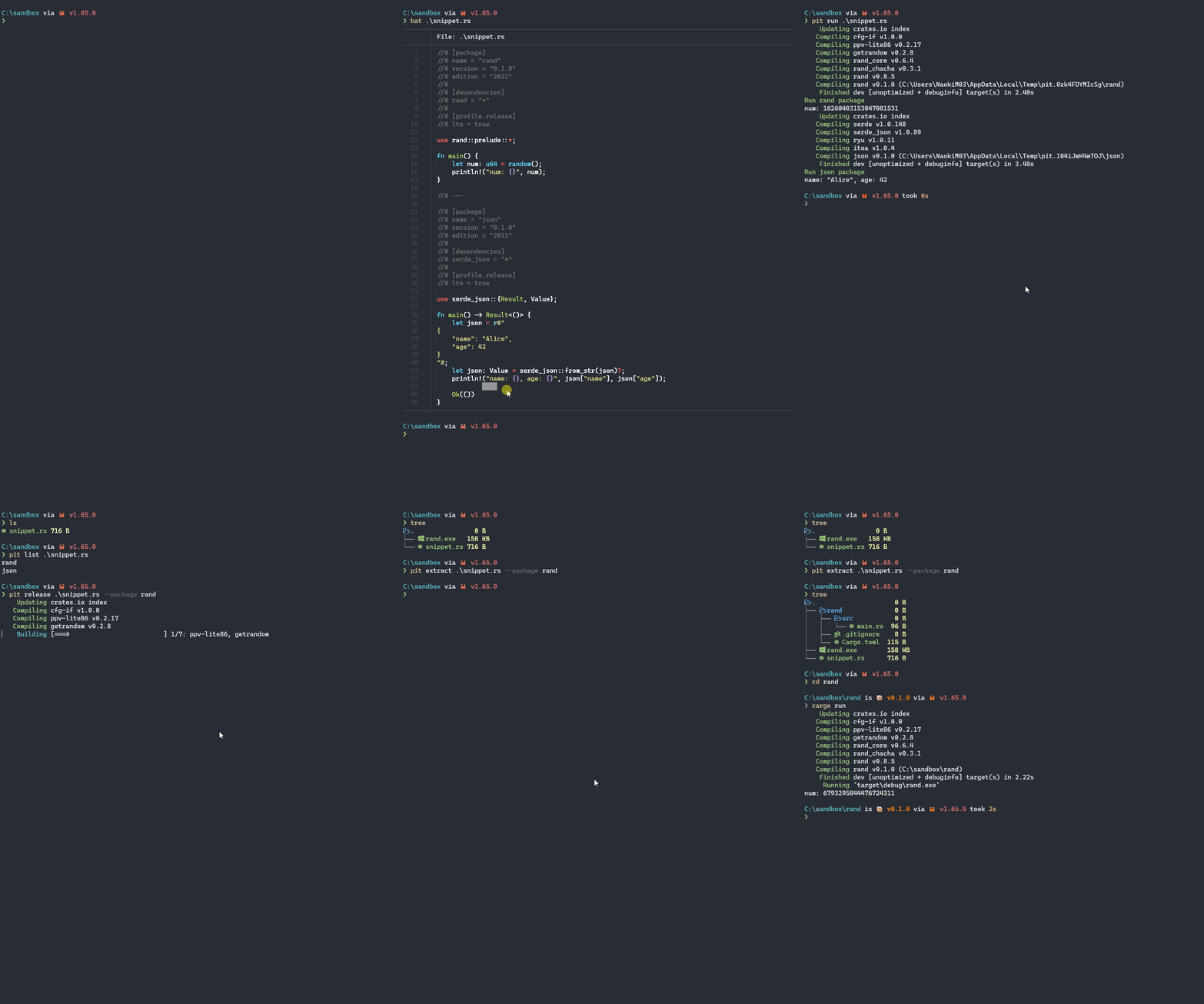
Run Rust snippet containing multiple packages. Embed `Cargo.toml` as a comment to avoid special formatting.
- Run snippet in debug mode
- Build packages in snippet in release mode and distribute the artifacts to the directory
- Extract packages in snippet as independent packages
There is a simple cache system, [as described below](https://github.com/NaokiM03/rspit#note).
## Motivation
- rust-analyzer supports single file
- https://github.com/rust-lang/rust-analyzer/issues/6388
- https://github.com/rust-lang/rust-analyzer/pull/8955
- In such a case, it is not an error even if multiple main functions exist
Snippet on VSCode
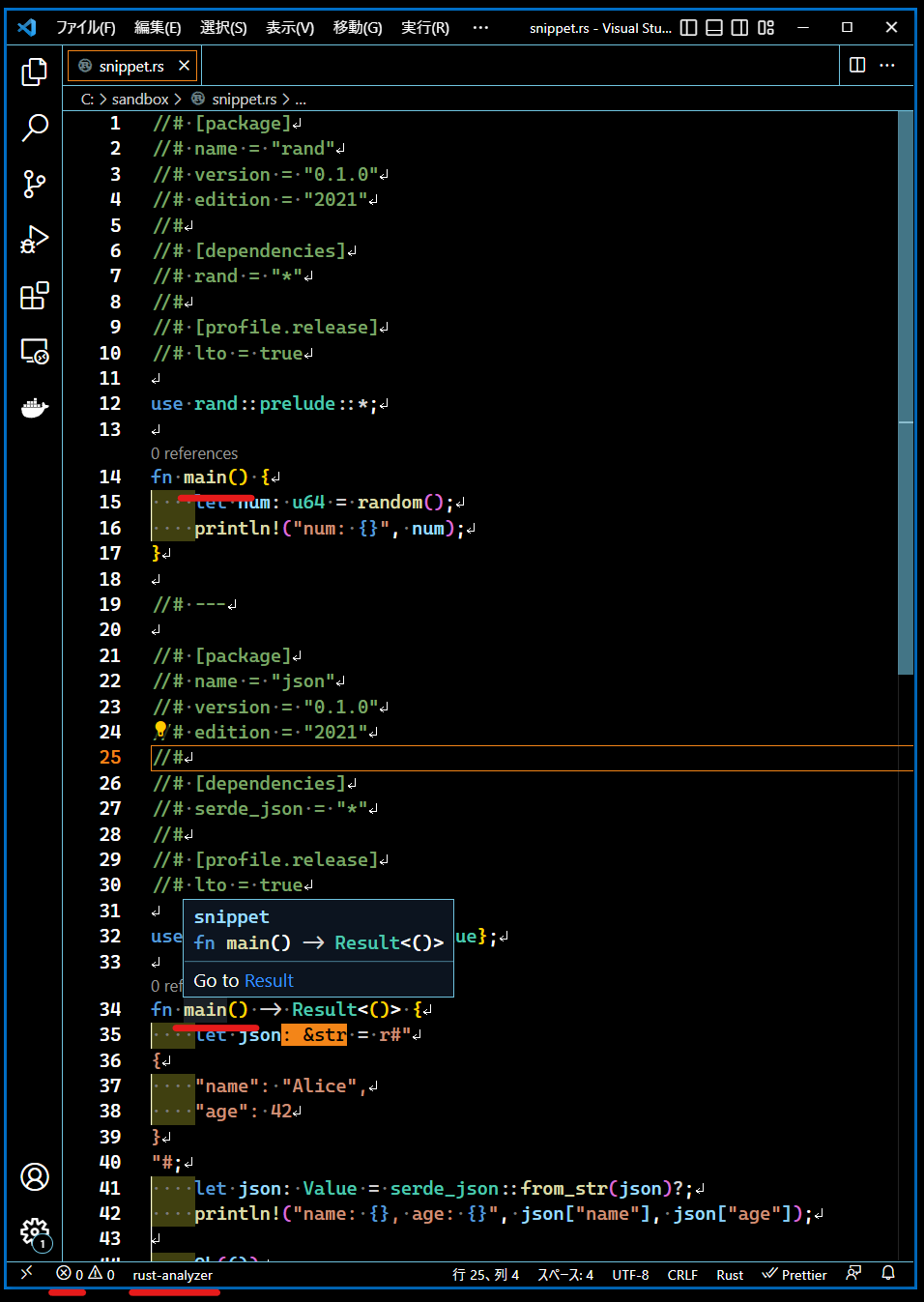
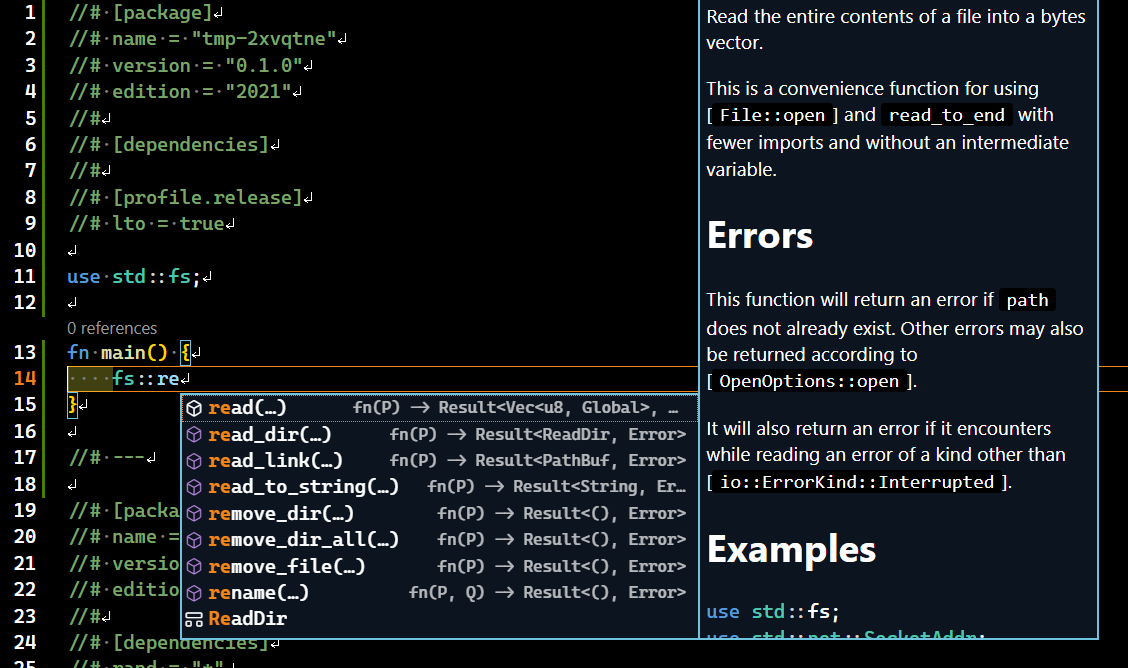
- A large number of packages in one workspace makes rust-analyzer heavy. rust-analyzer's functionality is limited when opening single file, but it is very lightweight
- However, I believe it has sufficient functionality to write a snippet because it can complement the standard library
rust-analyzer completion
## Usage
```sh
$ cargo install rspit
# omitted
$ cat ./snippet.rs
//# [package]
//# name = "rand"
//# version = "0.1.0"
//# edition = "2021"
//#
//# [dependencies]
//# rand = "*"
use rand::prelude::*;
fn main() {
let num: u64 = random();
println!("num: {}", num);
}
//# ---
//# [package]
//# name = "json"
//# version = "0.1.0"
//# edition = "2021"
//#
//# [dependencies]
//# serde_json = "*"
use serde_json::{Result, Value};
fn main() -> Result<()> {
let json = r#"
{
"name": "Alice",
"age": 42
}
"#;
let json: Value = serde_json::from_str(json)?;
println!("name: {}, age: {}", json["name"], json["age"]);
Ok(())
}
$ pit run ./snippet.rs
# omitted cargo log messages
Run rand package
num: 17349477736480811228
# omitted cargo log messages
Run json package
name: "Alice", age: 42
```
```sh
$ pit --help
A command-line tool to run Rust snippet.
Usage: pit [COMMAND]
Commands:
check Check all package in file
build Build all package in file
run Run all package in file
release Build all package in file in release mode and copy the artifacts to the target directory
init Create a new file
list List all packages in the given file
add Add an empty package on top in the given file
extract Extract the package from file
clean Remove everything in the cache directory
help Print this message or the help of the given subcommand(s)
Options:
-h, --help Print help information
-V, --version Print version information
```
## Note
- The `target` directory is cached
- Always build **in debug mode** when `run` and `build` are executed
- If the source files have not been modified at the time of `run` execution and debug mode artifacts are present, the binary is executed directly without building
## Related projects
- [rust-script](https://github.com/fornwall/rust-script)
and the projects listed in the README.
## License
PIT is released under the MIT License