https://github.com/nasdaq/flask-data-pipes
Simple, performant data pipelines.
https://github.com/nasdaq/flask-data-pipes
Last synced: about 1 year ago
JSON representation
Simple, performant data pipelines.
- Host: GitHub
- URL: https://github.com/nasdaq/flask-data-pipes
- Owner: Nasdaq
- License: apache-2.0
- Created: 2018-10-18T15:00:22.000Z (almost 8 years ago)
- Default Branch: master
- Last Pushed: 2022-01-06T22:27:27.000Z (over 4 years ago)
- Last Synced: 2025-04-06T03:11:07.291Z (over 1 year ago)
- Language: Python
- Size: 295 KB
- Stars: 10
- Watchers: 1
- Forks: 2
- Open Issues: 1
-
Metadata Files:
- Readme: README.md
- License: LICENSE
Awesome Lists containing this project
README
# Flask Data Pipes
Flask Data Pipes provides simple, performant data pipelines with a host of robust features and configurable tools. The project is currently in alpha with plans to further document and streamline dependencies.
## Features
* Like-magic ETL
* Transparent file and table management
* Simple logging and versioning of inbound data
* Staged data processing, fully configurable ETL
* File upload management
* Decorator functions for infinite configurability
* Low memory utilization due to straight to disk processing
## Dependencies
* Flask
* Flask-SQLAlchemy
* blinker
* celery
* marshmallow
* inflection
* requests
(We know it’s a lot. For now…)
## Installation and Implementation
`pip install flask-data-pipes`
Create the flask app with dependencies
```python
from flask import Flask
from celery import Celery
from flask_sqlalchemy import SQLAlchemy
from flask-data-pipes import ETL
import os
BASE = os.path.dirname(__file__)
app = Flask(__name__)
app.celery = Celery(app.import_name, broker='amqp://guest@localhost//')
db = SQLAlchemy(app)
etl = ETL(app, db)
```
Or via application factories
```python
db = SQLAlchemy()
etl = ETL()
def create_app(config_filename):
app = Flask(__name__)
app.config.from_pyfile(config_filename)
db.init_app(app)
app.celery = Celery(app.import_name, broker='amqp://guest@localhost//')
etl.init_app(app, db)
return app
```
Import data models and send import signal for versioning/registration
```python
with app.app_context():
for module_name in app.config[‘MODULES’]:
try:
import_module(f’{BASE}.{module_name}.models’, package=__name__)
except (AttributeError, ModuleNotFoundError):
continue
app.signal.etl_tables_imported.send(app)
```
## Usage
Define Pipeline
```python
from my_app import app, etl
from flask_data_pipes import extract, on_load_commit
class UserPipeline(etl.Pipeline, extract=True, transform=True, load=True):
@extract
def collect_all_users(self, *args, **kwargs):
with MyAPIClient(app.config['API_CONFIG']) as client:
for entry in client.get_all_users():
yield self.models('User', entry)
# yes, transform will happen automagically
# same for load
# although you could infinitely hook and customize
@on_load_commit
def alert_complete(self, meta: list):
for entry in meta:
app.logger.info(f"Table '{self.tables(entry['model]).__tablename__}' updated successfully!")
```
Define Model
```python
from my_app.pipelines.users import UserPipeline
from my_app.tables.users import User as UserDBTable
class User(etl.Model):
__filename__ = 'users'
__table__ = UserDBTable
__pipeline__ = UserPipeline
first = etl.fields.UppercaseString()
last = etl.fields.UppercaseString()
email = etl.fields.Method('define_email')
birthday = etl.fields.Date()
profile = etl.fields.URL()
def define_email(self, data):
return f'{data['first']}.{data['last']}@mycompany.com'
```
Run Pipeline
```python
from my_app.pipelines.users import UserPipeline
UserPipeline()
```
### ETL Stages
Stages are infinitely extensible via the ETL decorators and pre/post processor functions, including synchronous and asynchronous processors
Default stages execute as follows:
* Upload: validates and saves file to disk as is
* Extract: writes json data to disk as received without edits
* Transform: utilizes model declaration to transform extracted data and write to disk
* Load: Inserts records to the corresponding table via raw transaction
### Logging and Versioning
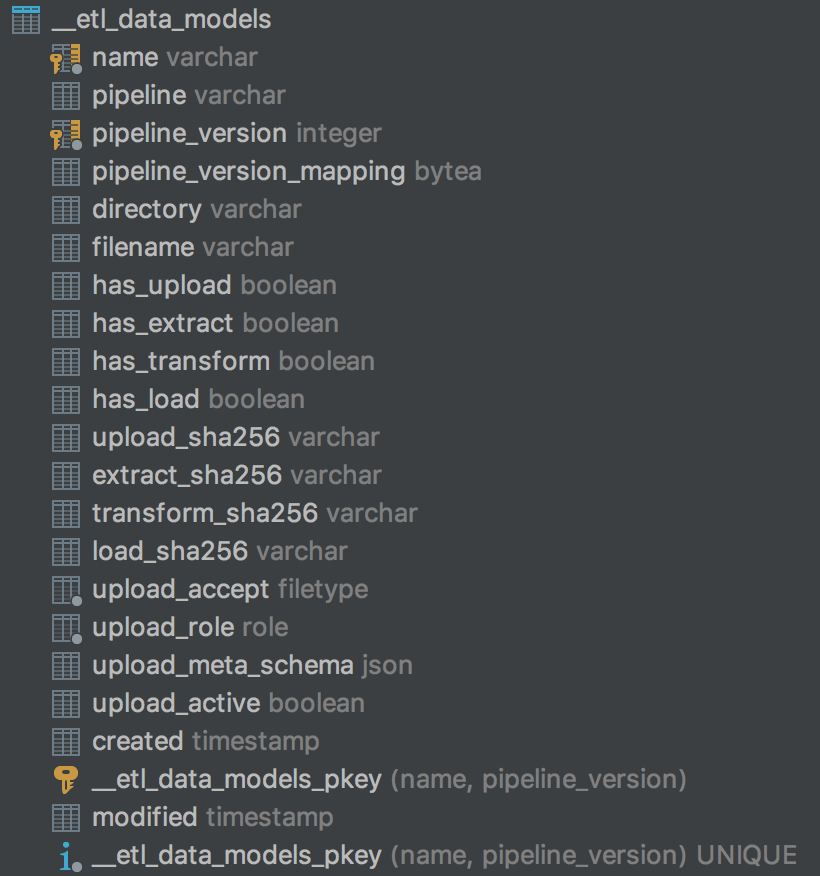
`__etl_data_models` table provides the meta data for each `etl.Model` created within your application, including the stages defined and the hashes of each ETL stage used to determine the pipeline version.
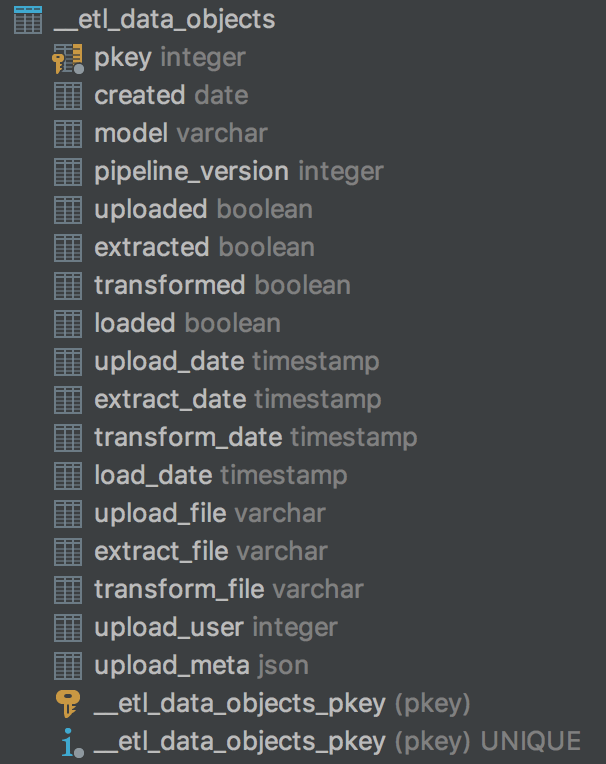
`__etl_data_objects` table maintains a record of each data object processed by your pipeline, including the pipeline versions used to process the data, file locations for each stage of the data and status and timestamps of all executions.