https://github.com/nativescript-vue/nativescript-vue-multi-drawer
A NativeScript-Vue component for creating multiple side drawers (4 sides supported)
https://github.com/nativescript-vue/nativescript-vue-multi-drawer
bottom-sheet drawer nativescript nativescript-plugin nativescript-vue side-drawer
Last synced: 10 months ago
JSON representation
A NativeScript-Vue component for creating multiple side drawers (4 sides supported)
- Host: GitHub
- URL: https://github.com/nativescript-vue/nativescript-vue-multi-drawer
- Owner: nativescript-vue
- License: mit
- Created: 2018-11-16T12:44:40.000Z (over 7 years ago)
- Default Branch: master
- Last Pushed: 2022-06-24T10:25:20.000Z (about 4 years ago)
- Last Synced: 2025-04-05T22:32:34.543Z (over 1 year ago)
- Topics: bottom-sheet, drawer, nativescript, nativescript-plugin, nativescript-vue, side-drawer
- Language: Vue
- Homepage:
- Size: 3.13 MB
- Stars: 48
- Watchers: 4
- Forks: 10
- Open Issues: 5
-
Metadata Files:
- Readme: README.md
- License: LICENSE
Awesome Lists containing this project
README
# NativeScript-Vue Multi Drawer
A plugin which provides a drawer component that supports multiple drawers.
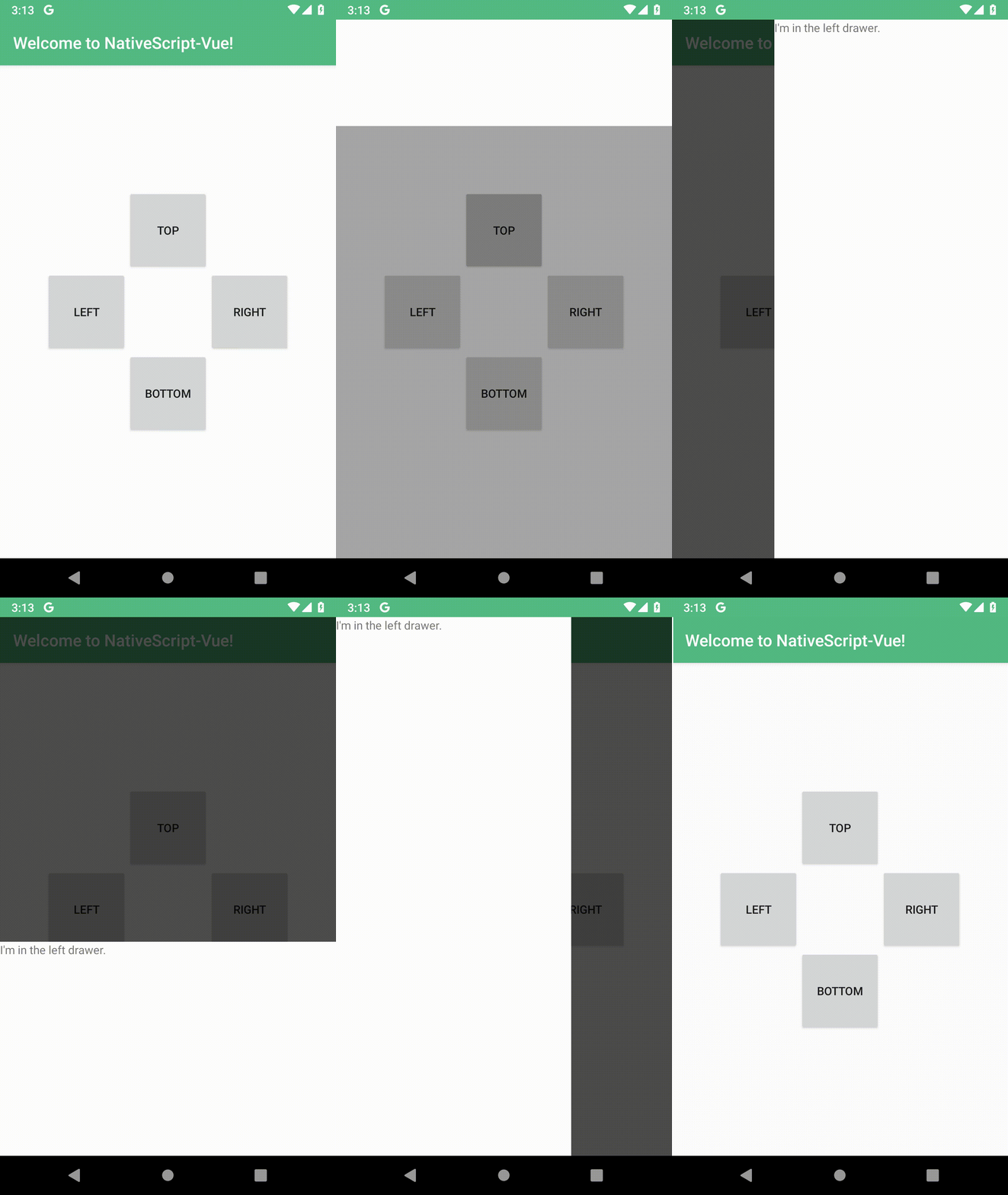
All drawers are optional, and can be configured individually.
Features:
* drawers on left, right, top and bottom
* swipe to open
* swipe to close
* tap outside to close
* progressively dim main content as the drawer is opened
## Quick Start
```bash
$ npm i --save nativescript-vue-multi-drawer
```
```diff
// main.js
import Vue from 'nativescript-vue'
...
+ import MultiDrawer from 'nativescript-vue-multi-drawer'
+ Vue.use(MultiDrawer)
```
Optionally set default options by passing `options` when installing the plugin:
```js
Vue.use(MultiDrawer, {
// override any option here
// for example enable debug mode
debug: true
})
```
For the available options check [the source of defaultOptions](https://github.com/nativescript-vue/nativescript-vue-multi-drawer/blob/98df9f4d342ebae12c761e45f4f23f68c15fb094/index.js#L5-L76)
```xml
```
The component will only enable drawers that have contents in them, so if you only need a left and a right side drawer, you can just remove the top and bottom slots and it will work as expected.
### Opening a drawer from code
Assign a ref to the Drawer component
```xml
```
And use `this.$refs.drawer.open(side)` where `side` is a string: `left`, `right`, `top` or `bottom`.
### Using v-model to toggle the drawer
The drawer can be opened through v-model. This is useful as it allows controlling the drawer state with Vue's reactivity system. For example, the value of v-model could easily come from a vuex store.
```xml
```
```js
export default {
data() {
return {
drawerState: false // closed
}
},
methods: {
doStuff() {
// do stuff
this.drawerState = 'left' // this will open the left drawer
}
}
}
```