https://github.com/natronics/jsbsim-manager
Rough first attempt at putting together elements from Open Aerospace to automate rocket simulation.
https://github.com/natronics/jsbsim-manager
Last synced: 8 months ago
JSON representation
Rough first attempt at putting together elements from Open Aerospace to automate rocket simulation.
- Host: GitHub
- URL: https://github.com/natronics/jsbsim-manager
- Owner: natronics
- License: gpl-3.0
- Created: 2016-05-31T16:54:29.000Z (about 10 years ago)
- Default Branch: master
- Last Pushed: 2016-06-06T01:07:09.000Z (about 10 years ago)
- Last Synced: 2025-05-14T07:34:51.816Z (about 1 year ago)
- Language: Jupyter Notebook
- Size: 2.02 MB
- Stars: 11
- Watchers: 2
- Forks: 5
- Open Issues: 0
-
Metadata Files:
- Readme: README.markdown
- License: LICENSE
Awesome Lists containing this project
README
# Build A Rocket And Launch It
Procedurally build and simulate a flight. This is my attempt to use the [open aerospace rocket documentation tool](https://open-aerospace.github.io/openrocketdoc/) to describe a rocket and generate JSBSim configuration to simulate its flight.
View the raw jupyter notebook: [rocket.ipynb](https://github.com/natronics/JSBSim-Manager/blob/master/rocket.ipynb)
You can run it yourself by cloning this repo and install requirements:
$ pip install -r requirements.txt
Then run jupyter to edit/run the document in your browser:
$ jupyter notebook
The idea is that you can make up some numbers ("what if I built a rocket with _this_ much thrust?") and this script will parametrically design an entire rocket. Then using openrocketdoc, generate a valid JSBSim case and run JSBSim for you, generating flight simulation output.
Just put in numbers for the engine design and then run the notebook!
## Step 1. Design The Engine
Pick an engine design. Well define it based on a desired Isp, thrust, and burn time.
Engine Design parameters:
Input | Number | Units
-------------- | --------: | :----
Isp | 214.0 | s
Thrust | 1,555.0 | N
Burn Time | 10.0 | s
All we need to do is create an openrocketdoc Engine with those basic numbers:
```python
from openrocketdoc import document
engine = document.Engine('My Rocket Motor')
engine.Isp = 214.0
engine.thrust_avg = 1555.0
engine.t_burn = 10.0
```
Everything else can be computed from that engine class:
Our computed engine will need 7.4 kg of propellent.
It has a total impulse of 15,550 Ns. That would make it a 'N'(52%) class motor.
Generated JSBSim engine document:
```xml
214.0
0.1
0.000 349.578
5.445 349.578
10.890 349.578
```
## Step 2. Build The Rocket
Now we know how much propellent, guess the density and come up with some parametric rocket design. If we compute some numbers based on a guess of the density of our propellent, we can build up a full rocket desgin from our `engine`. The only hardcoded magic is a prefered lenght-to-diameter ratio.
Rocket Design parameters:
Input | Number | Units
---------------------- | --------: | :----
Propellent Density | 1,555.0 | kg/m3
Motor L/D ratio | 10.0 |
Nosecone L/D ratio | 5.0 |
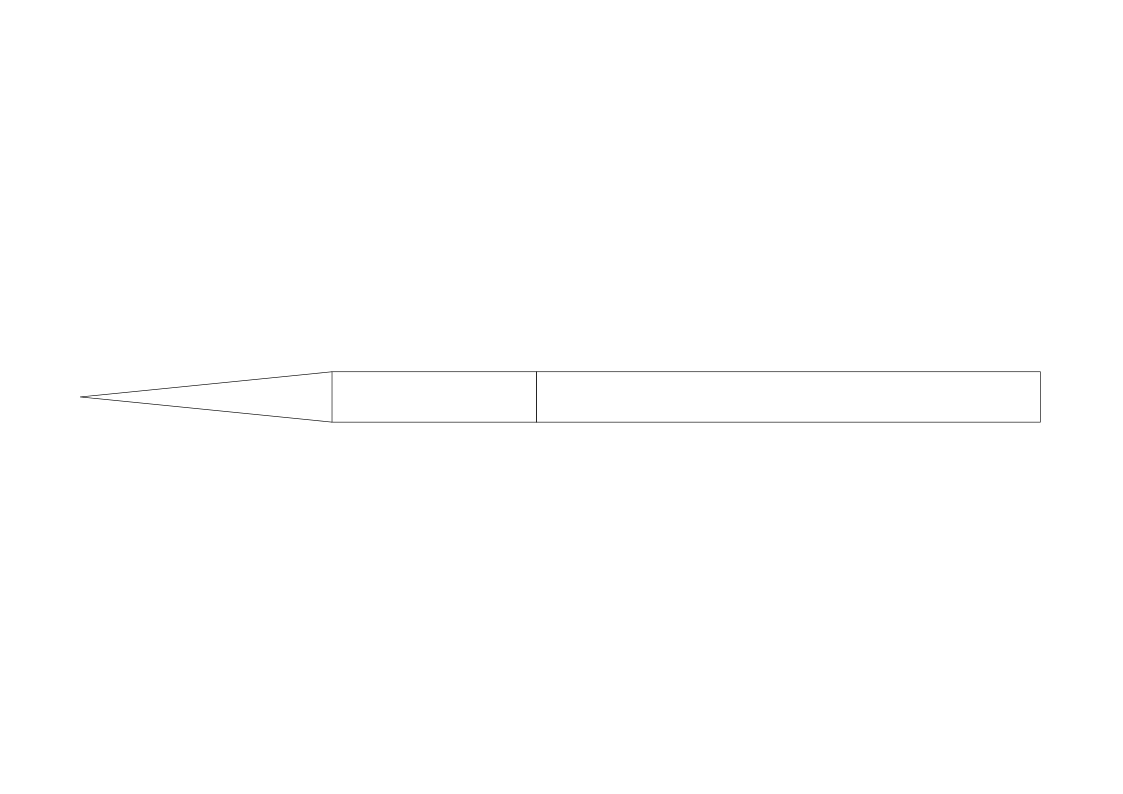
Computed rocket length: 1.6 meters, diameter: 81.39 mm
Generated diagram of the rocket, with a nosecone, fixed length dummy payload section, and motor:
Generated JSBSim 'Aircraft' document:
```xml
0.0052
0.0814
0.0
0.0
0.0
0.0
0.0
1.5508
0.0
0.0
0.0407
0.3300
2.5000
0.5719
0.0
0.0
0.0407
0.8139
1.5000
1.1439
0.0
0.0
1.1439
0.0
0.0
0.0407
0.8139
0
7.4096
7.4096
0
0.7369
0.0
0.0
1.5508
0.0
0.0
Coefficient of Drag
aero/qbar-psf
metrics/Sw-sqft
0.600000
```
## Build JSBSim Case
JSBSim needs several files in directories with a particular file structure. We simply write the files above to the filesystem appropriate places. A generic `run.xml` and `init.xml` files are already here. They're almost completely independent from the rocket definitions, the only thing "hard coded" is the name of the rocket (which has to match the filename).
## Run JSBSim
Now we can simulate the flight by invoking JSBSim (assuming you have it installed and in your path). It's as easy as this:
```python
import subprocess
# Run JSBSim using Popen
p = subprocess.Popen(["JSBSim", "--logdirectivefile=output_file.xml", "--script=run.xml"])
```
## Analyze The Simulation Results
Now we should have a datafile from the simulation!
The apogee (maximum altitude) of this flight was 17.8 km above sea level

