https://github.com/nazmulxdev/food-donation-website-client
This is a food sharing full stack website with crud operation and its api is secured by jwt.
https://github.com/nazmulxdev/food-donation-website-client
axios firebase firebase-auth javascript reactjs tanstack-query
Last synced: 29 days ago
JSON representation
This is a food sharing full stack website with crud operation and its api is secured by jwt.
- Host: GitHub
- URL: https://github.com/nazmulxdev/food-donation-website-client
- Owner: nazmulxdev
- Created: 2025-06-21T14:25:16.000Z (about 1 year ago)
- Default Branch: main
- Last Pushed: 2025-08-09T12:28:15.000Z (11 months ago)
- Last Synced: 2025-08-09T12:29:37.962Z (11 months ago)
- Topics: axios, firebase, firebase-auth, javascript, reactjs, tanstack-query
- Language: JavaScript
- Homepage: https://karamplate.web.app/
- Size: 2.78 MB
- Stars: 1
- Watchers: 0
- Forks: 0
- Open Issues: 0
-
Metadata Files:
- Readme: README.md
Awesome Lists containing this project
README
# Meals4Gaza - Food Sharing Website
Meals4Gaza is a food-sharing platform whose main purpose is to collect surplus food from people and deliver it to those in need.
[](https://karamplate.web.app/)
[](https://github.com/nazmulxdev/food-donation-website-server?tab=readme-ov-file)
---
### **Project Overview**
The main goal of this project is to create a community-based platform where users can share their surplus food with others. This helps prevent food waste and aids people in need. Users can donate food, view available food items, and request meals if needed.
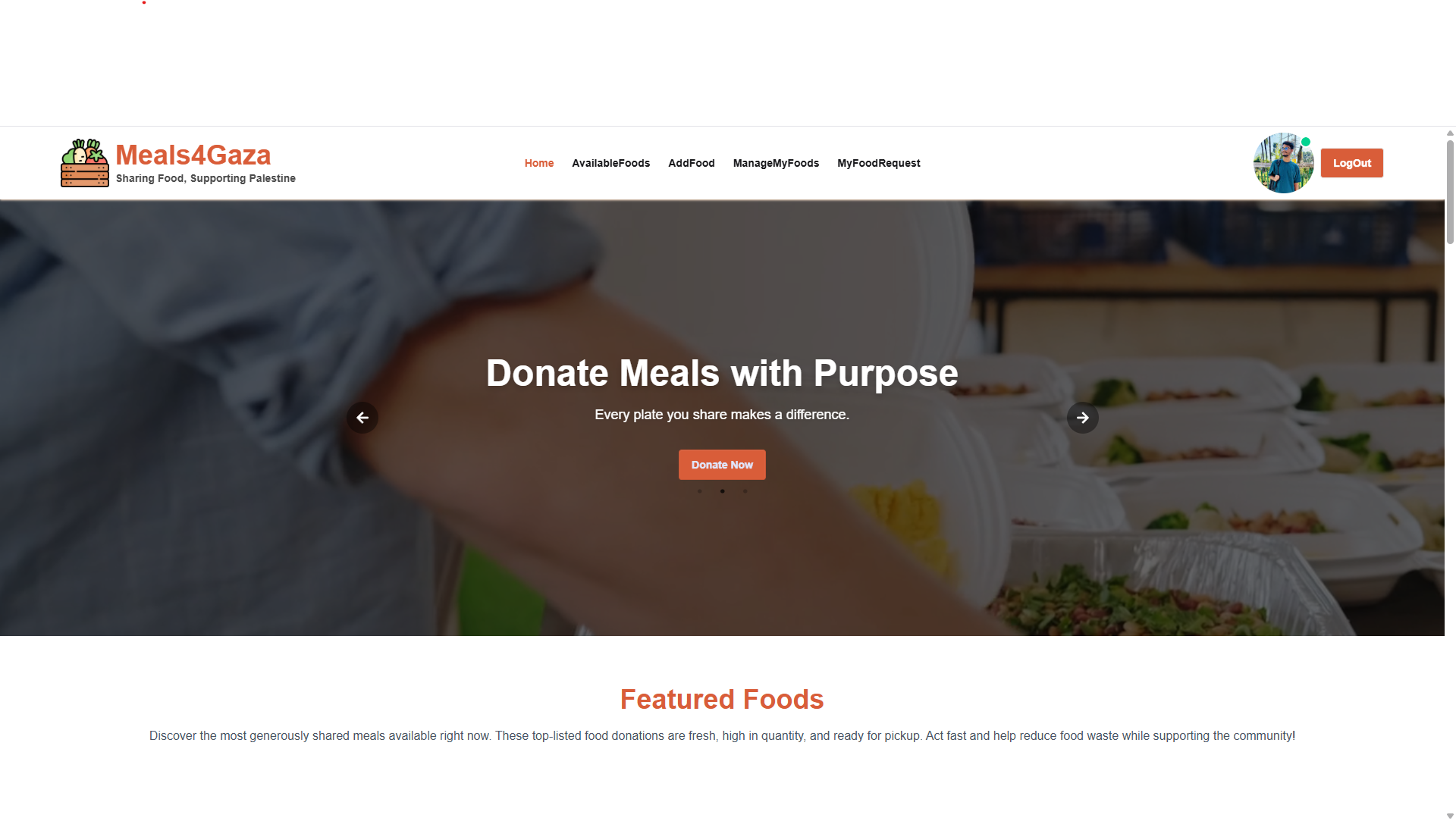
### **Screenshot**
---
### **Key Features**
✅ **Dynamic Title:** Each page has its own unique title that updates in the browser's title bar as the route changes.
✅ **Secure Authentication:** The entire project is secured with Firebase access tokens, ensuring the safety of user's sensitive data, such as their donated and requested food information.
✅ **Featured Foods Section:** The featured foods section on the homepage updates dynamically based on the highest quantity of available food.
✅ **Food Request System:** On the "Available Foods" page, users can view the details of any food item and request it.
✅ **Food Management Dashboard:** Users can donate food on the "Add Food" page and can view, edit, or delete all their donated food items on the "Manage My Food" page.
✅ **User Profile:** The website has a login and registration system. Users can create a profile or use their Google account to easily sign up or log in.
---
### **Technologies Used**
The following main technologies were used in this project:







---
### **Dependencies Used**
The following NPM packages are used in this project:
- React Router
- TanStack Query
- Axios
- Framer Motion
- Firebase
- React Icons
- Tailwind CSS
- Daisy UI
- React-spinners
- SweetAlert2
- React Countup
- React Countdown
- React-tooltip
- Lottie-react
- React Slick
- Slick Carousel
---
### **Getting Started Locally**
Follow these steps to run the project on your local machine:
**1. Clone the repository:**
```bash
git clone [https://github.com/your-username/your-repository-name.git](https://github.com/your-username/your-repository-name.git)
```
**2. Navigate to the project directory:**
```bash
cd your-repository-name
```
**3. Install NPM packages:**
```bash
npm install
```
**4. Set up environment variables:**
Create a file named `.env.local` in the root directory of the project and add your Firebase configuration.
```.env.local
VITE_APIKEY=your_firebase_apikey
VITE_AUTHDOMAIN=your_firebase_authdomain
VITE_PROJECTID=your_firebase_projectid
VITE_STORAGEBUCKET=your_firebase_storagebucket
VITE_MESSAGINGSENDERID=your_firebase_messagingsenderid
VITE_APPID=your_firebase_appid
```
_(Replace the values above with your own Firebase credentials.)_
**5. Run the project:**
```bash
npm run dev
```
You can now view the project by visiting `http://localhost:5173` (or any other port shown in the terminal) in your browser.
---
### **Relevant Links**
- **Live Site:** [https://karamplate.web.app/](https://karamplate.web.app/)
- **Server-Side Code:** [https://new-meals4gaza.vercel.app/](https://new-meals4gaza.vercel.app/)