https://github.com/neckerfree/schoolregistration
Application that allows the students rate the courses they are doing and perform CRUD operations to evaluate a course
https://github.com/neckerfree/schoolregistration
Last synced: 4 months ago
JSON representation
Application that allows the students rate the courses they are doing and perform CRUD operations to evaluate a course
- Host: GitHub
- URL: https://github.com/neckerfree/schoolregistration
- Owner: NeckerFree
- Created: 2023-01-18T15:34:24.000Z (over 3 years ago)
- Default Branch: master
- Last Pushed: 2023-01-21T23:12:56.000Z (over 3 years ago)
- Last Synced: 2025-01-13T10:35:25.110Z (over 1 year ago)
- Language: C#
- Size: 26.1 MB
- Stars: 0
- Watchers: 1
- Forks: 0
- Open Issues: 0
-
Metadata Files:
- Readme: README.md
Awesome Lists containing this project
README
# 📗 Table of Contents
- [📖 About the Project](#about-project)
- [🛠 Built With](#built-with)
- [Tech Stack](#tech-stack)
- [Key Features](#key-features)
- [💻 Getting Started](#getting-started)
- [Setup](#setup)
- [Prerequisites](#prerequisites)
- [Install](#install)
- [Usage](#usage)
- [👥 Authors](#authors)
- [⭐️ Show your support](#support)
- [🙏 Acknowledgements](#acknowledgements)
- [❓ FAQ (OPTIONAL)](#faq)
- [📝 License](#license)
**[School Registration]** is an application that allows the students rate the courses they are doing and perform CRUD operations to evaluate a course.
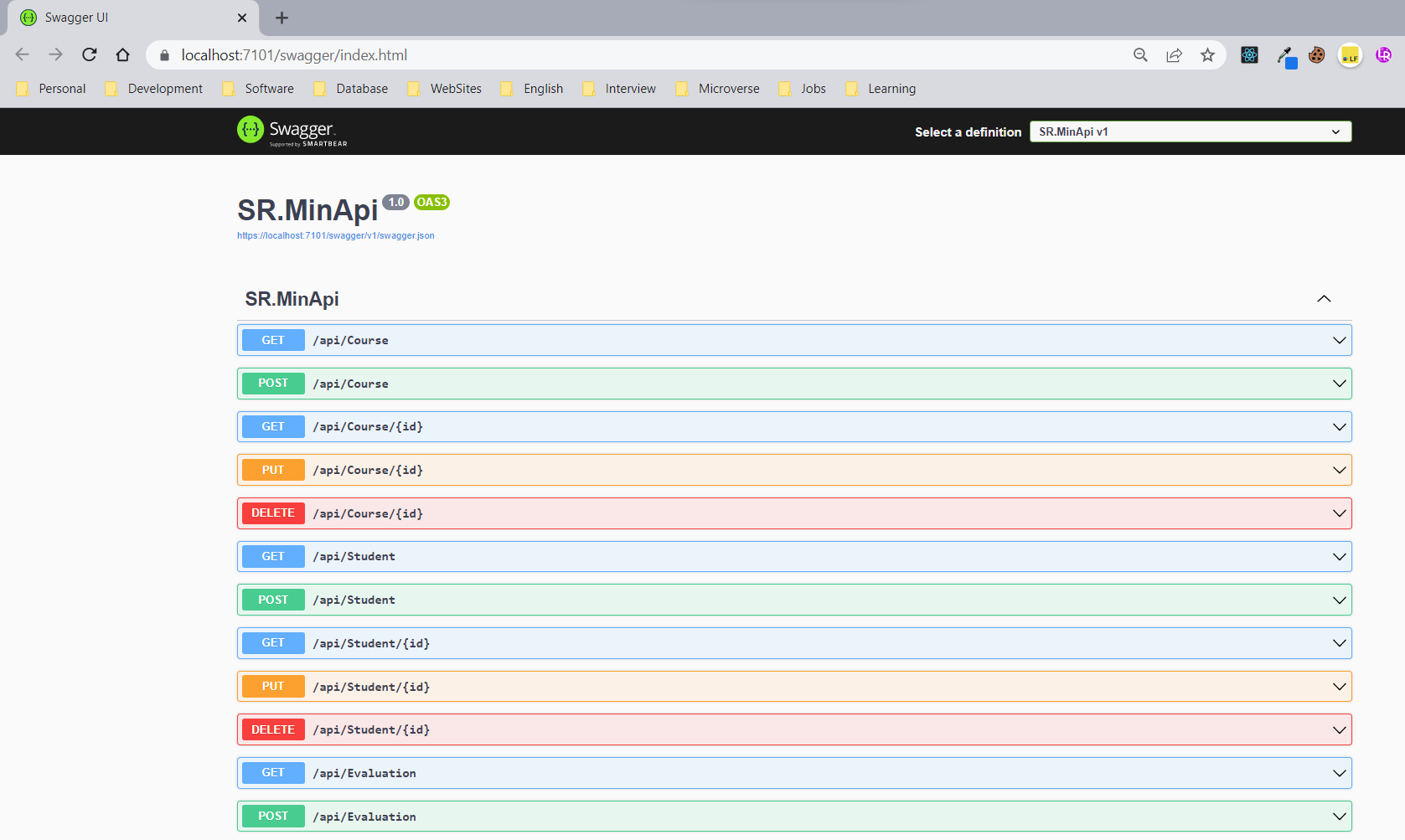
**Minimal Web Api:**
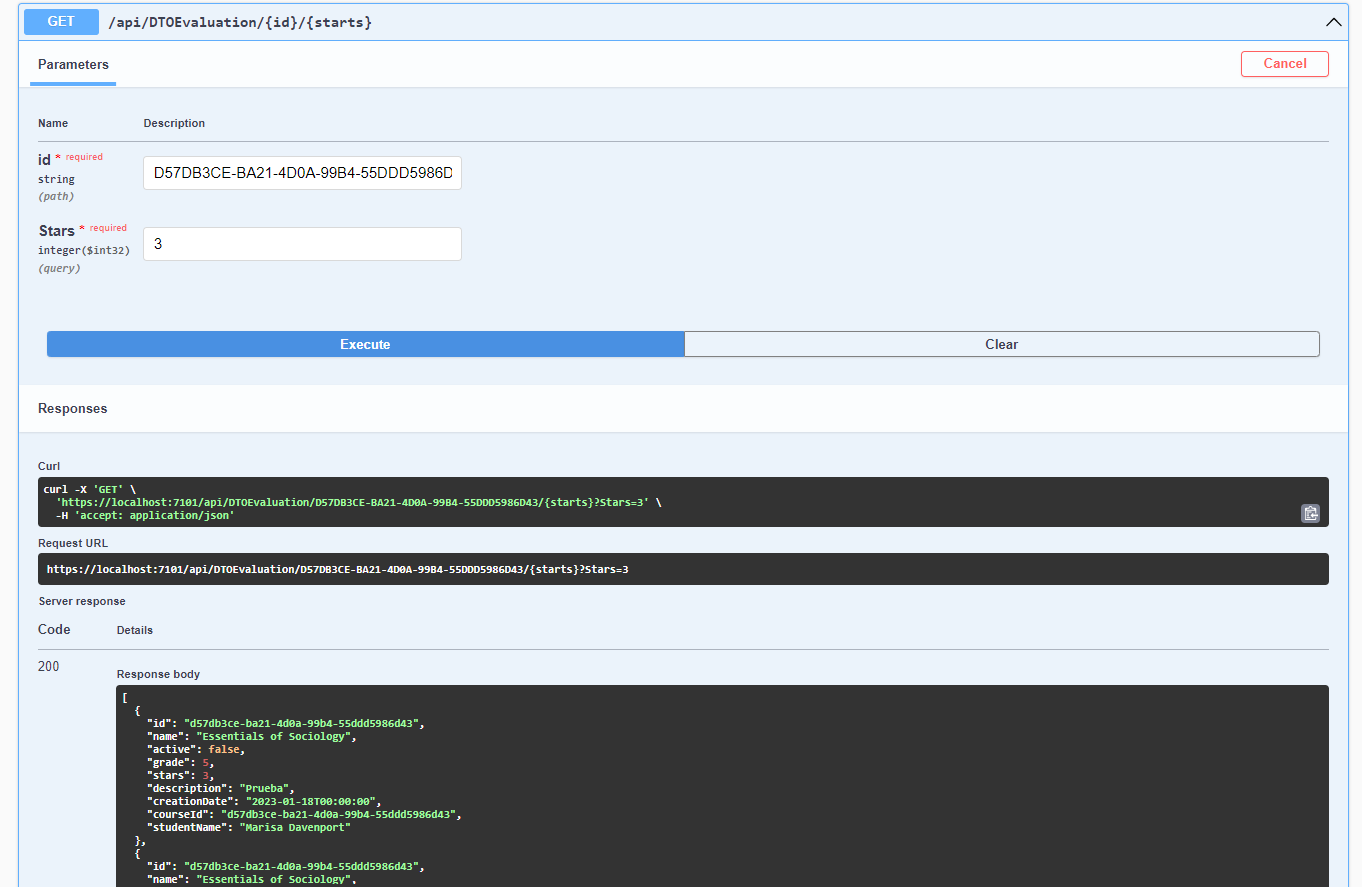
**Get Filtered Evaluations:**
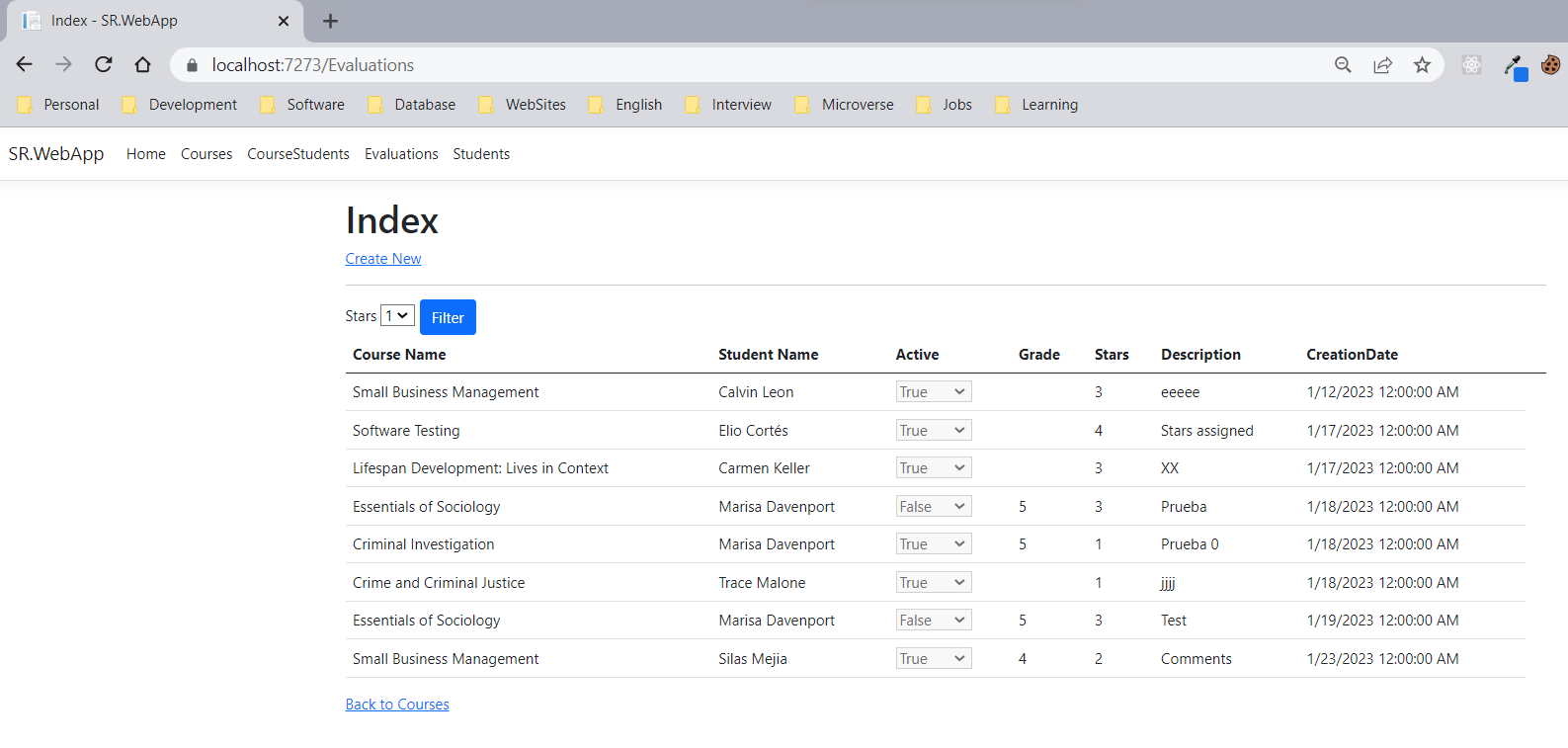
**ASP.NET Web App:**
Client
Server
Database
- **EF Core Database First**
- **Data Annotations**
- **Extension Methods**
- **Dependency Injection**
- **GIT Flow**
To get a local copy up and running, follow these steps:
### Prerequisites
In order to run this project you need:
- Visual Studio .NET 2022 updated to use NET Core 7
- SQL Server Database
### Setup
1. Clone this repository to your desired folder:
```sh
cd my-folder
git clone https://github.com/NeckerFree/SchoolRegistration
```
2. Create the Application database in SQl Server
3. Create a new User as db_owner of this batabase
4. Modify the connection string (SchoolConnection) to point your database in the files:
```
\SR.WebApp\appsettings.json
\SR.MinApi\appsettings.json
```
### Install
Install this project with:
1. Build the solution and assure that doesn't have errors
2. Set the desired project as default
3. If require run backend and frontend at same time: in Solution Explorer, right-click the solution name and select Set Startup Project.
Change the startup project from Single startup project to Multiple startup projects. Select Start for each project’s action.
### Usage
To run the project,
Start the application (F5), the /swagger/index.html page is displayed
👤 **Elio Cortés**
- GitHub: [@NeckerFree](https://github.com/NeckerFree)
- Twitter: [@ElioCortesM](https://twitter.com/ElioCortesM)
- LinkedIn: [elionelsoncortes](https://www.linkedin.com/in/elionelsoncortes/)
Contributions, issues, and feature requests are welcome!
Feel free to check the [issues page](../../issues/).
> Write a message to encourage readers to support your project
If you like this project please start my project
> - **What command are required to Scaffold from Scratch a DB First?**
- Run next commands:
```
dotnet add SR.DataAccess package Microsoft.EntityFrameworkCore.Design
dotnet add SR.DataAccess package Microsoft.EntityFrameworkCore.SqlServer
dotnet add SR.DataAccess package Microsoft.EntityFrameworkCore.Tools
dotnet tool update --global dotnet-ef
dotnet ef dbcontext scaffold "Data Source=localhost\ELIO_SQL;Initial Catalog=[your database]; User Id=[your user];Password=[your password];Encrypt=False"
Microsoft.EntityFrameworkCore.SqlServer --project SR.DataAccess --output-dir "SR.Models\Models" --context-dir "SR.DataAccess\Data" --namespace SR.Models
--context-namespace SR.DataAccess --context SchoolContext -f --no-onconfiguring --data-annotations
dotnet tool install --global dotnet-ef
dotnet tool update --global dotnet-ef
```
This project is [MIT](./LICENSE) licensed.
_NOTE: we recommend using the [MIT license](https://choosealicense.com/licenses/mit/) - you can set it up quickly by [using templates available on GitHub](https://docs.github.com/en/communities/setting-up-your-project-for-healthy-contributions/adding-a-license-to-a-repository). You can also use [any other license](https://choosealicense.com/licenses/) if you wish._