https://github.com/neildavis/mgpr-pi
Shell script to automate install of Ben Geeves' Monaco GP Remake on Raspberry Pi OS using box86/box64 userspace emulation
https://github.com/neildavis/mgpr-pi
arcade box64 box86 emulation game linux monacogp raspberry-pi raspberrypi sega shell-script
Last synced: about 1 year ago
JSON representation
Shell script to automate install of Ben Geeves' Monaco GP Remake on Raspberry Pi OS using box86/box64 userspace emulation
- Host: GitHub
- URL: https://github.com/neildavis/mgpr-pi
- Owner: neildavis
- License: mit
- Archived: true
- Created: 2023-01-05T22:09:50.000Z (over 3 years ago)
- Default Branch: main
- Last Pushed: 2024-11-28T12:05:06.000Z (over 1 year ago)
- Last Synced: 2025-03-14T21:49:48.251Z (over 1 year ago)
- Topics: arcade, box64, box86, emulation, game, linux, monacogp, raspberry-pi, raspberrypi, sega, shell-script
- Language: Shell
- Homepage:
- Size: 35.2 KB
- Stars: 1
- Watchers: 2
- Forks: 0
- Open Issues: 0
-
Metadata Files:
- Readme: README.md
- License: LICENSE
Awesome Lists containing this project
README
# mgpr-pi #
## Play Monaco GP Remake on a Raspberry Pi ##
[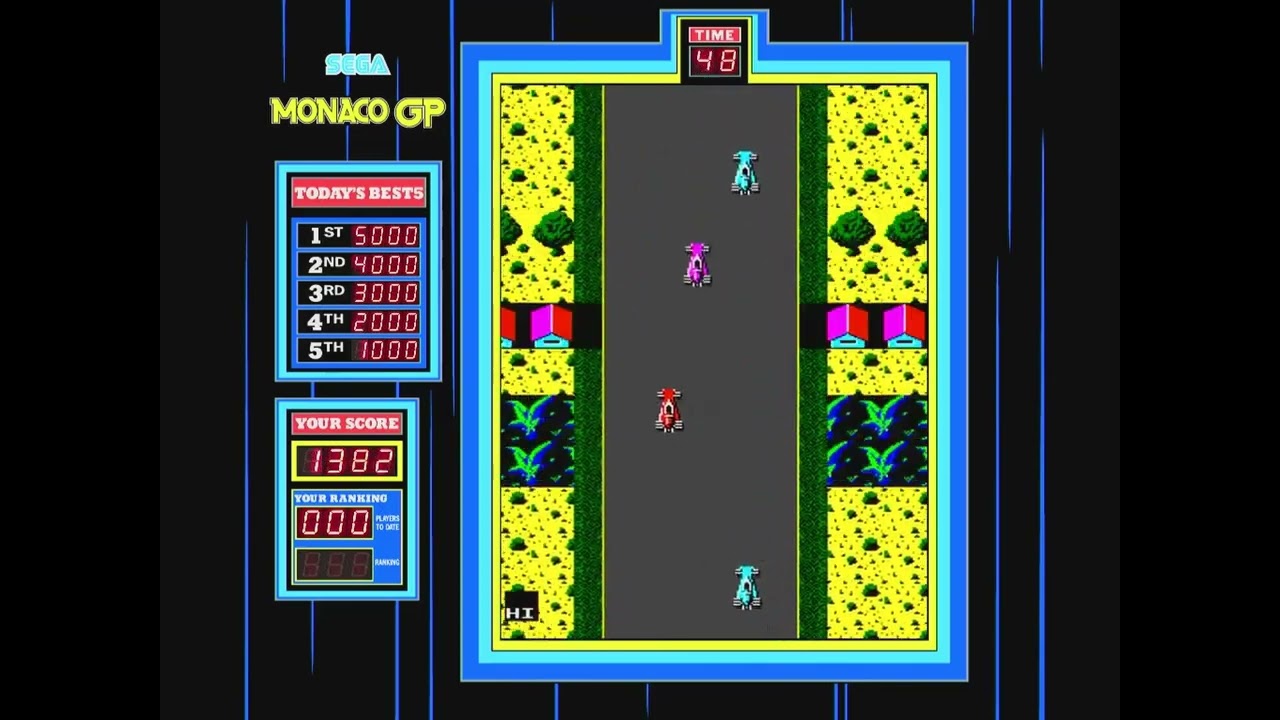](https://www.youtube.com/watch?v=LI3msMjCAkY)
## STATUS: OBSOLETE ##
Since I developed this script I have had the opportunity to work with Ben to develop a fully native version of MGPr
for the latest Raspberry Pi OS which, as well as a slew of additional updates, will run with superior performance
Please see the [MGPr homepage](https://forum.arcadecontrols.com/index.php?topic=134445.0) for more details.
This project now is useful ONLY as a study/example of how to run x86/x64 binaries on ARM architecture devices like
the Raspberry Pi using user space emulation tools like box86/box64.
## Overview ##
This repo contains a shell script to automate installation of Ben Geeves' amazing
[Monaco GP Remake](http://forum.arcadecontrols.com/index.php?topic=134445.0)
game on [Raspberry Pi OS](https://www.raspberrypi.com/software/).
Ben only released binaries of this game for Windows & Linux systems using Intel/AMD x86/x64 CPUs.
Since the Raspberry Pi uses an ARM CPU, the game will not run on Raspberry Pi OS - at least not natively.
Since source code is not available, I decided to see if it was possible to use emulation to run the
game on a Pi, and was delighted to discover that it is indeed possible, thanks in a large part to the magic of
[box86](https://github.com/ptitSeb/box86) and [box64](https://github.com/ptitSeb/box64).
The process of getting it running was still not simple though, due to the requirement to hunt down x86/x64 versions of
several libraries that the game depended on, but are not yet natively 'wrapped' by box86.
Also, the game requires X11, and whilst that means it will run fine in the Desktop version of Raspberry Pi OS,
I wanted to run it from the CLI, which is possible using [xinit](https://en.wikipedia.org/wiki/Xinit) but
requires yet more configuration.
So I decided to put this script together to automate the process in hope that that it helps others to enjoy this
amazing game on their Pis.
## Limitations ##
* Only Raspberry Pi 2, 3 & 4 models are currently supported with 1GB or more of RAM.
The original Pi and Pi Zero use an ARM chip that is not supported by box86's 'DynaRec' (dynamic recompiler)
so performance would suffer.
The Pi Zero 2 may work, but the 512 MB RAM is likely to be a problem building box86/box64 and I don't have one to test on.
* box64 build is unstable on devices with < 2GB RAM (e.g. RPi3). You may want to use a 32-bit OS for these devices.
* It has only been tested against the 'Bullseye' release.
* It requires the use of the KMS GL driver to get playable performance.
## DISCLAIMER - **USE AT YOUR OWN RISK** ##
This script necessarily makes use of [`sudo`](https://en.wikipedia.org/wiki/Sudo)
for some operations.
Some of these will make changes to your Pi that you may not want and/or may break other software.
e.g. it may increase the size of the
[swap file](https://www.linux.com/news/all-about-linux-swap-space/).
I do not claim to be an expert in Linux/Raspberry Pi OS. This works for me, but I am unable to test this script with every combination of hardware & software environment.
It's possible that I have made an error that will cause unrecoverable damage to your Pi system image and leave it 'bricked'.
I will not be held responsible for any loss resulting from the use of this script, as per the conditions
contained in the [LICENSE](LICENSE). I encourage you to read and understand the script contents prior to running it.
I **do not** recommend you use this script if you have valuable data on your Pi and/or the Pi is already in use for
something important to you.
I **do** recommend you backup your data and use a fresh install of Raspberry Pi OS 'Bullseye' on a spare SD card
to run this script.
## Installation ##
### Prerequisites ###
The following steps should be done **BEFORE** using the script to prepare your Pi.
These assume a fresh install of Raspberry Pi OS 'Bullseye' Lite edition.
Your Pi must also have internet access for this whole process.
1. If your Pi has less than 4 GB of RAM (all Pis pre v4 and some v4s), reduce the GPU share to 16 MB:
`sudo raspi-config` -> Performance Options -> GPU Memory
This is done to give as much RAM as possible to the CPU when building box86
2. Expand the file system to use all of the SD card if you didn't already:
`sudo raspi-config` -> Advanced Options -> Expand Filesystem
3. Enable the KMS GL driver:
`sudo raspi-config` -> Advanced Options -> GL Driver -> (Full KMS)
This option might not be present on latest Bullseye since KMS is enabled by default now.
You probably want 'Fake KMS' if running on 'Buster' but this hasn't been thoroughly tested.
4. (Optional) Enable SSH if you want to and know how to use it!
`sudo raspi-config` -> Interface Options -> SSH
5. Update your system:
`sudo apt update && sudo apt -y upgrade`
6. Reboot!
### Getting the Script ###
You may copy the [install_mgpr_pi.sh](install_mgpr_pi.sh) script from this repo to your Pi anyway you wish
(e.g. using `scp` if you enabled SSH). This is the only file from this repo required to install `mgpr`.
Alternatively, clone direct from GitHub on your Pi:
```shell
sudo apt install git
git clone https://github.com/neildavis/mgpr-pi.git
cp mgpr-pi/*.sh ~/
cd
```
### Configuring the Script ###
The script makes certain assumptions about the display and orientation of the game.
These can be overridden by changing the variables at the top of the script to match
your setup. In particular you may want to change some/all of the variables prefixed
`mgpr_cfg_` and `mgpr_display_` to suit your needs. See the comments in the script
for more details.
You may also want to change `debian_package_mirror` to a
[server nearer to you](https://www.debian.org/mirror/list).
### Running the Script ###
```shell
./install_mgpr_pi
```
Wait for the script to finish. It will take some time as box86/box64 take a while to build,
especially if you have less than 4GB of RAM where only one core witll be used.
### Post-install ###
After installation, you'll probably want to reset your GPU memory to 64+ MB using `raspi-config` if you reduced it earlier.
Another reboot is also advised.
## Running MGPR ##
### Running from CLI mode ###
If you're using the 'Lite' version of Raspberry Pi OS and/or booting directly into the CLI console
the game needs to run under `xinit`. The install script generated two files to enable this:
1. `mgpr_v1_4_6_linux/.xinitrc`
A `xinit` config file for the X11 server used to run the game.
You may need to edit the this file to match your particular display if you didn't configure the script
variables beforehand (See [Configuring the script](#configuring-the-script)).
2. `~/bin/mgpr.sh`
A convenience script to launch the game.
```shell
~/bin/mgpr.sh
```
### Running under the X11 Desktop ###
If you're using the full Desktop version of Raspberry Pi OS, you should just be able to launch the `mgpr` executable
from the `mgpr_v1_4_6_linux` directory directly. e.g. from a new Terminal window:
```shell
cd mgpr_v1_4_6_linux
./mgpr
```
The convenience script should also work since it will detect the X11 $DISPLAY
```shell
~/bin/mgpr.sh
```
## Known Issues ##
1. On the 32-bit install only, some characters may be missing from the text in the intro screen
and also in the menu and banner text for 'time', 'score' etc in the game.
I'm not sure what causes this but it's something to do with the KMS rendering pipeline
since it doesn't happen with the 'Legacy' GL driver, but the game is unbearably slow
under that driver without full GL acceleration support.
2. On systems with less than 2 GB RAM the box86/box64 builds may fail due to memory exhaustion.
If this happens you can usually just start the script again.
## Troubleshooting ##
If the installation succeeds but the game doesn't run, try running it directly but prefixing
the command with `BOX86_LOG=1` (`BOX64_LOG=1` on 64-bit systems). This will cause box86 to spit put lots of debug info that
may be helpful in resolving the issue. e.g.
```shell
cd mgpr_v1_4_6_linux
BOX86_LOG=1 ./mgpr
```
## TODO: ##
1. Make configuration more friendly. Perhaps interactive?
2. Add support for Pi Zero 2 by building box86 for RPi3 and/or forking box86 to add (-DRPIZ2) support.
3. Build & host prebuilt `.deb` package builds for box86 & box64 to save time and build/RAM issues.
## Contributing ##
Please feel free to fork and send pull requests.