https://github.com/nemr0/sqflite_live
View/Query sqflite on a locally hosted sqlite viewer.
https://github.com/nemr0/sqflite_live
sqflite sqflite-database
Last synced: 8 months ago
JSON representation
View/Query sqflite on a locally hosted sqlite viewer.
- Host: GitHub
- URL: https://github.com/nemr0/sqflite_live
- Owner: nemr0
- License: other
- Created: 2025-05-11T08:55:39.000Z (about 1 year ago)
- Default Branch: master
- Last Pushed: 2025-05-19T13:48:50.000Z (about 1 year ago)
- Last Synced: 2025-10-22T22:54:58.511Z (8 months ago)
- Topics: sqflite, sqflite-database
- Language: Dart
- Homepage:
- Size: 8.76 MB
- Stars: 0
- Watchers: 1
- Forks: 0
- Open Issues: 1
-
Metadata Files:
- Readme: README.md
- Changelog: CHANGELOG.md
- License: LICENSE
Awesome Lists containing this project
README
# sqflite\_live
A Dart package that spins up a local HTTP/WebSocket server to provide a live, real-time view of your SQLite database (`sqflite`) in the browser or any networked device.
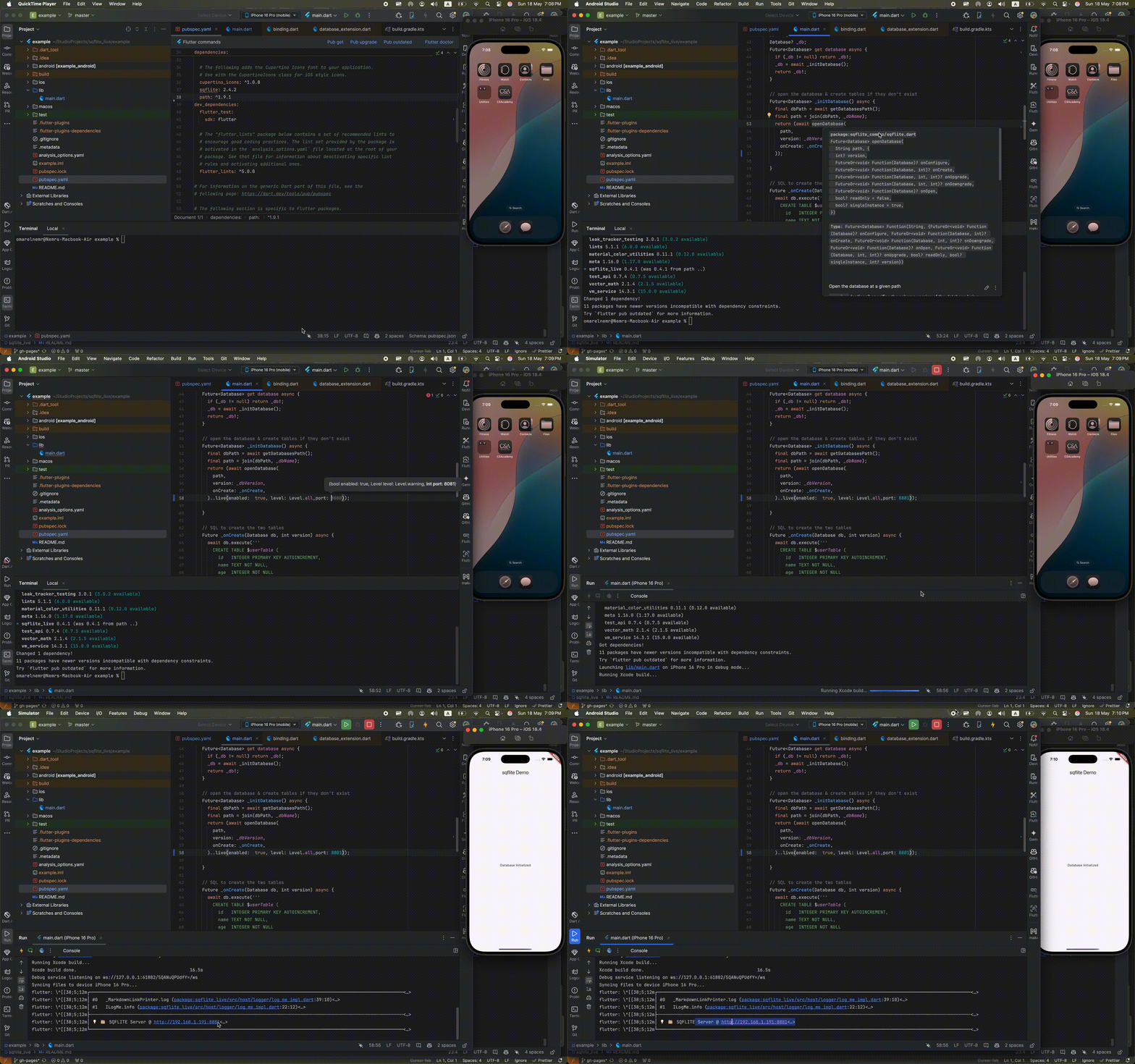
## Demo
## Features
- [x] Runs a local server with a symbolic link to your sqflite db file.
- [x] Runs on any device on the same network using the provided link.
- [x] Just refresh for updates.(on any CRUD operation just refresh your browser)
- [x] Deletes all unneeded data after closing the server.
- [ ] Adding a widget for showing that the server is running.
## Credits
This package utilizes a custom version of [sqlite_viewer](https://github.com/inloop/sqlite-viewer) for displaying and interacting with the SQLite database.
## Installation
Add the package to your `pubspec.yaml`:
```yaml
dependencies:
sqflite_live: ^1.0.0
```
Then run:
```bash
flutter pub get
```
## Example Usage
In your Flutter app, simply call `.live()` on your database instance. For example:
```dart
import 'package:path/path.dart';
import 'package:sqflite/sqflite.dart';
import 'package:sqflite_live/sqflite_live.dart';
Future _initDatabase() async {
final dbPath = await getDatabasesPath();
final path = join(dbPath, 'my_database.db');
return (await openDatabase(
path,
version: 1,
onCreate: (db, version) async {
await db.execute(
'CREATE TABLE items(id INTEGER PRIMARY KEY, name TEXT)',
);
},
))
// Start the live server on port 8080
..live(port: 8080);
}
```
Now run your app and open your browser (or any device on the same network) to:
```
http://:8080
```
to view and interact with live database updates.
## Platform-Specific Permissions
Most Apps doesn't need these permissions and work correctly without them, but if you want to access the sqlite viewer from other devices on the same network, you need to add some permissions.
### Android
if you are using an emulator and you want to access the sqlite viewer from host, run in your terminal:
`adb -s emulator-5554 forward tcp:8081 tcp:8081`
replace `emulator-5554` with your emulator ID and `8081` with your selected port.
it's advised to use this in debug mode only as you can use `AndroidManifest.xml` inside your `debug` folder.
In **android/app/src/main/AndroidManifest.xml**, ensure you have:
```xml
...>
```
If targeting Android 9+ and you want to restrict cleartext to local LAN only, create `android/app/src/main/res/xml/network_security_config.xml`:
```xml
10.0.2.2
192.168.*.*
```
Then reference it in your `AndroidManifest.xml`:
```xml
```
### iOS
it's advised to use this in debug mode only as you can create a `info-development.plist`
In **ios/Runner/Info.plist**, add:
```xml
NSLocalNetworkUsageDescription
This app needs to host a local HTTP server to provide a live view of the database on other devices.
NSBonjourServices
_http._tcp
```
After installation, iOS will prompt:
> “"YourApp" Would Like to Find and Connect to Devices on Your Local Network.”
Be sure the user grants this, or go to **Settings → Privacy → Local Network**.
### macOS
it's advised to use this in debug mode only as you can create a `info-development.plist`
For Flutter desktop apps, add these entitlements and Info.plist entries.
**macos/Runner/DebugProfile.entitlements** & **Release.entitlements**:
```xml
com.apple.security.network.client
com.apple.security.network.server
```
**macos/Runner/Info.plist**:
```xml
NSLocalNetworkUsageDescription
This app hosts a local HTTP server for live database debugging.
NSBonjourServices
_http._tcp
```
Reinstall the app to see the Local Network permission prompt in System Settings.
## License
[BSD 3-clause license](https://opensource.org/license/BSD-3-Clause) © Omar Elnemr