https://github.com/neocmakelsp/neocmakelsp
Another cmake lsp
https://github.com/neocmakelsp/neocmakelsp
cmake lsp-server rust
Last synced: 5 months ago
JSON representation
Another cmake lsp
- Host: GitHub
- URL: https://github.com/neocmakelsp/neocmakelsp
- Owner: neocmakelsp
- License: mit
- Created: 2022-07-02T15:34:58.000Z (about 4 years ago)
- Default Branch: master
- Last Pushed: 2025-04-10T10:33:19.000Z (over 1 year ago)
- Last Synced: 2025-04-10T11:02:21.290Z (over 1 year ago)
- Topics: cmake, lsp-server, rust
- Language: Rust
- Homepage: https://neocmakelsp.github.io/
- Size: 4.72 MB
- Stars: 254
- Watchers: 6
- Forks: 22
- Open Issues: 5
-
Metadata Files:
- Readme: README.md
- Changelog: CHANGELOG.md
- Funding: .github/FUNDING.yml
- License: LICENSE
Awesome Lists containing this project
README
# CMake LSP implementation based on Tower and Tree-sitter
[](https://crates.io/crates/neocmakelsp)
[](https://github.com/neocmakelsp/neocmakelsp/actions)
[](https://codecov.io/gh/neocmakelsp/neocmakelsp)
[](https://repology.org/project/neocmakelsp/versions)
**Intelligent Code Completion**: Provides precise code completions by analyzing CMake files, enhancing development efficiency.
- **Real-time Error Detection**: Integrates linting functionality to check for potential issues in your code, help maintaining code quality.
- **Support for Neovim, Emacs, VSCode, Helix**: Compatible with these popular editors, catering to diverse developer needs.
- **Simple Configuration**: Easy to set up and use, minimizing configuration time so you can focus on development.
- **CLI Integration**: Not only an LSP, but also includes command-line tools for code formatting, making it convenient for different environments.
If you have any questions or want to help in other ways, feel free to join [out matrix room](https://matrix.to/#/!wqKdajPSKyqqLoFnlA:mozilla.org?via=mozilla.org&via=matrix.org).
# Table of Contents
1. [Installation](#installation)
2. [Documentation](#documentation)
3. [Configuration](#configuration)
4. [Features](#features)
5. [Editor Support](#editor-support)
- [Neovim Configuration](#neovim)
- [Helix Configuration](#helix)
- [Emacs Configuration](#emacs)
6. [Visual Examples](#visual-examples)
7. [User Feedback](#user-feedback)
## Installation
```bash
cargo install neocmakelsp
```
## Documentation
A new documentation site can be found at https://neocmakelsp.github.io/docs.
## Configuration
The configuration file can either be named .neocmake.toml or .neocmakelint.toml and is resolved in the current project directory. If neither is found, a user configuration file in $XDG_CONFIG_DIR/neocmakelsp either named config.toml or lint.toml can be used.
for example
```toml
command_case = "lower_case" # or "upper_case"
enable_external_cmake_lint = true # true to use external cmake-lint
line_max_words = 80
[format]
program = "gersemi"
# Use two space indentation.
args = ["--indent", "2"]
```
You can read https://neocmakelsp.github.io/docs for more details.
## Editor Support
### Neovim
The configuration of `neocmakelsp` is in [`nvim-lspconfig`](https://github.com/neovim/nvim-lspconfig), so just follow `nvim-lsp-config` to setup it
`neocmakelsp` can talk to clients in two ways: `stdio` and `tcp`. `tcp` is primarily for debugging. If you want to add a feature or find a bug, you should connect via `tcp`.
#### `stdio`
```lua
local configs = require("lspconfig.configs")
local nvim_lsp = require("lspconfig")
if not configs.neocmake then
configs.neocmake = {
default_config = {
cmd = { "neocmakelsp", "--stdio" },
filetypes = { "cmake" },
root_dir = function(fname)
return nvim_lsp.util.find_git_ancestor(fname)
end,
single_file_support = true,-- suggested
on_attach = on_attach, -- on_attach is the on_attach function you defined
init_options = {
format = {
enable = true
},
lint = {
enable = true
},
scan_cmake_in_package = true -- default is true
}
}
}
nvim_lsp.neocmake.setup({})
end
```
* In nvim0.11
```lua
vim.lsp.config("neocmake", {
-- Some config
-- If none, just enable it
})
vim.lsp.enable("neocmake")
```
#### `tcp`
```lua
if not configs.neocmake then
configs.neocmake = {
default_config = {
cmd = vim.lsp.rpc.connect('127.0.0.1','9257'),
filetypes = { "cmake" },
root_dir = function(fname)
return nvim_lsp.util.find_git_ancestor(fname)
end,
single_file_support = true,-- suggested
on_attach = on_attach, -- on_attach is the on_attach function you defined
init_options = {
format = {
enable = true
}
}
}
}
nvim_lsp.neocmake.setup({})
end
```
### Helix
#### `stdio`
```toml
[[language]]
name = "cmake"
auto-format = true
language-servers = [{ name = "neocmakelsp" }]
[language-server.neocmakelsp]
command = "neocmakelsp"
args = ["--stdio"]
```
#### `tcp`
```toml
[[language]]
name = "neocmake"
auto-format = true
language-servers = [{ name = "neocmakelsp" }]
[language-server.neocmakelsp]
command = "nc"
args = ["localhost", "9257"]
```
### Emacs
To use `neocmakelsp` with eglot:
``` emacs-lisp
(use-package cmake-ts-mode
:config
(add-hook 'cmake-ts-mode-hook
(defun setup-neocmakelsp ()
(require 'eglot)
(add-to-list 'eglot-server-programs `((cmake-ts-mode) . ("neocmakelsp" "stdio")))
(eglot-ensure))))
```
## Features
- watchfile
- complete
- symbol_provider
- On hover
- Format
- CodeAction
- document_link
- GO TO Definition
- find_package
- include
- Search cli
- Get the project struct
- It is also a cli tool to format
- Lint
- Rename
## Lint form 6.0.27
Lint is controlled by a configuration file. The configuration file can be at the project level (the file named `.neocmake.toml` located in the root of the project) or at the user level (when project-level configuration is not found). The user-level configuration file differs across different operating systems:
* Linux: `$XDG_CONFIG_HOME/neocmakelsp/config.toml` or `$HOME/.config/neocmakelsp/config.toml`
* macOS: `$HOME/Library/Application Support/neocmakelsp/config.toml`
* Windows: `{FOLDERID_RoamingAppData}/neocmakelsp/config.toml`
```toml
command_case = "lower_case" # or "upper_case"
```
This will check the case of all commands.
### `cmake-lint` integration
When [`cmake-lint`](https://cmake-format.readthedocs.io/en/latest/cmake-lint.html) is installed, `neocmakelsp` can utilize it to offer linting and code analysis each time the file is saved. This functionality can be enabled or disabled in the `.neocmake.toml` file:
```toml
enable_external_cmake_lint = true # true to use external cmake-lint, or false to disable it
```
If `enable_external_cmake_lint` is turned on but `cmake-lint` is not installed, external linting will not report any error message.
### internal lint
cmake-lint now is disabled by default from 0.8.18. And from 0.8.18, neocmakelsp itself starts to support similar lint functions like cmake-lint.
```toml
line_max_words = 80 # this define the max words in a line
```
### If you want to use watchfile in Neovim, set
```lua
capabilities = {
workspace = {
didChangeWatchedFiles = {
dynamicRegistration = true,
relative_pattern_support = true,
},
},
}
```
It will check `CMakeCache.txt`, and get whether the package is exist
Snippet Support
```lua
capabilities = {
textDocument = {
completion = {
completionItem = {
snippetSupport = true
}
}
}
}
```
### LSP init_options
```lua
init_options = {
format = {
enable = true, -- to use lsp format
},
lint = {
enable = true
},
scan_cmake_in_package = false, -- it will deeply check the cmake file which found when search cmake packages.
semantic_token = false,
-- semantic_token highlight. if you use treesitter highlight, it is suggested to set with false. it can be used to make better highlight for vscode which only has textmate highlight
}
```
## TODO
- Undefined function check
## Visual Examples
### Search

### symbol

### Complete and symbol support


### OnHover

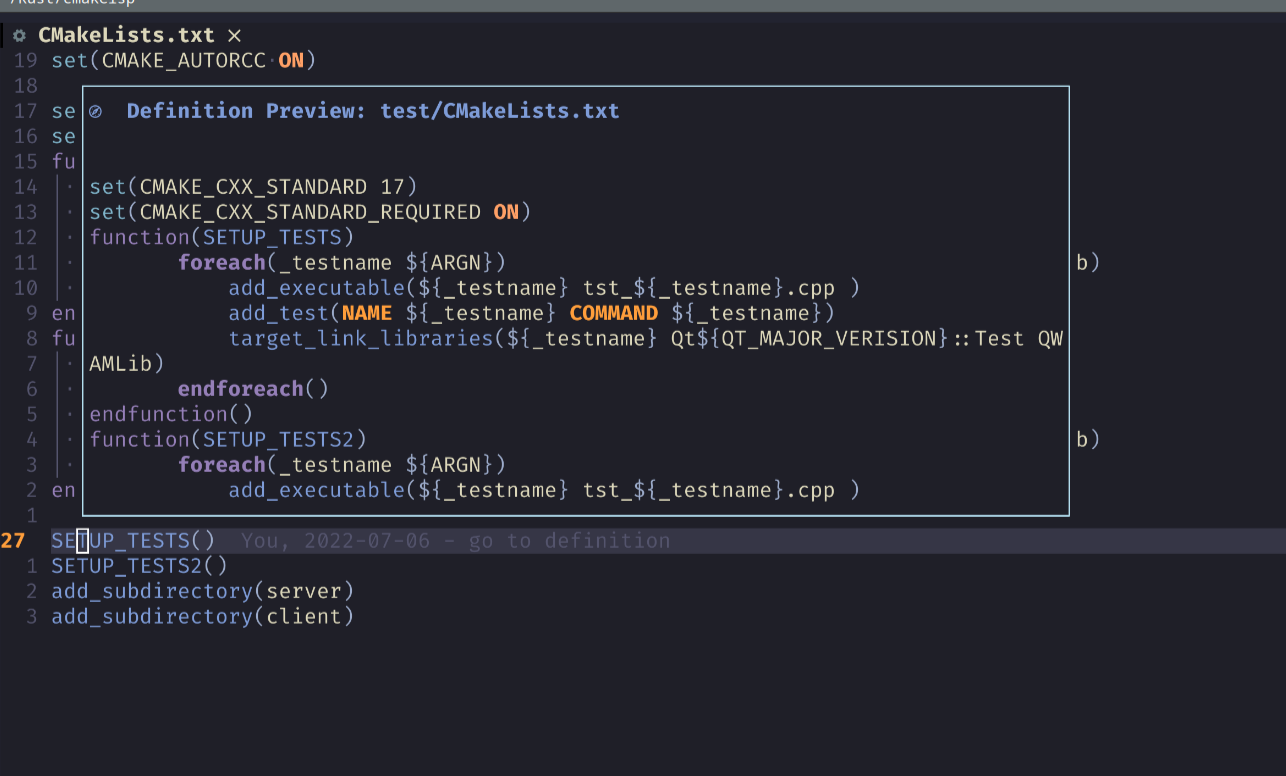
### GoToDefinition

### Tree

### Format cli
_Note: When formatting files, make sure that your `.editorconfig` file is in your working directory_
```
format the file
Usage: neocmakelsp {format|--format|-F} [OPTIONS] ...
Arguments:
... file or folder to format
Options:
-o, --override override
-h, --help Print help
```
It will read `.editorconfig` file to format files, just set like
```ini
[CMakeLists.txt]
indent_style = space
indent_size = 4
```
#### Note
The format do the min things, just do `trim` and place the first line to the right place by the indent you set, this means
```cmake
function(A)
set(A
B
C
)
endfunction()
```
it will just become
```cmake
function(A)
set(A
B
C
)
endfunction()
```
It just remove the space in the end, replace `\t` at the begin of each line to ` `, if set `indent_size` to space, and format the first line to right place. It does little, but I think it is enough.
## User Feedback
* I do not know if all features will work on macOS and Windows, so if someone use macOS or Windows, please open an issue if you find any bugs.
* I want a co-maintainer, who ideally is familiar with macOS, Windows and LSP.