https://github.com/neon-software-dev/wired
The Wired game and render engine
https://github.com/neon-software-dev/wired
cpp game-engine gamedev vulkan
Last synced: 12 months ago
JSON representation
The Wired game and render engine
- Host: GitHub
- URL: https://github.com/neon-software-dev/wired
- Owner: neon-software-dev
- License: gpl-3.0
- Created: 2025-07-12T22:47:08.000Z (about 1 year ago)
- Default Branch: main
- Last Pushed: 2025-07-15T00:03:10.000Z (12 months ago)
- Last Synced: 2025-07-15T03:48:45.104Z (12 months ago)
- Topics: cpp, game-engine, gamedev, vulkan
- Language: C++
- Homepage:
- Size: 1.08 MB
- Stars: 2
- Watchers: 0
- Forks: 0
- Open Issues: 0
-
Metadata Files:
- Readme: README.md
- License: LICENSE
Awesome Lists containing this project
README
# Wired



Wired is a cross-platform, C++23, 2D/3D, game and render engine.
The Wired Renderer currently ships with a Vulkan-based GPU implementation.
## Screenshots

## Tech Demo Video
[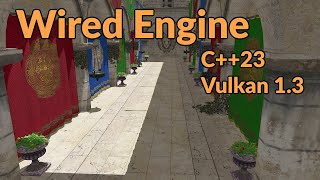](https://youtu.be/R-enitNsDyU)
## High-Level Features
- Cross Platform
- 2D & 3D Rendering
- Entity Component System
- Asset Loading System
- Point, Spot, and Directional Lights
- Single, Cubic, and Stabilized Cascaded Shadow Mapping
- Material, Mesh, and Texture Systems
- PBR lighting
- Heightmap Mesh Generation
- Compute-Based GPU Culling, LOD Selection, Post Processing
- Node and Skeleton-Based Model Animations
- 3D Physics System
- Global and 3D Spatialized Audio System
- Player Controller
- Input Handling
## Sample Client
A sample client can be found at the link below. It's a minimal example of using Wired to create a window, load a package's resources, and render a model in 3D space.
[Sample Client](https://github.com/neon-software-dev/Wired/blob/main/samples/sample_client.cpp)
--
If you want to use package loading functionality to load assets from disk (```LoadPackageResources```), a sample package structure can be found at the link below. A ```wired``` directory with the indicated structure should be present in the runtime directory of your executable.
*(Note that models must be in their own subdirectory under assets/models, with the directory name matching the model file name, as demonstrated in the sample package).*
[Sample Package](https://github.com/neon-software-dev/Wired/blob/main/samples/PackageSample)
## Building The Engine
### Dependencies
Have available on the command line:
- CMake
- Python3 (If using any of the helper scripts)
- A C++ compiler
### Option 1 - Using the build script
The ```build.[sh/bat]``` script will configure dependencies, invoke CMake, and build (a distro build of) the engine for you.
### Option 2 - Building manually
The engine is defined by a typical CMake project, located in src.
The ```external/prepare_dependencies.[sh/bat]``` helper script uses vcpkg to fetch the engine's dependencies. It will create a local vcpkg repo and install the engine's dependencies into it.
Either use the ```prepare_dependencies``` script or provide dependencies manually to CMake later via your own means.
The ```CMakePresets.json``` file defines configurations for typical build presets. Preset names follow the pattern: ```desktop-[debug/release/distro]-[windows/linux]```.
Set ```BUILD_SHARED_LIBS ON/OFF``` for whether to build Wired as shared or static libraries.
**Sample CMake invocation:**
```cmake src --preset desktop-distro-linux -DBUILD_SHARED_LIBS=ON -DCMAKE_INSTALL_PREFIX=/install/location```
See also: The ```build.sh``` script, which does the above for you.