https://github.com/nerdyvisky/simpletodo
A simple todo CRUD webapp and micro API service, made using Node.js, MongoDB, and Express web framework. The purpose of the project is to learn the basics of backend development by building CRUD apps and REST APIs
https://github.com/nerdyvisky/simpletodo
crud-application express expressjs html-css-javascript javascript js mongodb mongodbatlas mongoose node nodejs rest-api
Last synced: 3 months ago
JSON representation
A simple todo CRUD webapp and micro API service, made using Node.js, MongoDB, and Express web framework. The purpose of the project is to learn the basics of backend development by building CRUD apps and REST APIs
- Host: GitHub
- URL: https://github.com/nerdyvisky/simpletodo
- Owner: NerdyVisky
- Created: 2021-12-11T06:46:10.000Z (over 4 years ago)
- Default Branch: main
- Last Pushed: 2021-12-11T07:06:13.000Z (over 4 years ago)
- Last Synced: 2025-08-04T19:47:03.239Z (11 months ago)
- Topics: crud-application, express, expressjs, html-css-javascript, javascript, js, mongodb, mongodbatlas, mongoose, node, nodejs, rest-api
- Language: JavaScript
- Homepage:
- Size: 25.4 KB
- Stars: 0
- Watchers: 1
- Forks: 0
- Open Issues: 0
-
Metadata Files:
- Readme: README.md
Awesome Lists containing this project
README
# simpleTodo - CRUD Application
## About
A simple todo CRUD webapp and micro API service, made using Node.js, MongoDB, and Express web framework. The purpose of the project is to learn the basics of backend development by building CRUD apps and REST APIs
## Setup Locally
_If you're not comfortable with command line, [here are tutorials using GUI tools.](#tutorials-using-other-tools)_
_If you don't have git on your machine, [install it](https://help.github.com/articles/set-up-git/)._
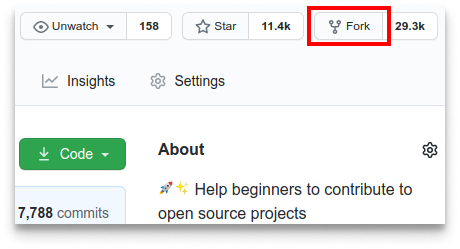
**1.** Star and Fork [this](https://github.com/NerdyVisky/simpleTodo.git) repository.
**2.** Clone your forked copy of the project.
```
git clone https://github.com//simpleTodo.git
```
**3.** Navigate to the project directory :file_folder: .
```
cd simpleTodo
```
**4.** Add a reference(remote) to the original repository.
```
git remote add upstream https://github.com/NerdyVisky/simpleTodo
```
**5.** Check the remotes for this repository.
```
git remote -v
```
**6.** Always take a pull from the upstream repository to your master branch to keep it at par with the main project (updated repository).
```
git pull upstream main
```
**7.** Open index.js in the root folder (on line 31 replace the default string to your mongoose URI)
```
.connect("YOUR_MONGODB_URI", {
```
**8.** Open the terminal in the root folder and run the command
```
npm install
```
**9.** In the same terminal, next run the command
```
npm run start
```
**9.** Go to http://localhost:5000 in your web browser and you are ready to use the webapp!
## API request root Route
```
http://localhost:5000/api/todos
```
## Tech Stack
- Node.js runtime
- Express server
- MongoDB Atlas cloud database
- HTML5
- SASS
- Vanilla JS for client-side rendering