https://github.com/netgfx/PhaseSlider
A slider UI component for Phaser.io Javascript library
https://github.com/netgfx/PhaseSlider
Last synced: 8 months ago
JSON representation
A slider UI component for Phaser.io Javascript library
- Host: GitHub
- URL: https://github.com/netgfx/PhaseSlider
- Owner: netgfx
- License: mit
- Created: 2015-09-17T07:19:27.000Z (almost 11 years ago)
- Default Branch: master
- Last Pushed: 2017-11-22T13:27:27.000Z (over 8 years ago)
- Last Synced: 2025-10-07T21:40:25.091Z (10 months ago)
- Language: JavaScript
- Size: 472 KB
- Stars: 45
- Watchers: 1
- Forks: 7
- Open Issues: 3
-
Metadata Files:
- Readme: README.md
- License: LICENSE
Awesome Lists containing this project
- awesome-phaser - PhaseSlider - A slider UI component for Phaser.io Javascript library (Uncategorized / Uncategorized)
README
# PhaseSlider
A slider UI component for Phaser.io Javascript library
Initialize the slider in your preload function
```
slider = new phaseSlider(game); //make sure to have slider publicly available
```
And then simply construct your slider in the main function of your game or anywhere else
```
slider.createSlider({
customSliderBG: false,
mode: "horizontal",
sliderBGAlpha: 0.8,
width: 500,
height: 400,
x: game.width / 2 - 500 / 2,
y: game.height / 2 - 400 / 2,
objects:[block1, block2, block3, block4, block5]
});
```
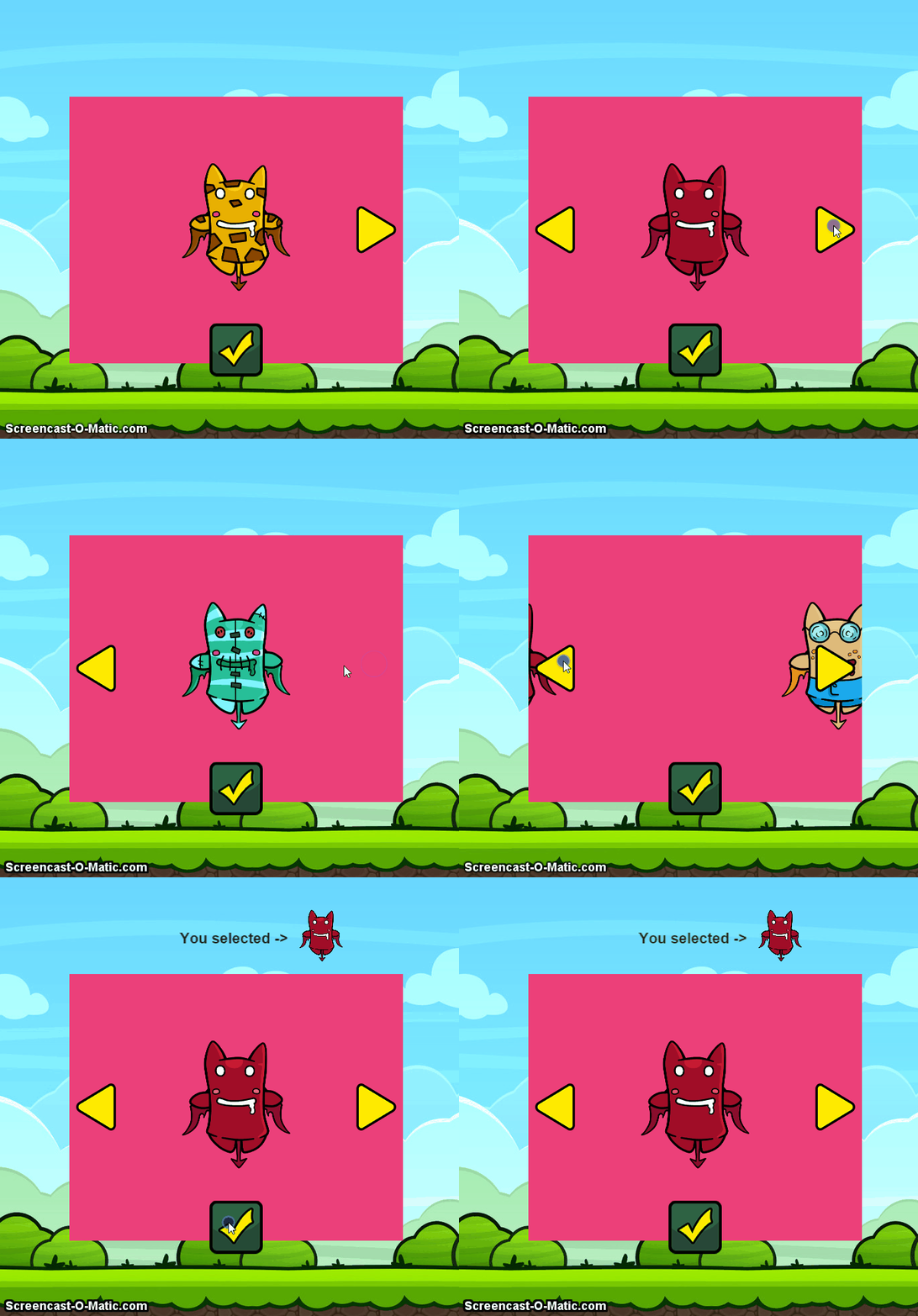
>View examples:
Advanced example |
Simple example
General Options:
-
mode: Type of movement for the slides (default horizontal, vertical-from-bottom, vertical-from-top) -
width: The width of the slider (default 500 pixels) -
height: The height of the slider (default 400 pixels) -
x The x position of the slider (default 0) -
y The y position of the slider (default 0) -
objects An array of sprites or groups that will be the slides (added as they appear on the array left->right) -
animationDuration: This sets the speed of the animation while sliding (default: 600ms) -
animationEasing: The easing applied to the sliding animation (default Phaser.Easing.Cubic.Out) -
sliderBG A single color to paint the background of the slider (default #35d2e0) -
customSliderBG A cache value to serve as a background for the slider (default false) -
sliderBGAlpha The alpha value for the slider background (default 1) -
customHandleNext A cache value for the the right arrow (if omited the liv has a build-in image to place) -
customHandlePrev A cache value for the the left arrow (if omited the liv has a build-in image to place) -
showHandles Whether or not to show arrows for slider navigation (default true) -
onNextCallback A callback function to be called when the slider navigates forward (default false) -
onPrevCallback A callback function to be called when the slider navigates backwards (default false) -
autoAnimate If we want the slider to aumatically rotate the slider (default false) -
animationDelay The delay between slide change when autoAnimate is set to true (default 2s) -
modal Add a black modal behind the slider (default false) -
modalAlpha The amount of alpha (opacity) for the slider modal (default 0.7) -
staticElements The static elements that need to be added but not move (default []) -
onPrePrevCallback The function to call `before` the slider moves to the `previous` slide (default false) -
onPreNextCallback The function to call `before` the slider moves to the `next` slide (default false) -
onAfterPrevCallback The function to call `after` the slider moves to the `previous` slide (default false) -
onAfterNextCallback The function to call `after` the slider moves to the `next` slide (default false)
API Functions
-
createSlider | Creates the slider object and the slides -
startSlider | Starts the automatic rotation of the slider if autoAnimate is set to true -
stopSlider | Stops the automatic rotation of slides -
moveToSlide | Navigate to specific slide index (args: index:Number, animated:Boolean) -
goToNext | Navigate to the next slide -
goToPrev | Navigate to the previous slide -
getCurrentIndex | Receive the current slide index -
hideSlider | Render the slider not visible (the slider will not be able to receive input events) -
showSlider | Render the slider visible
*Note: When automatic rotation has started, navigating from the control arrows (next, prev) will stop the auto animation
>Please let me know if you come across some bug or have something to contribute