https://github.com/netlah/echoserviceapi
ASP.NET Core WebApi provide Echo Service for testing deployment and integration environment
https://github.com/netlah/echoserviceapi
Last synced: 5 months ago
JSON representation
ASP.NET Core WebApi provide Echo Service for testing deployment and integration environment
- Host: GitHub
- URL: https://github.com/netlah/echoserviceapi
- Owner: NetLah
- License: mit
- Created: 2021-06-17T08:13:07.000Z (about 5 years ago)
- Default Branch: main
- Last Pushed: 2024-03-25T05:56:54.000Z (over 2 years ago)
- Last Synced: 2024-03-25T06:48:48.152Z (over 2 years ago)
- Language: C#
- Homepage: https://hub.docker.com/r/netlah/echo-service-api
- Size: 368 KB
- Stars: 1
- Watchers: 2
- Forks: 0
- Open Issues: 1
-
Metadata Files:
- Readme: README.md
- License: LICENSE
Awesome Lists containing this project
README
# ASP.NET Core Echo Service WebApi
ASP.NET Core WebApi provide Echo Service Api for troubleshooting and diagnosing during deployment and integration. This is useful tool on detecting deployment (setup environment) and development issue OAuth and OIDC with deployment environment.
## Build Status
[](https://actions-badge.atrox.dev/NetLah/EchoServiceApi/goto?ref=main)
## Getting started
### Use docker run
- Check docker repository on Docker Hub: https://hub.docker.com/r/netlah/echo-service-api
- Support Linux and Windows Server 2019 with nanoserver 1809 base.
- This docker repository not support tag `latest` and multi arch yet, there is 2 tags `linux` and `nanoserver-1809`
```
docker pull netlah/echo-service-api:linux
docker run -d -p 5000:80 --name echoapi netlah/echo-service-api:linux
docker logs -f echoapi
docker rm -f echoapi
```
### Run ASP.NET Core Echo Service API from command line using dotnet
- Checkout source code from GitHub
- Run the ASP.NET Core WebApi application using command line
```
dotnet run -p EchoServiceApi
```
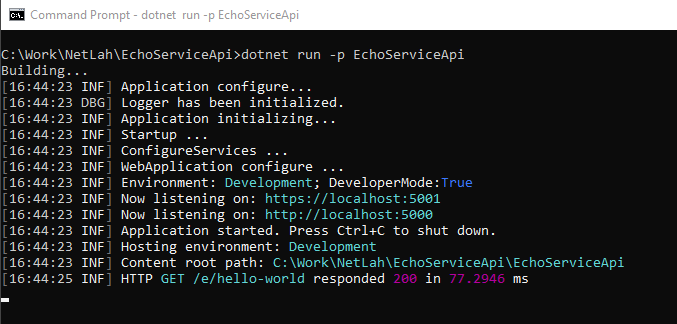
Output
```
C:\Work\NetLah\EchoServiceApi>dotnet run -p EchoServiceApi
Building...
[16:44:23 INF] Application configure...
[16:44:23 DBG] Logger has been initialized.
[16:44:23 INF] Application initializing...
[16:44:23 INF] Startup ...
[16:44:23 INF] ConfigureServices ...
[16:44:23 INF] WebApplication configure ...
[16:44:23 INF] Environment: Development; DeveloperMode:True
[16:44:23 INF] Now listening on: https://localhost:5001
[16:44:23 INF] Now listening on: http://localhost:5000
[16:44:23 INF] Application started. Press Ctrl+C to shut down.
[16:44:23 INF] Hosting environment: Development
[16:44:23 INF] Content root path: C:\Work\NetLah\EchoServiceApi\EchoServiceApi
[16:44:25 INF] HTTP GET /e/hello-world responded 200 in 77.2946 ms
```
### Hit the echo service api
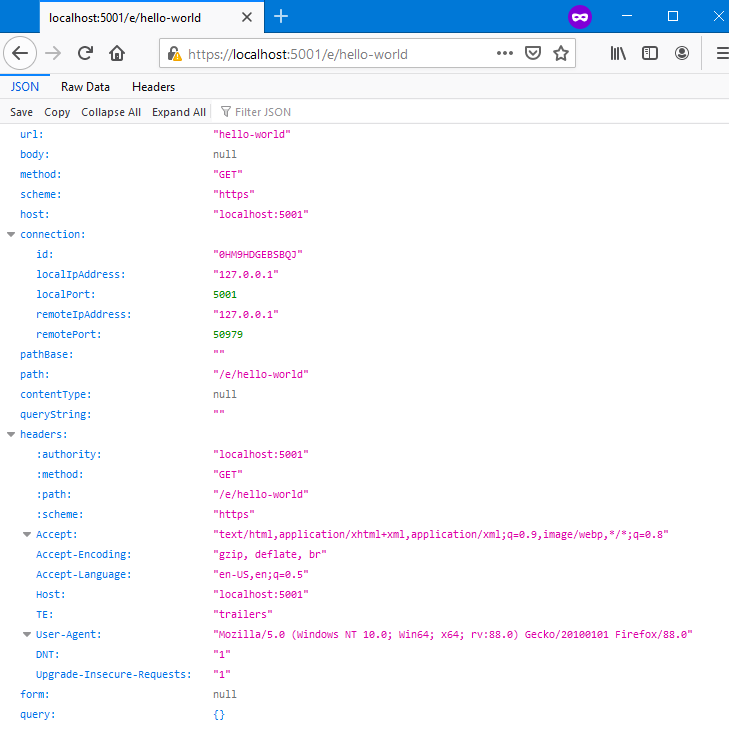
- Using any REST tool or browser to hit the Echo service API on URL
```
https:///e/
```
- Use browser and hit the URL `https://localhost:5001/e/hello-world`
### Test with hosting and Reverse Proxy
- This Echo Service Api support both IIS In process, IIS out process, IIS ARR URL Rewrite or NGINX.
- For forwarded headers issue when behind Reverse Proxy, can check this article for further understanding: https://devblogs.microsoft.com/aspnet/forwarded-headers-middleware-updates-in-net-core-3-0-preview-6/
- To add support Forwarded Headers when use with Reverse Proxy, make sure add this environment setting (environment settings, it is not support appsettings.json).
```
ASPNETCORE_FORWARDEDHEADERS_ENABLED=true
```
- For IIS ARR UrlRewrite, make sure add Server variable `HTTP_X_Forwarded_Proto` and provide proper value, the below is the sample for reference (do not use for production):
web.config
```
```
## Troubleshooting configuration, appsettings, connection strings and environments
### Setup connection strings with provider name and dump connection strings
Setup Azure AppService connection strings use specified provider or custom
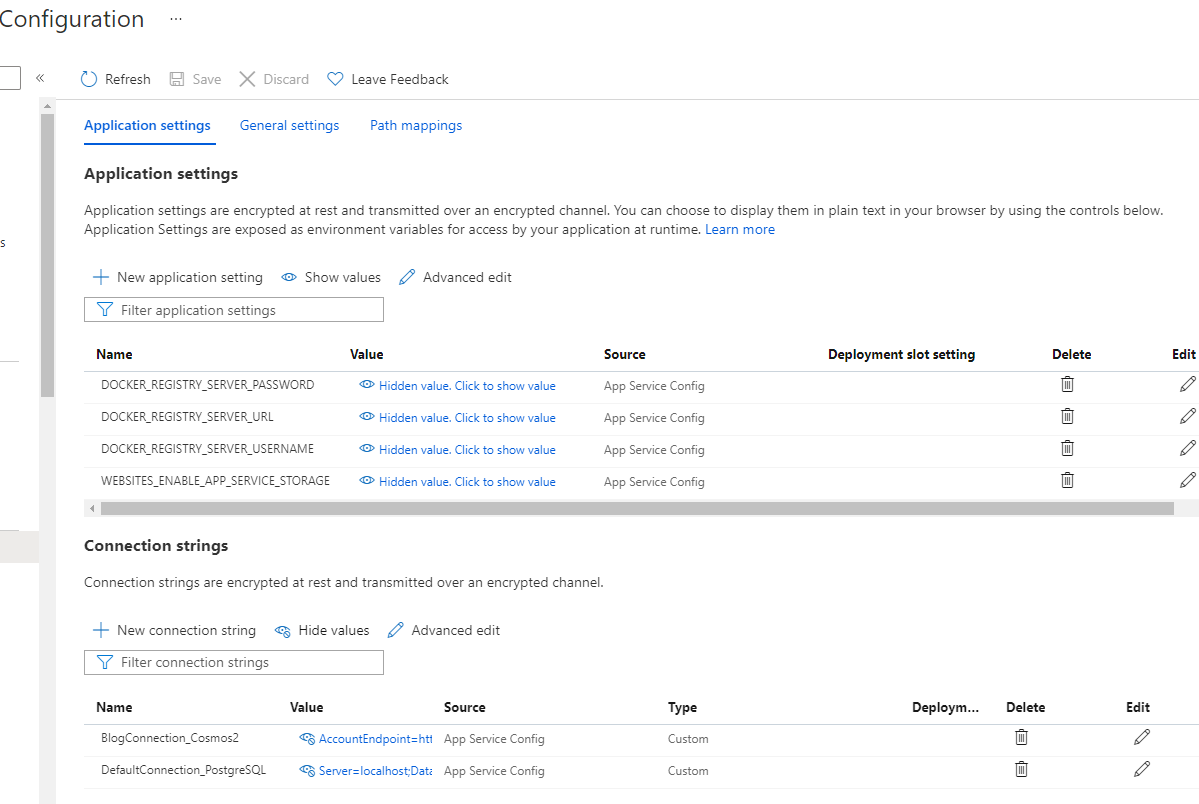
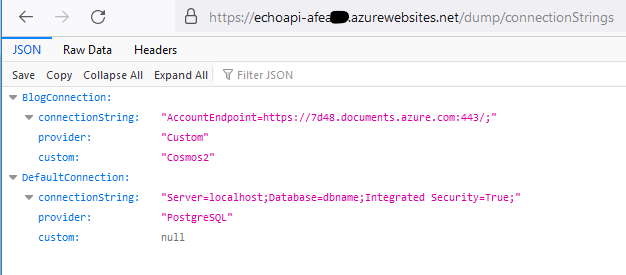
Dump connection strings
```
https://echoapi-******.azurewebsites.net/dump/connectionStrings
```
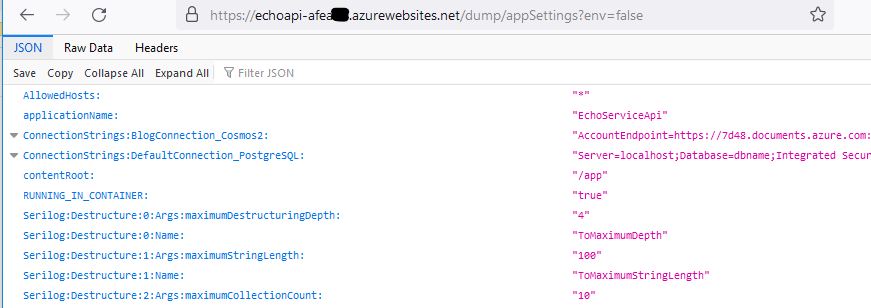
### Dump appsettings
```
https://echoapi-******.azurewebsites.net/dump/appSettings?env=false
```
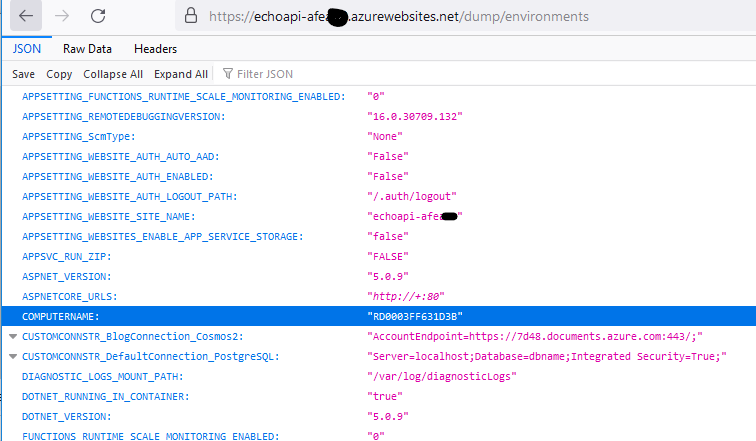
### Dump environments
```
https://echoapi-******.azurewebsites.net/dump/environments
```