https://github.com/netuno-org/platform
🚀 All Netuno core capabilities, such as CLI and Web Server.
https://github.com/netuno-org/platform
framework netuno netuno-platform platform server
Last synced: 4 months ago
JSON representation
🚀 All Netuno core capabilities, such as CLI and Web Server.
- Host: GitHub
- URL: https://github.com/netuno-org/platform
- Owner: netuno-org
- License: apache-2.0
- Created: 2021-08-04T21:56:29.000Z (almost 5 years ago)
- Default Branch: main
- Last Pushed: 2026-02-24T17:55:51.000Z (5 months ago)
- Last Synced: 2026-02-24T21:55:29.671Z (5 months ago)
- Topics: framework, netuno, netuno-platform, platform, server
- Language: JavaScript
- Homepage: https://netuno.org
- Size: 305 MB
- Stars: 67
- Watchers: 4
- Forks: 3
- Open Issues: 11
-
Metadata Files:
- Readme: README.md
- License: LICENSE
- Security: SECURITY.md
Awesome Lists containing this project
README
# Netuno Platform: [Get Started](https://doc.netuno.org/docs/get-started/installation)
### To install, follow the [Get Started](https://doc.netuno.org/docs/get-started/installation).
Quickly build applications adapted to your business logic.
In here you can find the source of all the Netuno core capabilities, such as CLI and Web Server.
Join [Netuno’s Discord](https://discord.gg/4sfXG6YWFu) for help and to know more, you are welcome.
You can follow to not lose the news, tips, and tutorials:
- [YouTube](https://www.youtube.com/channel/UCYY1Nz6T2NJtP29vba2fqkg)
- [LinkedIn](https://www.linkedin.com/company/netuno-org/)
- [Facebook](https://www.facebook.com/netuno.org/)
- [Instagram](https://www.instagram.com/netuno_org/)
- [Twitter](https://twitter.com/netuno_org)
[Netuno.org](https://www.netuno.org/) is the official website.
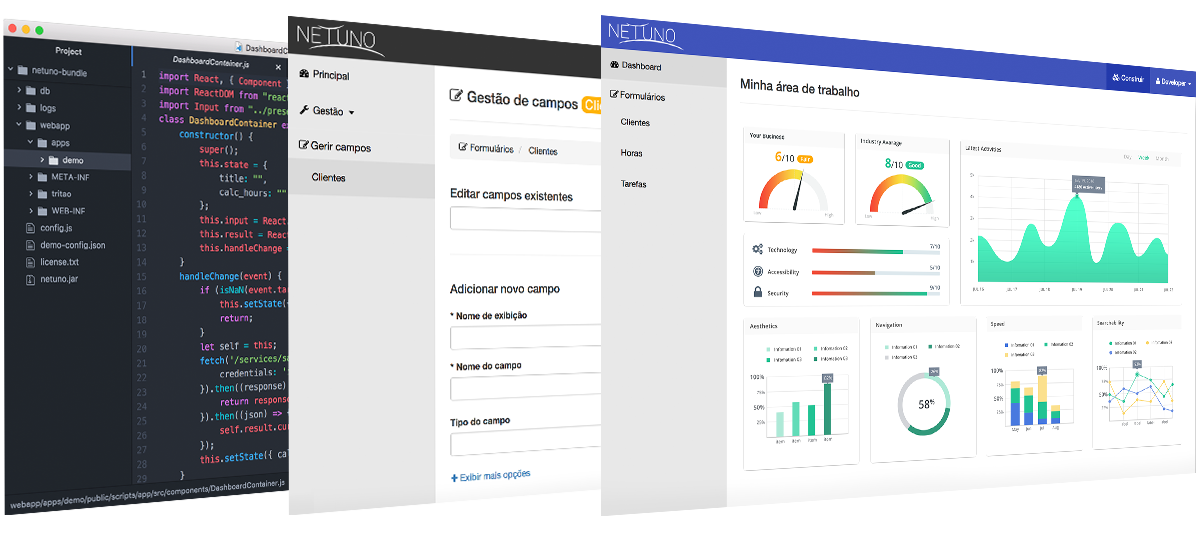
Find more in [netuno.org](https://www.netuno.org/)
[Get Started](https://doc.netuno.org/docs/get-started/installation)
· [First Steps](https://doc.netuno.org/docs/academy/ui/graphical-interface)
· [Polyglot](https://doc.netuno.org/docs/academy/understand/polyglot)
Documentation highlights:
[REST](https://doc.netuno.org/docs/academy/server/services/rest)
· [OpenAPI](https://doc.netuno.org/docs/academy/server/services/openapi)
· [Cron Jobs](https://doc.netuno.org/docs/academy/server/cron-jobs/)
· [Monitor & Alerts](https://doc.netuno.org/docs/academy/server/monitor-alerts/)
## Polyglot Low-Code Web Applications
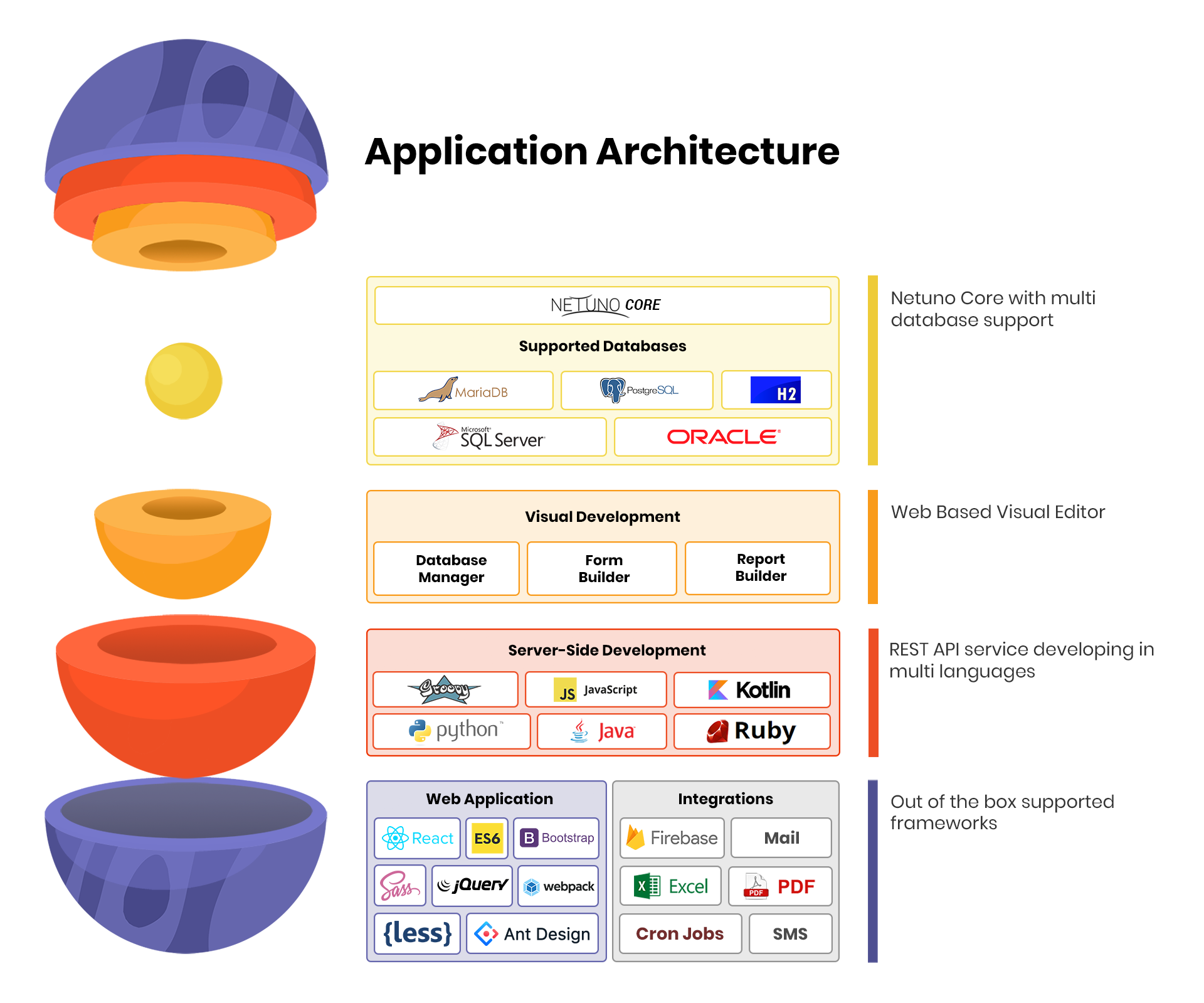
Netuno is written in Java and runs in GraalVM to facilitate web application development, it currently suppports the following programming languages:
- [JavaScript/ES6](https://www.graalvm.org/javascript/)
- [Groovy](https://groovy-lang.org)
- [JRuby (Ruby)](https://www.jruby.org)
- [Jython (Python)](https://www.jython.org)
- [Kotlin](https://kotlinlang.org)
> 😎 While you are programming you won't need to restart the server to compile the newly updated code.
>
> All log outputs such as server-side, client-side (NPM `run watch`) and other outputs are integrated in the same console. By having this feature you'll only need to look to one console thus easing your work.
## Build Requirements
- Linux, macOS and Windows;
- Maven
- NodeJS
- Java 11
## Setup
To install the Netuno Platform, please, follow the:
### ➡️ [Get Started](https://doc.netuno.org/docs/en/installation/)
Continue with the steps below if you want to compile from scratch and change the Netuno Platform, then start cloning this repository.
Make sure to use the GraalVM JDK as your Java environment:
- [GraalVM with Java 25](https://github.com/graalvm/graalvm-ce-builds/releases/tag/jdk-25.0.2)
## Linux or Mac
Allow permission to execute:
```sh
$ chmod +x setup.sh
```
Run the setup script:
```sh
$ ./setup.sh
```
## Windows
You need to run PowerShell as an administrator, then follow the steps.
```ps1
$ .\setup.ps1
```
After running the script in PowerShell as an administrator, it will verify if all dependencies are installed. If there are dependencies to be installed, it will prompt to ask if you want to install them.
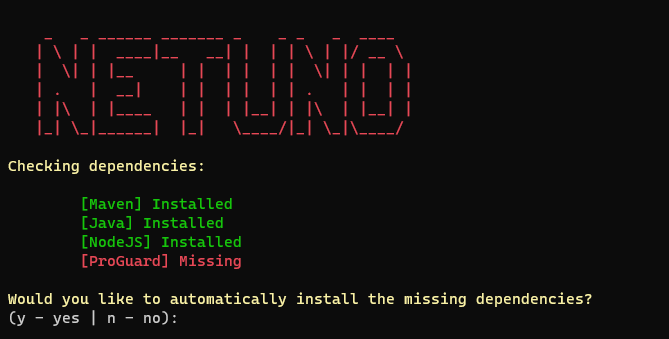
Depending on the dependencies, it will ask if you allow restarting the computer, as this is necessary to proceed.
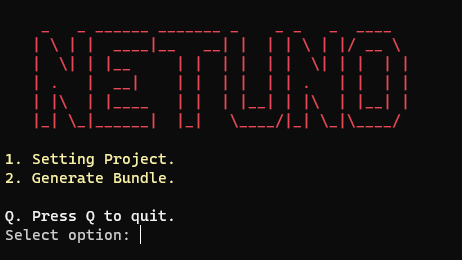
After installation and following the steps indicated by the script, run option 1 to configure the project and option 2 to generate a bundle.
## Fix ClassGraph Error
If you see the error:
```java.lang.NoClassDefFoundError: io/github/classgraph/ClassGraph```
it means the **ClassGraph** library is missing.
---
### Solution
1. **Download the library**
Get the `.jar` file from:
👉 [ClassGraph on Maven Repository](https://mvnrepository.com/artifact/io.github.classgraph/classgraph)
2. **Install the library**
Place the downloaded `.jar` in:
```.\bundle\base\web\WEB-INF\lib```
## Bundle
### Windows Commands
```ps1
$ cd bundle
```
```ps1
$ ./publish.ps1
```
### Linux or Mac Commands
```sh
$ cd bundle
```
```sh
$ ./publish.sh
```
The published Netuno version will be generated in `bundle/dist/netuno*` which is based on the final output generated in `bundle/out/netuno`.
## Build
The build script executes the Maven phases: clean and package.
### Windows Commands
```sh
$ ./build.ps1
```
### Linux or Mac Commands
```sh
$ ./build.sh
```
## Run
Look at how to run directly with Maven.
Short server initialization:
```sh
mvn test -Pcli-server -Dapp=demo -Drevision=DEV -Dmaven.test.skip=true
```
Full arguments:
```sh
mvn test -Pcli -Dexec.args="server app=demo home=bundle/base" -Drevision=DEV -Dmaven.test.skip=true
```
Your apps in a relative path:
```sh
mvn test -Pcli -Dexec.args="server app=demo home=bundle/base apps=../../netuno/apps" -Drevision=DEV -Dmaven.test.skip=true
```
Your apps in an absolute path:
```sh
mvn test -Pcli -Drevision=DEV -Dexec.args="server app=demo home=bundle/base apps=/srv/netuno/apps"
```
> Remember to change app=demo to your app name.
## Run/Debug With IntelliJ IDEA Community Edition
Create a new project in the menu File > New > Project from Existing Sources...
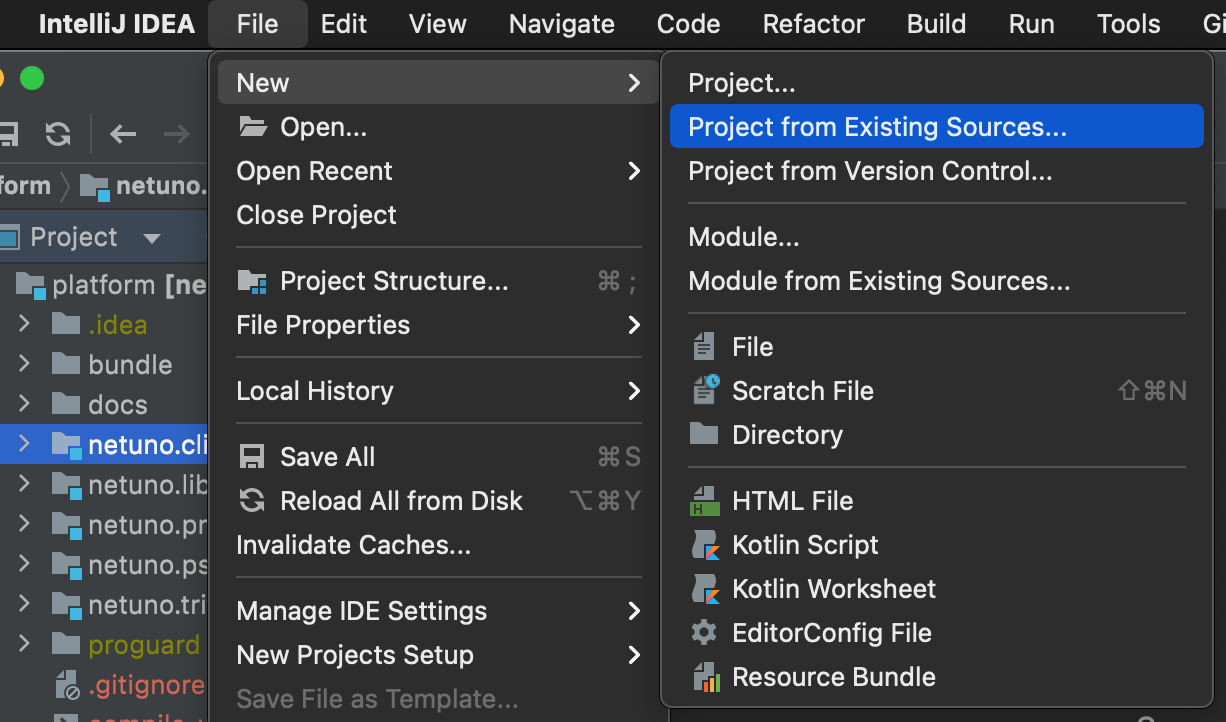
> Choose the folder where this repository was cloned.
Now choose Import project from external model > Maven:
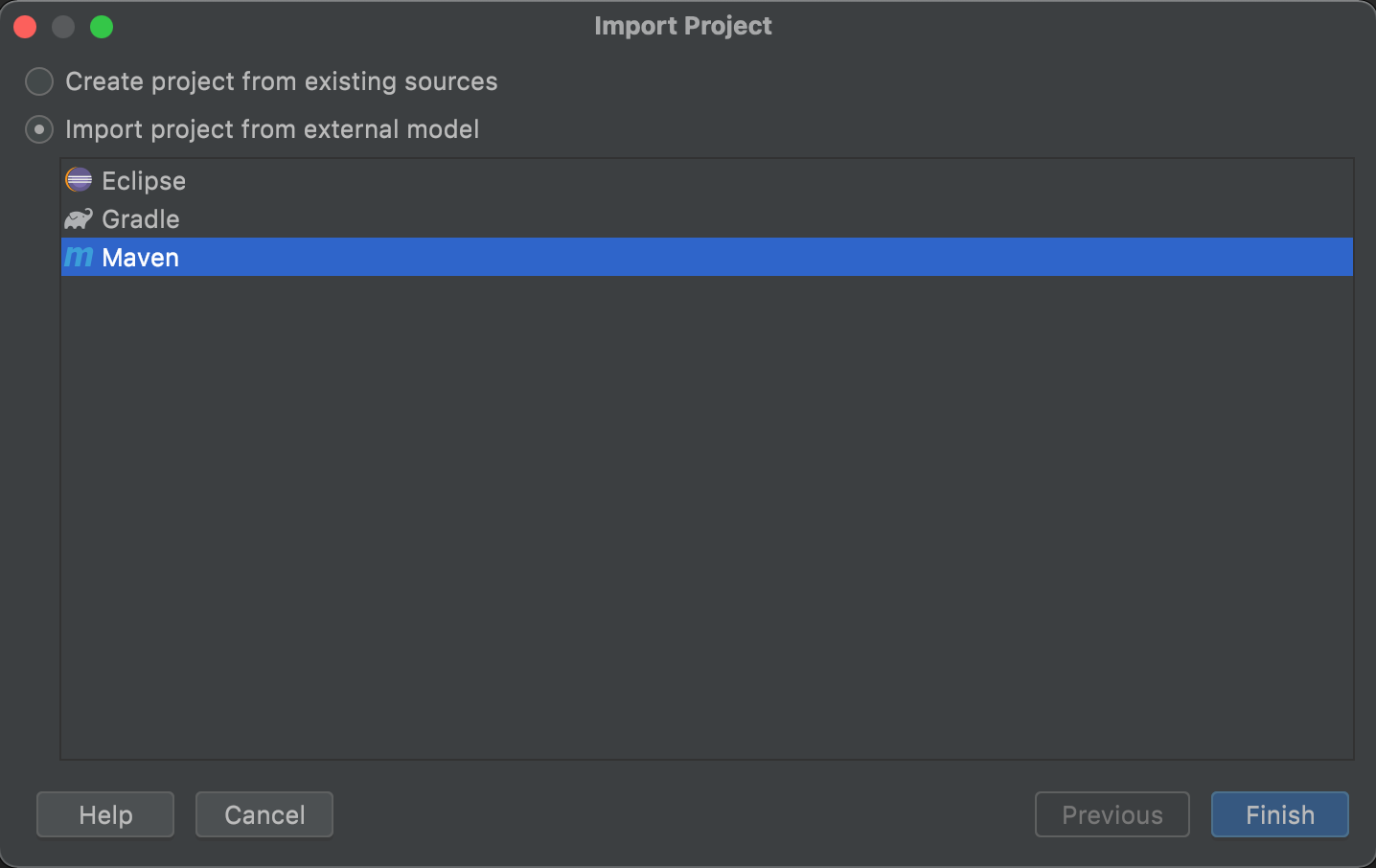
Your project panel should look like this:
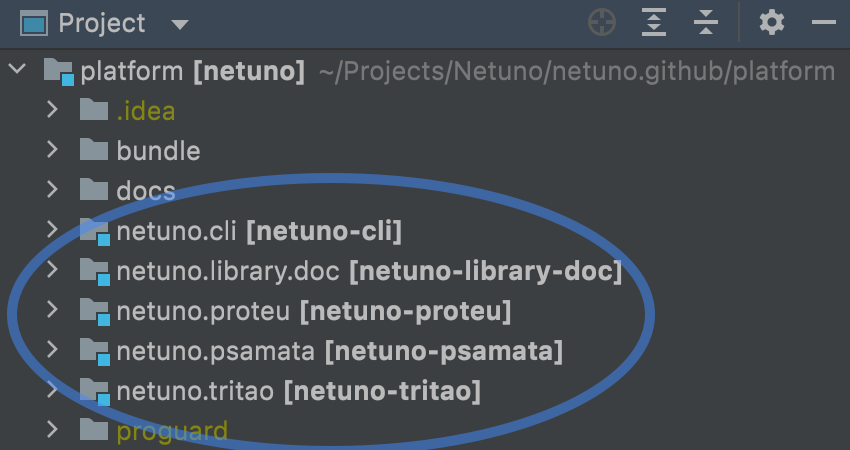
These modules should be detected automatically:
- netuno.cli
- netuno.library.doc
- netuno.proteu
- netuno.psamata
- netuno.tritao
In the top bar click on Add Configuration...

Then click on the + (plus) button and choose the Application option:
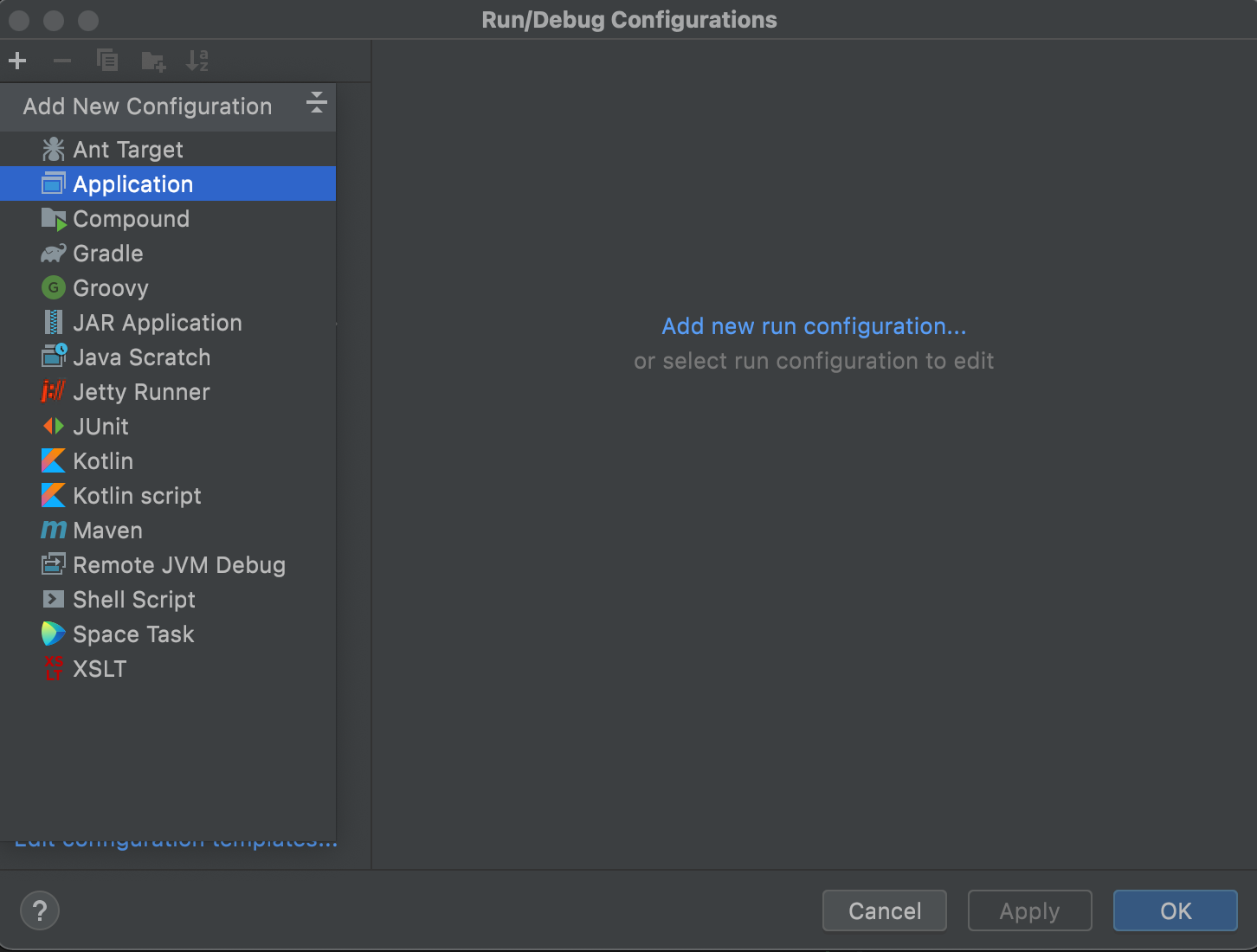
Configure the fields like this:
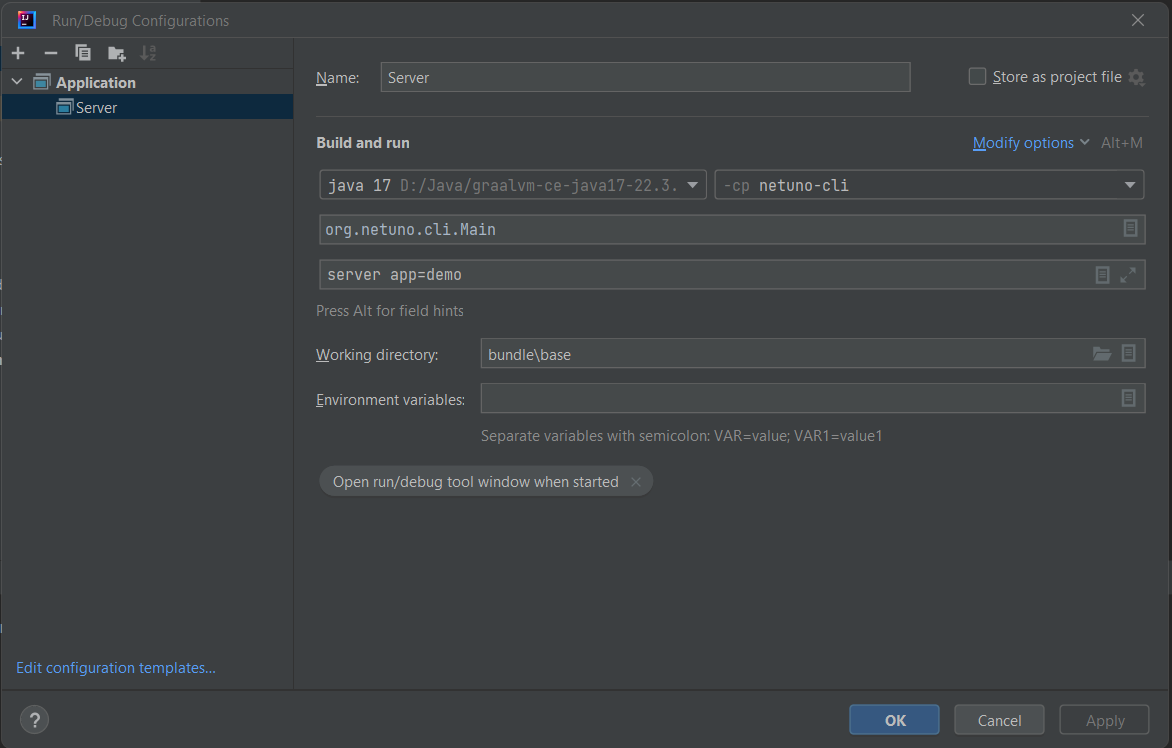
Make sure of:
- [GraalVM with Java 25](https://github.com/graalvm/graalvm-ce-builds/releases/tag/jdk-25.0.2)
- Module is `netuno-cli`
- Main class is `org.netuno.cli.Main`
- Working directory is `bundle/base`
🎉 Have fun!
### IntelliJ Run/Debug Error
If you get this error:
```
Connected to the target VM, address: '127.0.0.1:62490', transport: 'socket'
Exception in thread "main" java.lang.NoClassDefFoundError: kotlin/TypeCastException
at kotlinx.coroutines.debug.AgentPremain.(AgentPremain.kt:26)
at java.base/jdk.internal.reflect.NativeMethodAccessorImpl.invoke0(Native Method)
at java.base/jdk.internal.reflect.NativeMethodAccessorImpl.invoke(NativeMethodAccessorImpl.java:62)
at java.base/jdk.internal.reflect.DelegatingMethodAccessorImpl.invoke(DelegatingMethodAccessorImpl.java:43)
at java.base/java.lang.reflect.Method.invoke(Method.java:566)
at java.instrument/sun.instrument.InstrumentationImpl.loadClassAndStartAgent(InstrumentationImpl.java:513)
at java.instrument/sun.instrument.InstrumentationImpl.loadClassAndCallPremain(InstrumentationImpl.java:525)
Caused by: java.lang.ClassNotFoundException: kotlin.TypeCastException
at java.base/jdk.internal.loader.BuiltinClassLoader.loadClass(BuiltinClassLoader.java:581)
at java.base/jdk.internal.loader.ClassLoaders$AppClassLoader.loadClass(ClassLoaders.java:178)
at java.base/java.lang.ClassLoader.loadClass(ClassLoader.java:522)
... 7 more
*** java.lang.instrument ASSERTION FAILED ***: "result" with message agent load/premain call failed at ./src/java.instrument/share/native/libinstrument/JPLISAgent.c line: 422
FATAL ERROR in native method: processing of -javaagent failed, processJavaStart failed
Disconnected from the target VM, address: '127.0.0.1:62490', transport: 'socket'
Process finished with exit code 134 (interrupted by signal 6: SIGABRT)
```
Just go to IDE Preferences and disable the coroutine agent:
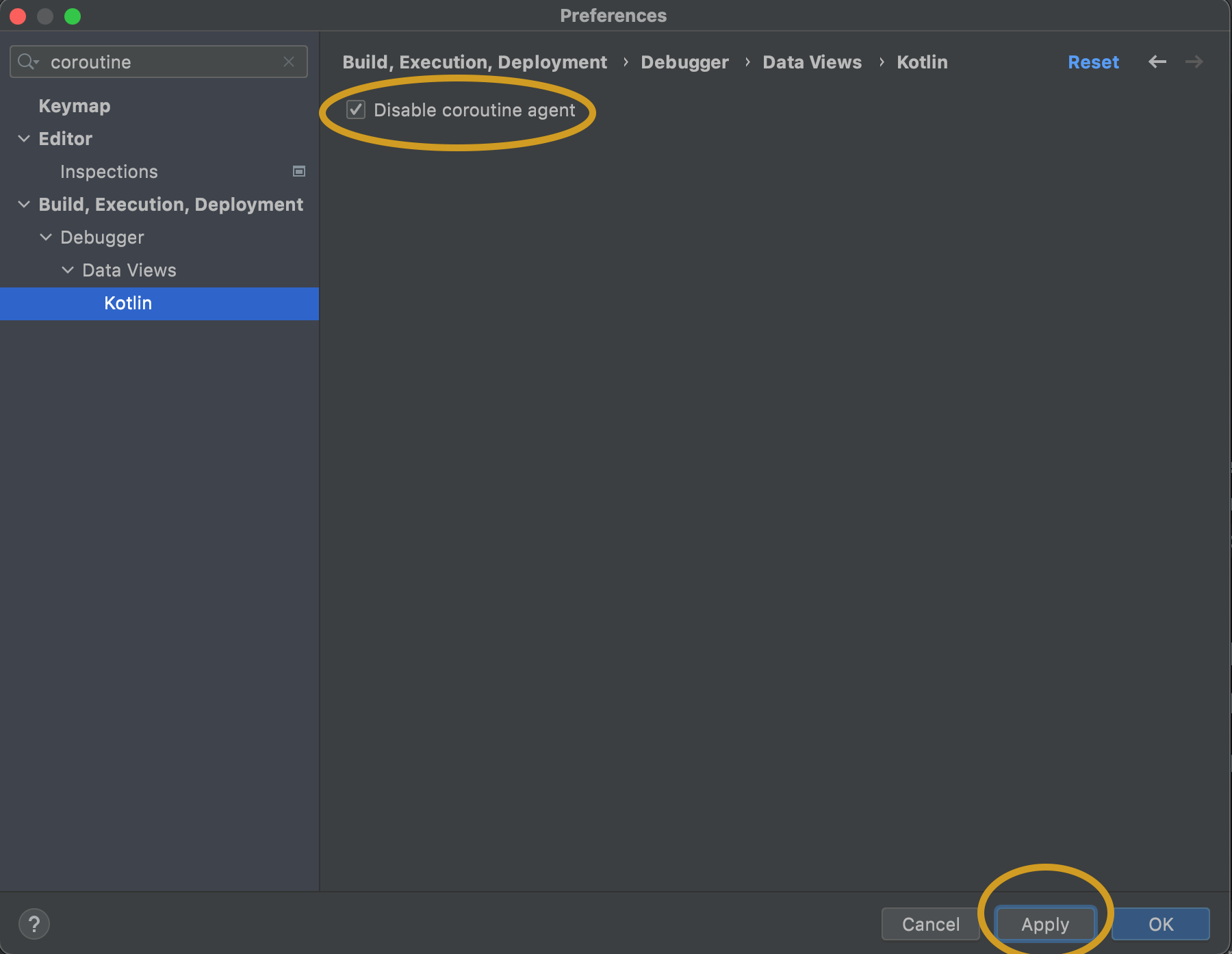
> Click on Apply button.
Now it should run/debug normally.