https://github.com/newbienewbie/indirectline
Your own DirectLine that runs without Azure
https://github.com/newbienewbie/indirectline
azure-bot-service bot-framework botbuilder directline webchat weixin-bot
Last synced: 8 months ago
JSON representation
Your own DirectLine that runs without Azure
- Host: GitHub
- URL: https://github.com/newbienewbie/indirectline
- Owner: newbienewbie
- License: mit
- Created: 2019-05-01T23:19:02.000Z (about 7 years ago)
- Default Branch: master
- Last Pushed: 2024-03-06T01:01:50.000Z (over 2 years ago)
- Last Synced: 2025-09-23T02:42:52.402Z (9 months ago)
- Topics: azure-bot-service, bot-framework, botbuilder, directline, webchat, weixin-bot
- Language: C#
- Homepage:
- Size: 1.61 MB
- Stars: 23
- Watchers: 6
- Forks: 13
- Open Issues: 0
-
Metadata Files:
- Readme: README.md
- License: LICENSE
Awesome Lists containing this project
README

# InDirectLine
Azure rocks. But sometime we need **Host our own `DirectLine` & [Bot Framework](https://docs.microsoft.com/en-us/azure/bot-service/bot-service-overview-introduction?view=azure-bot-service-4.0) without Azure**.
For example, test [webchat](https://github.com/Microsoft/BotFramework-WebChat) with no internet. :)
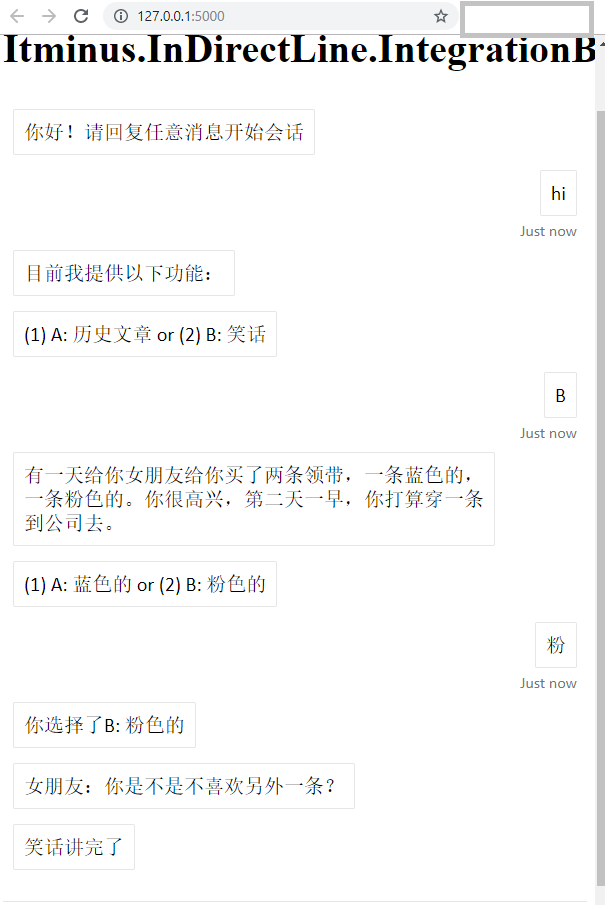

## How it works
Actually, the `DirectLine` is a **bridge** that connects your bot and your client. This project (`InDirectLine`) is a custom implementation of my own written using [ASP.NET Core](https://github.com/aspnet/AspNetCore).
For more details, see [Direct Line API 3.0](https://docs.microsoft.com/en-us/azure/bot-service/rest-api/bot-framework-rest-direct-line-3-0-concepts?view=azure-bot-service-4.0)
## Features & ToDo
* [x] REST API for normal messages
* [x] WebSocket support
* [x] Attachment support
* [X] Basic support : allow uploading
* [x] allow download
* [x] Security
* [x] Token Generate & Refresh API
* [x] Any user can only access his own conversation data
* [ ] Persistene Layer & InMemory storage & clean up resources automatically
* [X] Wechat MP support
* [ ] Unit Tests
## How to Use
Typically, `InDirectLine` will be used as an standlone server ([Itminus.InDirectLine.Web](https://github.com/newbienewbie/InDirectLine/tree/master/Itminus.InDirectLine.Web)). In this way, the `InDirectLine` & your `Bot` are two different processes. You could create your `Bot` in `C#`/`Node.js`/`Python`/`Java` languages as you like.
### WebChat
In order to use `Directline` with `WebChat`, we need create a `directLine` instance by `WebChat.createDirectLine()` firstly:
```html
var userId ="User-"+ parseInt(Math.random()* 1000000);
var userName = userId;
fetch('/v3/directline/tokens/generate', {
method: 'POST',
headers:{
"Content-Type":"application/json",
},
body: JSON.stringify({ userId: userId, password: ""}),
})
.then(res => res.json())
.then(res => {
var directLine = window.WebChat.createDirectLine({
domain: "/v3/directline",
token: res.token,
});
window.WebChat.renderWebChat({
directLine: directLine,
userID: userId,
username: userName,
locale: 'en-US',
}, document.getElementById('webchat'));
});
```
Note the `domain` has no trailing slash `/`.
The `WebChat` will use `WebSocket` by default. If you want a `REST` way, set the `webSocket=false`:
```javascript
var directLine = window.WebChat.createDirectLine({
domain: "http://localhost:3000/v3/directline",
token: 'YOUR_DIRECT_LINE_TOKEN',
webSocket:false,
});
```
### WeChat
See [Itminus.InDirectLine.IntegrationBotSample](https://github.com/newbienewbie/InDirectLine/tree/master/Itminus.InDirectLine.Samples/Itminus.InDirectLine.IntegrationBotSample).
### `InDirectLine` Configuration
The `InDirectLine` reads the `appsettings.json` file by default, which means it should listen on `http://localhost:3000` and assumes that the `http://127.0.0.1:5000/api/messages` is the bot message endpoint.
You could create a `appsettings.Development.json` or a `appsettings.Production.json` and configure the options as you like. To use other ports, see [Itminus.InDirectLine.IntegrationBotSample](https://github.com/newbienewbie/InDirectLine/tree/master/Itminus.InDirectLine.Samples/Itminus.InDirectLine.IntegrationBotSample).
Also you could pass the settings by [command line arguments](https://docs.microsoft.com/en-us/aspnet/core/fundamentals/configuration/?view=aspnetcore-2.2#arguments) or by [environment variables](https://docs.microsoft.com/en-us/aspnet/core/fundamentals/configuration/?view=aspnetcore-2.2#environment-variables-configuration-provider).
For more details, see [Microsoft Docs](https://docs.microsoft.com/en-us/aspnet/core/fundamentals/configuration/).